The biggest mistake that makes a good video feel amateur is poor audio quality. When your sound is muffled, background noise dominates, or voices aren’t clear, viewers quickly tune out even if the visuals look great. You might overlook microphone choice or placement, but these details can ruin your footage’s professionalism. Investing time in proper audio setup and equipment is essential. Keep going, and you’ll discover tips that can transform your sound and boost your video’s impact.

Get the latest gadgets delivered free with Prime
- Fast, free delivery on millions of items
- Prime Video, Amazon Music and more included
- Member-only deals all year
Key Takeaways
- Using the built-in camera microphone instead of an external mic compromises audio clarity.
- Improper microphone placement, like keeping it far from the mouth, results in muffled sound.
- Recording in noisy environments without sound isolation introduces distracting background noise.
- Neglecting to test audio levels often causes inconsistent volume and distortion.
- Relying solely on good visuals without prioritizing audio quality makes videos appear amateur.

Have you ever watched a well-shot video only to be distracted or turned off by poor audio quality? It’s frustrating, isn’t it? No matter how beautiful your visuals are, if your audio isn’t clear and crisp, viewers might tune out before they even get to the content. The truth is, audio quality can make or break your video, and one of the most common mistakes creators make is overlooking microphone selection. You might have the best camera gear and lighting, but if your microphone isn’t suited for your environment or the type of recording, your audio will suffer.
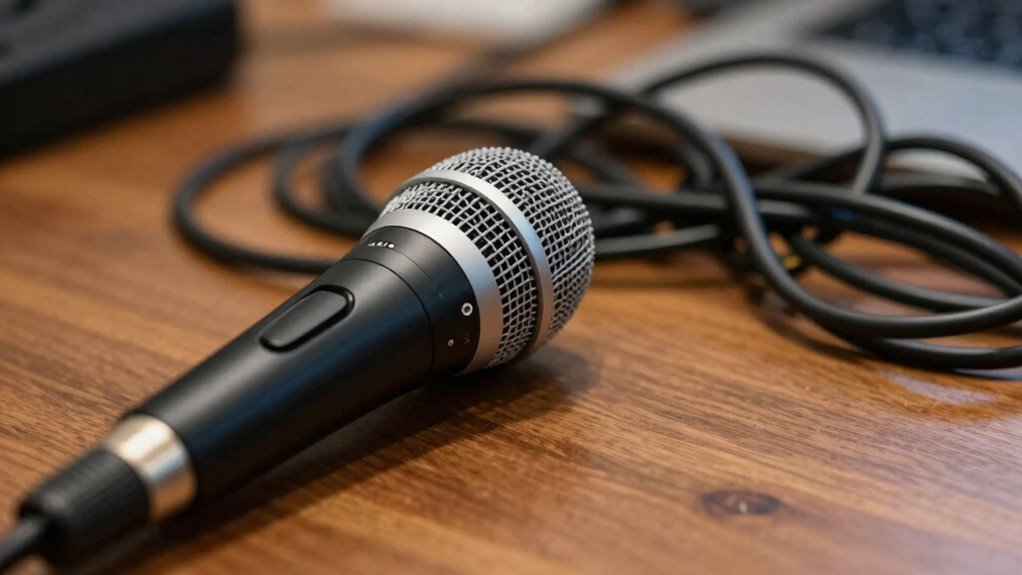
Choosing the right microphone isn’t just about picking the most expensive or popular model. It’s about understanding your recording environment and the kind of sound you need. For example, if you’re filming indoors with a lot of echo, a shotgun mic might not be enough. Instead, you might need a lavalier mic or a condenser microphone that captures voice more directly and reduces background noise. Conversely, if you’re outdoors, a shotgun mic with a windscreen can help eliminate wind noise and focus on what you’re saying. When it comes to audio quality, neglecting microphone selection is like trying to record a song with a guitar that’s out of tune. The equipment needs to match the setting, voice, and purpose of your video. Additionally, understanding the importance of sound isolation can drastically improve your audio clarity by minimizing unwanted ambient sounds.
Choosing the right microphone depends on your environment and sound needs, not just price or brand.
Proper microphone placement is crucial for capturing clear and professional audio. Even the best microphone can produce poor results if it’s not positioned correctly. For instance, keeping the mic close to your mouth will give you a richer, more direct sound, while keeping it too far away can introduce background noise and make your voice sound distant. Paying attention to the environment where you’re recording can also help you avoid issues like echoes or external distractions that diminish your audio quality. Recognizing the influence of audio environment on sound capture can help you better adapt your setup for optimal results. Moreover, being aware of microphone types and their specific uses can further enhance the quality of your recordings, especially when selecting between dynamic, condenser, or lavalier microphones. Remember, using appropriate accessories such as windshields, pop filters, or shock mounts can further enhance your audio quality by reducing unwanted noise and vibrations.
Investing in good audio isn’t just about buying the right microphone; it’s about understanding how to use it properly. Test your setup beforehand, listen to recordings, and make adjustments. Remember, audience retention drops considerably if your audio quality is subpar. People will tolerate a slightly shaky camera, but poor audio quality can make them click away faster than you can say “mute.” So don’t overlook this essential aspect. Your videos will feel more professional, engaging, and worth watching if you prioritize microphone selection and learn how to optimize your audio quality from the start.
Products Worth Considering

EcoFlow Smart Home Panel 2 Whole-Home Backup System Hub

DJI Osmo Pocket 3 Creator Combo Vlogging Camera with Mic 2, 1 CMOS, 4K/120fps, 3-Axis Stabilization, 128GB Card
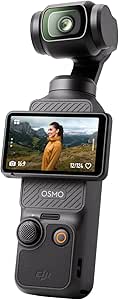
DJI Osmo Pocket 3 Vlogging Camera with 1-Inch CMOS Sensor and 4K Video
As an affiliate, we earn on qualifying purchases.
Frequently Asked Questions
How Does Audio Quality Impact Viewer Engagement?
Your audio quality directly impacts viewer engagement because clear sound keeps viewers focused and connected. Poor audio can distract or frustrate your audience, causing them to lose interest. By investing in good sound design and consistent audio branding, you create a professional atmosphere that enhances your message. When your audio is polished, viewers are more likely to stay engaged, trust your content, and share it with others.
What Are Common Signs of Poor Audio in Videos?
You notice poor audio when distracting sounds or microphone issues crop up unexpectedly, pulling your attention away. Common signs include inconsistent volume levels, muffled voices, background noise, and audio distractions that make it hard to focus. These issues often stem from microphone problems or improper settings, but they can make your video feel amateurish. Addressing these signs ensures your audience stays engaged and your content sounds professional.
Can Background Noise Ruin a Video’s Professionalism?
Background noise can definitely ruin your video’s professionalism. Even with good audio equipment, if you don’t apply soundproofing techniques, unwanted sounds can distract viewers and diminish your message’s impact. Investing in quality microphones and using soundproofing methods like foam panels or blankets helps isolate your voice. This guarantees clear, crisp audio, making your videos feel polished and professional, ultimately keeping viewers engaged and trusting your content.
What Affordable Tools Improve Audio Clarity?
You can improve audio clarity affordably with the right tools. Start by choosing the appropriate microphone types, like a lapel or USB condenser mic, to capture clear sound. Use simple audio editing software, such as Audacity or GarageBand, to reduce background noise and enhance clarity. These tools help you produce professional-quality audio without breaking the bank, ensuring your video feels polished and engaging.
How Do I Balance Voice and Background Music?
Balance boosts brilliance by blending background music and voice clarity seamlessly. Start by lowering the music volume to prevent it overpowering your voice, ensuring your message remains clear. Use dynamic adjustments—raise the voice for emphasis and soften background music during dialogue. Consistently monitor audio levels, keeping your voice crisp and background music subtle. This balancing act creates a harmonious harmony, making your video feel professional and polished, engaging your audience effortlessly.
Conclusion
Remember, clear and crisp audio elevates your videos from amateur to professional. Poor sound quality can turn viewers away even if your visuals are excellent—studies show that 90% of viewers prioritize audio quality over visuals. So, invest in good microphones and monitor your sound. When audio is handled well, your audience stays engaged, and your message hits home. Don’t let bad sound ruin your hard work—get your audio right and see your videos shine.