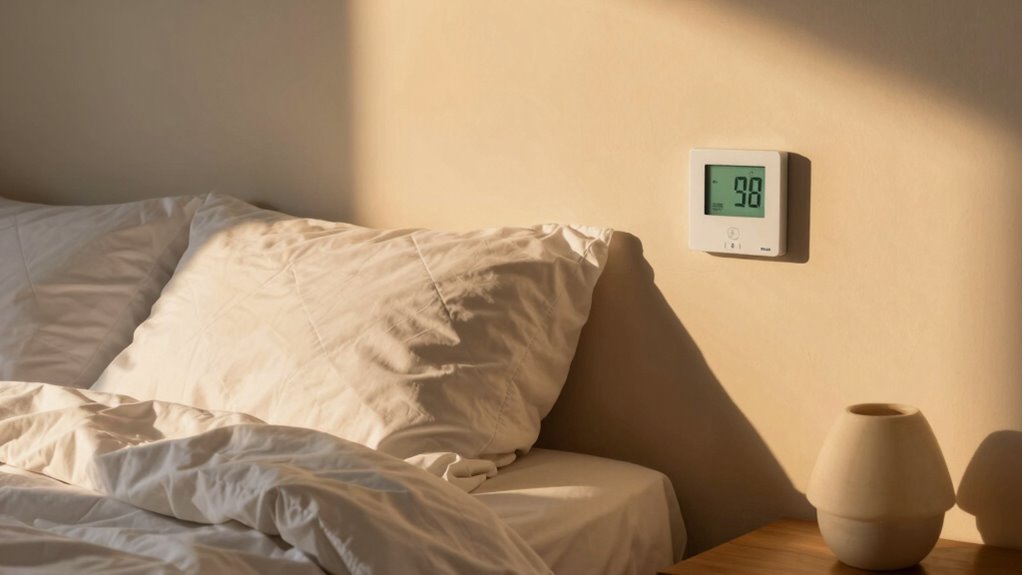

The best bedroom temperature for sleep varies by person, so a room thermometer can help you spot patterns and adjust your setup. I rank the Govee H5075 as my best overall pick for its Bluetooth monitoring and app access, while the TempPro TP50 stands out for straightforward at-a-glance readings and the Smart Baby Nursery Thermometer for caregivers tracking a baby’s room overnight. The main tradeoff is between simple local displays and connected features that add monitoring but may take more setup. These devices measure room conditions; they do not control the heating or cooling. Read on for the full breakdown and help matching a monitor to your bedroom routine.

Get the latest gadgets delivered free with Prime
- Fast, free delivery on millions of items
- Prime Video, Amazon Music and more included
- Member-only deals all year
Complete the kit



Key Takeaways
- Govee H5075 leads for connected monitoring: Bluetooth app access makes it the clearest choice here for checking bedroom readings without relying only on the device display.
- TempPro TP50 favors simplicity: Its digital thermometer and hygrometer suit people who want basic room readings rather than nursery guidance, alarm functions, or app features.
- The nursery model fills a specialized role: Sleepwear guidance, predicted overnight temperature, and a time-to-rise trainer address caregiver routines, but may be more than an adult bedroom needs.
- Display preferences matter as much as feature lists: LittleHippo adds color-changing light, while JALL combines temperature and humidity with a clock and alarms.
- None of these products changes room temperature: Buyers still need to adjust the thermostat, ventilation, bedding, or clothing when readings suggest a room feels uncomfortable.
| Smart Baby Nursery Thermometer with Sleepwear Guide, App Monitoring, Predicted Overnight Temperature, Night Light & Time-to-Rise Trainer |  | Best for Baby Sleepwear Planning | Temperature monitoring: Real-time room temperature with predicted overnight low | Sleepwear guidance: TOG-based recommendations displayed on screen | App connectivity: Monitor settings and data from a mobile device | VIEW ON AMAZON | See Our Full Breakdown |
| Timloon Digital Indoor Thermometer & Hygrometer |  | Best Value for Flexible Placement | Temperature range: -4°F to 158°F (-20°C to 70°C) | Humidity range: 10% to 99% | Accuracy: ±1°F | VIEW ON AMAZON | See Our Full Breakdown |
| TempPro TP50 Digital Hygrometer Indoor Thermometer |  | Best for Quick, Simple Readings | Temperature accuracy: ±1°F | Humidity accuracy: ±2–3% RH | Refresh rate: 10 seconds | VIEW ON AMAZON | See Our Full Breakdown |
| LittleHippo Kelvin Color Changing Night Light, Room Thermometer and Hygrometer |  | Best Visual Temperature Cue | Temperature display: Color-changing lights: red, amber, and blue | Temperature range: 32°F to 104°F | Humidity monitoring: Built-in hygrometer | VIEW ON AMAZON | See Our Full Breakdown |
| JALL Wooden Digital Alarm Clock with Big Digits, 3 Alarms, and Temperature/Humidity Display |  | Best Bedside Clock with Climate Readout | Display: Digital LED with large digits | Temperature and humidity: Both displayed | Alarms: Three, with weekday mode and snooze | VIEW ON AMAZON | See Our Full Breakdown |
| Govee H5075 Indoor Hygrometer and Thermometer with Bluetooth App Control |  | Best for Tracking Overnight Temperature Trends | Model: H5075 | Bluetooth range: Up to 164 ft | Temperature accuracy: ±0.54°F | VIEW ON AMAZON | See Our Full Breakdown |
| bedroom temperature for sleep | Display | Power |
|---|---|---|
| Smart Baby Nursery Thermometer | — | — |
| Timloon Digital Indoor Thermom | LCD with touch backlight | Two AAA batteries, not included |
| TempPro TP50 Digital Hygromete | High/low readings; no backlight listed | One AAA battery, not included |
| LittleHippo Kelvin Color Chang | — | — |
| JALL Wooden Digital Alarm Cloc | Digital LED with large digits | Corded electric; USB adapter included |
| Govee H5075 Indoor Hygrometer | 3-inch LCD | — |
More Details on Our Top Picks
Smart Baby Nursery Thermometer with Sleepwear Guide, App Monitoring, Predicted Overnight Temperature, Night Light & Time-to-Rise Trainer
For parents choosing sleepwear around a changing nursery temperature, this model goes beyond a basic room reading: it predicts the overnight low and provides TOG-based sleepwear guidance. That makes it more directly useful for planning a baby’s night than the LittleHippo Kelvin, which signals temperature with color but does not list overnight predictions or sleepwear advice. App monitoring and a temperature-responsive night light add ways to check conditions and read the room without relying on a wearable. The tradeoff is its focused nursery design: unlike the Timloon, it is not presented as a general-purpose monitor for other rooms. Full functionality also depends on a smartphone, so this is a better fit for app-comfortable caregivers than anyone seeking a simple standalone display.
Pros:- Predicts the overnight low to support sleepwear choices
- Displays TOG-based sleepwear recommendations
- App allows remote monitoring and customization
- Combines temperature-linked night lighting with a time-to-rise routine feature
Cons:- Requires a smartphone for full functionality
- Designed for nursery use rather than broader home monitoring
- The supplied information does not specify a temperature accuracy figure
Best for: Parents who want predicted overnight nursery temperatures and TOG-based sleepwear guidance in one device.
Not ideal for: Buyers seeking a simple, phone-free monitor for bedrooms throughout the home, since full functionality requires a smartphone and the product is nursery-focused.
- Temperature monitoring:Real-time room temperature with predicted overnight low
- Sleepwear guidance:TOG-based recommendations displayed on screen
- App connectivity:Monitor settings and data from a mobile device
- Night light:Color-changing or red-only mode with dimmable brightness
- Routine feature:Time-to-Rise trainer
- Intended setting:Nursery
Our verdict“Choose this if baby sleepwear planning and overnight nursery forecasts matter more than phone-free simplicity or whole-home use.”
Timloon Digital Indoor Thermometer & Hygrometer
The Timloon is a practical choice for readers who want a clear bedroom temperature-and-humidity check without adding an app or smart-home setup. Its 24-hour max/min memory gives more context than a single glance, while the dry/comfort/wet indicator offers a quick humidity cue. Compared with the TempPro TP50, Timloon adds a touch-activated backlight and more placement choices, including desk, wall, and magnetic mounting. The compromise is that its screen may be small to read from across a room, and there is no wireless connectivity for checking conditions remotely. Two AAA batteries are required but not included. I’d pick it for a bedside table or a spot near the bed; buyers who prioritize fast refreshes and compact magnetic placement may prefer the TempPro instead.
Pros:- 24-hour maximum and minimum memory adds context beyond the current reading
- Touch backlight helps with nighttime readings
- Desk, wall, and magnetic placement options suit different bedroom layouts
- Dry/comfort/wet indicator makes humidity easier to interpret at a glance
Cons:- Requires two AAA batteries, which are not included
- No wireless connectivity or app integration
- Small screen may be difficult to read from a distance
Best for: Bedroom users who want an easy-to-place temperature and humidity display with overnight-readable lighting and daily high/low context.
Not ideal for: People who need remote app monitoring or a large display readable from across a spacious bedroom.
- Temperature range:-4°F to 158°F (-20°C to 70°C)
- Humidity range:10% to 99%
- Accuracy:±1°F
- Max/min memory:24-hour
- Display:LCD with touch backlight
- Dimensions:3.11 × 2.28 × 0.87 in (79 × 58 × 22 mm)
- Power:Two AAA batteries, not included
- Mounting:Desk, wall, or magnetic
Our verdict“Choose Timloon for a flexible, standalone bedside monitor; choose the Govee H5075 instead if Bluetooth app access is a priority.”
TempPro TP50 Digital Hygrometer Indoor Thermometer
The TempPro TP50 suits readers who want a straightforward bedroom monitor with frequent updates, high/low records, and no app to configure. Its 10-second refresh rate keeps the displayed conditions current, while the stand and magnetic back make it easy to place on a nightstand or attach to a suitable surface. Compared with the Timloon, it uses one AAA battery and updates quickly, but gives up the Timloon’s touch-backlit screen and broader mounting choices. That lack of a backlight is a real nighttime drawback: the numbers may be harder to check in a dark room. Its stated accuracy is ±1°F for temperature and ±2–3% RH for humidity, which is useful context when tracking bedroom conditions, though it remains a simple local display rather than an app-connected system.
Pros:- Refreshes readings every 10 seconds
- Displays high and low temperature and humidity records
- Temperature accuracy is specified at ±1°F
- Tabletop stand and magnetic back give two placement options
Cons:- No backlit display, making nighttime readings less convenient
- AAA battery is not included
- Limited to indoor use
Best for: Bedroom users who want frequent temperature and humidity updates on a compact, battery-powered display.
Not ideal for: Anyone who needs a backlit screen for checking readings at night or wants remote access through a phone.
- Temperature accuracy:±1°F
- Humidity accuracy:±2–3% RH
- Refresh rate:10 seconds
- Records:High and low temperature and humidity
- Display:High/low readings; no backlight listed
- Power:One AAA battery, not included
- Placement:Tabletop stand or magnetic back
- Other feature:Wellness indicator and °F/°C selector
Our verdict“Pick the TP50 for quick local readings and a simple setup, but choose the Timloon if nighttime screen visibility matters more.”
LittleHippo Kelvin Color Changing Night Light, Room Thermometer and Hygrometer
The Kelvin makes bedroom conditions easy to interpret without reading a small numeric display: red, amber, and blue light indicate hot, comfortable, and cold temperature ranges. That visual cue, paired with a gentle night light and humidity monitoring, gives it a clear nursery role. Compared with the Smart Baby Nursery Thermometer, Kelvin is less focused on sleepwear planning because it does not list overnight-low predictions or TOG guidance; its strength is immediate, glanceable feedback. It also lacks the Timloon’s listed max/min memory, so it is less suited to tracking how conditions change overnight. The main constraint is power: Kelvin needs continuous USB connection and has no battery option. Choose it when a color signal and night light matter more than historical data or app-based monitoring.
Pros:- Color-changing light gives an immediate temperature cue
- Built-in hygrometer adds humidity monitoring
- Also works as a nursery or child’s-room night light
- Temperature ranges can be set through a user-friendly interface
Cons:- Requires continuous USB power and has no battery option
- Does not list overnight prediction or temperature history features
- Offers fewer advanced monitoring features than the nursery smart thermometer
Best for: Caregivers who want a simple, visible hot/comfortable/cold signal and a night light in a nursery or child’s bedroom.
Not ideal for: Buyers who need a battery-powered monitor, overnight temperature history, or detailed sleepwear recommendations.
- Temperature display:Color-changing lights: red, amber, and blue
- Temperature range:32°F to 104°F
- Humidity monitoring:Built-in hygrometer
- Power source:Corded electric via USB
- Material:ABS
- Intended use:Indoor
- Lighting:Night light with temperature-linked color changes
Our verdict“Choose Kelvin for glanceable color feedback and a built-in night light, not for detailed overnight tracking or sleepwear guidance.”
JALL Wooden Digital Alarm Clock with Big Digits, 3 Alarms, and Temperature/Humidity Display
The JALL is primarily a bedside alarm clock, with temperature and humidity readings added for people who want bedroom conditions visible in the same place as the time. Its six-level dimmer is especially relevant to sleep: you can reduce display brightness rather than tolerate an overly bright clock at night. Three alarms and weekday mode make it more schedule-focused than the TempPro TP50, but it does not list the TP50’s high/low records or 10-second refresh rate. The JALL is not a dedicated climate monitor, so buyers seeking detailed temperature tracking should look at the TempPro or the app-connected Govee H5075. It also needs plug-in power for the display; the backup battery saves settings but does not keep the screen lit during an outage.
Pros:- Six brightness levels let users reduce nighttime light
- Large digital digits combine time with temperature and humidity readings
- Three alarms and weekday mode support different schedules
- Adjustable alarm volume suits different wake-up preferences
Cons:- Temperature and humidity display is secondary to its alarm-clock function
- Screen does not light when using battery backup alone
- CR2032 backup battery is not included
Best for: Sleepers who want a dimmable alarm clock that also shows bedroom temperature and humidity at a glance.
Not ideal for: People who need detailed temperature history, app monitoring, or a display that stays lit during power outages.
- Display:Digital LED with large digits
- Temperature and humidity:Both displayed
- Alarms:Three, with weekday mode and snooze
- Brightness:Six-level dimmer
- Power:Corded electric; USB adapter included
- Backup battery:One CR2032, not included; display does not light on backup alone
- Dimensions:5.91 in high × 3.15 in wide
- Mounting:Tabletop
Our verdict“Choose the JALL if you want a dimmable bedside clock with basic climate readings, rather than a dedicated monitor with historical data.”
Govee H5075 Indoor Hygrometer and Thermometer with Bluetooth App Control
The Govee H5075 is my pick for sleepers who want more than a glance at the room’s current temperature. Its 2-second updates and 20-day graph history help reveal whether a bedroom warms up or dries out overnight, while CSV export lets data be saved for longer-term comparisons. The 3-inch LCD is easier to read across a room than a compact display, and app alerts can flag conditions while your phone is within Bluetooth range. Compared with the TempPro TP50, this model puts more emphasis on app-based records and alerts; it suits trend tracking better than a simple bedside check. The tradeoff is connectivity: Bluetooth reaches about 164 feet, but there’s no Wi-Fi for remote monitoring, and the added logging features may be unnecessary if you only want a basic reading.
Pros:- ±0.54°F temperature accuracy helps distinguish small changes that may affect bedroom comfort.
- 2-second refresh rate provides timely readings as room conditions shift.
- 20-day graph storage with CSV export supports longer-term temperature and humidity comparisons.
- Bright 3-inch LCD is easy to read without relying on the app.
Cons:- Bluetooth range is limited to about 164 feet, so app access depends on being nearby.
- No Wi-Fi means readings and alerts are not available remotely over the internet.
Best for: Sleepers who want to track overnight bedroom temperature and humidity patterns in the app and compare saved readings over time.
Not ideal for: People who need remote monitoring while away from home or outside Bluetooth range, or who only want a simple display without app features.
- Model:H5075
- Bluetooth range:Up to 164 ft
- Temperature accuracy:±0.54°F
- Humidity accuracy:±3% RH
- Refresh rate:2 seconds
- Display:3-inch LCD
- Data storage:20-day graphs; CSV export for up to 2 years
- Power source:Battery powered
Our verdict“Choose the Govee H5075 if you want accurate bedroom readings plus app-based overnight trends; skip it if a basic local thermometer is enough.”

How We Picked
I compared the six products by how well their features support a practical bedroom-sleep routine: reading room temperature and humidity, checking conditions at a glance, and using any extra monitoring or alerts without adding unnecessary complexity. I also weighed each model’s broader utility, such as the JALL’s alarm-clock functions, LittleHippo’s night light, and the nursery monitor’s caregiver-focused guidance. Since these devices measure rather than regulate room conditions, I treated clear monitoring and useful context as more relevant than features that imply direct climate control.
The ranking reflects the best fit for the widest range of bedroom users first, followed by narrower or simpler use cases. The Govee H5075 places first for combining room monitoring with Bluetooth app access; the TempPro TP50 follows for buyers who want direct readings with fewer connected features. Specialized options rank lower for general sleep use, not because their functions lack value, but because a nursery guide, color-changing light, or alarm clock serves a more particular need. I weighed convenience against setup, feature relevance, and the chance that an added function may go unused.
| bedroom temperature for sleep | Power |
|---|---|
| Smart Baby Nursery Thermometer | — |
| Timloon Digital Indoor Thermom | Two AAA batteries, not included |
| TempPro TP50 Digital Hygromete | One AAA battery, not included |
| LittleHippo Kelvin Color Chang | — |
| JALL Wooden Digital Alarm Cloc | Corded electric; USB adapter included |
| Govee H5075 Indoor Hygrometer | — |
Factors to Consider When Choosing Bedroom Temperature For Sleep
Choosing a bedroom monitor is less about chasing one exact temperature and more about getting readings you can interpret and act on. I would start with how you plan to check conditions, then weigh humidity, placement, and any extra features against the needs of the people sleeping in the room.
Use Room Readings as a Starting Point, Not a Sleep Prescription
A thermometer reports the air around its sensor; it cannot tell you whether your bedding, pajamas, health, or personal preference make the room feel comfortable. Treat readings as a way to notice patterns, such as a room warming overnight, rather than as a universal pass-or-fail target. Change one factor at a time—such as bedding or thermostat setting—so you can tell what helped. A device with overnight prediction may add context, but a forecast is still not a guarantee of the temperature you will experience. Avoid making large adjustments based on a single reading or a sensor placed in an unusual spot.
Decide Whether You Need App Access or a Simple Display
App-connected monitors make remote checks easier, which can help if the device sits across the room or you are monitoring a nursery from elsewhere at home. They also add setup, phone dependence, and another interface to manage. A local display is often the more direct choice when you only need to glance at readings before bed or after waking. Before choosing an app model, check what connection type it uses and whether its stated features match how you plan to check data. Paying for connectivity makes less sense if you rarely open the app or prefer to keep phones out of the bedroom.
Pay Attention to Humidity Alongside Temperature
Temperature alone may not explain why a bedroom feels uncomfortable; humidity readings can provide useful context when air feels dry or damp. A combined thermometer and hygrometer gives you two measurements in one place, but it still does not adjust moisture levels. Consider whether you will act on humidity information, such as changing ventilation or using a separate humidifier or dehumidifier. If you only want a rough view of room conditions, a basic combined display may be enough. Do not treat a single sensor reading as a full assessment of air quality or building moisture.
Place the Sensor Where It Can Represent the Sleeping Area
A reading can be misleading if the monitor sits in direct sunlight, beside a heater, near a draft, or against a warm electronic device. Choose a stable spot in the bedroom that is not exposed to a local heat or cooling source. For a nursery, the most useful placement may differ from an adult bedroom because the monitor should reflect conditions near the sleep area without being placed somewhere unsafe or within reach. Follow the device’s placement and safety instructions rather than positioning it solely for a convenient display. If readings seem inconsistent, try a different suitable location before changing the thermostat.
Separate Helpful Extras From Features You Will Actually Use
Night lights, alarms, sleepwear suggestions, and time-to-rise tools can make a monitor fit into a broader bedtime routine, but each adds a different purpose. A nursery-focused guide may help caregivers think about overnight clothing, while an alarm clock can reduce the need for a separate bedside device. A color-changing display may be easy to notice, yet light in a bedroom can bother someone who sleeps in darkness. List the jobs you want one device to perform before choosing a feature-rich model. A simpler monitor can be the better buy when extra functions distract from the core task of checking room conditions.
Think About Who Will Read and Respond to the Measurements
For one adult, a visible display may be all that is needed; for caregivers, shared rooms, or remote checks, app access and alerts may matter more. A product’s information is only useful if the person responsible can interpret it and decide what action is appropriate. Families should agree on who checks readings and which adjustments are reasonable, rather than reacting to every small fluctuation. If several people share a bedroom, comfort needs may differ, so the monitor cannot settle bedding or thermostat disagreements on its own. Choose for the routine and decision-maker, not just the largest feature list.
Frequently Asked Questions
Can a bedroom thermometer tell me the right temperature for my sleep?
It can show the room’s measured temperature, but it cannot identify one setting that suits everyone. Comfort also depends on bedding, clothing, humidity, personal preference, and how the room changes overnight. Use the readings to compare conditions with how you sleep, then adjust one part of your setup at a time. A device’s guidance or forecast can offer context, but it should not replace your own comfort or medical advice when relevant.
Should I choose a Bluetooth monitor if I only check the room before bed?
Probably not unless you also value remote checks, stored readings, or app-based access. A clear local display is often easier for a quick bedtime glance and avoids extra phone setup. Bluetooth can be useful when the monitor is out of sight or when you want to check a nursery from another room, but its value depends on the app features and your routine. Compare the connection requirements with how often you expect to use them.
Is a nursery temperature monitor useful in an adult bedroom?
It can be, especially if you want overnight temperature predictions or sleepwear guidance, but those features are aimed at caregiver decisions. For an adult room, a basic thermometer and hygrometer may cover the main need without extra prompts or child-focused functions. The nursery model makes more sense when its guidance fits a real caregiving routine. Check how the device presents recommendations and treat them as reference information rather than a substitute for safe-sleep guidance.
Why do two bedroom thermometers show different readings?
Sensors may sit in different locations, and sunlight, vents, exterior walls, electronics, or nearby people can affect the air around them. Devices can also differ in how they measure and display conditions. Place both monitors in a suitable, shaded location away from direct heat or drafts and allow them time to settle before comparing. If the readings still vary, use one monitor consistently to track changes in your own room rather than expecting every device to match exactly.
Do these monitors control heating or cooling when the bedroom gets uncomfortable?
No: the six products in this roundup measure room temperature and, where included, humidity; they are not presented as thermostats that operate heating or cooling equipment. You will need to make changes through your home’s thermostat, ventilation, bedding, or other separate equipment. App access or predicted readings can help you notice conditions, but they do not themselves change them. Check product details carefully if automatic climate control is a requirement.
Conclusion
For most buyers, I recommend the Govee H5075 as the best overall because it pairs temperature and humidity monitoring with Bluetooth app access. The TempPro TP50 is my best value-style choice for straightforward use, while the Smart Baby Nursery Thermometer is best for caregivers who want overnight predictions and sleepwear guidance. Beginners who prefer a clear, direct reading should start with the TempPro TP50 rather than paying for features they may not use. For specific needs, pick LittleHippo if a color-changing night light matters or JALL if you also want a clock and alarms; choose the nursery model for child-focused routines, not merely because it has the longest feature list. None of these devices regulates the room, so match the monitor to how you will read the data and make the actual comfort adjustments separately.