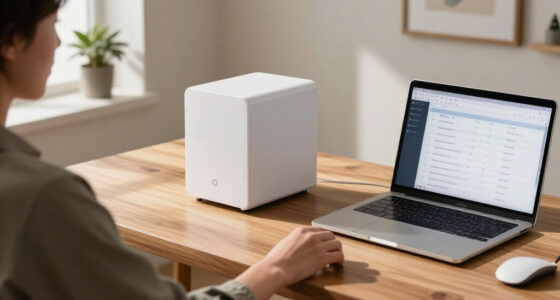
Technology news moves quickly, but buying and using technology well requires more than following every launch. The most useful gadgets solve recognizable problems: keeping a household organized, helping people communicate, making daily routines more comfortable, or turning digital information into something easier to enjoy. A good technology hub should therefore do two things at once: explain the trends shaping everyday devices and help readers decide which products deserve closer attention.
This guide offers a practical orientation to consumer technology and modern gadgets. It covers the questions to ask before buying, the categories that matter most, and the differences between a genuinely helpful upgrade and an appealing device that may soon be forgotten. It also connects you with focused guides for comparing options in organization, wellness, home displays, seasonal accessories, and technology-adjacent gifts.
How to Make Sense of Technology News
Technology coverage often concentrates on what is new: faster processors, brighter displays, added sensors, redesigned apps, and emerging forms of artificial intelligence. Those changes can matter, but novelty alone does not make a product useful. The better question is whether a new feature improves an activity you already perform or makes a previously difficult task practical.
When evaluating a launch or announcement, separate the product itself from the promises surrounding it. Look for a clear description of what changed, which devices or services are compatible, whether an account or subscription is required, and what happens when internet access is unavailable. A feature that sounds transformative in a presentation may have narrower value in ordinary use.
Focus on the Complete Experience
A gadget is rarely just its hardware. Its usefulness can depend on a mobile app, cloud storage, software updates, replacement parts, accessories, and support from the manufacturer. This is especially important for connected products. A well-designed physical device can become frustrating if setup is confusing or essential controls are buried inside an unreliable app.
Before buying, consider the entire ownership experience:
- How is the device installed, paired, charged, or maintained?
- Does it work with the phone, computer, or smart-home system you already use?
- Which features work locally, and which rely on an internet connection?
- Does the product collect personal, health, location, or household data?
- Can its core functions still be used if you stop paying for an optional service?
- Are software support and replacement accessories clearly documented?

Amazon Echo Hub (newest model), 8", Redesigned with customizable control and Alexa+, Compatible with thousands of devices
- Smart Home Control Panel: Easy-to-use home control interface
- Customizable Dashboard: Arrange and resize device controls
- Alexa+ Integration: Enhanced voice control features
As an affiliate, we earn on qualifying purchases.
As an affiliate, we earn on qualifying purchases.
Everyday Productivity and Personal Organization
Some of the most valuable technology is deliberately quiet. Calendars, reminders, task systems, and planning tools do not need to feel futuristic to improve daily life. Their purpose is to reduce mental clutter and make commitments visible. The right system may be entirely digital, entirely paper-based, or a combination of both.
Digital calendars are excellent for alerts, recurring events, shared schedules, and changes made on the go. Paper planners provide a fixed visual space for priorities, notes, and reflection without notifications competing for attention. Hybrid routines can offer the advantages of each: time-sensitive appointments stay on a synchronized calendar, while weekly priorities and longer notes live on paper.
If a physical planning system suits the way you think, explore the best planners for staying organized throughout the year. Compare formats by layout rather than appearance alone. Daily pages offer room for detail, weekly spreads show upcoming commitments at a glance, and monthly views are useful for deadlines and broad planning.
Visible Motivation Without Another Screen
Not every useful desktop accessory needs an app. A small calendar can make dates, prompts, or encouraging messages visible without adding another notification. Readers who enjoy that kind of low-tech cue can browse these inspirational quote desk calendars.
The broader lesson applies to productivity gadgets in general: choose tools that reduce friction. A device or system should make the desired behavior easier, not create another collection of settings to manage. If maintaining the tool takes more effort than completing the task, a simpler option may be better.

Apolosign 21.5-inch Digital Calendar, Smart Wall Planner with Calendar Sync, Chore Chart, Meal, Install Apps, Electronic Touchscreen Display for Family Schedules, Dual Mode, Wall Mount Included (Teak)
- Family Calendar Sync: Syncs with Google, iCloud, Outlook
- Dual Mode Display: Switches between Calendar and Android modes
- Interactive Chore & Routine: Reward-based chore tracking and planning
As an affiliate, we earn on qualifying purchases.
As an affiliate, we earn on qualifying purchases.
Connected Home Gadgets That Bring People Together
Connected-home technology is often presented as a way to automate lights, locks, heating, or appliances. Yet some of its most meaningful uses are social. Digital displays, shared calendars, and communication devices can help families exchange memories and stay involved in one another’s lives across distance.
Digital photo frames are a good example. Their essential purpose is familiar, but network connectivity changes how pictures arrive. Instead of updating a frame manually with a memory card, relatives may be able to send new images remotely. This can be particularly useful when the person viewing the frame is not comfortable transferring files or navigating social platforms.
Our guide to digital photo frames that receive pictures by email focuses on that convenient sharing method. When comparing frames, consider who will perform the initial setup, who will send photos, how invited contributors are managed, and whether the recipient can use the frame comfortably after installation.
Privacy Matters in Shared Devices
Any gadget that handles personal photos or household information deserves a privacy check. Review how accounts are protected, whether other people can upload content without approval, and how stored material can be deleted. If a product includes a camera or microphone, confirm when those components are active and whether they can be disabled.
It is also worth planning for handoff. A connected device intended as a gift should not leave the recipient responsible for a complicated setup. Preparing the account, permissions, contacts, and network instructions in advance can make the technology feel welcoming rather than burdensome.

Acer Gadget 7-in-1 Wireless Charging Station Charger Stand for Multiple Devices for Apple – iPhone 17 16 15 14 13 12 Pro Max Apple Watch Airpods, Wireless iPhone Charger Station with Bluetooth TimeSyn
- 7-in-1 Wireless Charging: Supports fast charging for multiple devices
- Universal Apple Compatibility: Compatible with iPhone, Apple Watch, AirPods
- Bluetooth Time Sync: Automatically syncs time via Bluetooth
As an affiliate, we earn on qualifying purchases.
As an affiliate, we earn on qualifying purchases.
Wellness Technology and Light-Based Devices
Wellness gadgets occupy a complicated space between consumer electronics, personal care, and health. Attractive design and technical terminology can make products appear more authoritative than the available information supports. Approach this category with clear expectations and pay close attention to instructions, safety guidance, intended use, and individual circumstances.
Seasonal light devices are designed around exposure to bright light during darker periods. Anyone comparing this category can begin with the guide to sad lamps for winter light therapy. Practical considerations include where a lamp will be placed, how much space it occupies, whether its controls are easy to reach, and whether the recommended routine fits naturally into the morning or workday.
Wearable and facial light devices require similarly careful comparison. The guide to red light therapy masks provides a focused starting point for exploring that format. Before using any light-based wellness device, read its warnings and instructions rather than assuming that more frequent or longer use will produce better results.
Know When a Gadget Is Not the Answer
A wellness product should not be treated as a substitute for professional diagnosis or care. Persistent low mood, pain, skin concerns, sleep disruption, or other symptoms may require advice from a qualified clinician. People with relevant medical conditions, light sensitivity, eye concerns, or medications that affect sensitivity should seek appropriate guidance before introducing a light-based device.
This cautious approach does not make wellness technology unhelpful. It simply keeps the product in its proper role: one tool within a broader routine, selected for suitability and used according to credible guidance.

Marbrasse Pen Organizer with 2 Drawer, Multi-Functional Pencil Holder for Desk, Desk Organizers and Accessories with 5 Compartments + Drawer for Office Art Supplies (White)
- Ample Storage Capacity: Multiple compartments and drawers for office supplies
- Multi-Functional Organizer: Stores pens, notebooks, art supplies, and more
- Practical Desk Caddy: Organizes small essentials like iPads, scissors, and notes
As an affiliate, we earn on qualifying purchases.
As an affiliate, we earn on qualifying purchases.
Portable Technology for Real-World Conditions
Mobile devices are only useful when their controls remain accessible outside ideal indoor conditions. Cold weather exposes small but important design problems: a phone may be difficult to operate with ordinary gloves, batteries can behave differently in low temperatures, and loose accessories are easier to drop while commuting.
Touchscreen-compatible gloves bridge the gap between warmth and access to navigation, messages, tickets, or calls. See the guide to touchscreen gloves for staying warm and connected for options in this practical accessory category.
When comparing portable accessories, think beyond compatibility labels. Fit affects typing precision, cuff design affects warmth, and surface grip affects how securely a device can be held. The best choice for brief urban commutes may differ from what is suitable for long periods outdoors. Reflective details, wash instructions, and ease of removal may also matter more than decorative features.
Choosing Technology Gifts People Will Actually Use
Technology gifts work best when they match the recipient’s habits rather than the buyer’s enthusiasm. A gadget that requires a particular phone, account, subscription, or smart-home platform can create an unwanted obligation. Before choosing one, determine whether it works independently, whether setup is manageable, and whether the recipient has expressed interest in that type of device.
Useful gifts tend to have an obvious purpose and a short path from opening the package to enjoying it. Playful gifts follow a different rule: they should be easy to understand, broadly appropriate for the group, and entertaining without relying on a complicated explanation. For casual exchanges, browse these white elephant gift ideas under $50.
A Simple Gift Checklist
- Confirm device and platform compatibility before buying.
- Check whether batteries, cables, mounts, or adapters are needed.
- Avoid creating an unexpected recurring expense.
- Consider who will handle setup and troubleshooting.
- Choose privacy settings appropriate for the recipient.
- Keep return information available in case the product is not a fit.
How to Compare Gadgets Without Getting Overwhelmed
A long feature list can make every difference seem important. Start by writing down the problem you want to solve, the conditions in which the product will be used, and two or three features that are genuinely necessary. Treat everything else as optional. This prevents an impressive but irrelevant specification from controlling the decision.
Next, compare products on the same dimensions. For a connected display, that might mean upload method, account controls, screen size, and setup. For a planner, it might mean page layout, portability, and writing space. For wearable accessories, fit and comfort may outrank an extensive list of secondary features.
Finally, account for longevity. A durable gadget should continue to serve its core purpose after the excitement of setup fades. Consider physical construction, charging requirements, cleaning, storage, update policies, and dependence on proprietary services. Sometimes the smartest purchase is not the device with the most capabilities, but the one whose essential function remains easy to use.
Build a Technology Mix Around Your Life
There is no ideal collection of gadgets for everyone. A remote worker, frequent traveler, busy parent, student, and older adult will have different priorities. The goal is not to place technology in every routine. It is to identify the moments where a well-chosen tool can remove a recurring inconvenience, support a habit, or strengthen a connection.
Use technology news to discover what is becoming possible, then use careful comparison to decide what belongs in your life. Favor clear benefits, compatible systems, manageable maintenance, and products that respect your attention. Whether the answer is a connected photo frame, a light-based wellness device, a cold-weather accessory, or a dependable paper planner, the best gadget is the one that quietly earns its place in your routine.