

TL;DR

Get the latest gadgets delivered free with Prime
- Fast, free delivery on millions of items
- Prime Video, Amazon Music and more included
- Member-only deals all year
A buyer’s guide attributed to Thorsten Meyer AI compares 12 AI video-editing software listings for 2027, with options from CyberLink, Adobe and Nero. It recommends PowerDirector 2027 Ultra for many Windows creators, but the guide is a product comparison—not an announcement or independent test—and its listings include overlapping versions and bundles.
Thorsten Meyer AI has published a buyer’s guide comparing 12 AI video-editing software listings, including products from CyberLink, Adobe and Nero, and recommends CyberLink PowerDirector 2027 Ultra as its leading fit for many Windows creators. The guide is a shopping comparison, not a report of new product launches or a documented head-to-head test, and its recommendations reflect the source’s stated preferences.
The guide places PowerDirector 2027 Ultra first for Windows users seeking AI-assisted editing in a familiar desktop timeline. It points to the software’s Video Edit by Chat feature as a prompt-based way to request common changes, alongside tools such as object removal, audio cleanup, keyframes and motion tracking. The listing says the software requires a compatible 64-bit Windows system and an internet connection for download and activation; those requirements may matter to buyers who prefer offline use or work on a Mac.
Adobe Premiere Pro is presented as the choice for editors seeking a professional editing environment and willing to take on a steeper learning curve and subscription. The guide cites AI-supported tasks including subject masking, clip extension, caption generation and audio enhancement. For a more guided Adobe workflow, it points to Premiere Elements 2027, which offers Quick, Guided and Advanced modes. The listed license lasts three years, rather than being a perpetual license.
The remaining entries include CyberLink bundles pairing video editing with PhotoDirector, a student-and-teacher edition of Adobe Photoshop Elements and Premiere Elements, and Nero Video. The guide identifies Nero’s AI capability as focused on media management, rather than generative editing. It also notes that some CyberLink generative AI features require separately purchased credits. Since several entries repeat product families or bundle video and photo applications, the guide advises comparing the specific version, included software, platform and license terms.
12 AI editing listings one guide, different workflows
Thorsten Meyer AI compares options from CyberLink, Adobe and Nero for 2027. Its recommendations are editorial guidance, not a documented head-to-head test.
Match the tool to your workflow
The guide contrasts approachable editing with professional control, alongside platform and license considerations.
PowerDirector 2027 Ultra
The guide’s leading fit for many Windows users, with prompt-based edits and timeline tools. Internet is required for download and activation.
Adobe Premiere Pro
Presented for editors seeking a professional environment, with a steeper learning curve and subscription license.
Premiere Elements 2027
Offers Quick, Guided and Advanced modes; the listed license lasts three years.
Nero Video
The guide describes Nero’s AI focus as media management, rather than generative editing.
What the comparison does—and does not—show
- Profiles tools for different editing workflows.
- Highlights platform, license and bundle differences.
- Points to features such as prompt-based edits and audio cleanup.
- No standardized tests or independent scoring are described.
- Some listings repeat product families or bundle applications.
- Publication date, current availability and prices are not established.
Check before you buy
The exact edition can change what works on your device and what is included.
Check the specific version, platform support and included companion apps.
Verify license duration, internet needs and any separately purchased AI credits.
Where available, test a project to see whether guided prompts or a manual timeline suits your work.
Choosing Tools by Editing Workflow
The comparison matters because “AI video editor” covers products with different levels of automation, control and cost structure. A creator making short social clips may value prompt-based edits and reframing, while a professional editor may need a more flexible timeline and advanced controls. The guide’s central distinction is between guided, approachable workflows and professional-oriented software that can offer more control but may take longer to learn.
License and platform details can also determine whether a recommendation fits. The source describes some products as one-time purchases, others as subscriptions or time-limited licenses, and several as Windows-only. Bundles may appeal to people who edit still images as well as video, but could add little for video-only users. Buyers should check current terms and system requirements before purchase, particularly where AI features rely on internet access or separately purchased credits.
Products Worth Considering

Bose Lifestyle Ultra Soundbar and Ultra Subwoofer Bundle
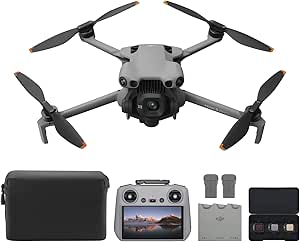
DJI Mini 5 Pro Fly More Combo Plus with DJI RC 2

Apple MacBook Air 15-inch (2025) with M4 Chip, 24GB Memory, 512GB SSD, Midnight
As an affiliate, we earn on qualifying purchases.
How the Guide Groups Its Picks
The source frames its list around practical buyer profiles rather than a single ranking by measured performance. Its examples include social video creators interested in prompt-based edits, Windows users seeking screen and webcam capture, editors who need multi-track timelines or high-resolution exports, and people who want photo and video tools in one bundle.
The material also contains affiliate-disclosure language stating that the publisher earns from qualifying purchases. That commercial relationship is relevant when interpreting product recommendations. The supplied text does not describe standardized editing tests, independent scoring, or a methodology for selecting and ranking all 12 listings, so the recommendations should be read as editorial buying guidance, not proof that one product performs best for every user.
“For most Windows creators, I’d put CyberLink PowerDirector 2027 Ultra first.”
— Thorsten Meyer AI, in the supplied buyer’s guide
What the Product Comparison Leaves Open
The supplied material does not state the guide’s publication date, provide independent benchmark results, or establish whether every listed version and price is currently available. Although the headline refers to 12 options, the provided product descriptions repeat some CyberLink families and Adobe bundles; the text does not fully clarify how each listing was counted as a distinct option.
It is also unclear how the products compare on editing speed, output quality, accessibility, privacy, or the reliability of individual AI features. Product capabilities, system requirements, licensing and credit rules can change. The source’s statements about features and suitability should therefore be treated as descriptions in the guide, not independently verified findings.
Check Listings Before Buying
Readers considering a purchase should verify the exact edition and license term, supported operating system, internet requirements, included companion apps and any separate AI-credit costs through the current vendor listing. A short trial or test project, where available, can help establish whether a prompt-based workflow or a more manual timeline suits the creator’s work.
No follow-up test, updated comparison or additional product announcement is provided in the source. The next relevant development for buyers would be confirmation of current prices, availability and feature terms from the software vendors or retailers.
Key Questions
What is the guide’s top recommendation?
The guide recommends CyberLink PowerDirector 2027 Ultra for many Windows creators seeking AI-assisted editing. This is the publisher’s recommendation, not a result supported by disclosed head-to-head testing.
Which option does the guide suggest for professional editing?
It presents Adobe Premiere Pro as the stronger fit for buyers who want a professional editing environment and are prepared for a steeper learning curve and subscription license.
Is Premiere Elements a perpetual license?
No. The supplied guide describes Premiere Elements 2027 as having a three-year license and offering Quick, Guided and Advanced modes.
Are all of the listed tools available for Mac?
No. The guide identifies several CyberLink options as Windows-focused. It lists the Adobe student-and-teacher bundle for PC and Mac, but buyers should confirm the platform support for the exact edition they intend to purchase.
Does the comparison prove one editor is best?
No. The supplied material provides recommendations and feature descriptions but does not report standardized tests or an independent scoring method. The best fit depends on a creator’s workflow, platform, budget and license preferences.
Source: Thorsten Meyer AI