
TL;DR

Get the latest gadgets delivered free with Prime
- Fast, free delivery on millions of items
- Prime Video, Amazon Music and more included
- Member-only deals all year
BeBox is a Haiku application that emulates Be Inc.’s dual-processor BeBox and earlier Hobbit-based prototypes. Its GitHub project description lists support for BeOS for PowerPC releases from Developer Release 6 through R5.0.3, while several peripherals remain unemulated and users must supply their own ROMs and system images.
BeBox, a Haiku application described in a GitHub project, emulates Be Inc.’s dual-processor BeBox and earlier Hobbit-based prototypes, allowing users to run supported BeOS for PowerPC releases and a surviving 1993–94 system. The project description outlines the hardware it models, the software and ROM files needed to start it, and several devices it does not yet emulate.
The application supports two PowerPC BeBox configurations: a Dual603-66 with two PowerPC 603 processors at 66 MHz and a 33 MHz bus, and a Dual603e-133 with two PowerPC 603e processors at 133 MHz and the same bus speed. The project says it can boot both models from their original ROMs and run BeOS for PowerPC from Developer Release 6 through R5.0.3.
Its emulated components include the processors, memory and interrupt controls, boot ROM storage, clock, video, sound, input devices and storage controllers. The default graphics option is a Number Nine #9 GXE64, with a Cirrus Logic CL-GD5434 as an alternative. The description lists display modes from 640×480 to 1280×1024, and sound is played through Haiku’s media kit. Networking uses an NE2000-compatible card on a private network behind the host.
BeBox also supports prototypes built around two AT&T Hobbit processors, which preceded the PowerPC machines. The project describes these systems as running Be’s 1993–94 software from surviving disks, including a window server, console and browser. It says users can configure 4, 8, 16, 20 or 32 MB of memory for this mode. The project lists the prototypes’ signal processors, sound-related hardware, Ethernet, joystick controller and parallel port as not emulated; several PowerPC peripherals, including the GeekPort, MIDI and infrared ports, are also absent.
Preserving BeOS-Era Hardware in Haiku
The emulator brings two generations of Be hardware into a single Haiku application, according to its project description. That could give people interested in BeOS a way to explore software designed for machines that are now difficult to access, including the earlier Hobbit prototypes and their surviving system disks.
Its support for original ROMs, multiple video options and shared folders also makes the project more than a static demonstration: the description says BeOS can read and write a shared Haiku folder presented as a SCSI disk. Still, the range of supported hardware is not complete, and the project does not provide the proprietary ROMs or operating system images needed to use it.
Products Worth Considering

Amazon Kindle Scribe (64GB) with Premium Pen, Metallic Jade
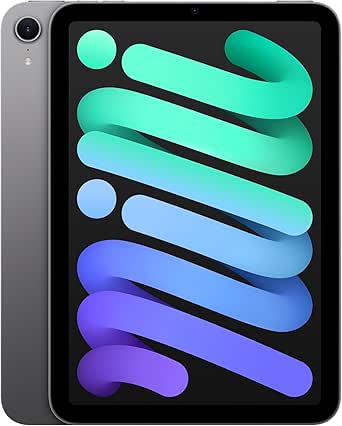
Apple iPad mini (A17 Pro), 128GB, Wi-Fi 6E, Space Gray

Apple MacBook Air 13-inch Laptop with M5 Chip, 16GB Memory, 512GB SSD, 12MP Center Stage Camera, Touch ID, Wi-Fi 7, Midnight
As an affiliate, we earn on qualifying purchases.
From Hobbit Prototypes to PowerPC
Be Inc.’s early prototype system used two AT&T 92010 “Hobbit” processors, three AT&T DSP3210 signal processors and a BeBus. The project says a few prototypes and their disks survive, but no boot ROM from those machines does. In Hobbit mode, BeBox performs the boot ROM’s role by loading the system kernel from a floppy disk or the SCSI disk with the lowest ID.
The later BeBox models used dual PowerPC processors. To start those systems, users must supply the machine’s bootnub.rom and bootmain.rom, which the project says are not included. They also need BeOS for PowerPC CD images. For certain releases using the Be File System, the application can extract a newer boot ROM from the CD image, according to the description.
“BeBox is a Haiku application that emulates Be Inc.’s BeBox, the dual-processor computer that BeOS was born on.”
— BeBox GitHub project description
ROM Access and Hardware Gaps
The supplied source is a project description, not an independent evaluation. It does not provide a publication date, release history, compatibility test results, or information about the application’s current maintenance status. The specific ROM and system images required are not included; the description does not explain their licensing or how users should obtain them.
Some hardware is explicitly outside the emulator’s current scope. The source does not say when or whether support for the missing peripherals may be added, or how completely the emulated systems perform across all listed BeOS releases and disk images.
Preparing a BeBox System Image
The project description directs users to select the ROM folder in the application’s preferences, configure storage and choose a boot image before powering on a machine. For Hobbit mode, users select the prototype configuration and attach a disk image; they can also choose a kernel file directly. Because the project says these systems write to their disks, it recommends keeping copies of disk images or using QCOW2 overlays.
The next practical step for readers is to consult the project’s instructions and check its repository for current builds and any later updates to hardware support. The source provided does not announce a release date or roadmap.
Key Questions
What does the BeBox application emulate?
It emulates two PowerPC BeBox configurations and earlier Hobbit-based prototypes, according to the GitHub project description.
Which BeOS releases are listed as supported?
The project lists BeOS for PowerPC from Developer Release 6 through R5.0.3. It also describes running a 1993–94 system from surviving Hobbit prototype disks.
Are the BeBox ROMs included?
No. The description says users need to provide bootnub.rom and bootmain.rom. It also says certain BeOS CDs contain a newer boot ROM that the application can extract.
Which parts of the hardware are not emulated?
For the PowerPC BeBox, the project lists the parallel port, GeekPort, MIDI and infrared ports as not emulated. Hobbit mode also lacks its three signal processors and related sound, telephone and modem hardware, Ethernet, joystick controller and parallel port.
Source: hn