
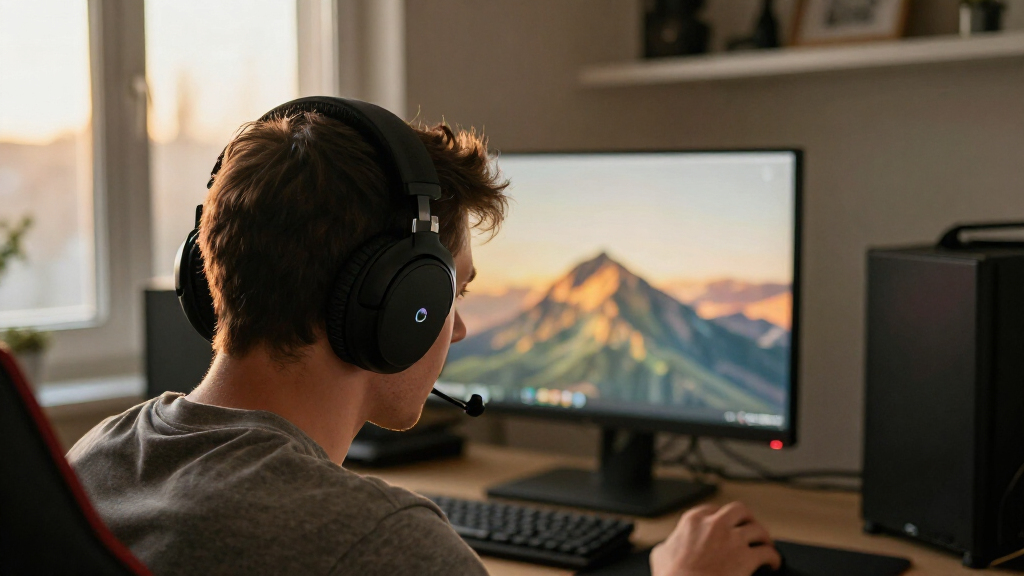

Choosing a wireless gaming headset is largely a choice between a dedicated 2.4 GHz USB dongle and Bluetooth. Both remove the cable, but they suit different routines: the dongle connection is built for responsive play on a supported console or PC, while Bluetooth is easier to share across phones, tablets, and laptops. Some headsets support both, but the connection used at a given moment still shapes latency, compatibility, and how smoothly voice chat works.

Get the latest gadgets delivered free with Prime
- Fast, free delivery on millions of items
- Prime Video, Amazon Music and more included
- Member-only deals all year

Turtle Beach Stealth 600 Wireless Gaming Headset for Xbox, PS5, PC, Mobile
- ✔ Drivers: 50 mm Nanoclear
- ✔ Wireless: 2.4 GHz
- ✔ Bluetooth: Version 5.4

Logitech G733 Lightspeed Wireless Gaming Headset – Black
- ✔ Weight: 278 g
- ✔ Battery life: Up to 29 hours
- ✔ Wireless range: Up to 20 meters

Valorise Wireless Gaming Headset with 7.1 Surround Sound and 100-Hour Battery
- ✔ Wireless modes: 2.4 GHz and Bluetooth 5.4
- ✔ Wired connection: 3.5 mm
- ✔ Battery life: Up to 100 hours Bluetooth; up to 45 hours with 2.4 GHz dongle
For players who notice delays in competitive games or want a headset that stays connected to a gaming system, 2.4 GHz is usually the stronger fit. Bluetooth makes more sense for casual gaming and general listening across several devices. The key tradeoff is not simply sound quality: it is whether gaming responsiveness or everyday flexibility matters more to you.
At a Glance
| Criteria | 2.4 GHz USB-dongle wireless gaming headsets | Bluetooth wireless gaming headsets | Winner |
|---|---|---|---|
| Gaming latency | Usually lower latency through the included receiver; well suited to action and competitive play. | Can have more noticeable delay, especially with standard Bluetooth audio codecs. | A |
| Device compatibility | Strong on supported PCs and consoles, but requires a compatible USB port or receiver connection. | Broad support across phones, tablets, laptops, and many other Bluetooth devices. | B |
| Simultaneous connections | Some models support a second connection, but features vary; the dongle connection is the core gaming path. | Often easy to pair with more than one device, though simultaneous audio depends on the headset. | Depends |
| Voice chat | Often designed around a boom microphone and gaming chat controls. | Microphone quality and call handling vary; some designs prioritize compact everyday use. | A |
| Battery and charging | Depends on the model; a receiver may occupy a port while charging remains separate. | No receiver to power or carry; battery life varies by headset and active features. | Depends |
| Setup and portability | Quick to use at a gaming setup, though carrying the dongle adds a small accessory. | Convenient for commuting and everyday listening, with no dongle to keep track of. | B |
| Value | Better value for frequent gaming when responsive audio and a dedicated mic matter most. | Better value when one headset must cover many devices and casual gaming. | Depends |
Turtle Beach Stealth 600 Wireless Gaming Headset for Xbox, PS5, PC, Mobile
The Stealth 600 takes the top spot because it balances gaming-focused 2.4 GHz wireless with Bluetooth 5.4 for other devices. Its QuickSwitch button is useful when a player wants to move between console audio and a phone without treating the headset as a single-purpose accessory. Compared with the G733, it offers a more explicit route for combining gaming and mobile listening; compared with the Valorise, the supplied details highlight quick switching and Xbox support rather than a 3.5 mm wired fallback.Its listed 80-hour battery life and quick-charge feature also reduce how often charging needs to interrupt a routine. The 50 mm Nanoclear drivers and four built-in EQ presets give players ways to tailor sound, with further custom presets available through the Swarm II app. The flip-to-mute microphone is straightforward to operate, and the glasses-relief ear cushions address a comfort issue that can matter over longer sessions.There are limits to that versatility. The Stealth 600 has no wired connection, so it cannot serve as a cable-based backup if the battery runs down or a player needs a wired setup. Its many controls and app presets may also be more than someone wants from a simple headset. Still, across this lineup, it makes the strongest all-around choice for players who want one headset to bridge console or PC gaming and Bluetooth devices.
Pros:
- Combines 2.4 GHz gaming wireless with Bluetooth 5.4.
- QuickSwitch control supports switching between connection modes.
- Up to 80 hours of stated battery life with quick charge.
- Glasses-relief cushions and flip-to-mute microphone support longer sessions.
Cons:
- No wired connection is available as a backup.
- Custom EQ options depend on the Swarm II app.
Best for: Players who want low-latency wireless gaming and Bluetooth access for a phone or other compatible device.
Not ideal for: Anyone who needs a 3.5 mm wired fallback or prefers a minimal, app-free feature set.
Bottom line: We recommend the Stealth 600 for players who want one wireless headset to cover gaming and Bluetooth listening without sacrificing long stated battery life.
“We recommend the Stealth 600 for players who want one wireless headset to cover gaming and Bluetooth listening without sacrificing long stated battery life.”
Logitech G733 Lightspeed Wireless Gaming Headset – Black
At a listed 278 g, the Logitech G733 is the lightest option in this roundup with a specified weight, and its reversible suspension headband and memory-foam earcups are designed with extended play in mind. That makes it a compelling alternative to the Stealth 600 for players whose priority is wearing comfort and a gaming-centered setup, rather than switching between Bluetooth and console audio.The G733 uses 2.4 GHz Lightspeed wireless with a stated range of up to 20 meters and battery life of up to 29 hours. Its PRO-G drivers are paired with Blue VO!CE microphone processing, while G HUB provides audio and dual-zone RGB customization. Those controls give PC players room to shape the headset’s presentation. The tradeoff is that the listed connectivity is narrower than the Stealth 600’s combination of 2.4 GHz and Bluetooth, and the Valorise adds a wired mode that Logitech does not list here.The headset supports PC, PS5, PS4 and Nintendo Switch, but does not list Bluetooth or a wired option. It also has no active noise cancellation, so surrounding sound may remain audible. Players who want a lighter fit, microphone processing and lighting controls may prefer it; buyers focused on multi-device use or a cable fallback should look first at the other two picks.
Pros:
- Lightweight 278 g design with a reversible suspension headband.
- Blue VO!CE microphone processing and G HUB audio settings.
- Dual-zone customizable RGB lighting.
- Supports PC, PS5, PS4 and Nintendo Switch.
Cons:
- Up to 29 hours of battery life is shorter than the listed claims for the other two headsets.
- No active noise cancellation, Bluetooth mode or wired connection is listed.
Best for: PC and console players who value a lightweight design, G HUB customization and microphone processing.
Not ideal for: Players who need Bluetooth device switching, a wired backup or active noise cancellation.
Bottom line: We’d choose the G733 when low weight and software customization matter more than Bluetooth switching or a wired fallback.
“We’d choose the G733 when low weight and software customization matter more than Bluetooth switching or a wired fallback.”
Valorise Wireless Gaming Headset with 7.1 Surround Sound and 100-Hour Battery
The Valorise is the lineup’s connection-flexibility pick: it lists 2.4 GHz wireless, Bluetooth 5.4 and a 3.5 mm wired mode. That combination gives it a practical advantage over the Stealth 600, which lacks wired use, and the G733, whose supplied specifications focus on Lightspeed wireless. For a player who wants a cable option available alongside wireless gaming and Bluetooth listening, Valorise covers more connection types on paper.Its stated battery life varies by mode: up to 100 hours on Bluetooth and 45 hours with the 2.4 GHz dongle. That distinction matters because gaming over the dongle is the relevant figure for low-latency play. The headset also advertises 7.1 surround sound, RGB lighting and a retractable ENC microphone. These features may appeal to players who want a more feature-rich presentation, though surround modes are not a substitute for checking whether the headset’s platform support matches the games and devices they use.Compatibility is the key qualification. The Valorise is not compatible with Xbox Series consoles, and Bluetooth mode cannot be used on PS5; PS5 players must use the 2.4 GHz dongle. By comparison, the Stealth 600 is the safer choice for broad switching and Xbox support, while the G733 is the lighter, more focused option. Choose Valorise when its wired fallback and mode choices matter more than those platform restrictions.
Pros:
- Offers 2.4 GHz, Bluetooth 5.4 and 3.5 mm wired connectivity.
- Lists up to 45 hours of battery life in 2.4 GHz mode.
- Retractable ENC microphone and memory-sponge cushions.
- Supports several platforms, including PC, PlayStation, Mac, Switch and mobile.
Cons:
- Not compatible with Xbox Series consoles.
- Bluetooth mode is unavailable on PS5; use the 2.4 GHz dongle there.
- The 100-hour figure applies to Bluetooth mode, not the 2.4 GHz dongle.
Best for: Players on PC, PlayStation, Mac, Switch or mobile who want wireless modes plus a wired fallback.
Not ideal for: Xbox Series players, or PS5 owners who specifically need Bluetooth audio from the headset.
Bottom line: We’d pick Valorise for its wired fallback and multiple connection modes, provided its console limitations fit the setup.
“We’d pick Valorise for its wired fallback and multiple connection modes, provided its console limitations fit the setup.”
As an Amazon Associate we earn from qualifying purchases.
Key Differences
The most consequential difference is latency. A 2.4 GHz headset connects through a dedicated receiver and is generally designed to keep game audio closely synchronized with what appears on screen. Bluetooth performance depends on the headset, device, and audio mode, and delay can be more noticeable in fast games. For story games, turn-based play, and casual sessions, that may not matter much. For rhythm games, competitive shooters, or players sensitive to audio timing, it can affect comfort and reaction.
Bluetooth has the advantage when a headset needs to move between devices. Phones and laptops commonly support it without extra hardware, while a 2.4 GHz model needs its receiver and a compatible connection. Wireless gaming headsets that offer both connections can cover more situations, but dual connectivity and simultaneous audio are model-specific. Check support for the actual console or device you use: USB compatibility is not universal, and Bluetooth support on gaming systems can be limited.
Value follows the use case. Paying for a 2.4 GHz model is worthwhile if you game often and want lower-latency audio with a gaming-focused microphone. Bluetooth is often the better buy for a casual player who also wants a headset for calls, travel, or music. Neither connection alone guarantees better sound, comfort, or battery life; those depend on the particular headset.
Detailed Comparison
Gaming latency (2.4 GHz USB-dongle wireless gaming headsets wins — major)
2.4 GHz wins by a moderate to major margin for responsive play. Its dedicated receiver is typically tuned for gaming and tends to keep sound closer to the action than standard Bluetooth audio. This matters most in competitive shooters, rhythm games, and other timing-sensitive play; in slower games, the difference may be hard to notice.
Device compatibility (Bluetooth wireless gaming headsets wins — moderate)
Bluetooth wins for breadth. Phones, tablets, and laptops commonly include Bluetooth, so pairing does not require a receiver. A 2.4 GHz model can work very well with a PC or console, but only when that device supports the headset’s connection method. Console compatibility should be checked before buying.
Using two devices (moderate difference)
This is a model-dependent tie. Bluetooth headsets may offer multipoint pairing, while some gaming headsets combine a dongle connection with Bluetooth so a player can hear a game and a phone at once. Neither connection type guarantees that feature. If mixing game sound with calls is important, confirm that the specific model supports simultaneous audio, not just switching between paired devices.
Voice chat (2.4 GHz USB-dongle wireless gaming headsets wins — moderate)
2.4 GHz usually has a moderate advantage for gaming chat because gaming headsets commonly pair the receiver with a boom microphone and controls for muting or adjusting chat. Bluetooth can handle calls conveniently, but mic quality and behavior vary, and some devices change audio modes during calls. Compare microphone samples and platform support if team communication is a priority.
Battery and charging (minor difference)
Neither type has a universal battery advantage, so this is a tie without a model comparison. Runtime depends on battery size, volume, lighting, noise cancellation, and connection features. Bluetooth avoids carrying a receiver, while a 2.4 GHz headset may keep its receiver plugged into the gaming device. Compare rated runtime and charging options for the models you are considering.
Setup and portability (Bluetooth wireless gaming headsets wins — moderate)
Bluetooth wins by a moderate margin for everyday portability: there is no dongle to carry, and pairing with a phone is straightforward. At a fixed gaming desk, 2.4 GHz is also simple once its receiver is connected. Players who move between a console, PC, and phone may prefer a dual-connection model, provided its switching behavior fits their routine.
Value (moderate difference)
The value winner depends on what the headset must do. Frequent gamers get more practical value from 2.4 GHz if lower latency and a gaming microphone improve daily use. Bluetooth is the better value for someone who needs one headset for a phone, laptop, and occasional casual gaming. Paying extra for dual wireless is justified only if you will use both connections.
2.4 GHz USB-dongle wireless gaming headsets: Pros and Cons
Pros:
- Typically lower latency for gaming audio.
- Gaming-focused models commonly include a boom microphone and chat controls.
- A dedicated receiver can provide a stable, straightforward connection at a supported setup.
Cons:
- Requires a receiver and a compatible port or connection.
- Less convenient for phones and other devices without USB receiver support.
- Bluetooth pairing and simultaneous audio are not guaranteed.
Bluetooth wireless gaming headsets: Pros and Cons
Pros:
- Pairs with a wide range of phones, tablets, and computers.
- No dongle to carry, making it convenient for travel and daily listening.
- Often a sensible choice for casual gaming alongside calls, music, and video.
Cons:
- Audio delay can be more noticeable in fast or timing-sensitive games.
- Gaming console support varies, so compatibility needs checking.
- Microphone quality and voice-chat behavior vary by headset and connected device.
Who Should Choose What
Choose 2.4 GHz USB-dongle wireless gaming headsets if:
- You play competitive, fast-action, or rhythm games and are sensitive to audio delay.
- You mainly use a supported PC or console and want a gaming-focused microphone.
- You want a dedicated gaming connection and will rarely use the headset with a phone.
Choose Bluetooth wireless gaming headsets if:
- You want one headset for a phone, laptop, calls, and casual gaming.
- You value easy pairing and portability more than the lowest possible gaming latency.
- Your games are not timing-sensitive and you have confirmed Bluetooth works with your gaming device.
Skip both if: Skip both wireless types if you need guaranteed compatibility across a particular console, minimal charging, or the lowest possible latency; a wired headset may fit better.
Value for Money
Pay more for a 2.4 GHz model when gaming is the main job and lower latency, a suitable boom mic, and reliable support for your platform will improve regular play. That premium has little value if you mostly listen to music or take calls on a phone. Bluetooth often gives better value for a casual player who wants broad device support, but check the specific headset’s mic and console compatibility. A dual wireless model can bridge the two uses; pay extra for it only if you will use both connections and its simultaneous audio features match your routine.
Final Verdict
For most people buying a headset mainly for PC or console gaming, choose 2.4 GHz, provided the receiver is supported by your platform. It is the safer choice for low-delay game audio and gaming chat. Choose Bluetooth if the headset will spend as much time with a phone or laptop as it does in casual games, and a little audio delay will not bother you. The deciding factor is how much responsive play matters: if it matters often, pay for 2.4 GHz; if broad everyday use matters more, Bluetooth is the better value.
Frequently Asked Questions
Are 2.4 GHz gaming headsets faster than Bluetooth?
Usually, yes. A 2.4 GHz gaming headset is generally designed to keep latency low through its receiver, while Bluetooth delay varies with the headset, device, and audio mode. Check measured latency for a specific model if timing is especially important.
Can a Bluetooth gaming headset connect to a console?
It depends on the console and headset. Many consoles do not support ordinary Bluetooth audio headsets directly, though adapters or supported wireless modes may work. Check the console maker’s compatibility information and the headset’s supported platforms before buying.
Can one headset use 2.4 GHz and Bluetooth at the same time?
Some models support both connections, but having both radios does not always mean they can play audio simultaneously. Look for explicit support for mixing game audio and phone audio if that is the feature you need.
Which type is better for phone calls?
Bluetooth is usually more convenient because phones support it directly. Call quality still depends on the headset microphone and how the phone handles its Bluetooth audio modes, so check call samples or reviews for the exact model.
Fall Picks

DJI Osmo Action 4 Essential Combo Waterproof 4K Action Camera
As an affiliate, we earn on qualifying purchases.