

TL;DR

Get the latest gadgets delivered free with Prime
- Fast, free delivery on millions of items
- Prime Video, Amazon Music and more included
- Member-only deals all year
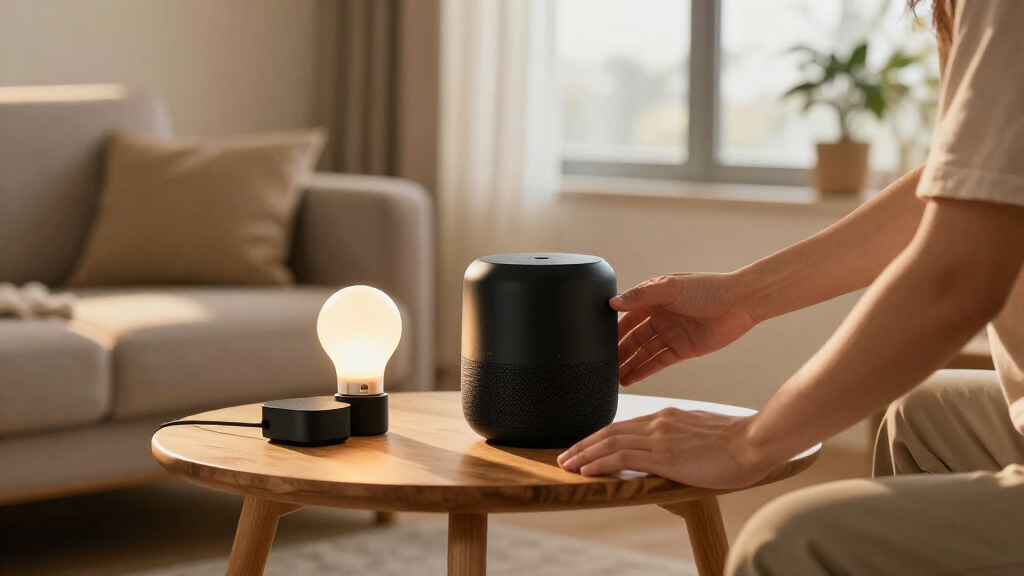
Smart home device bundles package connected products such as lights, sensors, cameras, or a hub so you can buy and set them up as a system. Compare the bundle’s full cost, platform support, subscription terms, privacy practices, and room to expand; a discounted box is only a good deal if its devices work the way you need.
A motion sensor can switch on a hallway light before you reach for the wall. That small moment of convenience is one reason smart home device bundles catch your eye: several connected products arrive together, ready to work as a system. Yet the box may also include a hub you do not need, or depend on a subscription you did not expect.
This guide helps you choose a bundle by the job you want it to do, whether that means lighting a dark entry, checking a door while you are away, or keeping an eye on energy use. You will learn how to compare real costs, check compatibility with your existing setup, and spot limits around privacy, internet access, and future upgrades. A few minutes of checking now can save you from a drawer full of devices that never quite talk to each other.
Choose a bundle around a routine or problem you can describe, such as switching on an entry light when you arrive.
Compare the first-year total, including hubs, bridges, subscriptions, monitoring, and installation.
Verify compatibility for each model and feature; Matter support does not guarantee every function works in every app.
Check how cameras and household data are stored, how accounts are protected, and which controls work offline.
Confirm that you can add or replace individual devices and return the bundle if setup fails in your home.
What a smart home bundle gives you—and what it may leave out
A smart home device bundle packages two or more connected products for purchase and setup together, often pairing a hub or speaker with lights, sensors, cameras, locks, or plugs. The seller might be a device maker, retailer, internet provider, or home security company. Some bundles are simply products in one box; others include installation, monitoring, or a subscription.
Think of a bundle like a recipe kit: the ingredients are chosen to work together, but you still need to check what is in the box and what your kitchen already has. A door sensor and smart bulb could trigger a light when you open the front door, while a hub coordinates their signals. If the box omits the hub or a required bridge, your “ready-to-go” kit may need another purchase.
For example, a renter might choose two smart plugs and a small speaker to switch on a lamp without rewiring anything. A homeowner looking for security might instead need a camera, contact sensors, and perhaps professional monitoring. The bundle’s label does not tell you its limits, so read the included-device list, installation notes, and subscription terms before you check out.
Products Worth Considering

DJI Osmo Action 4 Essential Combo Waterproof 4K Action Camera

Bose Smart Soundbar 700 with Alexa, Black

Apple AirPods Pro (2nd Generation) Wireless Earbuds with USB‑C Charging, Up to 2X More Active Noise Cancelling, Transparency Mode, Adaptive
As an affiliate, we earn on qualifying purchases.
Choose the bundle that solves your everyday problem
Smart home device bundles make the most sense when their devices work together on a specific household problem, such as safer entry, easier lighting, or lower energy use. Start with the moment you want to improve. If your hands are full of groceries at dusk, a door sensor and entry light may matter more than a camera in the living room.
Different bundles suit different goals, and the best fit depends on your home. A small apartment may need only a hub or speaker, two bulbs, and a plug. A detached home might benefit from a video doorbell and sensors at several entry points, while an energy-focused set could combine a thermostat with smart plugs or lighting. Buy for a routine you can name, rather than collecting gadgets because the box looks complete.
Imagine leaving for work on a cold morning. A thermostat routine might lower the heat after you leave, while a plug switches off a desk lamp; the value comes from the routine, not the number of devices. Bundles can also help with accessibility: voice control or motion-triggered lights may reduce the need to reach switches. Make a short list of the actions you want before comparing product sets.
- Convenience: lights, plugs, and a speaker or hub for everyday routines.
- Security: sensors, cameras, locks, or a doorbell, with any monitoring plan clearly priced.
- Energy management: thermostats, plugs, lights, or monitors that help you track or manage use.
- Accessibility: voice or motion controls chosen around the tasks that take effort in your home.
Compare the full price, not just the crossed-out price
A smart home bundle is a good deal only if its total cost is lower, or its convenience is worth more, than buying the parts separately. Compare the bundle price with each device’s current standalone price, then add required accessories and recurring fees. A large discount printed on a box can lose its shine when you add a bridge, installation, or cloud storage plan.
For example, suppose a kit costs $180 and its listed devices total $210 when bought separately. That looks like a $30 saving, until you find that video history needs a $5 monthly plan and a separate $25 bridge is required for your lights. Over a year, the plan adds $60, so the first-year cost is $265 before tax or installation. The exact figures vary by seller and product; use the current checkout price and plan terms.
Also check whether subscriptions cover features you actually want. A camera may stream live video without a plan but require payment for saved clips or longer history. A security package may include professional monitoring, which makes sense for some households but not for someone who only wants a phone alert when a door opens. Separate upfront costs from ongoing costs and compare both across at least the first year.
| Cost or feature | What to check | Example question |
|---|---|---|
| Devices | Bundle price versus individual prices | Would you buy every item on its own? |
| Accessories | Hub, bridge, batteries, or mounting parts | Can the lights connect without a separate bridge? |
| Subscription | Storage, monitoring, remote access, and renewal terms | Can you use the camera’s key features without a plan? |
| Installation | Wiring, compatible hardware, and labor | Can you install this lock on your existing door? |
Check compatibility before you open the box
Smart home device bundles work smoothly when their products support your existing phone, platform, network, and required hub. Check the exact model numbers and supported features, not just a brand name or logo. A product may connect to a platform for basic on and off control while leaving advanced routines or camera alerts inside its maker’s own app.
Matter is an industry standard intended to help compatible devices work across participating smart home platforms. Thread is a low-power networking technology that some devices use for local connections. They can make setup and interoperability easier, but support depends on the specific product, software version, and feature. A Matter logo does not promise that every control appears in every app.
Picture a household with an existing voice assistant and a Wi-Fi router in the living room. A bundle’s smart bulbs may support the assistant, but a door sensor could require a separate hub, and a camera may use only its manufacturer’s app for recorded clips. Check the product’s compatibility page and verify whether you need Wi-Fi, Bluetooth, Thread, or a proprietary hub. Confirm each device’s role before assuming the whole bundle behaves as one system.
Expansion matters too. If you already own a few bulbs, see whether the new hub can control them. If one sensor breaks later, can you replace it individually, or must you buy another full kit? A bundle that fits your present setup but blocks easy additions may cost more over time.
Protect your privacy and keep useful controls when Wi-Fi drops
Smart home bundles can collect details about your routines, so check how devices store data, how long they keep it, and who can access it. Cameras may capture video inside or outside your home; locks and sensors can reveal when people come and go. Review account protections, update policies, and available privacy settings before placing devices in sensitive rooms.
For instance, if you install a camera facing the front path, check whether clips are stored locally or uploaded to a cloud service. See whether the service offers two-factor authentication, how long it keeps recordings, and what happens when a subscription ends. A sensor that sends a simple door-open alert raises different privacy questions from a camera that records audio and video.
Ask what still works if your internet connection fails. Some local routines can keep running within the home, while remote access and cloud features may stop until the connection returns. Try a simple test during setup: disconnect internet access briefly and see whether a light switch or sensor routine still responds. Local control can help with resilience, though the exact behavior varies by product and feature.
Before buying a camera or lock, check its update policy, account security, data storage, and offline behavior. Those details shape daily use as much as the device’s headline features.
Use a short checklist to buy with confidence
A short pre-purchase check can show whether a bundle will fit your home, budget, and habits. Treat it like checking a suitcase before a trip: the kit may look ready, but you still want to know whether it has the essentials for your specific journey. Keep the product page open and verify each point against the model you plan to buy.
- Name your goal: choose security, convenience, lighting, energy use, or accessibility as the main job.
- Check compatibility: confirm your phone, platform, voice assistant, hub, and exact product models are supported.
- List connectivity needs: note whether the kit uses Wi-Fi, Bluetooth, Thread, or a separate bridge.
- Calculate first-year cost: add devices, required accessories, subscriptions, monitoring, and installation.
- Review privacy and updates: check storage, account protection, update support, and local controls.
- Plan for setup and growth: check wiring, Wi-Fi coverage, returns, and whether you can replace or add individual devices.
Consider a renter choosing a lighting kit. The checklist can rule out a wired wall switch, confirm that bulbs fit the existing lamps, and reveal whether a speaker already in the apartment can act as a controller. For a homeowner choosing a camera kit, the same steps expose storage fees and installation needs before a ladder comes out. Keep the receipt and check the return window so you can verify the system in your actual rooms.
Frequently Asked Questions
What is usually included in a smart home bundle?
A bundle usually contains two or more connected devices, such as lights, plugs, sensors, cameras, or a hub. Some packages also include installation, monitoring, or a subscription. Check the included-items list for required bridges, batteries, mounting parts, and services.
Are smart home bundles cheaper than buying devices separately?
Sometimes, but the discount varies. Compare the current prices of the individual devices, then add required accessories and any subscription or installation charges. A bundle that costs less upfront can cost more over its first year if key features require a paid plan.
Will a bundle work with Alexa, Google Home, Apple Home, or my existing hub?
It depends on the exact devices and the features you want. Check the product’s compatibility page for your platform and model number; basic controls may work while advanced routines or saved video stay in the manufacturer’s app.
Do Matter and Thread mean I do not need a hub?
No. Matter and Thread can improve interoperability or local connectivity, but some devices still need a compatible controller, border router, or separate hub. Check the requirements for the exact bundle and confirm which features work with your current equipment.
Will smart home devices work if my internet goes down?
Some local controls and routines may continue, while remote access and cloud features can stop. The behavior depends on the device and setup. Check offline support before buying, and test a routine during installation so you know what will still work.
How can I check whether a camera or sensor is secure?
Review the maker’s update policy, account protections, data storage choices, and access settings. For a camera, check whether recordings go to local storage or the cloud, how long clips remain available, and whether saved video requires a subscription.
Conclusion
Choose the bundle that makes one part of your home noticeably easier, safer, or less wasteful, then check its real cost and compatibility before you buy. A good system should fit your rooms and routines like a well-cut key in a lock: the devices work together, and you know what happens when the internet or subscription disappears.
Start with one useful routine. Let the hallway light click on as you come through the door, and build from there.