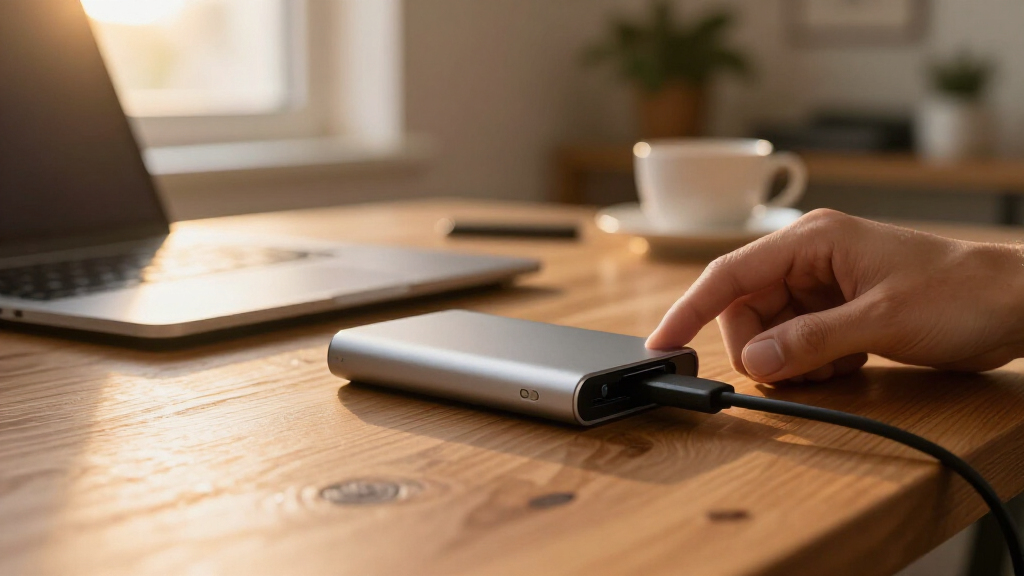

The right portable external hard drive comes down to three questions: how much space you need, how fast you need it, and how much you’re willing to pay per terabyte. After comparing 13 drives ranging from a 250GB slim model to a 6TB giant, the WD 5TB My Passport is my pick for most people — it pairs generous capacity with hardware encryption and automatic backup software, which cheaper bare-bones drives skip. If raw space is the priority, the WD 6TB Elements packs the most storage in this lineup, while the Verbatim Pocket 512GB SSD is the one to get when speed matters more than capacity, since it moves files several times faster than any spinning drive here. The core tradeoff across this category is simple: HDDs give you the lowest cost per terabyte, while an SSD gives you speed and drop resistance at a much higher price per gigabyte. Budget brands undercut WD and Seagate on sticker price, but you give up software, warranty length, or both. Keep reading for the full breakdown of all 13 picks and who each one is actually for.

Get the latest gadgets delivered free with Prime
- Fast, free delivery on millions of items
- Prime Video, Amazon Music and more included
- Member-only deals all year
Complete the kit



Key Takeaways
- WD 5TB My Passport took the top spot because it’s the only mainstream pick here pairing 5TB with 256-bit hardware encryption and automatic backup software — same-price rivals like the Elements and Seagate Portable lines ship as bare storage.
- Only one SSD made the lineup (the Verbatim Pocket 512GB), and it costs about what a 2TB HDD does — the clearest illustration of this category’s core trade: speed and drop resistance versus sheer capacity.
- Price per terabyte bottomed out at 2TB–5TB; the 250GB and 500GB slim drives cost nearly as much as 1TB models while holding a fraction of the data, making them the weakest values in the roundup.
- Budget brands like YOTUO and UnionSine undercut WD and Seagate on sticker price, but the savings come from shorter warranties and missing software — fine for secondary copies, riskier as your only backup.
- The 7-in-1 hub drive is a different product wearing the same label: worst storage value in the group, but its built-in ports and card reader replace a bag of adapters for phone-and-laptop users.





| portable external hard drife | Capacity | Interface | Compatibility | Drive Type |
|---|---|---|---|---|
| YOTUO 1TB External Hard Drive | 1TB | USB 3.0 and USB-C | PC, Mac, and gaming consoles | Portable HDD |
| WD 6TB Elements Portable Exter | 6TB | USB 3.2 Gen 1 (USB 3.0) | Windows and Mac | Portable HDD |
| WD 2TB Elements Portable Exter | 2TB | USB 3.2 Gen 1 | Windows 10 and Mac | — |
| Seagate 4TB Portable External | 4TB | USB 3.0 | Windows, Mac, Xbox Series S | — |
| WD 5TB My Passport Portable Ex | 5TB | USB 3.1 / USB 3.0 | — | — |
| Seagate Portable 2TB External | 2TB | USB 3.0 | Windows, macOS | Portable HDD |
| Western Digital 5TB Elements P | 5TB | USB 3.2 Gen 1 / USB 3.0 | Windows, Mac | Portable HDD |
| Seagate Portable 1TB External | 1TB | USB 3.0 | PC, Mac, PlayStation, Xbox | Portable HDD |
| 1TB External Hard Drive with M | — | — | Windows, macOS, iOS, Android | — |
| 500 GB External Hard Drive | 500 GB | USB 3.0 | Windows, Mac, Linux, PS4, Xbox One, Xbox 360 | Portable HDD |
| Ultra Slim 250GB Portable Exte | 250GB | USB 3.0 (backward compatible with USB 2.0) | Xbox One X/S, Xbox 360, PS4, PS5, PC, MacBook, Chromebook | HDD |
| UnionSine 1TB Ultra Slim Porta | 1TB | — | — | — |
| Verbatim Pocket 512GB External | 512GB | USB 3.2 Gen 2 | PC, Mac, PS5, Xbox, iPhone | SSD (no moving parts) |
More Details on Our Top Picks
YOTUO 1TB External Hard Drive
The YOTUO 1TB is the entry point I’d hand to someone who needs extra space, not a long-term archive. It undercuts the WD 2TB Elements while adding something that drive lacks: a shock-absorbing silicone sleeve, which earns its keep when the drive shares a backpack with keys and chargers. At 0.16 kg it’s the lightest pick here, and USB 3.0 plus USB-C connectivity skips the dongle hunt on newer laptops. The catch is scope. One terabyte fills quickly with 4K footage, and while it plays nicely with PS4 and Xbox One libraries, current PS5 and Series X|S games must run from internal storage — this is a parking spot, not a launcher. Against the generic 500GB slim drive in this roundup, I’d still pay the small premium for the armor.
Pros:- Silicone sleeve adds drop protection most budget drives skip
- USB 3.0 and USB-C connectivity covers older and newer laptops without adapters
- Very light at 0.16 kg, so it’s easy to carry daily
- Works with PC, Mac, and last-gen consoles out of the box
Cons:- 1TB ceiling fills fast with large game installs or 4K footage
- Can’t run PS5 or Xbox Series X|S games directly — current-gen titles must live on internal storage
- Lesser-known brand with a shorter track record than WD or Seagate
Best for: Budget buyers, students, and last-gen console owners who want cheap, lightly armored storage for PS4 or Xbox One libraries and everyday file transfers
Not ideal for: PS5 and Xbox Series X|S owners hoping to play current-gen games straight from the drive — those titles must stay on internal storage — plus anyone whose media library already tops a terabyte
- Capacity:1TB
- Interface:USB 3.0 and USB-C
- Max Transfer Speed:Up to 5Gbps
- Weight:0.16 kg
- Protection:Shock-absorbing silicone sleeve
- Compatibility:PC, Mac, and gaming consoles
- Drive Type:Portable HDD
Our verdict“The pick for budget buyers and last-gen console owners who want cheap, armored extra space and can live within 1TB.”
WD 6TB Elements Portable External Hard Drive
Some buyers shop for a drive; others shop for a ceiling. The WD 6TB Elements serves the second group — the largest portable option in this roundup, roomy enough to hold a photo archive, a Plex library, and full system images on one pocketable slab. Setup is genuinely plug-and-play on Windows and Mac, with nothing to install. Next to the Seagate 4TB Portable it buys two extra terabytes of breathing room, though both drives share the same 5Gbps interface, so bulk transfers take patience either way. The honest tradeoffs: this much capacity carries the highest price in the Elements line, and the bus-powered design frees you from a wall adapter but ties up a USB port whenever it’s connected. If 2TB would cover you, I’d send you to the smaller WD 2TB Elements instead.
Pros:- 6TB is the most storage available in this roundup
- True plug-and-play setup on Windows and Mac
- Bus-powered, so no wall adapter to carry
- One big drive costs less than buying several smaller ones
Cons:- Same 5Gbps interface as smaller drives, so filling 6TB takes hours
- Overkill and overpriced for users with modest libraries
- No encryption or backup software included
Best for: Photographers, videographers, and media-server owners who’d rather park an entire multi-terabyte library on one drive than juggle several smaller ones
Not ideal for: Casual users shuttling documents and photos — 6TB is money spent on empty space — and speed-first buyers, who should look at the Verbatim Pocket SSD instead
- Capacity:6TB
- Interface:USB 3.2 Gen 1 (USB 3.0)
- Max Transfer Speed:Up to 5Gbps
- Compatibility:Windows and Mac
- Setup:Plug-and-play
- Power:USB bus-powered
- Drive Type:Portable HDD
Our verdict“Buy it if your library is measured in terabytes and you’d rather pay once than juggle smaller drives.”
WD 2TB Elements Portable External Hard Drive
This is the drive I’d expect most people to actually buy. The WD 2TB Elements hits the practical sweet spot: enough room for years of family photos, Time Machine or File History backups, and everyday work files, without paying for terabytes you won’t fill on the WD 6TB Elements or security features many buyers never enable on the My Passport. Two terabytes also keeps the body compact and light, so it earns its place in a laptop bag. Where it falls short is protection — there’s no password or hardware encryption, so sensitive client data belongs elsewhere, and while USB 3.2 Gen 1 is quick for an HDD, it never feels fast next to the Verbatim Pocket SSD in this list. For plain, dependable backup, that’s an acceptable deal.
Pros:- Practical 2TB sweet spot for backups and media
- Compact, light body travels easily
- Backed by a 2-year warranty
- Simple plug-and-play setup on Windows and Mac
Cons:- No password protection or hardware encryption
- USB 3.2 Gen 1 is an older standard — HDD-speed transfers only
- Higher cost per terabyte than the 6TB Elements
Best for: Everyday users who want one dependable drive for system backups, family photos, and school or office files
Not ideal for: Anyone storing sensitive client or financial data — there’s no encryption like the My Passport offers — and multi-terabyte media collectors, who should step up to the 6TB Elements
- Capacity:2TB
- Interface:USB 3.2 Gen 1
- Max Transfer Speed:Up to 5Gbps
- Compatibility:Windows 10 and Mac
- Setup:Plug-and-play
- Warranty:2 years
- Design:Compact and lightweight
Our verdict“The sensible default for everyday backups when you don’t need encryption or maximum capacity.”
Seagate 4TB Portable External Hard Drive
Where the WD 5TB My Passport sells you software, the Seagate 4TB Portable sells you space and nothing else — and for drag-and-drop archivists, that’s the appeal. There’s no bundled backup suite and no encryption; you plug it in, it mounts on Windows or Mac, and you move files. The quoted 120 MB/s read speed is par for portable HDDs: fine for streaming media straight off the drive, slow for relocating a terabyte in one sitting. Four terabytes lands in a useful middle — twice the WD 2TB Elements, without the price jump to the 6TB Elements. I’d flag two real downsides: the one-year warranty is the shortest among the branded picks here, and at 260 g it carries real heft next to the 160 g YOTUO. Capacity-first buyers will accept both.
Pros:- 4TB hits a useful middle ground between 2TB and 6TB drives
- Simple drag-and-drop use on Windows and Mac with nothing to configure
- 120 MB/s read speed handles media streaming smoothly
- 2.5-inch form factor still fits a jacket pocket
Cons:- One-year warranty is the shortest among the branded picks
- No bundled backup software or encryption
- At 260 g, noticeably heavier than featherweight rivals like the 160 g YOTUO
Best for: Photo and video hoarders who prefer manual drag-and-drop archiving and want four roomy terabytes without paying for software extras
Not ideal for: Anyone who wants automated backups or encryption out of the box, and buyers who value long warranty coverage — its one year trails the My Passport’s three by a wide margin
- Capacity:4TB
- Interface:USB 3.0
- Form Factor:2.5-inch
- Read Speed:120 MB/s
- Rotational Speed:7200 RPM
- Weight:260 g
- Dimensions:4.61 x 3.15 x 0.79 inches
- Compatibility:Windows, Mac, Xbox Series S
- Warranty:1 year
Our verdict“For drag-and-drop archivists who want four roomy terabytes and don’t care about bundled software.”
WD 5TB My Passport Portable External Hard Drive
If I had to point the widest range of buyers at one portable hard drive, this is it. The WD 5TB My Passport pairs near-top capacity with what cheaper drives skip: password protection with hardware encryption, backup software that includes ransomware defense, and a three-year warranty — triple the coverage Seagate gives its 4TB Portable. For anyone carrying client files, tax records, or family archives, that mix turns a lost drive from a data breach into a minor inconvenience. The slim shell travels well, too. The premium is real: it costs more per terabyte than the WD Elements models, and the software suite means little to console gamers or drag-and-drop users, who should buy the Seagate 4TB Portable or the 6TB Elements instead. Everyone else should start here.
Pros:- Password protection and hardware encryption keep sensitive files secure
- Backup software includes ransomware defense
- Three-year warranty is the longest coverage here
- Slim, durable design despite the 5TB capacity
Cons:- Higher cost per terabyte than the no-frills Elements and Seagate drives
- Security and backup software offer little to console or drag-and-drop users
- USB 3.1/3.0 interface caps transfers at HDD speeds
Best for: Freelancers, small-business owners, and families whose backups include sensitive files that would hurt to lose or leak
Not ideal for: Console gamers and strict drag-and-drop users who’d be paying for encryption software they’ll never open — the Seagate 4TB Portable fits them better
- Capacity:5TB
- Interface:USB 3.1 / USB 3.0
- Security:Password protection with hardware encryption
- Backup Software:Included, with ransomware protection
- Warranty:3 years
- Color:Black
- Design:Slim and durable
Our verdict“The most complete portable HDD here — pay the premium if your files would hurt to lose or leak.”
Seagate Portable 2TB External Hard Drive HDD – USB 3.0, Plug-and-Play Backup for PC and Mac
Two terabytes is where capacity, price, and simplicity stop pulling against each other, and that’s why this Seagate takes the top slot in my ranking. It doubles the room of its 1TB sibling for a modest step up in cost, yet stays far cheaper and slimmer than the WD Elements 5TB. Setup is genuinely plug-and-play on Windows and Mac — no software, no account, just drag and drop. I’d call the tradeoffs honest ones: USB 3.0 speeds are fine for overnight backups but sluggish if you edit 4K video straight off the disk, there’s no bundled backup software, and the one-year warranty is shorter than I’d like. Compared with the no-name 500GB drive further down this list, you’re paying a little more for a brand with a track record.
Pros:- 2TB hits the sweet spot between the cramped 1TB drives and the pricey 5TB options
- True plug-and-play on both Windows and macOS with no software install
- Compact, lightweight body with the USB cable included
- Cheaper per terabyte than every 1TB drive in the roundup
Cons:- One-year warranty is short for a drive holding years of backups
- No bundled backup software — everything is manual drag-and-drop
- Mechanical HDD speeds are too slow for editing video directly from the disk
Best for: Households backing up laptops and photo libraries who want name-brand reliability at a sane price
Not ideal for: Video editors working directly off the drive who need SSD speeds, and anyone archiving 4TB or more — the WD Elements 5TB fits better
- Capacity:2TB
- Drive type:Portable HDD
- Interface:USB 3.0
- Setup:Plug-and-play, no software required
- Compatibility:Windows, macOS
- Cable:18-inch USB 3.0 (included)
- Warranty:1 year
Our verdict“The balanced pick for most buyers — enough capacity for years of backups at a price that doesn’t sting.”
Western Digital 5TB Elements Portable External Hard Drive
If the Seagate Portable 2TB is the balanced pick, this WD Elements is the one I point to when sheer volume is the brief. Five terabytes in a coat pocket changes the math for photo archives, media libraries, and whole-household backups, and the cost per terabyte undercuts every 1TB and 2TB drive here. Setup is plug-and-play on Windows and Mac, with nothing to install. The compromises: the USB 3.2 Gen 1 port tops out at 5Gbps, though in practice the spinning disk is the bottleneck, not the cable. It’s a mechanical drive, so it won’t shrug off drops the way the Verbatim Pocket SSD in this roundup would, and the upfront price is the highest in the lineup. Buy it when you already know you need the room — it ranks second only because most people don’t.
Pros:- 5TB of pocketable storage — the most capacity in this roundup
- Best cost per terabyte among the name-brand picks
- Plug-and-play setup on Windows and Mac with zero software
- USB 3.2 Gen 1 bandwidth (5Gbps) outruns what the HDD can physically deliver
Cons:- Highest upfront price in the lineup
- Mechanical drive is slower and more drop-sensitive than any portable SSD
- Overkill for basic document and photo backup — many buyers would never fill it
Best for: Photo and video collectors, families consolidating years of backups, and anyone archiving a full media library in one place
Not ideal for: Commuters shuttling a few files between machines — a 1TB drive is cheaper and lighter — and speed-first buyers who should look at an SSD
- Capacity:5TB
- Drive type:Portable HDD
- Interface:USB 3.2 Gen 1 / USB 3.0
- Max interface bandwidth:5Gbps
- Setup:Plug-and-play
- Compatibility:Windows, Mac
Our verdict“When the goal is maximum terabytes per dollar from a name-brand portable, this is the drive to beat.”
Seagate Portable 1TB External Hard Drive HDD – USB 3.0 for PC, Mac, PlayStation, & Xbox
This is the same formula as my Best Overall pick, the Seagate Portable 2TB, shrunk to one terabyte and a lower price. What earns it a separate slot is the official PlayStation and Xbox support — plug it in, let the console format it, and a cramped game library breathes again. Against the generic 500GB drive below, I’d pay the small premium for Seagate’s name every time. The limits are real: modern games chew through 1TB fast, Mac users must reformat before first use, and like its bigger sibling there’s no backup software in the box. USB 3.0 speeds handle backups and last-gen game libraries without complaint, but nobody should expect SSD snap. For budget buyers, this is the sensible floor of the roundup.
Pros:- Officially compatible with PlayStation and Xbox, not just PC and Mac
- Dead-simple plug-and-play setup with the cable included
- Costs noticeably less than the 2TB sibling for the same build
- Compact and light enough to live in a laptop bag
Cons:- Requires reformatting before Macs will write to it
- 1TB fills quickly with modern 100GB-plus game installs
- No backup software included
Best for: Console gamers adding quick storage for PS4 or Xbox One libraries, and budget buyers who still want a known brand
Not ideal for: Anyone whose backup or game library already exceeds a terabyte — step straight up to the 2TB Seagate instead
- Capacity:1TB
- Drive type:Portable HDD
- Interface:USB 3.0
- Compatibility:PC, Mac, PlayStation, Xbox
- Setup:Plug-and-play
- Cable:18-inch USB 3.0 (included)
Our verdict“The easy recommendation for console storage on a budget — bigger libraries should spend up for the 2TB version.”
1TB External Hard Drive with Multiport Hub and Card Reader, 7-in-1 Docking Station for Windows, Mac, Android, iPhone 15/16/17, Laptop, Desktop
Every other drive in this roundup does one job; this one does three. Alongside 1TB of storage you get a 7-in-1 hub — dual SD/TF card slots, extra USB-A ports, and USB-C — plus support for iPhone, Android, Windows, and Mac, which none of the plain drives here can claim. For a travel photographer dumping camera cards without a laptop dongle chain, that combination replaces a bagful of adapters. The flip side: you’re paying for hub electronics, so the cost per terabyte is worse than the Seagate Portable 1TB, and the 1TB ceiling rules it out as a primary backup drive — the WD Elements 5TB exists for that job. It’s also cable-bound, with no wireless option. I’d buy it for the workflow, not the storage.
Pros:- Combines a drive, multiport hub, and card reader in one compact unit
- Dual SD/TF slots allow direct camera-card offloads without a laptop
- Works with iPhone and Android devices, not just computers
- 2-in-1 USB 3.2/USB-C cable covers modern and older ports
Cons:- 1TB ceiling is low for a main backup drive
- Costs more per terabyte than plain 1TB drives because you’re buying a hub too
- No wireless transfer — everything runs through the physical cable
Best for: Travel photographers and mobile creators who offload camera cards and juggle phones, tablets, and laptops from one bag
Not ideal for: Buyers who just want cheap terabytes — a plain 1TB drive costs less — and heavy backup users who will hit the 1TB ceiling fast
- Storage capacity:1TB
- Card slots:Dual SD/TF
- USB ports:Multiple USB-A, one USB-C
- Connectivity:USB 3.2, USB-C
- Cable:2-in-1 USB 3.2/USB-C
- Compatibility:Windows, macOS, iOS, Android
- Form factor:Compact, portable
Our verdict“For card-offloading travelers this replaces three gadgets at once; pure storage shoppers should buy a plain drive instead.”
500 GB External Hard Drive, Portable USB 3.0 Slim HDD for Windows, Mac, PS4, Xbox
At 0.35 pounds, this is the lightest drive in the roundup, and the cheapest way in. USB 3.0 speeds around 110MB/s reads are honest for a budget HDD, and the compatibility list — Windows, Mac, Linux, PS4, Xbox — is actually longer than the Seagate Portable 1TB’s. So why does it rank last? Capacity. 500GB is tight for anything beyond documents, photo libraries, or last-gen console overflow, and the cost per terabyte is the weakest here; the 1TB Seagate doubles the room for less than double the money. It also can’t run current-gen PS5 or Xbox Series games, only store them, and Mac use requires a reformat. For a genuinely small workload, it’s a fine first drive — just expect to outgrow it.
Pros:- Featherweight 0.35 lb body — the lightest pick here
- Broad compatibility spanning Windows, Mac, Linux, PS4, and Xbox
- Respectable 110MB/s read speeds for a budget HDD
- USB cable and quick start guide included
Cons:- 500GB capacity has the weakest cost per terabyte in the roundup
- Can’t run PS5 or Xbox Series games directly — storage only
- Requires reformatting for Mac
Best for: Students or casual users who need a cheap, featherweight drive for documents, photos, and last-gen console storage
Not ideal for: Anyone shooting lots of video or building a real backup archive — 500GB fills fast and the cost per terabyte is the worst in the lineup
- Capacity:500 GB
- Drive type:Portable HDD
- Interface:USB 3.0
- Read speed:Up to 110MB/s
- Write speed:Up to 103MB/s
- Weight:0.35 lbs
- Compatibility:Windows, Mac, Linux, PS4, Xbox One, Xbox 360
- In the box:USB cable, quick start guide
Our verdict“If your storage needs are genuinely small and budget comes first, this is the cheapest sensible way in — otherwise step up to the 1TB Seagate.”
Ultra Slim 250GB Portable External Hard Drive (USB 3.0 HDD)
I think of the Ultra Slim 250GB as the entry ticket of this roundup: the drive you buy when cost matters more than headroom. Next to the UnionSine 1TB, which costs only modestly more for four times the space, its appeal is purely price and weight. The quoted 6Gbps figure is the USB 3.0 interface ceiling, not what the spinning disk inside delivers, so expect real transfers closer to typical HDD rates — fine for documents and photo libraries, slow for large game installs. Console support is genuinely broad, but reformatting is required for some systems, and PS5 titles can’t run from it. Compared with the Verbatim Pocket SSD, it’s a fraction of the speed but also a fraction of the cost.
Pros:- Very affordable entry point into external storage
- Genuinely pocketable — slimmer and lighter than most HDDs in this roundup
- Broad console and PC compatibility, from Xbox 360 to Chromebook
- Plug-and-play setup with no software installation
Cons:- 250GB capacity rules out large game or video libraries
- May need reformatting before certain consoles will recognize it
- The 6Gbps marketing figure far exceeds what the HDD inside can actually transfer
Best for: Students or casual users who need cheap, lightweight storage for documents, photos, and a handful of games
Not ideal for: Anyone archiving video or building a serious game library — 250GB runs out fast, and PS5 games can’t run from it
- Capacity:250GB
- Drive Type:HDD
- Interface:USB 3.0 (backward compatible with USB 2.0)
- Max Interface Rate:Up to 6Gbps
- Compatibility:Xbox One X/S, Xbox 360, PS4, PS5, PC, MacBook, Chromebook
- Design:Ultra slim, lightweight
- Setup:Plug and play, no software required
Our verdict“Buy it if you want the cheapest respectable way to carry files; skip it if a growing game library or photo archive is in your future.”
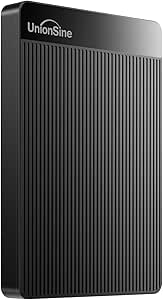
UnionSine 1TB Ultra Slim Portable External Hard Drive
The UnionSine 1TB hits the sweet spot of this lineup: enough room for a serious game library or a full photo archive without the SSD premium. Its 120MB/s transfer rate is honest HDD territory — about eight times slower than the Verbatim Pocket SSD, but you get double the capacity for less money, which is the trade most backup buyers actually want. The 5400rpm platter keeps it quiet and cool, though it also caps speed, and the JMicron-based enclosure feels less proven than the WD or Seagate drives in this roundup. There’s no hardware encryption, so anyone carrying sensitive files should look at something like the WD My Passport instead. I’d call it the practical middle: generous on space, modest on pace.
Pros:- 1TB capacity comfortably fits game libraries and full-system backups
- Consistent ~120MB/s transfers, respectable for an HDD at this price
- Quiet, cool-running 5400rpm design with heat dissipation
- Works across PC, Mac, and major consoles with no software needed
Cons:- 5400rpm platter caps speed well below any SSD in this lineup
- No encryption or password protection for sensitive files
- Generic JMicron enclosure feels less rugged than WD or Seagate rivals
Best for: Console gamers and home users who want a full terabyte for backups and game storage at HDD prices
Not ideal for: Video editors moving huge files daily, and anyone carrying sensitive data — it’s slow next to an SSD and offers no encryption
- Capacity:1TB
- Form Factor:2.5 inches
- Hardware Connectivity:USB 3.0
- Hard Disk Interface:Serial ATA-600
- Rotational Speed:5400 rpm
- Read Speed:120 MB/s
- Compatible Devices:Desktop, laptop, gaming console, television
- Console Support:Xbox 360, Xbox One, Series S/X; PS4, PS5
- Color:Black
Our verdict“The sensible middle ground — four times the budget drive’s space for a modest step up in price, as long as speed isn’t your priority.”
Verbatim Pocket 512GB External SSD (USB 3.2 Gen 2)
Speed is the whole story here. The Verbatim Pocket SSD moves files at up to 1000MB/s — roughly eight times the pace of the UnionSine 1TB — which turns a 50GB video project from a coffee break into about a minute. As an SSD with no moving parts, it also shrugs off the bumps that would worry me with any spinning drive in a backpack. The compromises are capacity and cost: 512GB fills fast if you’re archiving footage, and the Nero backup software is Windows-only, so Mac buyers get the hardware without the extras. For bulk storage, the Seagate 4TB or WD 6TB Elements make more sense; for shuttling working files between a laptop, PS5, and iPhone, this is the drive I’d reach for.
Pros:- 1000MB/s read/write speeds cut transfer times dramatically versus HDDs
- Shock-resistant SSD design with no moving parts
- Keyring loop and cable holder make it genuinely pocket-friendly
- Wide device support including iPhone, PS5, and Xbox
Cons:- 512GB ceiling is tight for video archives or large game libraries
- Bundled Nero backup software works on Windows only
- Costs more per gigabyte than any HDD in this roundup
Best for: Creators, travelers, and gamers who move large files between devices often enough that transfer speed actually costs them time
Not ideal for: Bulk archivers — the Seagate 4TB or WD 6TB Elements hold eight to twelve times more for similar money
- Capacity:512GB
- Drive Type:SSD (no moving parts)
- Interface:USB 3.2 Gen 2
- Max Read Speed:1000 MB/s
- Max Write Speed:1000 MB/s
- Compatibility:PC, Mac, PS5, Xbox, iPhone
- Extras:Keyring, cable holder, Nero Backup Software (Windows only)
Our verdict“Pay the SSD premium here if minutes matter; look to the big WD or Seagate drives if terabytes matter more.”
How We Picked
I ranked these drives the way I’d weigh them for my own purchase: price per terabyte first, then reliability signals, then the extras that change daily use. Price per terabyte matters because this category spans 250GB to 6TB, and sticker price alone misleads — a cheap 250GB drive can cost more per terabyte than a 2TB one at twice its price. Reliability signals include brand track record, warranty length, and patterns in long-term buyer feedback rather than first-week impressions. Extras cover backup software, hardware encryption, cable type (USB-C versus the older micro-B plug), and physical size. Where drives were otherwise equal, I favored the one that solves more problems out of the box.
The top of the ranking goes to drives that balance capacity, trustworthiness, and cost for the widest group of buyers — which is why the WD My Passport 5TB leads and the bare-bones high-capacity models sit just behind it. Lower slots aren’t failures; they’re role picks. The Verbatim SSD trails the HDDs on value but leads on speed, the 7-in-1 hub drive trades storage economics for connectivity, and the ultra-cheap slim drives only make sense when the budget is truly fixed. I also weighed compatibility breadth across PC, Mac, and consoles, since cross-device use is a common reason people buy these drives in the first place.
| portable external hard drife | Drive Type |
|---|---|
| YOTUO 1TB External Hard Drive | Portable HDD |
| WD 6TB Elements Portable Exter | Portable HDD |
| WD 2TB Elements Portable Exter | — |
| Seagate 4TB Portable External | — |
| WD 5TB My Passport Portable Ex | — |
| Seagate Portable 2TB External | Portable HDD |
| Western Digital 5TB Elements P | Portable HDD |
| Seagate Portable 1TB External | Portable HDD |
| 1TB External Hard Drive with M | — |
| 500 GB External Hard Drive | Portable HDD |
| Ultra Slim 250GB Portable Exte | HDD |
| UnionSine 1TB Ultra Slim Porta | — |
| Verbatim Pocket 512GB External | SSD (no moving parts) |
Factors to Consider When Choosing Portable External Hard Drives
The reviews above tell you which drives are worth buying; this section explains how I’d decide between them. These are the factors that separate a drive you’ll use happily for five years from one that frustrates you in the first month — plus a few mistakes I see buyers make over and over.
HDD or SSD: Decide What You’re Actually Paying For
Every drive in this roundup except the Verbatim Pocket SSD is a spinning hard drive, and that one difference shapes everything else. An HDD over USB 3.0 tops out around 100–130 MB/s no matter which brand’s logo is on the case, so paying more within the HDD group buys you capacity, software, and warranty — not speed. The Verbatim’s SSD, by contrast, moves files at several times that rate and has no moving parts to damage when it’s knocked off a desk. If your main job is backups, photo archives, or a media library that grows slowly, an HDD is the rational choice because you’ll rarely sit and watch transfers. If you edit video straight off the drive, shift large project folders daily, or travel rough with your gear, the SSD premium pays for itself in saved hours and drop survival. The two mistakes I see most often: buying an SSD for cold storage it never gets to flex on, and buying an HDD for a daily-transfer workflow and cursing it within a week. Match the technology to the job, not the spec sheet’s biggest number.
Capacity: The Sweet Spot Is Bigger Than You Think
Price per terabyte is the single most useful number in this category, and it follows a U-shaped curve. Tiny drives like the 250GB and 500GB slim models here cost nearly as much as 1TB options while holding a quarter to a half of the data — they’re the worst values in the lineup by that measure. The sweet spot sits at 2TB to 5TB, where cost per terabyte flattens out and capacities stay useful for years. My rule of thumb: estimate what you need today, then buy double, because photo libraries and game installs only grow. A modern console game can eat 100GB or more on its own, so a 500GB drive fills up after four or five titles. The 250GB model only makes sense for someone carrying documents and a light photo set, and even then the savings are small. The one scenario where small drives win is a strict budget or dedicated single-purpose use, like a drive that lives attached to one console for overflow storage.
Portability and Durability in Daily Use
All 13 picks here are bus-powered 2.5-inch-class drives, meaning they draw power from the USB port and need no wall adapter — that’s what makes them genuinely portable. The physical differences come down to thickness, weight, and toughness. Spinning drives dislike being moved while they’re running; bumping one mid-transfer is the classic way to corrupt a file or kill a drive early. If your drive will ride in a backpack daily, let it spin down before you pack it, and treat the Verbatim SSD as the only truly drop-tolerant option in this group. Cable style matters more than most buyers expect: most of these use the older micro-B USB plug, while USB-C models and the hub drive skip the adapter hunt with newer laptops and phones. A cheap padded sleeve is the best five-dollar upgrade you can add to any of them.
Compatibility and Formatting Pitfalls
Most drives in this roundup ship formatted as NTFS for Windows, and that default causes the two most common day-one complaints I see. A Mac can read an NTFS drive but can’t write to it, so Mac buyers should reformat to exFAT (cross-platform) or APFS/HFS+ (Mac-only) before copying anything over. Reformatting erases the drive completely, which is why the right moment to decide is before your first backup, not after. If you plan to share one drive between a Windows PC and a Mac, exFAT is the format you want from the start. Consoles add another wrinkle: a PlayStation or Xbox will reformat the drive into its own layout, effectively locking it to that console until you wipe it again. The 7-in-1 hub drive exists for the opposite scenario — phones, tablets, and laptops with mismatched ports — because its built-in connections and card reader sidestep the dongle hunt for simple file moves. Decide your device mix first; the drive choice follows from it.
Software, Security, and Warranty: Where Cheap Drives Cut Corners
This is where the price gap between big brands and budget brands actually comes from. The WD My Passport line includes 256-bit AES hardware encryption and automatic backup software, so a stolen drive doesn’t hand a stranger your files and backups run on a schedule instead of when you remember. The Elements and Seagate Portable lines strip those extras to hit lower prices — they’re honest bare storage, and many buyers never need more. Budget labels like YOTUO and UnionSine cut deeper still: typically shorter warranties and no software bundle at all. Warranty length is worth reading as a signal, since it’s the manufacturer telling you how long it expects the drive to live. None of this makes cheap drives bad purchases; it makes them calculated gambles best used for secondary copies. And no drive, at any price, counts as a backup by itself — anything irreplaceable deserves a second home on different hardware.
Frequently Asked Questions
Is a portable SSD worth the extra money over a portable HDD?
For most backup and storage jobs, no — and for speed-sensitive work, absolutely. In this lineup the Verbatim Pocket SSD costs roughly what a 2TB HDD does while offering a quarter of the capacity, which shows exactly what the premium buys: transfers several times faster and no moving parts to break when the drive takes a fall. If you mostly run scheduled backups, store photos, or park a media library, a spinning drive delivers the same end result for far less money. If you edit video or photos directly from the drive, move big folders every day, or carry it everywhere, the SSD pays for itself in time saved and durability. The honest question is how often you’ll actually sit waiting on a transfer bar — daily waiters should buy the SSD, everyone else should buy terabytes.
How much storage do I actually need in a portable drive?
Start by checking how much data you have right now, then buy at least double, because libraries grow and drives don’t. For documents, music, and a moderate photo collection, 1TB is comfortable; for 4K video, large game libraries, or full-system backups, start at 2TB and think hard about 4TB or 5TB. Modern games routinely exceed 100GB each, so console players should treat 2TB as the floor. In this roundup the 2TB–5TB models also happen to sit at the best price per terabyte, so buying bigger usually costs less per gigabyte anyway. The 250GB and 500GB options only suit narrow jobs like document carry or a dedicated overflow drive — as a primary drive they fill up faster than most buyers expect.
Will a portable hard drive work with both my Mac and Windows PC?
Yes, but rarely straight out of the box for both. Most of these drives arrive formatted as NTFS, which Windows reads and writes natively but macOS can only read — your Mac will show the files and refuse to save new ones. The fix is reformatting to exFAT, which both systems handle fully, and doing it before you load any data because the process wipes the drive. If the drive will only ever touch Macs, APFS or HFS+ are better choices, and if it will only ever touch Windows, leaving it as NTFS is fine. Consoles are a separate case: a PlayStation or Xbox reformats the drive for itself, so pick one machine per drive rather than hoping to share.
Are budget drives from brands like UnionSine and YOTUO reliable enough?
They’re a reasonable buy with the right expectations. Inside the case, budget drives use the same style of 2.5-inch hard drive mechanism as the big names, so outright early failure isn’t the norm — what you’re giving up is warranty length, support quality, and extras like backup software. The practical risk shows up at year three or four, when a short-warranty drive that dies is simply gone, while a longer-warranty model might have been replaced. I’d happily use one as a secondary copy, a console expansion drive, or a travel drive where loss is annoying but not devastating. What I wouldn’t do — with a budget brand or any brand — is trust a single drive as the only copy of irreplaceable photos or work files.
Can I use one of these drives for PS5 or Xbox gaming?
Yes, with caveats that depend on the console generation. On PS5, a USB drive can store PS5 games and play PS4 games directly, but PS5 titles must be copied back to internal storage before playing — the drive works as a parking lot, not a runway. Xbox Series X|S is similar: backward-compatible games run straight from USB, while Series-optimized titles need the internal SSD or an official expansion card, though you can cold-store them on the drive. Any USB 3.0 model in this roundup handles these jobs, and capacity is the main choice — go 2TB or larger, since current games often exceed 100GB. One warning: the console will reformat the drive into its own layout, erasing everything on it and tying it to that console until you wipe it again.
Conclusion
If I had to point one buyer at one drive, it’s the WD 5TB My Passport — the best balance of capacity, security, and price in this lineup, and the easiest default choice for most people. Best value goes to the WD 2TB Elements, which hits the price-per-terabyte sweet spot without paying for software you may never open. Best premium pick is the Verbatim Pocket 512GB SSD, the only option here built for speed and rough travel rather than sheer space. Best for beginners is the Seagate Portable 1TB: plug it in, drag files over, done — no formatting decisions or software to learn. For maximum capacity, the WD 6TB Elements stores more than anything else on this list; for a tight budget, the UnionSine 1TB undercuts everyone; and for a phone-and-laptop workflow, the 7-in-1 hub drive is the only pick that doubles as a docking station. Decide capacity first, then decide whether speed or software is worth a premium — and keep a second copy of anything you can’t replace.
Halloween Picks

Govee Outdoor Halloween Projector Light with 3D Dynamic Visuals and Nebula Effect

Halloween Inflatable Haunted House Maze – 20×20 ft with Removable Roof and Blower

JOYIN 5-Foot Halloween Animatronic Drinking Skeleton
As an affiliate, we earn on qualifying purchases.