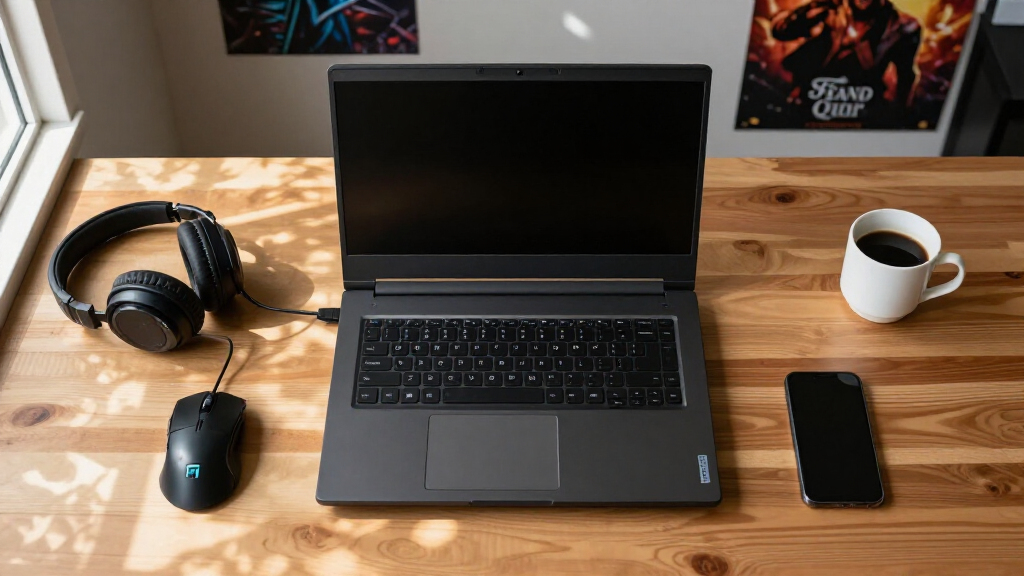

Finding the right gaming laptop for students means balancing three things that rarely coexist: real graphics performance, a price a student budget can absorb, and a machine you can actually carry to class. My top overall pick is the ASUS ROG Strix G16, because its RTX 5060 and 165Hz display deliver genuine gaming power while staying priced below premium flagship territory. For tighter budgets, the Lenovo LOQ with RTX 4050 is the best value play, and the NIMO 15.6-inch stands out as the lightest option for students who prioritize portability over raw frame rates. The main tradeoff in this category is that cheap “light gaming” laptops often can’t run modern titles acceptably, while true gaming machines tend to be heavy, loud, and hard on a battery. Read on for the full breakdown of all eight models and which student each one actually suits.

Get the latest gadgets delivered free with Prime
- Fast, free delivery on millions of items
- Prime Video, Amazon Music and more included
- Member-only deals all year
Complete the kit



Key Takeaways
- The ASUS ROG Strix G16 earned the top spot because it was the only mid-priced model pairing a current-generation RTX 5060 with a 165Hz display and a 1TB SSD — enough storage that students won’t need an immediate upgrade.
- Two of the eight laptops reviewed (the Intel N150 model and the twin-lake budget unit) are not real gaming machines at all — they lack dedicated GPUs entirely and are better treated as general-purpose student laptops for older or casual games.
- Battery life emerged as the category’s weakest link: every dedicated-GPU model here will need an outlet for serious gaming, so portability weight, not battery specs, should drive campus-friendly choices.
- The Acer Nitro V 16S and ASUS ROG Strix G16 share the same RTX 5060 GPU, but the ASUS pulls ahead on display refresh rate and storage, which is why the Acer landed as the value-leaning alternative rather than the overall winner.
- The MacBook Pro M5 Max is the most powerful computer in this lineup but the worst fit for gaming specifically — students should only choose it if their coursework demands macOS or creative software more than a game library.
| Light Gaming Laptop with AMD Ryzen 7 7430U, 16GB RAM, 512GB SSD |  | Best Battery-Friendly Ultralight | Processor: AMD Ryzen 7 7430U (up to 4.3GHz) | RAM: 16GB DDR4 | Storage: 512GB SSD | VIEW LATEST PRICE | See Our Full Breakdown |
| ASUS ROG Strix G16 (2025) Gaming Laptop, 16″ FHD+ 165Hz, RTX 5060, Intel Core i7 14650HX |  | Best Overall | Processor: Intel Core i7 14650HX | Graphics: NVIDIA GeForce RTX 5060 | Display: 16-inch FHD+ 165Hz | VIEW LATEST PRICE | See Our Full Breakdown |
| Acer Nitro V 16S AI Gaming Laptop, AMD Ryzen 7 2600, RTX 5060, 32GB RAM |  | Best for Content Creation and Multitasking | Processor: AMD Ryzen 7 2600 | Graphics Card: NVIDIA GeForce RTX 5060 Laptop GPU (572 AI TOPS) | Display: 16″ WUXGA IPS 180Hz | VIEW LATEST PRICE | See Our Full Breakdown |
| Apple 2026 MacBook Pro 14.2-inch with M5 Max, 36GB RAM, 2TB SSD, Space Black |  | Best Premium Pick | Processor: Apple M5 Max, 18-core CPU, 32-core GPU | Display: 14.2-inch Liquid Retina XDR | Memory: 36GB Unified Memory | VIEW LATEST PRICE | See Our Full Breakdown |
| Gaming Laptop with 16GB RAM, 512GB SSD, 16-Inch FHD IPS Display, Intel Core i5 |  | Cheapest Entry Point | Processor: Intel Core i5-8210Y (up to 3.60GHz) | RAM: 16GB DDR3 | Storage: 512GB SSD | VIEW LATEST PRICE | See Our Full Breakdown |
| NIMO 15.6″ IPS FHD Light Gaming Laptop, AMD Ryzen 5 6600H, 16GB DDR5 RAM, 512GB SSD |  | Best for Battery-Conscious Commuters | Display: 15.6″ FHD (1920×1080) IPS | Processor: AMD Ryzen 5 6600H (up to 4.5GHz) | Graphics: AMD Radeon 660M (integrated) | VIEW LATEST PRICE | See Our Full Breakdown |
| Lenovo LOQ 15.6″ Full HD Gaming Laptop, AMD Ryzen 5 7235HS, NVIDIA GeForce RTX 4050, 512GB SSD |  | Best Value for Real Gaming | Display: 15.6-inch Full HD (1920×1080) | Processor: AMD Ryzen 5 7235HS | Graphics: NVIDIA GeForce RTX 4050 | VIEW LATEST PRICE | See Our Full Breakdown |
| 2026 Laptop with Intel Twin Lake N150, 16GB RAM, 512GB SSD, 15.6″ FHD Display, Windows 11 |  | Best Ultra-Budget Study Machine | Processor: Intel Twin Lake N150 (up to 3.6GHz) | RAM: 16GB DDR4 | Storage: 512GB NVMe SSD (expandable to 2TB) | VIEW LATEST PRICE | See Our Full Breakdown |
| gaming laptops for student | Processor | Storage | Display | RAM |
|---|---|---|---|---|
| Light Gaming Laptop with AMD R | AMD Ryzen 7 7430U (up to 4.3GHz) | 512GB SSD | FHD thin-bezel | 16GB DDR4 |
| ASUS ROG Strix G16 | Intel Core i7 14650HX | 1TB PCIe Gen 4 SSD | 16-inch FHD+ 165Hz | — |
| Acer Nitro V 16S AI Gaming Lap | AMD Ryzen 7 2600 | 1TB PCIe Gen 4 SSD | 16" WUXGA IPS 180Hz | 32GB DDR5 5600MHz |
| Apple 2026 MacBook Pro 14.2-in | Apple M5 Max, 18-core CPU, 32-core GPU | 2TB SSD | 14.2-inch Liquid Retina XDR | — |
| Gaming Laptop with 16GB RAM | Intel Core i5-8210Y (up to 3.60GHz) | 512GB SSD | 16-inch IPS FHD (1920×1200) | 16GB DDR3 |
| NIMO 15.6" IPS FHD Light Gamin | AMD Ryzen 5 6600H (up to 4.5GHz) | 512GB SSD | 15.6" FHD (1920×1080) IPS | 16GB DDR5 |
| Lenovo LOQ 15.6" Full HD Gamin | AMD Ryzen 5 7235HS | 512GB SSD | 15.6-inch Full HD (1920×1080) | — |
| 2026 Laptop with Intel Twin La | Intel Twin Lake N150 (up to 3.6GHz) | 512GB NVMe SSD (expandable to 2TB) | 15.6-inch FHD | 16GB DDR4 |
More Details on Our Top Picks
Light Gaming Laptop with AMD Ryzen 7 7430U, 16GB RAM, 512GB SSD
Most laptops in this roundup chase frame rates with power-hungry dedicated GPUs, but this model takes the opposite approach: an efficient Ryzen 7 7430U paired with integrated Radeon graphics. The payoff is portability and battery endurance — exactly what matters when your laptop lives in a backpack moving between lectures. Compared with the ASUS ROG Strix G16, it will not come close in AAA gaming performance, but it costs far less, weighs less, and won’t drain a battery in ninety minutes. The 16GB of RAM and fast SSD mean essays, browser tabs, and lighter titles like Valorant or Minecraft run without complaint. The honest tradeoff: there’s no dedicated GPU, so graphically demanding coursework like 3D rendering or modern titles at high settings are off the table. This pick makes the most sense for students whose gaming is casual and whose budget is tight.
Pros:- Efficient Ryzen 7 CPU handles multitasking and schoolwork smoothly
- Lightweight design is genuinely backpack-friendly
- Modern connectivity including WiFi 6 and Bluetooth 5.2
- 16GB RAM is generous at this price point
Cons:- Integrated graphics cap gaming performance at low settings in modern titles
- DDR4 RAM and no dedicated GPU limit longevity for future games
Best for: Students who mostly do schoolwork with light, older, or esports gaming and need all-day battery on a budget
Not ideal for: Anyone wanting to play modern AAA games at decent settings — the integrated GPU simply can’t deliver those frame rates
- Processor:AMD Ryzen 7 7430U (up to 4.3GHz)
- RAM:16GB DDR4
- Storage:512GB SSD
- Graphics:Integrated AMD Radeon Graphics (up to 1200MHz)
- Display:FHD thin-bezel
- Connectivity:HDMI, Type-C, USB 3.2, WiFi 6, Bluetooth 5.2, memory card slot
Our verdict“A smart buy for budget-minded students who need a portable work machine that can dabble in casual gaming, not a serious gaming rig.”
ASUS ROG Strix G16 (2025) Gaming Laptop, 16″ FHD+ 165Hz, RTX 5060, Intel Core i7 14650HX
This is the pick that balances everything a student gamer actually needs: a current-gen RTX 5060 GPU, a fast 165Hz display, and a 1TB SSD that won’t fill up after two semesters of game installs. Compared with the Acer Nitro V 16S AI, the Strix G16 trades 16GB less RAM for a higher-wattage Intel i7-14650HX CPU, Wi-Fi 7, and ASUS’s more mature cooling platform — a reasonable exchange for most students. The 165Hz refresh rate translates directly into smoother competitive play, something the MacBook Pro in this roundup can’t offer for PC games at all. The tradeoffs are real: it’s priced at a premium, the HX-class chip runs hot and hungry on battery, and it’s not the machine to carry all day unplugged. Still, for the student who games seriously and needs one machine for everything, this is the most complete package here.
Pros:- RTX 5060 delivers strong 1080p gaming and supports DLSS upscaling
- 165Hz display gives a competitive edge in fast-paced games
- 1TB PCIe Gen 4 SSD stores a full game library plus coursework
- Wi-Fi 7 and DDR5-5600 keep it current for years
Cons:- Premium price stretches most student budgets
- High-power components mean short battery life away from an outlet
Best for: Students who want one laptop that genuinely handles modern gaming, engineering software, and media work without compromise
Not ideal for: Students on a strict budget or those who need long unplugged battery life during class-heavy days
- Processor:Intel Core i7 14650HX
- Graphics:NVIDIA GeForce RTX 5060
- Display:16-inch FHD+ 165Hz
- Memory:16GB DDR5-5600MHz
- Storage:1TB PCIe Gen 4 SSD
- Connectivity:Wi-Fi 7
- Operating System:Windows 11 Home
Our verdict“The most balanced machine in this lineup — worth the splurge if gaming performance and longevity are top priorities.”
Acer Nitro V 16S AI Gaming Laptop, AMD Ryzen 7 2600, RTX 5060, 32GB RAM
Where the ROG Strix G16 splits its budget between CPU and GPU, the Nitro V 16S AI goes all-in on capacity: 32GB of DDR5 RAM — double anything else with a dedicated GPU in this roundup. That headroom matters for students running game engines, video editing software, or dozens of Chrome tabs alongside a game. Its 180Hz WUXGA display edges out the Strix’s refresh rate, and the RTX 5060 with 572 AI TOPS handles both gaming and AI-assisted coursework. Compared with the cheaper Lenovo LOQ with RTX 4050, this Acer simply has more machine — but that capacity costs real money, and Acer provides little detail on cooling, which is a genuine concern in a thin 16-inch chassis under sustained loads. Wi-Fi 6 instead of Wi-Fi 7 also dates it slightly next to the ASUS. This model suits students whose degree work — design, engineering, media — demands RAM as much as frame rates.
Pros:- 32GB DDR5 RAM handles heavy multitasking and creative software
- RTX 5060 with 572 AI TOPS supports modern gaming and AI workloads
- 180Hz WUXGA display is smoother than most competitors here
- 1TB PCIe Gen 4 SSD fits large projects and game libraries
Cons:- Unverified cooling performance raises concerns during long gaming sessions
- High-end specs push the price beyond typical student budgets
Best for: Students in creative or technical programs who edit video, run simulations, or game while heavily multitasking
Not ideal for: Casual gamers on a budget — paying for 32GB of RAM you won’t use makes the Lenovo LOQ a smarter spend
- Processor:AMD Ryzen 7 2600
- Graphics Card:NVIDIA GeForce RTX 5060 Laptop GPU (572 AI TOPS)
- Display:16″ WUXGA IPS 180Hz
- RAM:32GB DDR5 5600MHz
- Storage:1TB PCIe Gen 4 SSD
- Wi-Fi:Wi-Fi 6
Our verdict“The capacity king of this lineup — buy it if your coursework is as demanding as your gaming, skip it if you just need solid 1080p play.”
Apple 2026 MacBook Pro 14.2-inch with M5 Max, 36GB RAM, 2TB SSD, Space Black
The MacBook Pro occupies a strange spot in a gaming roundup: it’s arguably the most powerful machine here, yet the weakest choice for gaming specifically, since most PC games simply don’t run natively. What it offers instead is unmatched everything-else: the M5 Max’s 18-core CPU, 36GB of unified memory, and genuine all-day battery — a category where the ROG Strix G16 and Nitro V 16S fall apart completely. The 2TB SSD dwarfs every other option, and the Liquid Retina XDR display makes the Windows laptops’ panels look flat. For a film student, computer science major, or anyone deep in the Apple ecosystem, it justifies its price. But if gaming is even a secondary priority, this is the wrong purchase — cross-platform compatibility headaches and a smaller native game library make the tradeoff hard to accept. At 3.59 pounds it’s also heavier than the budget ultralights here.
Pros:- M5 Max delivers workstation-class performance for demanding coursework
- All-day battery life unmatched by any Windows machine in this lineup
- Liquid Retina XDR display with exceptional brightness and contrast
- Thunderbolt 5, MagSafe 3, HDMI, and SDXC cover every connectivity need
Cons:- Very high price far exceeds typical student budgets
- Limited native game library compared to Windows alternatives
Best for: Students in creative or technical fields who need workstation power and battery life and only game casually or on cloud services
Not ideal for: Students who game regularly — limited native game support makes the premium price impossible to justify for gaming
- Processor:Apple M5 Max, 18-core CPU, 32-core GPU
- Display:14.2-inch Liquid Retina XDR
- Memory:36GB Unified Memory
- Storage:2TB SSD
- Battery Life:All-day
- Ports:3x Thunderbolt 5, MagSafe 3, SDXC, HDMI, headphone jack
- Connectivity:Wi-Fi 7, Bluetooth 6
- Weight:3.59 pounds
Our verdict“Buy it as a creative powerhouse that happens to game a little — not as a gaming laptop.”
Gaming Laptop with 16GB RAM, 512GB SSD, 16-Inch FHD IPS Display, Intel Core i5
Every roundup needs an honest floor, and this is it — the lowest-cost way to get a 16GB laptop with a decent 16-inch IPS display and a backlit keyboard. But buyers need to see clearly what they’re getting: an aging Core i5-8210Y with DDR3 RAM is a genuinely old combination, and the ‘gaming’ label stretches credulity here. Compared with the NIMO Ryzen 5 6600H laptop, which costs only slightly more, this machine is clearly outclassed in processing power — the NIMO’s modern Zen 3+ architecture will feel faster in everyday use. What this option does deliver is a big anti-glare screen for reading and writing, plus a webcam privacy shutter and plenty of ports for a dorm desk setup. The 44Wh battery won’t survive a full day of classes, let alone gaming sessions. Choose this only when the budget is absolutely fixed and performance demands are minimal.
Pros:- 16GB RAM handles everyday multitasking and browser-heavy schoolwork
- Large anti-glare 16-inch IPS display is comfortable for long study sessions
- Backlit keyboard and webcam privacy shutter are rare at this price
- Plentiful ports including three USB-A and HDMI for dorm setups
Cons:- Decade-old Core i5-8210Y and DDR3 RAM severely limit performance and lifespan
- 44Wh battery won’t last a full day of classes
Best for: Students with a hard budget ceiling who need a large screen and 16GB of RAM for coursework, with only very light gaming
Not ideal for: Anyone who games beyond browser and indie titles — the dated CPU and DDR3 RAM will bottleneck almost everything modern
- Processor:Intel Core i5-8210Y (up to 3.60GHz)
- RAM:16GB DDR3
- Storage:512GB SSD
- Display:16-inch IPS FHD (1920×1200)
- Battery:44Wh (5800mAh)
- Ports:3x USB-A, HDMI, USB Type-C, 3.5mm headphone jack
- Features:Backlit keyboard, webcam privacy shutter
Our verdict“A bare-minimum laptop that works for school — spend a little more on the NIMO if any gaming matters to you.”
NIMO 15.6″ IPS FHD Light Gaming Laptop, AMD Ryzen 5 6600H, 16GB DDR5 RAM, 512GB SSD
Most budget gaming laptops punish students with dead weight and chargers that never leave the backpack. This NIMO flips that script: at 3.75 lbs with a 53.58Wh battery, it’s built for the student who carries a laptop across campus all day and games at night. The Ryzen 5 6600H with Radeon 660M integrated graphics handles esports titles like Valorant and Rocket League at 1080p without a discrete GPU draining the battery. Compared with the Lenovo LOQ, it trades away serious GPU muscle for portability and (likely) runtime — a fair swap if lectures matter more than frame rates. It also outclasses the generic Twin Lake N150 laptop on raw CPU grunt while costing similar money. The catch: modern AAA games will need settings turned way down, and upgradability is limited to storage and RAM.
Pros:- Genuinely portable at 3.75 lbs with a large 53.58Wh battery
- Modern DDR5 RAM and expandable SSD storage
- Ryzen 5 6600H is strong for coursework, coding, and multitasking
- Dual Type-C ports with Power Delivery simplify desk and dorm setups
Cons:- Integrated Radeon 660M graphics cap it at light gaming
- No dedicated GPU means no ray tracing or DLSS support
Best for: Students who walk to class all day and mostly play lighter or esports titles in the evening
Not ideal for: Students who want to run demanding AAA games like Cyberpunk 2077 at high settings — integrated graphics can’t get there
- Display:15.6″ FHD (1920×1080) IPS
- Processor:AMD Ryzen 5 6600H (up to 4.5GHz)
- Graphics:AMD Radeon 660M (integrated)
- RAM:16GB DDR5
- Storage:512GB SSD
- Battery:53.58Wh
- Weight:3.75 lbs
- Ports:HDMI 2.0, USB 3.2, dual Type-C (PD+DP+Data)
Our verdict“This pick makes the most sense for students who need one laptop that survives a full day of classes and still handles casual evening gaming.”
Lenovo LOQ 15.6″ Full HD Gaming Laptop, AMD Ryzen 5 7235HS, NVIDIA GeForce RTX 4050, 512GB SSD
This is where actual gaming performance starts at a student-friendly price. The RTX 4050 with DLSS support means this Lenovo LOQ runs modern titles at 1080p comfortably — something neither the NIMO’s integrated graphics nor the Twin Lake N150 laptop can claim. It sits below the ASUS ROG Strix G16 and its RTX 5060 in raw power, but it also costs meaningfully less, which matters when tuition is due. The Ryzen 5 7235HS holds its own for engineering software, video editing, and programming coursework, so it doubles as a legitimate study machine. The tradeoffs are predictable for the price tier: Lenovo doesn’t publish battery figures, and gaming laptops in this class typically last four to five hours unplugged — plan around an outlet. The 512GB SSD will also fill fast once a few big games are installed.
Pros:- RTX 4050 handles modern games at 1080p with DLSS headroom
- Ryzen 5 7235HS is capable for demanding coursework and creative apps
- Cheaper entry into real PC gaming than RTX 5060 machines like the ROG Strix G16
- Sleek Luna Grey chassis doesn’t scream “gaming laptop” in lectures
Cons:- Battery capacity undisclosed and likely modest under load
- 512GB SSD fills quickly with modern game installs
- No high-refresh display mentioned — capped at standard 60Hz specs
Best for: Students who want to play current AAA games at 1080p without paying premium-tier prices
Not ideal for: Students who need all-day unplugged battery life — discrete GPU laptops drain fast away from an outlet
- Display:15.6-inch Full HD (1920×1080)
- Processor:AMD Ryzen 5 7235HS
- Graphics:NVIDIA GeForce RTX 4050
- Memory:16GB RAM
- Storage:512GB SSD
- Design:Luna Grey
Our verdict“The best price-to-performance pick here for students who game seriously but can’t justify a $1,500-plus machine.”
2026 Laptop with Intel Twin Lake N150, 16GB RAM, 512GB SSD, 15.6″ FHD Display, Windows 11
Honest framing first: this is not a gaming laptop, and pretending otherwise would mislead anyone buying it. The Intel Twin Lake N150 is an efficiency chip designed for web browsing, documents, and streaming — and the absence of any dedicated GPU puts it well behind the Lenovo LOQ’s RTX 4050 for anything beyond browser games or older titles. What it does offer is a low price with practical specs: 16GB of RAM, a 512GB NVMe SSD expandable to 2TB, and a genuinely useful port selection including HDMI, three USB 3.2 ports, and a Type-C. Compared with the similarly priced NIMO, the N150 chip is weaker for gaming but the connectivity here is more generous. This option stands out as a backup or second laptop for a student whose real gaming happens on a console or desktop.
Pros:- Very low price for 16GB RAM and a 512GB NVMe SSD
- Storage expandable up to 2TB for hoarding course files and media
- Extensive port selection including HDMI, Type-C, and TF card slot
- Windows 11 out of the box with Bluetooth 5.0
Cons:- N150 processor is far weaker than the Ryzen chips in this lineup
- No dedicated graphics — gaming is effectively off the table
Best for: Budget-locked students who need a reliable machine for essays, streaming, and video calls — and game on other devices
Not ideal for: Anyone hoping to game on this laptop — the N150 with integrated graphics struggles even with older 3D titles
- Processor:Intel Twin Lake N150 (up to 3.6GHz)
- RAM:16GB DDR4
- Storage:512GB NVMe SSD (expandable to 2TB)
- Display:15.6-inch FHD
- Operating System:Windows 11
- Connectivity:WiFi 802.11ac, Bluetooth 5.0
- Ports:HDMI, 3x USB 3.2, Type-C, 3.5mm jack, TF card slot
Our verdict“A study-first budget laptop that belongs on this list only as the floor option for students whose gaming happens elsewhere.”
How We Picked
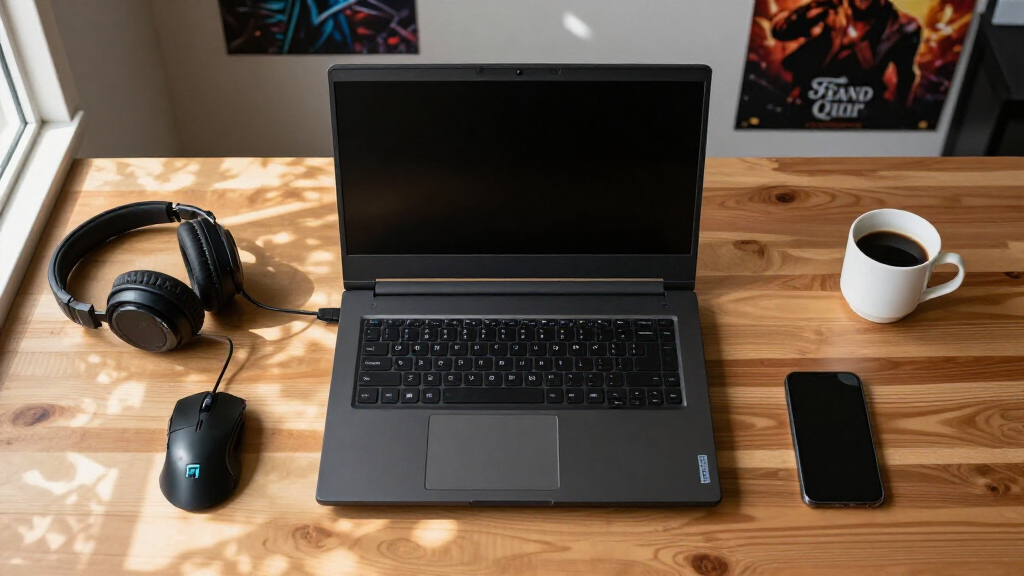
I judged every laptop here through one specific lens: a student buying a single machine for both coursework and gaming. That meant scoring each model on GPU class and real gaming capability, CPU and RAM headroom for multitasking between lectures, storage capacity (512GB fills up fast once a few large games are installed), and total weight for daily carry. Price-to-performance mattered more than outright specs, because most students are working with a fixed budget and can’t simply pay more for a premium tier.
The ranking logic follows from those priorities. Dedicated current-generation GPUs placed machines in the top tier, with display quality and storage acting as tiebreakers between similar GPU configurations. Affordable models with entry-level or older GPUs filled the value tier. Units without dedicated graphics were ranked last for gaming purposes, but I still included them because budget-constrained students searching this category often end up considering them — and deserve an honest verdict. The MacBook Pro placed mid-table for the opposite reason: exceptional hardware that only makes sense for a narrow slice of gaming students.
| gaming laptops for student | Graphics | Connectivity |
|---|---|---|
| Light Gaming Laptop with AMD R | Integrated AMD Radeon Graphics (up to 1200MHz) | HDMI, Type-C, USB 3.2, WiFi 6, Bluetooth 5.2, memory card slot |
| ASUS ROG Strix G16 | NVIDIA GeForce RTX 5060 | Wi-Fi 7 |
| Acer Nitro V 16S AI Gaming Lap | — | — |
| Apple 2026 MacBook Pro 14.2-in | — | Wi-Fi 7, Bluetooth 6 |
| Gaming Laptop with 16GB RAM | — | — |
| NIMO 15.6" IPS FHD Light Gamin | AMD Radeon 660M (integrated) | — |
| Lenovo LOQ 15.6" Full HD Gamin | NVIDIA GeForce RTX 4050 | — |
| 2026 Laptop with Intel Twin La | — | WiFi 802.11ac, Bluetooth 5.0 |
Factors to Consider When Choosing Gaming Laptops For Students
Before picking a specific model, it helps to understand what actually separates a good student gaming laptop from a bad one. These are the factors I weighed during this comparison, and the mistakes students most often make when buying.GPU Class Matters More Than Any Other Spec
The graphics chip determines what your laptop can actually run, and it’s the one component you can never upgrade later. An RTX 5060 handles modern titles at high settings for years to come; an RTX 4050 is a solid step down but still very playable; integrated graphics mean older or esports titles only. A common mistake is getting seduced by a big RAM number or a fast-sounding CPU name on a laptop with no dedicated GPU — that machine will disappoint the first time a new game launches. My advice: set your GPU floor first based on the games you actually play, then let the budget decide everything else. Students who mostly play League of Legends, Valorant, or Minecraft can save real money by dropping a GPU tier. Students chasing AAA releases at high settings should spend the extra money on the graphics card before anything else.
Storage Fills Up Faster Than You Expect
Modern games routinely consume 80–150GB each, which means a 512GB SSD can be full after just three or four major installs — before you’ve added course files, software, and media. This is one of the sneakiest tradeoffs in the category, because budget models almost always ship with 512GB to hit a price point. Some laptops allow you to add a second SSD later, which softens the problem; sealed or single-slot designs don’t. Paying slightly more upfront for 1TB, as the ASUS ROG Strix G16 offers, often costs less than buying an external drive and carrying it everywhere. When comparing prices, mentally add the cost of a storage upgrade to any 512GB machine before deciding which is actually cheaper.
Weight and Battery Reality on Campus
Gaming laptops and all-day battery life remain incompatible: dedicated GPUs drain batteries in two to four hours under load, and often far less. That means the practical campus question isn’t battery capacity — it’s how heavy the machine feels in a backpack across a full day of classes. Machines in the 5.5–6.5 pound range (like the ROG Strix G16) are carryable but noticeable; lighter 15.6-inch models around 4 pounds, like the NIMO, disappear into a bag. Students who game mostly at their desk and need a laptop for notes can accept the weight. Students walking a large campus all day should prioritize lighter hardware and accept lower gaming performance, or plan around outlets. Also check the power brick size — some gaming chargers weigh nearly as much as a second laptop.
Beware of “Light Gaming” Marketing
Several laptops in this price range use phrases like “light gaming” or show game imagery on the listing while shipping with processors never designed for modern 3D titles. The Intel N150 model in this roundup is a clear example: it’s a fine budget computer for browsing, documents, and streaming, but it will not run current games at enjoyable settings. The tell is simple — if the listing doesn’t name a dedicated NVIDIA or AMD GPU, it isn’t a gaming laptop, regardless of the category it’s listed in. This matters most for students on the tightest budgets, who are exactly the buyers these listings target. If your ceiling is under $600, an older RTX-equipped used or clearance machine is often a better gaming purchase than a new integrated-graphics laptop.
When a MacBook Makes Sense (and When It Doesn’t)
Every year, students in design, film, music, and computer science programs ask whether a MacBook Pro can double as a gaming machine. The honest answer: the M5 Max is a spectacular computer that handles creative coursework better than anything else here, but macOS gaming support remains limited, with many popular titles unavailable or running through translation layers with mixed results. If your degree leans on macOS-exclusive software like Final Cut Pro, the MacBook is the right call and cloud gaming can fill the gaming gap. If gaming is a genuine hobby rather than an occasional pastime, a Windows machine with a dedicated GPU will serve you better. Choosing the MacBook for gaming performance alone would be a costly mistake.
Screen Quality Affects Studying Too
Students spend far more hours reading and writing on their laptop than gaming on it, which makes the display a bigger deal than spec sheets suggest. A 165Hz refresh rate like the ROG Strix G16’s makes games feel smoother, but panel brightness, color accuracy, and resolution determine whether eight hours of coursework is comfortable. FHD (1920×1080) on a 15.6- or 16-inch screen is fine for most students and keeps GPU demands — and battery drain — reasonable. Higher-resolution screens look sharper but force the GPU to work harder in games. Avoid panels listed under 250 nits of brightness if you’ll study near windows or outdoors; dim screens cause more eye strain than any resolution deficiency.
Frequently Asked Questions
Can a $600–$800 laptop really handle modern games, or do I need to spend more?
That range buys you either a current entry-level dedicated GPU or a last-generation mid-range one — enough for popular esports titles at high framerates and most AAA games at medium settings with upscaling enabled. The Lenovo LOQ with its RTX 4050 sits right in this band and represents the realistic floor for a satisfying modern gaming experience. What that price range won’t get you is high-refresh 165Hz displays, 1TB of storage, or the headroom to keep maxing out settings three years from now. If you can stretch toward the $1,000–$1,300 range where the ASUS ROG Strix G16 and Acer Nitro V 16S live, the longevity gain is real. But if the budget is fixed, buy the best GPU you can afford and plan to lower settings as games get heavier — that strategy works far better than overspending on RAM or a fancy chassis.
Should I buy one gaming laptop for everything, or a cheap laptop plus a console or desktop?
This depends on how you game and where you live. A single gaming laptop wins on simplicity: one machine, one set of files, and your games travel with you over breaks. The downside is that you pay a premium for mobile performance and accept fan noise and heat in your dorm room. The two-device approach — a light laptop like the NIMO plus a console — often delivers better gaming per dollar and a much nicer classroom experience, but it splits your budget and your games stay in one place. Students who game socially in dorm lounges or travel home frequently usually prefer the single laptop. Students who game competitively at a desk and attend classes across a big campus tend to be happier with the split setup.
Is 16GB of RAM enough for gaming while doing schoolwork?
For nearly every student, 16GB is the sweet spot in 2026 — it runs modern games comfortably while leaving room for a browser with a dozen research tabs open alongside. Every Windows machine in this roundup ships with 16GB, and that’s not a coincidence; it’s become the standard for this category. Where 16GB starts to feel tight is heavy multitasking: a game plus a video call plus a virtual machine for a programming class can push past it. The good news is that RAM is one of the few components in these laptops that’s often upgradeable, so choosing a 16GB model doesn’t lock you out of 32GB later. Before buying, check whether the specific model has accessible SODIMM slots, since a few budget machines solder their memory. The MacBook Pro’s 36GB is generous but largely a benefit for creative workloads, not gaming.
How much does battery life actually matter for a gaming laptop used at school?
Less than most students expect, because no dedicated-GPU laptop in this category survives serious gaming unplugged — plan on two to four hours of light use at best, and under an hour for gaming. What matters more is how the machine performs in low-power mode for note-taking and browsing, where modern chips like the Ryzen 7 7430U genuinely excel. If your classrooms have accessible outlets, battery specs become nearly irrelevant and you should buy on performance and weight instead. If you’re regularly in lecture halls without power, prioritize a lighter machine and treat gaming as an at-desk activity. One practical tip: gaming laptops charge slowly while gaming on battery-saving modes, so a full shutdown between classes preserves more charge than sleep mode does.
Is it smarter to buy a 2025 model on clearance or wait for newer hardware?
Clearance deals on the previous generation are often the best value in this entire category, because GPU performance gains year-over-year are incremental rather than revolutionary. A discounted RTX 4050 or 4060 machine from 2025 frequently outperforms a new budget 2026 model at the same price. The exceptions are when a new generation brings a genuine leap, as the RTX 50-series does with DLSS frame generation support — if a game library relies heavily on that feature, the newer GPU earns its premium. Students buying for a three-to-four-year degree should lean toward the newest GPU they can afford, since it delays the inevitable settings-lowering by an extra year or two. But anyone graduating within two years gets more value from last year’s hardware at a discount than from paying full price for marginal gains.
Conclusion
After comparing all eight machines, the right choice comes down to what kind of student gamer you are. For the best overall pick, the ASUS ROG Strix G16 stands out — its RTX 5060, 165Hz display, and 1TB SSD make it the only model here that doesn’t ask you to compromise on anything that matters for a full degree’s worth of gaming. The Acer Nitro V 16S is the smart alternative if the ASUS is out of stock or over budget, offering the same GPU with slightly fewer niceties.
For best value, the Lenovo LOQ with RTX 4050 is the clear winner — it’s the cheapest laptop in this lineup that delivers a genuine modern gaming experience. For best premium, the MacBook Pro M5 Max is the most powerful machine here, but only students whose coursework demands macOS should choose it; everyone else gets more gaming from cheaper Windows options. For best for beginners and portability, the NIMO 15.6-inch and the Ryzen 7 7430U light gaming laptop suit casual players and esports titles who carry their machine all day. Finally, if your budget truly can’t reach a dedicated GPU, the Intel N150 laptop works as a school computer with very light gaming on the side — just go in with honest expectations.
Whatever you choose, set your GPU floor based on the games you actually play, verify storage will last beyond the first semester, and pick a weight you can live with daily. Get those three right, and any of the dedicated-GPU picks here will serve both your transcript and your leaderboard ranking well.