
🔍 Read the full analysis: Design A Spooky Halloween Scene With AI on ThorstenMeyerAI.com

Get the latest gadgets delivered free — and shop member deals
- Fast, free delivery on millions of items
- Access to Prime Big Deal Days deals on October 6–7
- Prime Video, Amazon Music and more included
TL;DR
AI can help create Halloween visuals, dialogue and effects that respond to visitors, but some products marketed as AI use only motion sensors and prerecorded audio. A reliable scene starts with one clear effect, reviewed content and a plan for privacy, safety and internet outages.
Halloween decorators can use AI-generated visuals, voices and dialogue to make scenes feel more personal, but the label does not always mean a prop can think or respond: some products simply pair a motion sensor with prerecorded audio. The original guide recommends checking what a device actually does and building a display around one well-timed effect, with safety, privacy and offline reliability in mind.
The source guide describes several possible roles for AI in a display. Generative tools can draft haunted portraits, sound or character lines; speech recognition can let a character respond to spoken input; and computer vision can analyze camera images. By contrast, a sensor that triggers the same growl every time someone walks past is ordinary automation, even if it creates an effective scare. The guide advises decorators to check what a product does after its first trigger and what setup it may require.
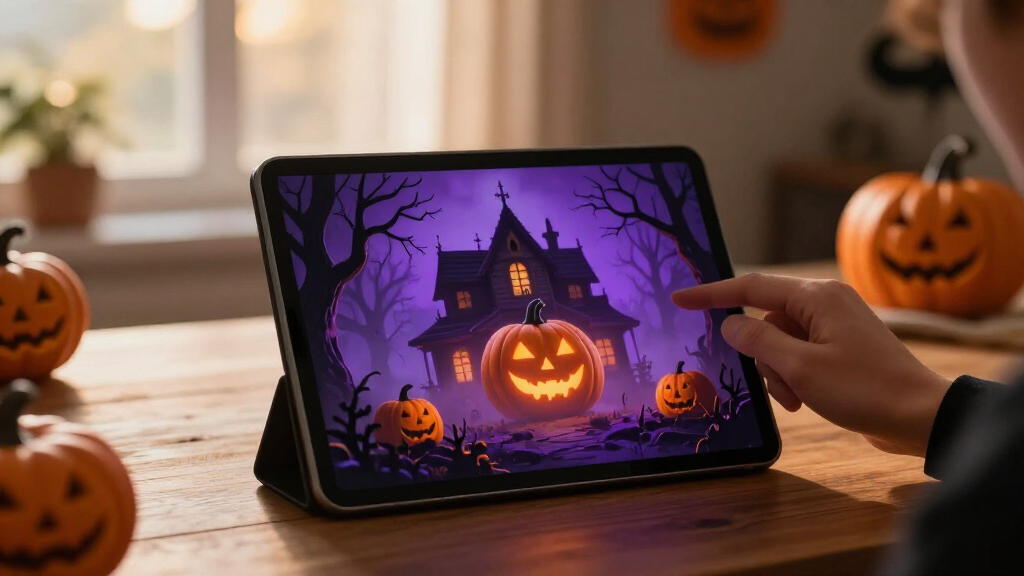
The guide suggests that a scene might pair a candlelit portrait with a speaker and a light that changes from amber to blue as visitors approach. Each added component can make the moment more coordinated, but it can also add a point of failure. An internet-dependent bulb may miss its cue if the connection drops, while a local recording may be less varied but more dependable. It recommends checking which features run on the device and which depend on an online service.
According to the guide, planning can start with a single visitor moment, such as a scarecrow turning its head and whispering near a gate. Decorators can then create and review the audio or image, select a trigger and output, and test the full sequence from the visitor’s perspective. Generated material may need editing, and its license may limit commercial use or sharing. The guide also notes that elaborate builds can require coding and troubleshooting, so each device should have a clear purpose.
A motion-triggered recording is automation; AI usually means a system generates or interprets content.
Use generated art, voices, or dialogue to personalize a scene, then review the results and usage terms.
Plan one clear visitor moment before choosing sensors, lights, speakers, or controllers.
Test offline behavior, sensor timing, audio, cable placement, and outdoor protection before Halloween night.
Tell visitors when a display processes faces or voices, limit collection, and provide a way to pass without interacting.
Reliability Shapes the Scare
The source guide says that distinguishing AI from automation helps set expectations. A prerecorded effect offers a repeatable cue; a speech-enabled character may produce a more varied exchange, but recognition can fail amid crowd noise. More flexibility brings more setup, and connected devices can introduce delays or depend on an internet service. For a busy Halloween evening, a simple effect that fires at the right moment may work better than a complex scene whose components compete or stall.
The guide also identifies privacy and safety as design considerations. A camera-based feature may analyze visitors’ images, and an online service may receive data from the home. It recommends reviewing product privacy settings and identifying what leaves the premises, as well as testing equipment and placement to avoid hazards for visitors. The source provides no specific product safety certification or technical standard, so those details need to be checked for each device.
From Sensors to Responsive Props
The source guide notes that Halloween props have long used triggers such as motion sensors to start a sound or movement. It presents current AI-enabled decor as a broader toolbox: content generation, speech recognition and image analysis can add capabilities beyond a fixed cue. These categories describe possible uses, not confirmation that any particular product offers them.
The guide cautions that marketing terms may not clearly identify which capability a device uses, and features, availability and prices can change. It names no specific manufacturer, product release or launch date. Its advice is to check current product specifications and privacy settings before buying, then use the capability that serves the scene.
Product Claims Need Checking
The source guide does not identify particular products, independently verify manufacturers’ AI claims or provide prices and availability. It is therefore unclear which current devices generate content, recognize speech, analyze images or rely only on sensors and recordings. Product descriptions and features may change, so buyers need to check the current specifications.
The guide also provides no performance data on recognition accuracy, response delays, internet requirements or how services handle visitor data. Those details can determine whether an effect works in a noisy setting and what information may leave the home. Generated-content licensing terms and the safety of individual setups also vary; the source gives no universal rules for those questions.
Test the Scene Before Guests Arrive
The source guide advises decorators to choose a single visitor experience, make or select its content, and connect only the trigger and output needed to deliver it. It recommends testing the timing in the actual space, including likely background noise and the position from which guests will encounter the effect. Generated audio and visuals should be reviewed for tone, along with any applicable license terms.
Before opening the display to visitors, the guide recommends checking whether each device works locally or depends on a service, reviewing privacy settings, and preparing a fallback such as a recording or simple light cue. The source does not announce a product launch or a formal next milestone; the outcome depends on the devices and services a decorator chooses.
Key Questions
Does a motion-triggered Halloween prop count as AI?
A motion sensor that triggers the same prerecorded sound is basic automation by itself. AI features could include generated content, speech recognition or image analysis, depending on the product.
What is a simple way to add AI to a Halloween scene?
Start with one clear moment, such as a portrait that whispers as guests approach. You could create or edit its image and voice, then use a trigger and speaker to play the effect.
Will connected Halloween effects work without internet?
That depends on the device. Check whether playback and control run locally or require an online service; prepare a local recording or simple light cue if the scene needs a fallback.
What should I check before buying an AI Halloween prop?
Check what the AI feature actually does, its current availability and price, whether it needs an internet connection, and its privacy settings. Review licensing terms for generated material and test the setup for your space.
Source: ThorstenMeyerAI.com
Fall Picks
fall essentials
As an affiliate, we earn on qualifying purchases.