
Bigger screens won’t automatically boost your productivity. They can actually make multitasking more chaotic, as opening multiple windows easily leads to constant switching and distraction. Overloading your display with information can also cause visual fatigue, eye strain, and discomfort, which reduce your focus. Without proper setup and organization, a large monitor might hinder rather than help your efficiency. If you want to maximize its benefits, consider how mindful adjustments can improve your workflow—more insights await if you keep exploring.
Open a free Amazon Business account
Business pricing, bulk buying and tax-exempt orders.
As an affiliate, we earn on qualifying purchases.
Key Takeaways
- Larger screens can lead to increased multitasking and task switching, reducing overall focus and efficiency.
- Visual fatigue from extended viewing on big displays can impair productivity and cause discomfort.
- Bigger screens do not automatically improve information processing; poor organization can cause distraction.
- Proper setup, calibration, and ergonomic practices are essential to prevent larger screens from hindering workflow.
- Effective use of large monitors relies on mindful management; size alone does not guarantee increased productivity.
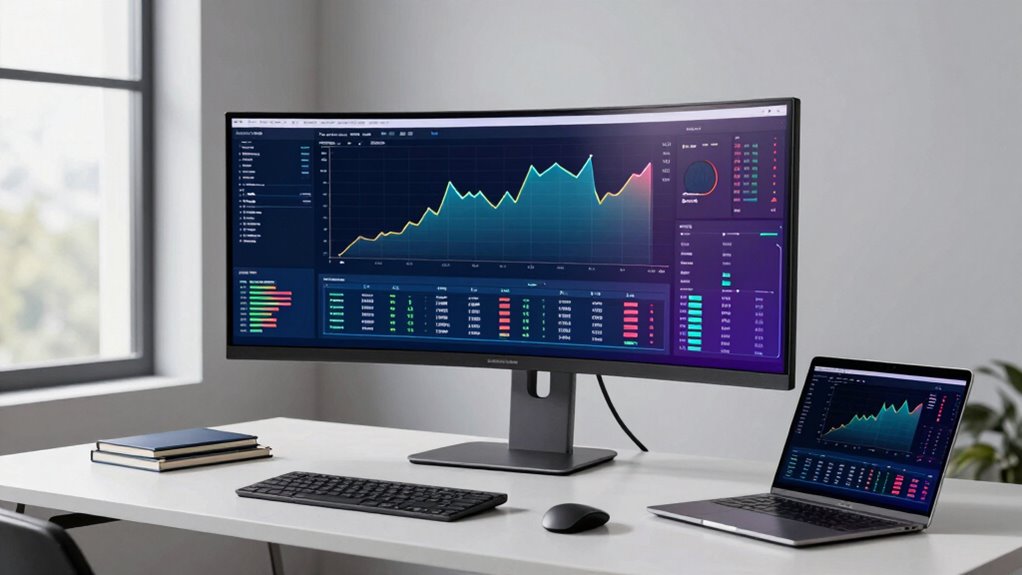
Many believe that bigger screens automatically boost productivity, but this isn’t always the case. While a larger display might seem like a straightforward way to get more done, it can actually hinder your efficiency if you’re not careful. One key factor to take into account is multitasking efficiency. When you have a massive screen, it’s tempting to open multiple windows and work on several tasks simultaneously. However, this can backfire. Instead of streamlining your workflow, it might lead to constant shifting between tasks, making it harder to focus and causing you to lose valuable time. The larger the screen, the more prone you are to overloading it with information, which can make it difficult to prioritize and stay organized. As a result, your overall productivity may decline rather than improve.
Bigger screens can overwhelm multitasking, reducing focus and productivity if not managed carefully.
Another issue that comes with bigger screens is visual fatigue. When you stare at a large, bright display for extended periods, your eyes strain trying to process everything on the screen. This strain can lead to headaches, blurred vision, and discomfort, all of which decrease your ability to work efficiently. You might find yourself needing more breaks or experiencing fatigue earlier in your work session, both of which cut into your productivity. Plus, if your workspace isn’t ergonomically optimized for a large monitor, you risk poor posture and further eye strain. The cumulative effect of visual fatigue can sap your energy and focus, making it harder to sustain deep work for long stretches. Additionally, understanding the importance of color accuracy and proper calibration can help reduce eye strain and improve overall viewing comfort. Proper monitor setup can also make a significant difference in mitigating these issues. Being mindful of ergonomics can further help prevent discomfort and support sustained productivity. Moreover, using tools like brightness adjustment can help tailor the display to your environment, reducing strain over time. It’s also essential to consider the resolution of your monitor, as higher resolutions can contribute to sharper images and less eye fatigue.
It’s also worth noting that bigger screens don’t automatically improve your ability to process information. Instead, they can sometimes be overwhelming, especially if you’re not used to managing a lot of open windows or multitasking on a large display. This can lead to distraction and decreased concentration, defeating the purpose of trying to work more efficiently. To truly benefit from a bigger screen, you need to set it up thoughtfully—organizing windows, adjusting display settings, and taking regular breaks to reduce eye strain. Otherwise, the size of your monitor could end up working against you, turning what should be a productivity booster into a source of distraction and fatigue.
In the end, bigger screens aren’t a magic solution. They can enhance your workspace, but only if you use them wisely. Otherwise, they might make multitasking more chaotic and increase visual fatigue, both of which diminish your overall efficiency.
As an affiliate, we earn on qualifying purchases.
Frequently Asked Questions
Do Larger Screens Improve Task Accuracy or Just Speed?
Larger screens can improve both task accuracy and speed, especially when they offer better resolution clarity and color accuracy. With more screen real estate, you see details more clearly, reducing errors, and work more efficiently. The enhanced resolution helps you focus on fine details, while accurate color reproduction ensures your work, like design or editing, is precise. So, bigger screens do more than just boost speed—they can enhance overall accuracy too.
How Does Screen Size Impact Eye Strain Over Long Periods?
Like a Victorian inventor tinkering with gadgets, you might think bigger screens reduce eye strain, but they can actually increase eye fatigue if not set up properly. Larger screens require more eye movement, causing visual discomfort over time. To maximize visual comfort, adjust brightness, contrast, and distance. Proper ergonomics helps prevent long-term eye fatigue, ensuring your eyes stay comfortable during extended work sessions.
Are There Specific Tasks That Benefit More From Bigger Screens?
You’ll find that tasks like detailed graphic design, video editing, and data analysis benefit most from bigger screens. They allow you to optimize resolution and view multiple windows simultaneously, boosting productivity. Make sure to calibrate colors accurately for true visuals, reducing eye strain and improving precision. Larger screens make intricate work easier, helping you maintain focus and efficiency without sacrificing clarity or comfort over long sessions.
What Are the Ergonomic Considerations for Larger Monitors?
Think of your monitor as the captain steering your productivity ship. To keep it steady, guarantee proper ergonomic setup with display placement—your top of the screen should be at eye level—and use adjustable stands to customize height and tilt. This prevents neck strain and promotes comfort. Keep a good distance—about an arm’s length—and avoid glare by positioning the screen away from direct light sources.
How Does Screen Size Influence Multi-Tasking Efficiency?
A larger screen can boost your multi-tasking efficiency by providing more space for multiple windows, making it easier to organize and switch between tasks. Higher screen resolution guarantees sharp images, while better color accuracy keeps visuals clear and true to life. These features help you focus better and reduce eye strain, ultimately improving your productivity. Just ensure your monitor’s size and resolution suit your workflow to maximize these benefits.
As an affiliate, we earn on qualifying purchases.
Conclusion
Don’t be deceived by the dazzling allure of bigger screens. The truth is, productivity isn’t about size—it’s about your focus, finesse, and function. By balancing your background, bandwidth, and boundaries, you can boost your brilliance regardless of your screen’s stature. Remember, it’s not the size that sustains success, but your savvy, strategic stance. So, steer your screen choices wisely, and stay centered on what truly counts—your craft, concentration, and capability.
As an affiliate, we earn on qualifying purchases.
As an affiliate, we earn on qualifying purchases.
NFL season / tailgating Picks
team gear
As an affiliate, we earn on qualifying purchases.