
TL;DR

Get the latest gadgets delivered free — and shop member deals
- Fast, free delivery on millions of items
- Access to Prime Big Deal Days deals on October 6–7
- Prime Video, Amazon Music and more included
Building your own AI workstation was once cheaper, but recent component shortages and price spikes now make prebuilt systems competitive or even cheaper. The choice depends on your need for speed, control, and support. Consider what matters most: cost, customization, or convenience.
Imagine you’re ready to dive into AI training or inference, but the question hits you like a thunderbolt: build it yourself or buy a ready-made system? Years ago, the answer was simple—building was cheaper, and buying was just for those who wanted quick setup. But the landscape has shifted dramatically in 2026.
The AI boom, component shortages, and skyrocketing prices for GPUs, DDR5 RAM, and SSDs mean that prebuilt systems are often priced competitively, if not lower, than piecing together your own. This isn’t just about saving time; it’s about weighing cost, reliability, support, and control. So, which option is truly better for your specific workload, budget, and timeline? Let’s explore.
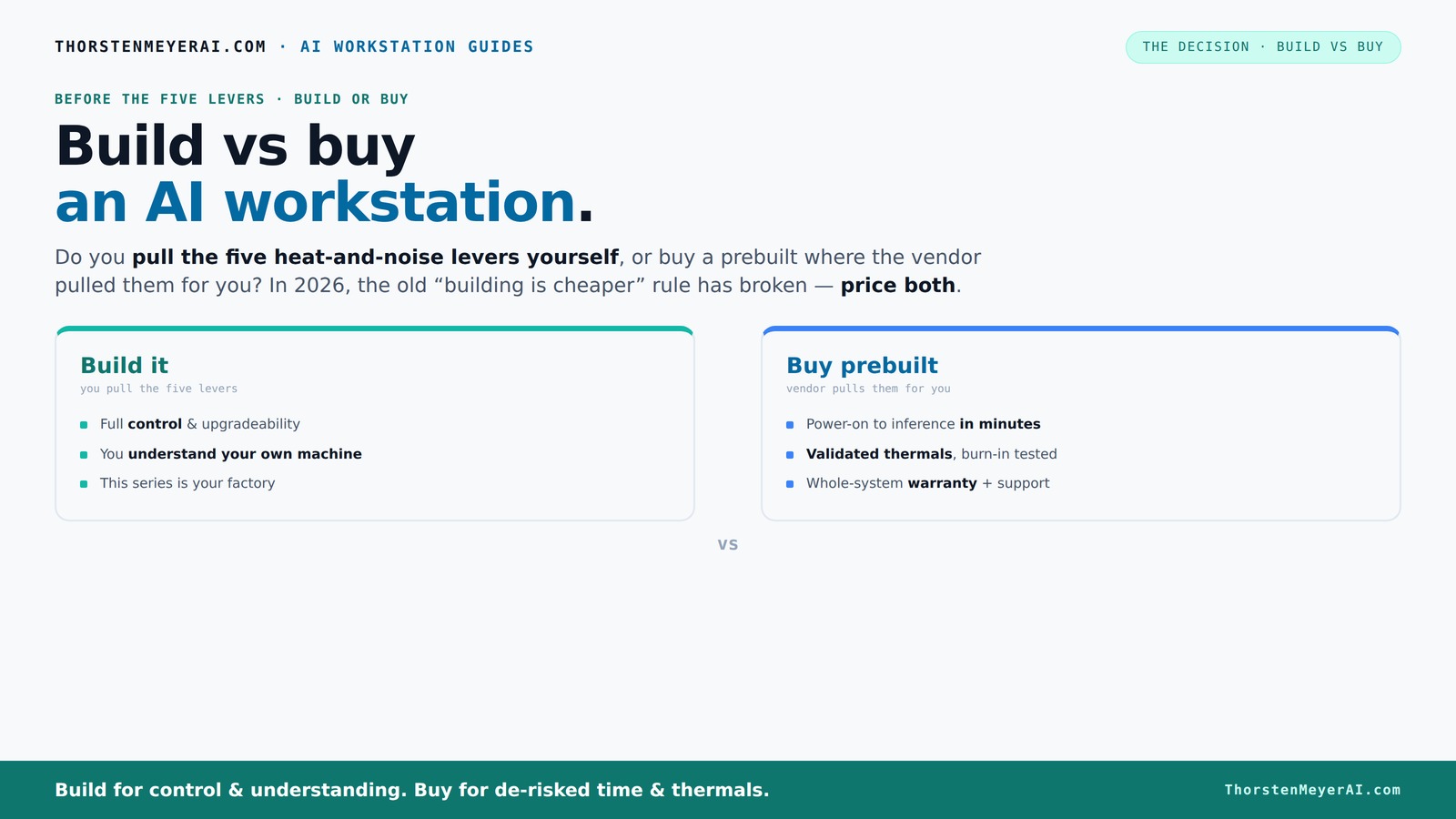
Build vs buy
an AI workstation.
The real question behind this whole series: do you pull the five heat-and-noise levers yourself, or buy a prebuilt where the vendor pulled them for you? And in 2026, the old “building is cheaper” rule has broken. Match your situation in Part 3.
Key Takeaways
- Component shortages in 2026 mean DIY builds might cost more than prebuilt systems—price both options before deciding.
- Prebuilts come with factory-validated thermals and support, saving time and reducing risk, especially for multi-GPU setups.
- Building offers maximum customization and upgrade paths, ideal for those with specific needs or future plans.
- Support and warranty from vendors can be a lifesaver during critical AI workloads, making prebuilts attractive for professionals.
- Ultimately, the best choice hinges on your workload, budget, time availability, and comfort with hardware tuning.
As an affiliate, we earn on qualifying purchases.
Why Building Your Own AI Workstation Isn't Always Cheaper Anymore
Building used to be a no-brainer for savings—buy parts, assemble, and you save a chunk of cash. But in 2026, the game has changed. The global chip crunch, component shortages, and aggressive bulk buying by prebuilt vendors mean DIY parts cost more than ever.
For example, a high-end GPU like the NVIDIA RTX 4090, which cost around $1,500 in 2024, now often sells for $2,000 or more, driven by scarcity. RAM prices have climbed 20% since 2025, and SSDs are no longer the cheap upgrade they used to be. The total cost of assembling a comparable system now often surpasses prebuilt options that include tested, optimized configurations.
According to Dell, prebuilt AI systems now sometimes cost less than assembling the same hardware yourself, thanks to bulk discounts and vendor negotiations [1]. So, the old rule—build cheap, buy expensive—no longer holds. Your best move? Always price your configuration both ways before deciding.
As an affiliate, we earn on qualifying purchases.
The Heat and Noise Levers: Who Gets to Tune Your System?
Cooling and noise are critical for AI workstations—especially when running multi-hour training sessions. A prebuilt AI system often comes with factory-tuned thermals, validated cooling, and noise reduction, saving you hours of trial and error.
If you build yourself, you pull the levers: undervolt the GPU, match the perfect cooler, optimize airflow, and set fan curves. For example, choosing a low-noise GPU like the NVIDIA Quadro A2000 can help, but only if you tune the fan speeds and airflow properly.
Some vendors like Lambda and BIZON run extensive burn-in tests—24 to 48 hours—to ensure thermal stability. They also offer water cooling and sound-dampening solutions that are hard to match at home. If your priority is a quiet, stable system with minimal fuss, a prebuilt is often worth the premium.
As an affiliate, we earn on qualifying purchases.
Performance on the Line: Which Delivers More Bang for Your Buck?
Performance depends on your workload—training large models, inference, or fine-tuning. DIY builders can choose specific components to maximize performance per dollar, such as the latest GPUs, high-speed RAM, and custom cooling.
However, prebuilt systems often come with pre-validated configurations that run optimally out of the box. For instance, a prebuilt with a 4-GPU setup can be tuned at the factory to avoid thermal throttling and power limiting, ensuring you get consistent results.
In recent tests, a prebuilt system with dual RTX 4090s priced around $4,500 delivered comparable training speeds to a custom build costing over $5,000, mainly because of optimized thermal design and power delivery [2]. So, if saving time and avoiding troubleshooting matter, prebuilts often deliver better performance-to-effort ratios.
As an affiliate, we earn on qualifying purchases.
Customization and Upgradability: Which Is Better for Future-Proofing?
If your project needs specific hardware—say, a particular CPU core count or a custom cooling loop—building gives you total control. You pick each part, ensuring compatibility and future upgrade paths.
Prebuilts may use proprietary connectors, limited PCIe slots, or custom cases, making upgrades trickier. For example, a prebuilt might have a non-standard power supply or motherboard, complicating future GPU or RAM upgrades. Learn more about upgrading your AI workstation for future-proofing.
However, some vendors now design systems with upgradeability in mind, with accessible cases and standard components. Still, if your goal is maximum flexibility over years, DIY wins.
Support, Warranty, and Risk: Why It Pays to Get Help
Prebuilt vendors offer support and warranties—often 3 to 5 years—covering parts and labor. When something breaks or underperforms, you call one vendor and get a fix fast.
Building your own means troubleshooting issues yourself—compatibility conflicts, BIOS tweaks, thermal problems. While it can be rewarding, it also risks downtime if you’re not experienced.
For example, Lambda offers on-site support and extended warranties, reducing your downtime during critical AI training runs. DIY users rely on forums and personal expertise, which can be a gamble when deadlines loom.
The Upgrade Path: Planning for the Long Haul
DIY systems typically offer a clearer upgrade path—swap out GPUs, add RAM, replace storage—without proprietary parts blocking the way.
Some prebuilts, especially from boutique vendors, use proprietary motherboards or connectors, which can limit future upgrades. For instance, a prebuilt might only support one CPU socket or limit PCIe slots.
Choosing a standard ATX case and motherboard during a build makes future upgrades straightforward. But the tradeoff is time, effort, and possibly higher initial costs.
Frequently Asked Questions
Is it cheaper to build or buy an AI workstation in 2026?
Due to component shortages and bulk buying, prebuilt systems often cost as much or less than DIY builds today. Always compare prices for your specific configuration before deciding.Which delivers better performance for AI training or inference?
Both can perform similarly if well-tuned. Prebuilts often come with factory-optimized thermal management, ensuring consistent speeds under load, while DIY allows for tailored hardware choices.Do prebuilt AI workstations have NPUs or only GPUs?
Most currently rely on high-end GPUs, but some vendors are starting to include NPUs or AI accelerators in their systems, offering more efficiency for AI tasks.How much am I paying for convenience with a prebuilt?
Expect to pay a premium for assembly, validation, and support—sometimes 10-20% above the cost of parts—especially for high-end, multi-GPU systems.Can I upgrade a prebuilt AI workstation later?
It depends on the system. Standard models with open cases and standard parts are easier to upgrade, but proprietary designs may limit future enhancements.Conclusion
In 2026, the old rule—build cheap, buy expensive—no longer applies. Prebuilt AI workstations are now often the smarter choice for most users who value reliability, support, and speed.
But if you're a hardware enthusiast, craving full control, or planning extensive future upgrades, building still has its place. The key? Match your decision to your workload and your skills.
Remember, it’s not just about cost. It’s about what you gain—time, confidence, peace of mind, or customization. Choose what fits your journey best.Halloween Picks
halloween
As an affiliate, we earn on qualifying purchases.