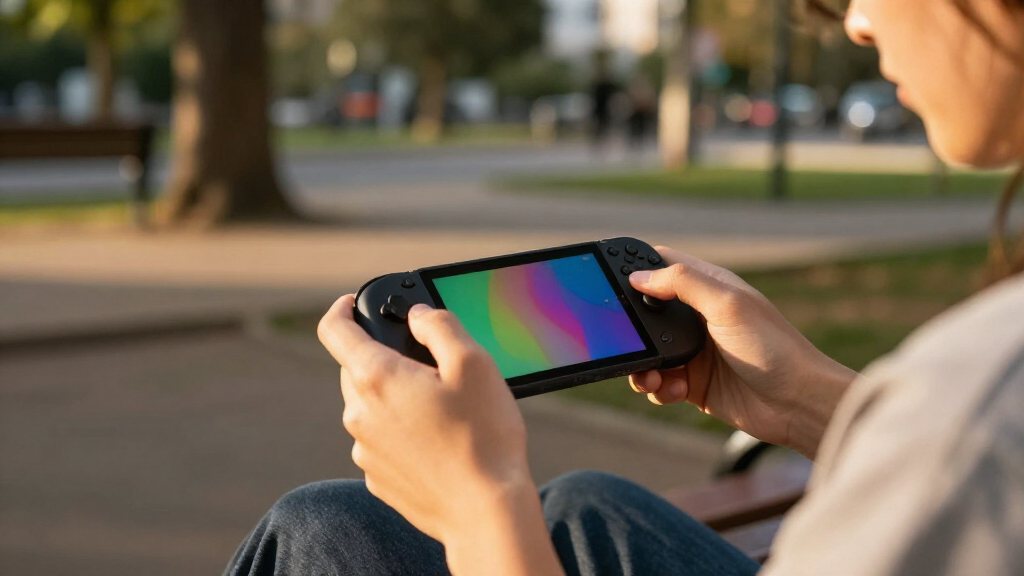
The best portable gaming consoles balance the games you want to play with the size, battery demands, and setup you can live with. I rank the Lenovo Legion Go 2 as the best overall for its large 8.8-inch OLED screen and broad PC-game capability, while the Nintendo Switch is a simpler choice for Nintendo games and the Retroid Pocket Flip 2 suits Android and retro play in a compact clamshell. The main tradeoff is between powerful handheld PCs, which offer more game access but need more setup and power, and simpler consoles that are easier to pick up but play a narrower range of titles. Retro and cloud devices can be more focused still, with compatibility or internet dependence to weigh. Read on for how all 12 options differ and which type fits your gaming habits.

Get the latest gadgets delivered free with Prime
- Fast, free delivery on millions of items
- Prime Video, Amazon Music and more included
- Member-only deals all year
Complete the kit



Key Takeaways
- The Legion Go 2 leads for screen-led PC gaming: its 8.8-inch OLED and 144Hz display give it the largest, most fluid screen in this lineup, but its size and PC-handheld complexity are not for everyone.
- The Nintendo Switch is the straightforward pick for Nintendo exclusives: its detachable Joy-Con and console-first simplicity set it apart from Windows handhelds, which offer broader PC libraries but require more configuration.
- The two ASUS ROG Xbox Ally listings are close relatives, not different performance tiers: the dock bundle adds connection options, while the core handheld specifications are alike.
- Retro handhelds trade broad game access for a simpler focus: the Anbernic RG40XX H, RG52MINI, Sunnymark R46H, and RF40H vary in screen size and listed storage, but buyers should check supported systems and card contents before choosing.
- The abxylute One Pro is tied to a strong connection and existing game access: cloud play can suit someone who already has compatible services, but it is less dependable away from good internet than a console that runs games locally.




| portable gaming console | Display | Storage | Processor | Connectivity |
|---|---|---|---|---|
| Retroid Pocket Flip 2 Android | 5.5-inch AMOLED, 1080p, 500 nits, 60Hz | 128GB UFS 3.1 | Qualcomm Snapdragon 865 | Wi-Fi 6, Bluetooth 5.1, USB-C DisplayPort, 3.5mm audio |
| Anbernic RG40XX H Retro Handhe | 4-inch IPS LCD, 640 × 480 | 64GB | Quad-core ARM Cortex-A53 | Wi-Fi, Bluetooth, HD output |
| ASUS ROG Xbox Ally 7-inch 1080 | 7-inch 1080p touchscreen | 512GB SSD | AMD Ryzen Z2 A | — |
| Lenovo Legion Go S Handheld Ga | 8-inch PureSight IPS touchscreen, 1080p | — | AMD Ryzen Z2 Go | HDMI, USB, Bluetooth, Wi-Fi |
| RG52MINI Retro Handheld Game C | 5.5-inch IPS, 720 × 1280 | 64GB; expandable up to 1TB via TF card | Rockchip RK3562 quad-core Cortex-A53, 2.0GHz | HDMI output, USB Type-C with OTG and DP output, 3.5mm headphone jack |
| WELLST·G P30S Handheld Game Co | — | 2 GB | — | — |
| ASUS ROG Xbox Ally Gaming Hand | 7-inch IPS touchscreen, 1920 × 1080, 120Hz | 512GB PCIe NVMe SSD | AMD Ryzen Z2 A, 4 cores, 8 threads, up to 3.8GHz | Wi-Fi 6E, Bluetooth 5.4 |
| Lenovo Legion Go 2 Handheld Ga | 8.8-inch Lenovo PureSight OLED | 1TB PCIe SSD | AMD Ryzen Z2 | — |
| Nintendo Switch Console with N | — | 32GB | — | HDMI, Wi-Fi |
| abxylute One Pro Cloud Gaming | 7-inch touchscreen, 1080p | 64GB | — | Wi-Fi, HDMI, USB |
| Sunnymark R46H Retro Handheld | 4.2-inch IPS, 1024 × 768 | — | RK3326 quad-core | Wi-Fi multiplayer |
| RF40H Handheld Retro Game Cons | 4-inch IPS, 720 × 720 | 64GB | Quad-core | Wi-Fi |
More Details on Our Top Picks
Retroid Pocket Flip 2 Android Handheld Game Console, 5.5-Inch AMOLED 1080p Display, 8GB RAM, 128GB Storage, Black
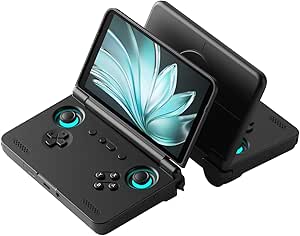
The Retroid Pocket Flip 2 is the most distinctive choice here for buyers who want an Android handheld that closes for storage and travel. Its 5.5-inch 1080p AMOLED screen gives games and Android apps a sharper, more vivid presentation than the Anbernic RG40XX H’s smaller, lower-resolution LCD. The Snapdragon 865, 8GB of RAM, and active cooling make it a more capable platform for Android gaming and emulation than that simpler Linux model. Hall-effect sticks and a reinforced hinge add practical appeal, while Wi-Fi 6 and USB-C DisplayPort broaden connectivity. The tradeoff is that this is not a ready-to-play retro bundle: games are not included, so buyers need to source and set up their own content. Its clamshell body also differs from the larger, open-screen Windows handhelds, which suit PC game libraries better.
Pros:- 1080p AMOLED display provides vivid color and crisp detail.
- Snapdragon 865, 8GB RAM, and active cooling support a capable Android gaming setup.
- Hall-effect analog sticks and reinforced hinge add useful control and closure features.
- Wi-Fi 6, Bluetooth 5.1, USB-C DisplayPort, and a 3.5mm audio jack offer flexible connections.
Cons:- No games are preloaded, so buyers must provide and configure their own content.
- Android handheld setup may involve more app and emulator configuration than the Anbernic RG40XX H.
- Information about supported software updates and microSD compatibility is unclear.
Best for: Android gamers and emulation fans who want a pocket-friendlier clamshell, a vivid display, and the flexibility to install apps themselves.
Not ideal for: Buyers who expect a preloaded game library or want straightforward access to Windows PC storefronts like the ROG Xbox Ally.
- Operating system:Android 13
- Processor:Qualcomm Snapdragon 865
- Display:5.5-inch AMOLED, 1080p, 500 nits, 60Hz
- Memory:8GB LPDDR4x RAM
- Storage:128GB UFS 3.1
- Battery:5,000mAh; 27W fast charging
- Controls:Hall-effect analog sticks
- Connectivity:Wi-Fi 6, Bluetooth 5.1, USB-C DisplayPort, 3.5mm audio
- Weight:10.72 ounces
Our verdict“Choose the Retroid Pocket Flip 2 if you want a capable Android clamshell and are comfortable setting up your own games.”
Anbernic RG40XX H Retro Handheld Game Console
The Anbernic RG40XX H suits buyers who want a light, uncomplicated retro handheld rather than a general-purpose gaming PC. At about 7.2 ounces, it is easier to carry than the ASUS ROG Xbox Ally, and its Linux-based setup is aimed at classic-style play rather than Windows storefronts. The 4-inch IPS screen keeps the device compact, while Wi-Fi, Bluetooth, and HD output provide more connection options than a basic no-frills portable. The listed 3,200mAh battery is rated for up to eight hours, though actual runtime will depend on use. Its limits are clear beside the Retroid Pocket Flip 2: the Anbernic has just 1GB of RAM and a lower-resolution display. The advertised preloaded game count is a seller claim, so buyers should not treat it as a guaranteed library.
Pros:- Lightweight 7.2-ounce body is easy to carry.
- 4-inch IPS display keeps the handheld compact while providing a dedicated screen.
- Wi-Fi, Bluetooth, and HD output support wireless connections and external display use.
- Battery is rated for up to eight hours of gameplay.
Cons:- 1GB of RAM is limited compared with the Retroid Pocket Flip 2 and Windows handhelds.
- 640 × 480 resolution is less suited to sharp, detailed modern game visuals.
- The advertised game count and preloaded content are seller claims, not a dependable measure of library quality.
Best for: Retro-game fans seeking a light, compact Linux handheld with wireless connectivity and a modest screen size.
Not ideal for: Players who want modern PC games, a high-resolution display, or verified preloaded content; the ROG Xbox Ally is better suited to PC storefronts.
- Operating system:Linux
- Processor:Quad-core ARM Cortex-A53
- Display:4-inch IPS LCD, 640 × 480
- Memory:1GB RAM
- Storage:64GB
- Battery:3,200mAh; rated for up to 8 hours
- Connectivity:Wi-Fi, Bluetooth, HD output
- Weight:7.2 ounces (about 200g)
- Dimensions:6.35 × 3.08 × 0.62 inches
Our verdict“Pick the Anbernic RG40XX H for lightweight retro-focused play, but skip it if you need modern PC gaming or substantial memory.”
ASUS ROG Xbox Ally 7-inch 1080p 120Hz Gaming Handheld, AMD Ryzen Z2 A, 16GB RAM, 512GB SSD, White
The ASUS ROG Xbox Ally is the strongest fit in this group for players who want a portable route into multiple PC storefronts. Windows 11 supports games from Xbox, Steam, Epic Games, and other stores, giving it a broader modern-PC role than the Retroid Pocket Flip 2 or Anbernic RG40XX H. Its 7-inch 1080p touchscreen runs at 120Hz with FreeSync Premium, a useful combination for responsive play and smoother motion when supported. The contoured grips and 60Wh battery make it more oriented to longer sessions than the smaller retro devices, and fast charging can bring it from empty to 50% in 30 minutes. The cost of that flexibility is bulk: at 1.47 pounds, it is far heavier than the Anbernic. Its 512GB SSD can also fill quickly with large PC games, and Game Pass access has eligibility and regional limits.
Pros:- Windows 11 supports games from Xbox, Steam, Epic Games, and other PC storefronts.
- 7-inch 1080p touchscreen with 120Hz refresh and FreeSync Premium supports smooth, detailed play.
- 60Wh battery and charging from 0% to 50% in 30 minutes suit travel and quick top-ups.
- Contoured grips and dual USB-C ports support handheld use and wired connections.
Cons:- At 1.47 pounds, it is much heavier than the Anbernic RG40XX H.
- 512GB SSD may be restrictive for players who install many large PC games.
- Some Xbox Game Pass features and titles have eligibility or regional restrictions.
Best for: PC gamers who want one handheld for Xbox, Steam, Epic, and other Windows game libraries, plus a large high-refresh display.
Not ideal for: Buyers prioritizing a lightweight retro device or extensive installed storage; the Anbernic RG40XX H is much lighter, while this model’s 512GB can constrain a large PC library.
- Operating system:Windows 11
- Processor:AMD Ryzen Z2 A
- Display:7-inch 1080p touchscreen
- Refresh rate:120Hz with FreeSync Premium
- Memory:16GB LPDDR5 6400MHz
- Storage:512GB SSD
- Battery:60Wh
- Ports:Dual USB Type-C
- Weight:1.47 pounds
Our verdict“Choose the ROG Xbox Ally if access to several PC storefronts matters more than a lightweight body or a larger SSD.”
Lenovo Legion Go S Handheld Gaming Console (2025), 8-inch 120Hz Display, AMD Ryzen Z2 Go, 16GB RAM, 512GB Storage, Glacier White
The Lenovo Legion Go S puts screen size ahead of easy pocketability: its 8-inch 1080p display is the largest among these five picks, giving game interfaces and text more room than the ROG Xbox Ally’s 7-inch screen. A 120Hz refresh rate with variable refresh support targets smooth motion, while 100% sRGB color accuracy and 500 nits brightness add useful detail for play in varied lighting. Its ergonomic TrueStrike controllers are designed for longer sessions, making this a better living-room or travel-bag choice than the smaller Retroid Pocket Flip 2. Rapid charging can reach 50% in 30 minutes, but the listing does not give a battery-life duration, so runtime is hard to compare directly with the Anbernic’s stated estimate. It also shares the ROG Ally’s 512GB storage limit and Windows handheld bulk, rather than the simpler retro focus of the Anbernic.
Pros:- 8-inch 1080p touchscreen offers more viewing area than the ROG Xbox Ally.
- 120Hz refresh rate with VRR supports smoother gameplay when compatible.
- 100% sRGB color accuracy and 500 nits brightness support clear, colorful viewing.
- TrueStrike controllers and rapid charging are suited to longer sessions and quick top-ups.
Cons:- Larger screen and Windows handheld form factor are less convenient to carry than the Retroid Pocket Flip 2.
- Battery life duration is not specified, making travel runtime harder to judge.
- 512GB storage may limit a large installed PC game collection.
Best for: Windows handheld players who value a larger screen, ergonomic controls, and high-refresh gameplay for sessions away from a desk.
Not ideal for: Commuters who want a small, light console or buyers who need a clearly stated battery runtime; the Anbernic RG40XX H is smaller and has a stated battery estimate.
- Operating system:Windows
- Processor:AMD Ryzen Z2 Go
- Graphics:AMD Radeon
- Display:8-inch PureSight IPS touchscreen, 1080p
- Refresh rate:120Hz with variable refresh rate
- Brightness and color:500 nits; 100% sRGB
- Memory and storage:16GB RAM; 512GB storage
- Battery and charging:55.5Wh; 50% in 30 minutes, full charge in up to 90 minutes
- Connectivity:HDMI, USB, Bluetooth, Wi-Fi
Our verdict“Choose the Legion Go S if a roomy, high-refresh display matters more than compact carry and clearly documented battery runtime.”
RG52MINI Retro Handheld Game Console, 5.5-Inch IPS Display, 64GB, Black
The RG52MINI is aimed at retro players who want a larger screen and room to expand storage without moving to a Windows handheld. Its 5.5-inch IPS display is bigger than the Anbernic RG40XX H’s 4-inch panel, and the 64GB internal storage can be expanded with a TF card up to 1TB. Dual EmuELEC and RGBOX systems, dual 3D joysticks, and Hall linear triggers give it a broader control and software setup than a basic compact retro device. HDMI output also lets it connect to a larger screen. The tradeoff is that the listing gives limited detail about its software and performance beyond the RK3562 processor, so it is harder to compare with the more clearly specified Retroid Pocket Flip 2. Its up-to-eight-hour battery claim is a ceiling, not a guaranteed runtime, and advertised game counts vary.
Pros:- 5.5-inch IPS display is larger than the Anbernic RG40XX H screen.
- TF card expansion supports storage up to 1TB.
- Dual EmuELEC and RGBOX systems, dual joysticks, and Hall linear triggers offer varied control options.
- HDMI output and a 5,000mAh battery add flexibility for home and portable play.
Cons:- Advertised game counts vary between the title and product description.
- Battery life is stated as up to eight hours and may vary with use.
- Available details do not establish performance as clearly as the Retroid Pocket Flip 2 specifications.
Best for: Retro handheld buyers who want a larger IPS screen, expandable storage, HDMI output, and multiple listed gaming systems.
Not ideal for: Players who want clearly documented performance, a verified game library, or access to mainstream PC stores; the ROG Xbox Ally is the more direct PC-gaming option.
- Processor:Rockchip RK3562 quad-core Cortex-A53, 2.0GHz
- Memory:2+4GB RAM
- Display:5.5-inch IPS, 720 × 1280
- Storage:64GB; expandable up to 1TB via TF card
- Battery:5,000mAh; rated for up to 8 hours
- Wireless:2.4GHz Wi-Fi
- Connectivity:HDMI output, USB Type-C with OTG and DP output, 3.5mm headphone jack
- Controls:Dual 3D joysticks, mechanical buttons, Hall linear triggers
Our verdict“Pick the RG52MINI if expandable storage and a larger retro screen are priorities, but avoid it if you need a verified library or clearly documented capabilities.”
WELLST·G P30S Handheld Game Console for Kids, 220 Retro Games, 3-Inch LCD, Rechargeable Battery, Blue
I’d pick the WELLST·G P30S for a child who wants a straightforward handheld with games already included. Its 220 built-in games span several genres, so there’s no separate game library to buy or set up. At 6.4 ounces, it’s easier for small hands to carry than larger options such as the Nintendo Switch, and its rechargeable battery is rated for up to six hours of play. That simplicity comes with limits: the 3-inch LCD is much smaller than the Switch’s 6.2-inch screen, and this is a single-player device rather than a shared multiplayer system. I’d choose it for simple solo play, not as a substitute for a more capable console with a broad, changeable game library.
Pros:- Includes 220 games across entertainment, sports, and adventure genres.
- Rechargeable battery is rated for up to six hours of play.
- Compact 6.4-ounce body is easy to carry.
- Button controls offer a simple setup for solo play.
Cons:- Single-player design does not suit shared play.
- The 3-inch screen is small for longer sessions.
- Built-in game selection is less flexible than the Nintendo Switch’s replaceable game library.
Best for: Parents seeking a light, self-contained handheld for a child who mainly wants simple solo games without separate game purchases.
Not ideal for: Families who want local multiplayer, a large screen, or the option to play on a TV; the P30S is a single-player handheld with a 3-inch display.
- Screen:3-inch LCD
- Included games:220
- Players:1
- Battery:860mAh lithium-ion, included
- Storage:2 GB
- Dimensions:5.9 x 2.8 x 0.7 inches
- Weight:6.4 ounces
Our verdict“Choose the WELLST·G P30S for a child who wants lightweight, ready-to-play solo games, but choose the Nintendo Switch for multiplayer and a larger screen.”
ASUS ROG Xbox Ally Gaming Handheld, 7-inch FHD 120Hz Touchscreen, Ryzen Z2 A, 16GB RAM, 512GB SSD, Windows 11 Home, with Dockztorm 11-in-1 Dock
The ASUS ROG Xbox Ally suits players who want a portable Windows gaming PC, with the included dock adding a practical way to connect it to a larger display and peripherals. Its 7-inch 1080p touchscreen runs at 120Hz, while 16GB of memory and a 512GB SSD provide room for PC games and everyday Windows use. Compared with the Nintendo Switch, it offers a Windows environment rather than a console-focused game library; compared with the Lenovo Legion Go 2, its 7-inch screen is more compact and its included storage is smaller. The tradeoff is that Windows handhelds and a multiport dock add setup complexity and gear to carry. I’d favor this model when PC flexibility matters more than a simple, console-like experience.
Pros:- 7-inch Full HD touchscreen with a 120Hz refresh rate.
- Windows 11 Home supports a PC-style gaming and software environment.
- 16GB RAM and a 512GB NVMe SSD provide a capable hardware and storage baseline.
- Included 11-in-1 dock adds HDMI, Ethernet, USB, and card-reader connections.
Cons:- The dock adds extra equipment to pack for portable play.
- A 512GB SSD offers less storage than the Lenovo Legion Go 2’s 1TB drive.
- Windows handheld use can involve more setup than the Nintendo Switch’s console-focused interface.
Best for: PC gamers who want Windows on a handheld and expect to connect a monitor, wired network, or USB accessories at home.
Not ideal for: Buyers who want a light, simple grab-and-play console or an especially large screen; the Windows setup and dock add complexity and carrying bulk.
- Display:7-inch IPS touchscreen, 1920 × 1080, 120Hz
- Processor:AMD Ryzen Z2 A, 4 cores, 8 threads, up to 3.8GHz
- Graphics:Integrated AMD Radeon
- Memory:16GB LPDDR5X
- Storage:512GB PCIe NVMe SSD
- Operating system:Windows 11 Home 64-bit
- Connectivity:Wi-Fi 6E, Bluetooth 5.4
- Battery:4-cell, 60Wh
- Included accessory:Dockztorm 11-in-1 RGB docking station
Our verdict“Pick the ROG Xbox Ally if you want Windows gaming on the go with useful dock connections, but skip it if simplicity and minimal travel gear matter most.”
Lenovo Legion Go 2 Handheld Gaming Console, AMD Ryzen Z2, 8.8-inch OLED 144Hz Display, 16GB Memory, 1TB SSD
The Lenovo Legion Go 2 is the choice here for players who want a large, high-refresh display and multiple ways to hold or set up a handheld. Its 8.8-inch 2K OLED screen is larger than the 7-inch display on the ASUS ROG Xbox Ally, while the 144Hz refresh rate and detachable controllers support handheld, tabletop, and FPS-style play. A 1TB SSD also gives it more built-in game space than the Ally’s 512GB drive. Those advantages make the Legion Go 2 less discreet and less compact than smaller portable consoles, and its 74Wh battery still may need charging during long gaming sessions. I’d choose it for screen-first play and adaptable controls, not for pocketability or a lightweight travel setup.
Pros:- Large 8.8-inch 2K OLED display with a 144Hz refresh rate.
- Detachable controllers support handheld, tabletop, and FPS-style play.
- 1TB PCIe SSD provides more storage than the ASUS ROG Xbox Ally’s 512GB drive.
- 74Wh battery and Legion Coldfront cooling support extended gaming sessions.
Cons:- Large screen and detachable controls make it less compact than smaller handhelds.
- The 74Wh battery may still need recharging during extended play.
- Software update support timing is listed as unknown.
Best for: Players who prioritize a large OLED screen, detachable controls, and generous built-in storage for gaming at home or in a travel bag.
Not ideal for: Commuters seeking a compact, light handheld or players who need dependable all-day battery life without access to charging.
- Processor:AMD Ryzen Z2
- Operating system:Windows
- Display:8.8-inch Lenovo PureSight OLED
- Resolution:2K WQXGA
- Refresh rate:144Hz
- Memory:16GB LPDDR5X
- Storage:1TB PCIe SSD
- Battery:74Wh
- Controls:Touchscreen and detachable Legion TrueStrike controllers
Our verdict“Choose the Legion Go 2 if a large OLED screen and adaptable controls outrank portability, but opt for a smaller handheld for frequent commuting.”
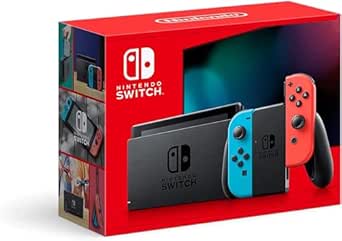
Nintendo Switch Console with Neon Blue and Neon Red Joy-Con
The Nintendo Switch earns its place for buyers who want one console for handheld, tabletop, and TV play. Its detachable Joy-Con controllers make local multiplayer easier to start than on the single-player WELLST·G P30S, while the 6.2-inch LCD gives each player a more generous view than that compact kids’ handheld. The Switch is also the more straightforward choice for people who prefer a console built around its own games rather than Windows settings or cloud-streaming requirements. Its limits are clear: the listed 32GB of internal storage is modest, and its screen is a 6.2-inch LCD, not a 4K display. I’d choose it for flexible play and shared sessions, but not for buyers seeking PC gaming or a particularly small device.
Pros:- Supports handheld, tabletop, and TV play.
- Detachable Joy-Con controllers enable local multiplayer.
- Supports local wireless and online multiplayer.
- 6.2-inch screen is roomier than the WELLST·G P30S’s 3-inch display.
Cons:- 32GB of internal storage is limited for a growing game library.
- The built-in screen is a 6.2-inch LCD, not a 4K display.
- Less suited to PC game libraries than the Windows-based ASUS ROG Xbox Ally.
Best for: Households and friends who want a console for handheld sessions, tabletop multiplayer, and play on a TV.
Not ideal for: PC gamers who need Windows titles or players who want a very small, lightweight retro handheld; the Switch is a larger, multi-mode console with limited built-in storage.
- Platform:Nintendo Switch
- Screen:6.2-inch LCD
- Play modes:TV, tabletop, handheld
- Controllers:Detachable Joy-Con
- Connectivity:HDMI, Wi-Fi
- Storage:32GB
- Compatible memory card:microSDXC
- Weight:3.2 pounds
- Model number:HADSKABAH
Our verdict“Choose the Nintendo Switch for flexible home and handheld play with easy local multiplayer, but look elsewhere for Windows gaming or a tiny travel device.”
abxylute One Pro Cloud Gaming Handheld, 7-inch 1080p Touchscreen, 64GB
The abxylute One Pro is built around streaming games rather than running demanding PC titles locally. It supports cloud gaming and remote play services such as Xbox Cloud Gaming, GeForce NOW, PlayStation Remote Play, and Steam Link, alongside Android games and retro emulation. Its 7-inch 1080p touchscreen is larger than the WELLST·G P30S’s 3-inch LCD, and the stated battery life of more than eight hours suits long stretches away from a charger. The tradeoff is dependence on a stable broadband Wi-Fi connection for remote play; some services also require separate subscriptions. Unlike the Nintendo Switch, this isn’t a self-contained console with its own dedicated game library. I’d choose it when access to streamed games matters more than playing offline.
Pros:- Supports cloud gaming, remote play, Android games, and retro emulation.
- 7-inch 1080p touchscreen offers more viewing space than the WELLST·G P30S.
- 430g design and stated battery life of over eight hours suit portable sessions.
- HDMI output supports video output up to 4K.
Cons:- Remote play requires broadband Wi-Fi of at least 5Mbps.
- Some supported cloud and remote play services require separate subscriptions.
- 64GB of storage is limited compared with the Nintendo Switch’s expandable storage setup.
Best for: Players with reliable broadband Wi-Fi who want one handheld for cloud services, remote access to their own console or PC, Android games, and emulation.
Not ideal for: Travelers who often play without Wi-Fi or buyers who want an offline-first console with a dedicated game library; cloud and remote sessions depend on connectivity.
- Platform:Android
- Display:7-inch touchscreen, 1080p
- Storage:64GB
- Connectivity:Wi-Fi, HDMI, USB
- Video output:Up to 4K
- Weight:430g
- Battery life:Over 8 hours
- Controls:Gamepad, haptics, gyroscope, digital joysticks
- Remote play requirement:Broadband Wi-Fi, at least 5Mbps
Our verdict“Choose the abxylute One Pro if you have dependable Wi-Fi and want access to streamed games, but choose the Nintendo Switch for a more self-contained console experience.”
Sunnymark R46H Retro Handheld Game Console with 128GB Card
The Sunnymark R46H pairs a 4.2-inch, 1024 × 768 IPS display with a compact body, making it a strong fit for players who want a sharp screen without moving up to a larger handheld like the Retroid Pocket Flip 2. Its RK3326 quad-core processor, dual joysticks, and support for systems including PS1, PSP, N64, MAME, and GBA give the included library more range than a basic, single-purpose retro device. The 128GB card also provides more included storage than the RF40H’s 64GB. That broader library comes with unknowns: the listing gives no battery capacity or runtime, and it does not specify warranty coverage. I’d choose it for screen clarity and storage, but not for buyers who need dependable battery estimates or clearly documented support.
Pros:- 4.2-inch IPS display with 1024 × 768 resolution
- Includes a 128GB memory card
- Supports a wide range of emulators, including PS1, PSP, N64, and GBA
- Dual joysticks and Wi-Fi multiplayer support
Cons:- Battery capacity and runtime are not specified
- Warranty coverage is not detailed
- Plastic construction may feel less substantial than larger premium handhelds
Best for: Retro players who want a compact handheld with a high-resolution screen, dual joysticks, and substantial included storage for a broad selection of emulated systems.
Not ideal for: Buyers who need a stated battery runtime or clear warranty terms, or players seeking a large screen and modern PC-game performance like the Lenovo Legion Go S.
- Display:4.2-inch IPS, 1024 × 768
- Processor:RK3326 quad-core
- Included storage:128GB memory card
- Supported emulators:PS1, PSP, N64, MAME, GBA, FC, SFC, and more
- Connectivity:Wi-Fi multiplayer
- Controls:Dual joysticks
- Dimensions:5 × 3.5 × 0.4 inches
- Material and color:Plastic, Space Gray
Our verdict“Choose the R46H if a sharp, compact screen and 128GB of included storage matter more to you than documented battery life or warranty coverage.”
RF40H Handheld Retro Game Console with 4-Inch IPS Display
The RF40H is the more travel-ready pick here: it includes a 4,000 mAh battery rated for 6–8 hours, plus an organizer bag, screen film, and charging cable. Those details make it easier to pack and plan around than the Sunnymark R46H, whose battery runtime is not specified. Its 4-inch, 720 × 720 IPS screen is smaller and lower-resolution than the R46H’s 4.2-inch, 1024 × 768 panel, so the Sunnymark has the stronger screen case. The RF40H counters with Linux, over 20 emulators, Wi-Fi, stereo speakers, and a headphone jack, alongside 64GB of storage. Its listed runtime varies with use, and its recommended age is 12 and up, making it a less suitable choice for younger children.
Pros:- 4,000 mAh battery with a stated 6–8-hour runtime
- Includes an organizer bag, screen film, and USB-C charging cable
- Linux system supports over 20 emulators and Wi-Fi
- Stereo speakers and a 3.5 mm headphone jack offer flexible listening
Cons:- Battery life varies with use
- The 720 × 720 screen is smaller and lower-resolution than the Sunnymark R46H display
- 64GB of included storage is less than the R46H’s 128GB
Best for: Travelers and retro-game fans who want a portable setup with a stated battery estimate, included carrying accessories, and broad emulator support.
Not ideal for: Children under 12, buyers who want the sharpest display in this pair, or players who need more than the included 64GB of storage.
- Display:4-inch IPS, 720 × 720
- Processor:Quad-core
- Operating system:Linux
- Storage:64GB
- Emulator support:Over 20 emulators
- Connectivity:Wi-Fi
- Battery:4,000 mAh lithium-ion; listed runtime 6–8 hours
- Audio:Stereo speakers and 3.5 mm headphone jack
- Included accessories:64GB TF card, USB-C charging cable, organizer bag, screen film, and user manual
Our verdict“Pick the RF40H for a more travel-ready retro handheld with a stated battery estimate and included accessories, provided its smaller screen and 64GB storage suit your needs.”
How We Picked
I ranked these portable gaming consoles by how well each fits a clear kind of on-the-go play, not by treating every device as a substitute for the others. I weighed the stated screen, controls and form factor against the type of games each device is built to run: PC titles, Nintendo games, Android or cloud play, and retro games. Ease of getting started, storage, flexibility, and the likely demands of setup and connectivity also shaped each position.
The ranking favors options that offer a strong balance of playability and flexibility, while giving focused devices their own place rather than pretending they serve every buyer. The Legion Go 2 ranks first for its screen and PC-game scope; the Switch ranks highly for accessible Nintendo play; and the Retroid Pocket Flip 2 earns a distinct place for compact Android and retro gaming. Windows handhelds sit below simpler consoles for buyers who prioritize ease, while cloud and basic retro models rank according to their narrower use and the limitations buyers should verify, including network reliance and game compatibility.
| portable gaming console | Operating system |
|---|---|
| Retroid Pocket Flip 2 Android | Android 13 |
| Anbernic RG40XX H Retro Handhe | Linux |
| ASUS ROG Xbox Ally 7-inch 1080 | Windows 11 |
| Lenovo Legion Go S Handheld Ga | Windows |
| RG52MINI Retro Handheld Game C | — |
| WELLST·G P30S Handheld Game Co | — |
| ASUS ROG Xbox Ally Gaming Hand | Windows 11 Home 64-bit |
| Lenovo Legion Go 2 Handheld Ga | Windows |
| Nintendo Switch Console with N | — |
| abxylute One Pro Cloud Gaming | — |
| Sunnymark R46H Retro Handheld | — |
| RF40H Handheld Retro Game Cons | Linux |
Factors to Consider When Choosing Portable Gaming Consoles
Before choosing a handheld, I would start with the games and places it needs to serve. A console can look capable on paper but be a poor match if it cannot run your library, needs a reliable connection you rarely have, or feels too large for your commute. These broader checks help separate a genuinely useful portable from a device that stays at home.
Start With Your Game Library
Write down a few games you expect to play, then check which platform runs them before comparing screen size or storage. PC handhelds offer access to compatible PC games, but individual titles can vary in how well they run and how much setup they need. Nintendo hardware is a more direct fit for people seeking Nintendo games, while Android devices and retro-focused models have their own app, service, or system limits. A common mistake is assuming a familiar game will work just because a device has a touchscreen or a powerful processor. Check the platform and compatibility for your actual titles, including any account or subscription requirements. If your library spans several systems, flexibility may matter more than a single impressive specification.
Match Screen Size to Where You Play
A large screen makes text and detailed scenes easier to see, but it also makes a handheld harder to carry and hold for long sessions. The 8.8-inch Legion Go 2 is aimed at players who want a roomy display, while compact clamshell and retro models are easier to slip into a bag. Screen resolution alone does not tell the whole story: aspect ratio, brightness, viewing conditions, and how readable a particular game is all affect comfort. High refresh rates can make supported games feel smoother, but they matter less if you mostly play slower retro titles. Think about whether the device will be used on a couch, a commute, or in shared spaces. Choosing the biggest display by default can make portability worse rather than better.
Separate Local Play From Cloud Play
Handhelds that run games locally can work without a constant internet connection, while cloud devices rely on a stable network and service access. That difference matters more than a small hardware upgrade if you travel, commute through patchy coverage, or play away from home Wi-Fi. Cloud gaming can reduce the need for a powerful local processor, but latency and connection quality can affect responsiveness, especially in fast action games. Before buying a cloud-focused model, check whether your preferred services support the games you want and whether your account includes access. Also consider that online access can change over time as services and subscriptions change. If offline play is a priority, choose a device that runs your intended games on the handheld itself.
Choose How Much Setup You Want
Windows handhelds can combine several PC game libraries, but that flexibility may bring launcher updates, settings changes, and occasional troubleshooting. A console-first system is usually easier to pick up, while a retro handheld may require extra work to confirm which games and formats are supported. Decide honestly whether customizing controls and graphics sounds appealing or like an obstacle between you and play. Buyers often focus on processor names and overlook the time needed to maintain a PC-style device. If the console will be shared with children or less technical players, straightforward menus and clear controls can matter more than extra performance. A little setup can be worthwhile when it opens a library you already use.
Check Storage, Battery Needs, and Accessories
Listed storage is only one part of the ownership picture: operating software and installed games also use space, and some models may support expandable storage while others may not. Confirm the exact expansion method and any card included with a retro handheld rather than assuming a large card contains games you can legally or reliably use. Battery life varies with screen brightness, game workload, refresh rate, and network use, so specifications alone may not predict time away from an outlet. A dock can add ports or make a handheld easier to connect at home, but it adds another item to carry and does not change the device’s core game performance. Check whether a charger, case, or controller solution is included if those affect your travel plans. Prioritize the accessories you will actually use, not a bundle simply because it contains more pieces.
Pay for the Capability You Will Use
A premium handheld makes sense when its larger display, faster panel, or broader game access changes how you play regularly. It is harder to justify extra hardware capability for short sessions of simple retro games or for cloud play that depends more on network quality. Compare the full ownership needs, including storage, accessories, subscriptions, and the willingness to manage software, rather than focusing on one headline specification. A beginner may gain more from clear controls and a simple library than from maximum flexibility. On the other hand, someone with an established PC library may value a more capable handheld even if it takes extra setup. The best fit is the device whose strengths solve a real problem in your routine.
Frequently Asked Questions
Should I choose a Windows handheld or a Nintendo Switch?
I would decide by starting with the games you want, not by comparing processor specifications. A Windows handheld such as the Legion Go S or ROG Xbox Ally is suited to compatible PC games and offers broader PC-library flexibility, but it can call for more updates and setup. The Nintendo Switch is the more direct choice if Nintendo titles and a console-style experience are the priority. It is not a like-for-like substitute for a handheld PC, and a PC handheld does not provide the same Nintendo library. Check the platform for your must-play games before weighing screen size or accessories.
Is a cloud gaming handheld a good choice if I travel?
It can work well if your travel usually includes dependable Wi-Fi or mobile data and you already have access to compatible cloud services. For flights, commutes, or trips with unreliable coverage, a cloud-focused handheld may leave you with fewer usable games than a device that runs titles locally. Connection delay can also affect games that demand quick inputs. Check service availability, account requirements, and whether the games you want are supported before buying. If offline access matters, treat cloud play as an extra rather than your only way to game.
Are retro handhelds ready to play straight out of the box?
Not necessarily, and the product name or included storage card does not confirm which games are installed, licensed, or compatible. I would check the seller’s details for supported systems, included software, file formats, and instructions for adding games you own. Some devices may be simple to start, while others can require configuration to get the experience you want. Also compare controls and screen size to the kinds of retro games you plan to play. If you want a polished, guided setup, a basic retro handheld may need more patience than a mainstream console.
Does a higher refresh rate make a handheld better for every game?
No. A high refresh rate can make supported games and menus appear smoother, but the benefit depends on the game, its frame rate, and whether you notice motion differences. Many slower-paced, turn-based, or classic games do not need a 120Hz or 144Hz screen to be enjoyable. Higher display capability can also put more demands on power when used at full settings. I would weigh the refresh rate alongside screen size, game compatibility, comfort, and battery needs. It is a useful advantage for some players, not a universal reason to choose one model.
Do I need a dock for a portable gaming console?
A dock is useful if you want to connect a handheld to a larger display, wired accessories, or extra ports at a desk or television. It does not automatically improve the handheld’s performance, and it adds equipment that may be unnecessary if you mainly play while traveling. Before relying on a dock, check the console’s supported video output, port needs, and whether the included or separately purchased dock matches them. The ROG Xbox Ally bundle listed here includes a dock, which may suit someone planning to use the handheld in both portable and stationary setups. If you only play on the built-in screen, dock features should have little influence on your choice.
Conclusion
My best overall pick is the Lenovo Legion Go 2 for players who want a large OLED screen and broad PC-game capability in one handheld. For best value in a focused format, I would look first at the Anbernic RG40XX H, while checking its supported systems and setup needs against the games you own. The best premium choice is also the Legion Go 2 for its standout display, provided its size and PC-style upkeep suit you. For beginners, the Nintendo Switch is the easiest recommendation if its game library matches your interests. For specific needs, choose the Retroid Pocket Flip 2 for a compact Android clamshell, the abxylute One Pro for cloud play with reliable internet, or the WELLST·G P30S for a simple child-oriented device with listed built-in games. Match the platform to your library first; that single choice will narrow this lineup faster than comparing specifications alone.