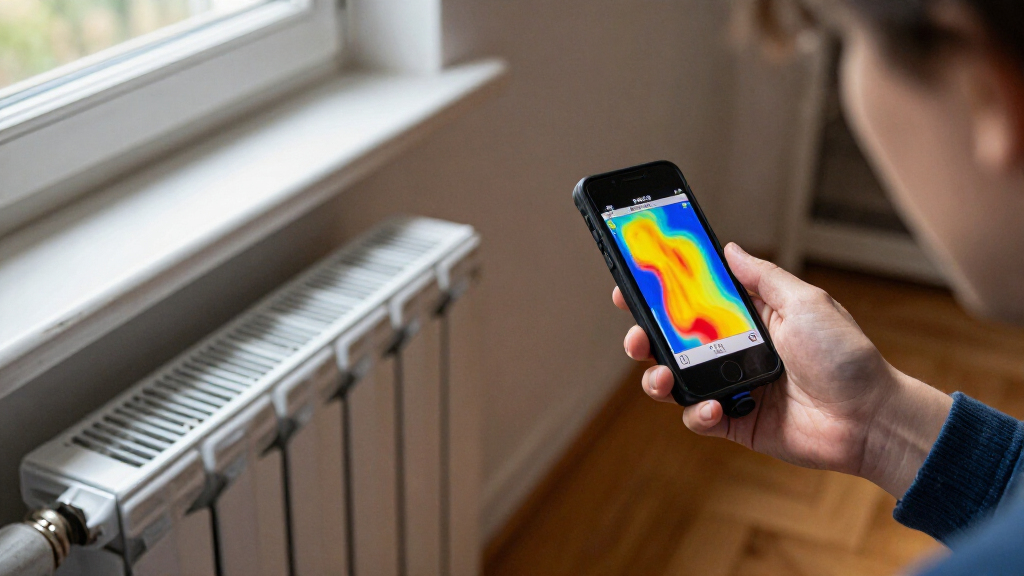
Smartphone thermal cameras turn a compatible phone into a tool for spotting heat patterns in homes, vehicles, electronics, and equipment. I rank the FLIR Edge Pro as the best overall for buyers who value a wireless setup, while the TOPDON TC001 Max stands out for its dual-lens design and the Thermal Master P1 320×240 for higher-resolution USB-C imaging. The main tradeoffs are image detail versus portability, phone compatibility versus connection convenience, and specialized controls versus ease of use. A higher pixel count can help distinguish small temperature patterns, but it does not by itself guarantee more useful measurements. Read on for how the 14 options differ and which kind of buyer each one suits.

Get the latest gadgets delivered free with Prime
- Fast, free delivery on millions of items
- Prime Video, Amazon Music and more included
- Member-only deals all year
Complete the kit



Key Takeaways
- The FLIR Edge Pro is the lineup’s wireless outlier: its separate camera design may suit buyers who want less strain on a phone port, while USB-C models make a more direct, compact setup.
- Resolution separates several close-looking options: the Thermal Master P1 320×240 and RISION Magic 320×240 QuadIR offer a different level of stated image detail from 120×90 and 160×120 models, but buyers should also check measurement and app capabilities.
- Specialty designs answer different problems: the TOPDON TC001 Max pairs dual lenses, while the Thermal Master P3 manual macro-lens version targets close-up work rather than general scanning.
- Compatibility is a deciding factor, not a footnote: iOS, Android, USB-C, Micro-USB, and Windows support vary across this list, so the connector and app requirements should match the devices you actually use.
- Compactness and ruggedness can matter more than extra pixels: the UNI-T UTi120Mobile Mini emphasizes 2 m drop durability and connection flexibility, while smaller plug-in cameras are easier to carry but leave the phone as part of the working setup.
| FLIR Edge Pro Wireless Thermal Imaging Camera | 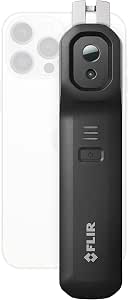 | Best for Wireless Inspections | Native resolution: 160×120 | Upscaled resolution: 480×360 | Connectivity: Bluetooth, Wi-Fi | VIEW LATEST PRICE | See Our Full Breakdown |
| Thermal Master P1 Thermal Camera for USB‑C iPhone & Android, 160×120 IR |  | Best for Wide-Range Temperature Checks | Native resolution: 160×120 IR | Enhanced resolution: 320×240 | Thermal sensitivity: 0.04°C NETD | VIEW LATEST PRICE | See Our Full Breakdown |
| AMPBANK M192 USB-C Thermal Camera for iPhone, Android, and Windows |  | Best for Compact Native Resolution | Infrared resolution: 192×192 | Enhanced resolution: Up to 384×384 | Refresh rate: 25 Hz | VIEW LATEST PRICE | See Our Full Breakdown |
| TOPDON TC001 Thermal Imaging Camera for Android |  | Best for Android Image Detail | Thermal resolution: 256×192 | Enhanced resolution: 512×384 with TISR | Temperature range: -20°C to 550°C (-4°F to 1022°F) | VIEW LATEST PRICE | See Our Full Breakdown |
| UNI-T UTi120Mobile Mini Thermal Camera for Android (USB‑C & Micro‑USB) |  | Best for Older Android Connections | Resolution: 120×90 IR pixels | Temperature range: -20°C to 400°C (-4°F to 752°F) | Emissivity adjustability: 0.1–0.99 | VIEW LATEST PRICE | See Our Full Breakdown |
| AccuMEMS SK00 Shutterless Mini Thermal Camera for iPhone and Android (USB-C) | 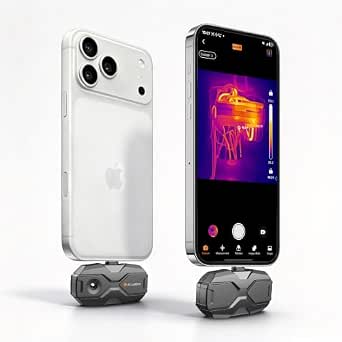 | Best for Smooth Live Scanning | Native resolution: 96×96 pixels | AI-enhanced resolution: 384×384 pixels | Refresh rate: 25 Hz | VIEW LATEST PRICE | See Our Full Breakdown |
| Thermal Master P3 Thermal Camera for iOS & Android |  | Best for Sensitive Close-Up Inspection | Resolution: 256×192 native; upscaled to 512×384 | Sensitivity: NETD <35 mK | Temperature range: -4°F to 1112°F (-20°C to 600°C) | VIEW LATEST PRICE | See Our Full Breakdown |
| GOYOJO GW192A Smartphone Thermal Imaging Camera, 192×192 IR, USB-C |  | Best for Wide-Area Everyday Checks | Infrared resolution: 192×192 | Pixel pitch: 12 μm | Field of view: 50° | VIEW LATEST PRICE | See Our Full Breakdown |
| Thermal Master P3 Thermal Camera for iPhone & Android, Manual Macro Lens |  | Best Rugged Pick for Macro Work | Resolution: 256×192 native; upscaled to 512×384 | Sensitivity: ≤35 mK NETD | Temperature range: -4°F to 1112°F (-20°C to 600°C) | VIEW LATEST PRICE | See Our Full Breakdown |
| TOPDON TC002C Duo Thermal Imaging Camera for USB-C Devices | 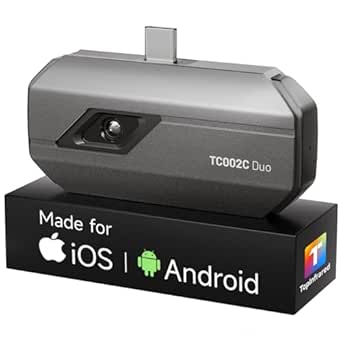 | Best for Cross-Platform USB-C Use | Thermal resolution: 256×192; enhanced to 512×384 via TISR | Temperature range: -4°F to 1022°F (-20°C to 550°C) | Accuracy: ±2°C or 2% | VIEW LATEST PRICE | See Our Full Breakdown |
| Thermal Master P1 Thermal Camera for USB-C iOS/Android, 320×240 Resolution |  | Best for High-Temperature Inspections | Thermal resolution: 320×240 | Refresh rate: 25 Hz | Temperature range: -4°F to 1,112°F (-20°C to 600°C) | VIEW LATEST PRICE | See Our Full Breakdown |
| TOPDON TC001 Mini Thermal Imaging Camera |  | Best for Guided Analysis | IR sensor resolution: 96×96 | Processed thermal image resolution: 384×384 with TISR | Thermal sensitivity: ≤40 mK | VIEW LATEST PRICE | See Our Full Breakdown |
| TOPDON TC001 Max Dual-Lens Thermal Camera |  | Best for Identifying Heat Sources | Native thermal resolution: 256×192 IR | Enhanced thermal image: 512×384 with TISR | Refresh rate: 25 Hz | VIEW LATEST PRICE | See Our Full Breakdown |
| RISION Magic USB-C Thermal Camera, 320×240 QuadIR |  | Best for Broad-View Home Inspections | Native thermal resolution: 160×120 | QuadIR output resolution: 320×240 | Refresh rate: 25 Hz | VIEW LATEST PRICE | See Our Full Breakdown |
| smartphone thermal camera | Temperature range | Refresh rate | Accuracy | Compatibility |
|---|---|---|---|---|
| FLIR Edge Pro Wireless Thermal | — | — | — | iOS, Android |
| Thermal Master P1 Thermal Came | -20°C to 600°C (-4°F to 1112°F) | 25 Hz | ±2°C / ±3.6°F | — |
| AMPBANK M192 USB-C Thermal Cam | — | 25 Hz | — | USB-C iOS, Android, and Windows devices; not Mac |
| TOPDON TC001 Thermal Imaging C | -20°C to 550°C (-4°F to 1022°F) | 25 Hz | — | Android devices with OTG; not iOS |
| UNI-T UTi120Mobile Mini Therma | -20°C to 400°C (-4°F to 752°F) | — | ±2°C / ±2% | — |
| AccuMEMS SK00 Shutterless Mini | -4°F to 752°F | 25 Hz | ±3.6°F | iOS, Android, and PC via USB-C |
| Thermal Master P3 Thermal Came | -4°F to 1112°F (-20°C to 600°C) | 25 Hz | ±3.6°F (±2°C) | iOS, Android, and Windows via cable |
| GOYOJO GW192A Smartphone Therm | -4°F to 752°F (-20°C to 400°C) | — | ±2% | iPhone 15/16/17 series and Android phones |
| Thermal Master P3 Thermal Came | -4°F to 1112°F (-20°C to 600°C) | — | ±3.6°F / ±2% | — |
| TOPDON TC002C Duo Thermal Imag | -4°F to 1022°F (-20°C to 550°C) | 25 Hz | ±2°C or 2% | USB-C iOS, Android, and Windows; not Mac or Android 16 |
| Thermal Master P1 Thermal Came | -4°F to 1,112°F (-20°C to 600°C) | 25 Hz | ±3.6°F | — |
| TOPDON TC001 Mini Thermal Imag | -4°F to 1,022°F (-20°C to 550°C) | 25 Hz | ±2% | iOS, Android, and Windows |
| TOPDON TC001 Max Dual-Lens The | -4°F to 1,022°F (-20°C to 550°C) | 25 Hz | ±2°C / ±2% | — |
| RISION Magic USB-C Thermal C | -4°F to 1,112°F (-20°C to 600°C) | 25 Hz | — | iOS, Android, and Windows; Mac not supported |
More Details on Our Top Picks
FLIR Edge Pro Wireless Thermal Imaging Camera
The FLIR Edge Pro is the clearest fit when a phone attachment would be awkward to position. Its wireless viewing lets me place the camera in a tight spot and check the image on my phone, while MSX adds visible outlines that can make pipes, wiring, and building features easier to identify. Super Resolution raises the displayed image to 480×360, though the native sensor is 160×120, so this is not the same detail as a higher-resolution sensor such as the TOPDON TC001 at 256×192. Unlike the wired Thermal Master P1, the Edge Pro does not depend on the phone being beside the camera, but it does add a separate device to manage and is not water resistant. I’d choose it for access and image interpretation, not for wet or especially rugged work.
Pros:- Wireless viewing helps when the camera must fit into a tight space or around a corner.
- MSX overlays visible details to help locate thermal patterns on real objects.
- Super Resolution produces a 480×360 enhanced image from the 160×120 sensor.
- Compatible with iOS and Android.
Cons:- The native 160×120 resolution captures less sensor detail than the TOPDON TC001’s 256×192 sensor.
- Not water resistant, limiting use in wet or exposed work areas.
- Wireless operation adds a separate device to carry and manage.
Best for: Home inspectors and building-maintenance workers who need to view thermal readings while positioning the camera in cramped or hard-to-reach spaces.
Not ideal for: Buyers who need a water-resistant camera, a higher native sensor resolution, or a simple plug-in attachment powered by the phone.
- Native resolution:160×120
- Upscaled resolution:480×360
- Connectivity:Bluetooth, Wi-Fi
- Compatibility:iOS, Android
- Temperature accuracy:±3°C or ±5%
- Weight:5.28 ounces
- Water resistance:Not water resistant
- File formats:JPEG, MP4
Our verdict“Choose the FLIR Edge Pro if wireless positioning and MSX context matter more than ruggedness or higher native resolution.”
Thermal Master P1 Thermal Camera for USB‑C iPhone & Android, 160×120 IR
The Thermal Master P1 suits inspections where temperature span and sensitivity matter more than a high native pixel count. Its 0.04°C NETD and stated range up to 600°C make it a practical match for checking subtle heat differences as well as hotter equipment; by comparison, the UNI-T UTi120Mobile tops out at 400°C. The P1 connects directly to a USB-C device and draws power from it, so there is no separate camera battery to charge, but that also ties the setup to a compatible phone or tablet. Its 160×120 sensor is software-enhanced to 320×240, not a native 320×240 imager, and the AMPBANK M192 offers more native pixels at 192×192. I’d favor the P1 for broad inspection tasks and field durability, while buyers focused on sensor detail should compare resolution carefully.
Pros:- 0.04°C thermal sensitivity helps reveal small temperature differences.
- Temperature range extends from -20°C to 600°C.
- Draws power from the connected device, with no separate battery to charge.
- IP54 rating and one-meter drop protection suit field inspections.
Cons:- Requires a USB-C device and does not support older Lightning or micro-USB phones.
- Native resolution is 160×120; software enhancement does not add native sensor detail.
- Uses the phone’s power during inspections.
Best for: HVAC technicians, electricians, and automotive DIYers using a USB-C phone who need to inspect both subtle temperature differences and high-heat components.
Not ideal for: Owners of Lightning or micro-USB phones, or buyers who prioritize higher native resolution over temperature range and sensitivity.
- Native resolution:160×120 IR
- Enhanced resolution:320×240
- Thermal sensitivity:0.04°C NETD
- Refresh rate:25 Hz
- Temperature range:-20°C to 600°C (-4°F to 1112°F)
- Accuracy:±2°C / ±3.6°F
- Field of view:52° × 39°
- Power consumption:0.32 W; device-powered
- Dimensions and weight:2.36 × 1.18 × 0.39 inches; 0.6 ounces
Our verdict“Pick the P1 for USB-C field work that needs sensitive readings and a wide temperature range, rather than maximum native image detail.”
AMPBANK M192 USB-C Thermal Camera for iPhone, Android, and Windows
The AMPBANK M192 makes sense for buyers who want more native pixels in a small USB-C attachment. Its 192×192 sensor gives it a resolution advantage over the 160×120 Thermal Master P1, which can help when inspecting smaller components or distinguishing nearby heat patterns. It also offers temperature alarms and adjustable measurement settings, adding useful analysis controls without making the camera itself bulky. Enhanced modes reach 384×384, but those should not be confused with the native sensor resolution. Compared with the Android-only TOPDON TC001, the M192 lists support for compatible USB-C iOS, Android, and Windows devices, though it does not work with Mac. The tradeoff is a less broadly specified temperature range than some rivals and dependence on USB-C compatibility. Its included extension cable and case suit mobile work, but check your device and operating system before buying.
Pros:- 192×192 native resolution exceeds the 160×120 sensors in the FLIR Edge Pro and Thermal Master P1.
- Temperature alarms and adjustable measurement settings support active troubleshooting.
- Compact, lightweight body is suited to portable inspections.
- Includes an EVA case, cleaning cloth, extension cable, and PC analysis software.
Cons:- Not compatible with Mac.
- Requires a supported USB-C device.
- The listed information does not specify a temperature range, making high-heat suitability harder to judge.
Best for: Mobile technicians and electronics hobbyists who want a compact camera with more native resolution than 160×120 models and use a supported USB-C device.
Not ideal for: Mac users, people with non-USB-C phones, or buyers who need a clearly stated broad temperature range for high-heat inspections.
- Infrared resolution:192×192
- Enhanced resolution:Up to 384×384
- Refresh rate:25 Hz
- Thermal sensitivity:40 mK
- Temperature accuracy:±3.6°F (±2°C) or 2%
- Compatibility:USB-C iOS, Android, and Windows devices; not Mac
- Color palettes:10
- Dimensions and weight:2.76 × 1.73 × 0.55 inches; 1.05 ounces
Our verdict“Choose the M192 if native resolution and inspection controls matter more than Mac support or a documented high-temperature range.”
TOPDON TC001 Thermal Imaging Camera for Android
The TOPDON TC001 is the strongest fit here for Android owners who want higher native resolution without moving to a larger standalone imager. Its 256×192 sensor starts with more pixels than the AMPBANK M192 at 192×192 and the 160×120 Thermal Master P1; TISR can enhance the displayed image to 512×384. That extra sensor detail can help when comparing small components or locating narrow thermal patterns, though enhanced output is not a substitute for native resolution. The TC001 also supports readings from -20°C to 550°C and uses the phone for power, keeping the camera light. Its main limitation is compatibility: it requires an Android device with OTG and does not support iOS. TISR support also depends on the connected phone, so I’d check device compatibility before choosing it over the more flexible FLIR Edge Pro.
Pros:- 256×192 native resolution is higher than the M192 and P1 sensors listed here.
- TISR enhances images to 512×384 on supported Android devices.
- Temperature range reaches 550°C.
- Compact, lightweight design draws power from the connected device.
Cons:- Not compatible with iOS.
- Requires a compatible Android device with OTG.
- TISR support depends on the connected phone.
Best for: Android users with OTG support who inspect electrical systems, HVAC equipment, or components where added native image detail is useful.
Not ideal for: iPhone owners, Android users without OTG support, or buyers who need a camera that works independently of a specific phone.
- Thermal resolution:256×192
- Enhanced resolution:512×384 with TISR
- Temperature range:-20°C to 550°C (-4°F to 1022°F)
- Temperature accuracy:±2°C or ±2%
- Measurement resolution:0.1°C
- Refresh rate:25 Hz
- Compatibility:Android devices with OTG; not iOS
- Weight:1 ounce (30 g)
- Color palettes:9
Our verdict“Choose the TC001 for Android-based inspections where higher native resolution matters, provided your phone supports OTG and TISR.”
UNI-T UTi120Mobile Mini Thermal Camera for Android (USB‑C & Micro‑USB)
The UNI-T UTi120Mobile earns its place through connection flexibility and a rugged design, not image detail. Its USB-C and Micro-USB connectors cover more Android hardware than the USB-C-only AMPBANK M192 or Thermal Master P1, making it a practical option for buyers keeping an older phone in service. Adjustable emissivity gives me a way to account for different surface materials, while the extension cord helps position the camera apart from the handset. But the 120×90 sensor has noticeably fewer pixels than the 256×192 TOPDON TC001 or even the 160×120 P1, so it is less suited to fine component work. Its 2-meter drop durability is useful on job sites, though battery life is not specified and the app is Android-only. I’d pick it for compatibility and toughness over image precision.
Pros:- USB-C and Micro-USB connectivity supports a wider range of Android devices than USB-C-only rivals.
- Two-meter drop durability suits rougher field use.
- Adjustable emissivity supports readings across different surface materials.
- Includes an extension cord, carry case, and adapter.
Cons:- 120×90 resolution provides less detail than the P1, M192, and TOPDON TC001.
- Android-only app requires Android 6.0 or later; no iOS support.
- Battery life is not specified, and the camera is listed as battery powered.
Best for: Contractors and DIY homeowners with USB-C or Micro-USB Android devices who need a durable camera for general indoor and outdoor checks.
Not ideal for: iPhone users or inspectors who need fine thermal detail, a documented long battery runtime, or temperature readings above 400°C.
- Resolution:120×90 IR pixels
- Temperature range:-20°C to 400°C (-4°F to 752°F)
- Emissivity adjustability:0.1–0.99
- Accuracy:±2°C / ±2%
- Response time:2 ms
- Connectivity:USB-C, Micro-USB
- Power source:Battery powered
- Drop durability:Up to 2 meters
- Length:2.4 inches
Our verdict“Choose the UTi120Mobile for Android compatibility across USB-C and Micro-USB plus drop durability, not for detailed thermal imaging.”
AccuMEMS SK00 Shutterless Mini Thermal Camera for iPhone and Android (USB-C)
The SK00’s defining advantage is shutterless 25 Hz imaging: motion remains smooth without pauses for shutter correction, which helps when tracing heat across floors, insulation, or moving equipment. Its scene presets for areas such as solar and electrical work also make it less hands-on to configure than the close-up-focused Thermal Master P3. The tradeoff is the sensor: its native 96×96 resolution is far below the P3’s 256×192, and the 384×384 output relies on AI upscaling rather than additional captured detail. That can be useful for broad visual checks, but I would not treat the enlarged image as fine diagnostic evidence. USB-C host power and support for phones and PCs keep the setup simple, though the listed temperature accuracy is also less precise than the GW192A’s ±2% specification.
Pros:- Shutterless 25 Hz capture supports smooth scanning without shutter interruptions.
- AI upscaling presents a 384×384 image from the 96×96 sensor.
- Scene presets cover insulation, floor heating, solar, and electrical checks.
- USB-C host-powered design supports iOS, Android, and PC.
Cons:- The 96×96 native sensor captures substantially less detail than the Thermal Master P3’s 256×192 sensor.
- AI upscaling can introduce artifacts and does not replace native sensor detail.
- Listed accuracy of ±3.6°F is less precise than the GOYOJO GW192A’s stated ±2%.
Best for: Phone users who scan broad areas such as home insulation, floor heating, or solar equipment and value continuous motion with guided scene presets.
Not ideal for: Technicians who need fine detail on small components or dependable native resolution; its 96×96 sensor and AI enlargement make it a weaker fit than the Thermal Master P3 for close-up diagnostics.
- Native resolution:96×96 pixels
- AI-enhanced resolution:384×384 pixels
- Refresh rate:25 Hz
- Temperature range:-4°F to 752°F
- Accuracy:±3.6°F
- Power:0.175 W; powered by connected phone or tablet
- Weight:25 g (0.882 oz)
- Compatibility:iOS, Android, and PC via USB-C
Our verdict“Choose the SK00 for smooth, preset-guided scans across larger areas, but pick a higher-native-resolution camera for fine diagnostic work.”
Thermal Master P3 Thermal Camera for iOS & Android
For finding subtle hot spots on electronics, the P3 pairs NETD below 35 mK with a manual-focus lens, giving it a more specialized role than the broader-scanning GOYOJO GW192A. Its 256×192 native sensor is also a stronger starting point than the AccuMEMS SK00’s 96×96 sensor, even though the advertised 512×384 image is software-upscaled. Manual focus lets users bring small targets such as PCB components into clearer view, while the pocketable, phone-powered body avoids a separate battery. The compromises are practical: it still depends on the phone for power, and Windows use requires a specific extension cable rather than a direct connection. I’d favor it for detailed close work, not for buyers who want the simplest all-purpose camera or native 512×384 capture.
Pros:- NETD below 35 mK supports detection of faint thermal differences.
- Manual focus helps target small components and close-up inspection areas.
- Compact 0.93 oz design draws power from the connected phone.
- Supports iOS and Android, with Windows connectivity available through a cable.
Cons:- The 512×384 output is upscaled from a 256×192 sensor.
- Windows connection requires a specific extension cable.
- Phone-powered operation depends on the host device’s battery.
Best for: Electronics repairers and hobbyists who need to locate subtle thermal differences on circuit boards and small components using a phone.
Not ideal for: Buyers who need native 512×384 sensor detail, direct Windows plug-and-play, or a camera that operates independently of a phone.
- Resolution:256×192 native; upscaled to 512×384
- Sensitivity:NETD <35 mK
- Temperature range:-4°F to 1112°F (-20°C to 600°C)
- Accuracy:±3.6°F (±2°C)
- Refresh rate:25 Hz
- Dimensions:2.32 × 1.06 × 0.68 inches
- Weight:0.93 oz
- Compatibility:iOS, Android, and Windows via cable
Our verdict“Pick this P3 for sensitive, manually focused electronics checks; choose a simpler wide-view model for general home scans.”
GOYOJO GW192A Smartphone Thermal Imaging Camera, 192×192 IR, USB-C
The GW192A makes a strong case for routine home and vehicle checks with a 192×192 native sensor and a 50° field of view. That broad view takes in more of a wall, pipe run, or engine bay per scan than the Thermal Master P3’s close-up manual-focus approach, while its plug-and-play USB-C setup avoids pairing and separate battery charging. Its stated ±2% accuracy is also a useful distinction from the SK00’s ±3.6°F specification, though the figures use different formats and should not be treated as directly interchangeable without measurement conditions. The main limitation is compatibility clarity: the listing names iPhone 15/16/17 series and Android phones but gives little detail on which Android models work. USB-C is required, so older Lightning-only phones need another option or an adapter confirmed to work.
Pros:- 192×192 sensor provides more native pixels than the AccuMEMS SK00’s 96×96 sensor.
- 50° field of view covers a wider area per scan.
- USB-C plug-and-play operation needs no separate battery or pairing.
- Listed temperature range spans -4°F to 752°F for varied household and vehicle checks.
Cons:- Requires a compatible USB-C phone; Lightning-only iPhones are not listed as supported.
- Android compatibility details are not specified.
- Does not offer the P3’s stated manual focus for close inspection of small components.
Best for: Homeowners and vehicle DIYers with a compatible USB-C phone who want quick, broad scans of walls, plumbing, or machinery.
Not ideal for: Owners of Lightning-only iPhones or Android users who need clearly documented device compatibility before buying; close-up electronics work may suit the manually focused Thermal Master P3 better.
- Infrared resolution:192×192
- Pixel pitch:12 μm
- Field of view:50°
- Temperature range:-4°F to 752°F (-20°C to 400°C)
- Accuracy:±2%
- Connector:USB-C
- Weight:0.48 oz
- Compatibility:iPhone 15/16/17 series and Android phones
Our verdict“Choose the GW192A for straightforward, wide-view inspections when your phone’s USB-C compatibility is confirmed.”
Thermal Master P3 Thermal Camera for iPhone & Android, Manual Macro Lens
This P3 variant is aimed at field users who need macro focus down to 8 mm and a more protective build. Its stated IP54 rating and 1 m drop-test durability give it a practical advantage over the lighter, more electronics-focused P3 listing, while the Lightning adapter broadens its usefulness for older iPhones. The ≤35 mK sensitivity and -4°F to 1112°F range suit detailed component checks as well as hotter equipment; its 25 Hz rate supports live scanning. Like the other P3, though, its 512×384 image is upscaled from a 256×192 sensor, and the 40°×30° field of view is relatively narrow for surveying a room. It also draws power from the phone, and app features add setup and learning demands that the simpler GOYOJO GW192A avoids.
Pros:- Manual macro lens supports close inspection at 8 mm.
- IP54 rating and stated 1 m drop-test durability suit field use.
- ≤35 mK sensitivity and a temperature range up to 1112°F support varied diagnostic tasks.
- Works with USB-C Android phones, iPhone through a Lightning adapter, and Windows PCs.
Cons:- 512×384 output is upscaled from a 256×192 thermal sensor.
- 40°×30° field of view requires more scans for large areas than the GW192A’s 50° view.
- Phone-powered operation and app-dependent features can limit runtime and add setup complexity.
Best for: Field technicians and electronics repairers who need close macro inspection, device flexibility, and a more rugged camera body.
Not ideal for: People scanning large rooms or seeking the simplest plug-in experience; its narrower view, phone-powered design, and app learning curve are less convenient than the GOYOJO GW192A.
- Resolution:256×192 native; upscaled to 512×384
- Sensitivity:≤35 mK NETD
- Temperature range:-4°F to 1112°F (-20°C to 600°C)
- Accuracy:±3.6°F / ±2%
- Frame rate:25 Hz
- Field of view:40° × 30°
- Connectivity:USB-C, Lightning adapter, and Windows PC support
- Protection:IP54; stated 1 m drop-test durability
Our verdict“Choose this P3 when rugged macro inspection and broad phone compatibility matter more than wide-area scanning or simple setup.”
TOPDON TC002C Duo Thermal Imaging Camera for USB-C Devices
The TC002C Duo stands out for buyers who want one compact camera to move among supported USB-C iOS, Android, and Windows devices. Its 256×192 sensor and TISR-enhanced 512×384 image put it in the same broad resolution class as the Thermal Master P3, but the P3 adds manual focus for small targets while the TOPDON is positioned for general home, HVAC, and automotive checks. A temperature ceiling of 1022°F exceeds the SK00 and GW192A ranges, which can help with hotter equipment, and 25 Hz capture supports live tracking. Compatibility has important limits: the listing excludes Mac and Android 16, so the broad platform claim does not mean every USB-C device will work. The 40 mK NETD is also less sensitive on paper than the P3’s <35 mK.
Pros:- USB-C compatibility spans supported iOS, Android, and Windows devices.
- TISR enhances the 256×192 sensor image to 512×384.
- Temperature range reaches 1022°F, higher than the SK00 and GW192A ranges.
- Compact 1.1 oz body supports portable inspections and real-time heat tracking.
Cons:- Not compatible with Mac or Android 16, despite broad USB-C platform support.
- 40 mK NETD is less sensitive on paper than the Thermal Master P3’s <35 mK.
- Enhanced 512×384 output is not native sensor resolution.
Best for: Users who switch among supported USB-C iOS, Android, and Windows devices and need a compact camera for home, HVAC, or automotive inspections.
Not ideal for: Mac owners, Android 16 users, and technicians prioritizing very close macro focus or better stated sensitivity than the Thermal Master P3 offers.
- Thermal resolution:256×192; enhanced to 512×384 via TISR
- Temperature range:-4°F to 1022°F (-20°C to 550°C)
- Accuracy:±2°C or 2%
- NETD:40 mK
- Refresh rate:25 Hz
- Measurement distance:Up to 16.4 ft (5 m)
- Dimensions:2.8 × 1.7 × 0.55 inches
- Compatibility:USB-C iOS, Android, and Windows; not Mac or Android 16
Our verdict“Pick the TC002C Duo for supported USB-C cross-platform use and hotter inspections, but verify device compatibility before choosing it.”
Thermal Master P1 Thermal Camera for USB-C iOS/Android, 320×240 Resolution
The Thermal Master P1 pairs a 320×240 thermal image with a 25 Hz refresh rate, making it a strong fit for tracking heat across moving equipment or scanning a room without a choppy view. Its range reaches 1,112°F, broader at the hot end than the TOPDON TC001 Mini’s 1,022°F limit, which can matter for some automotive and industrial checks. Adjustable emissivity, zoom, and alarms give users useful controls for comparing surfaces and flagging temperature thresholds.
The tradeoff is that its 320×240 figure is not directly comparable to the TC001 Max’s enhanced 512×384 image, and the P1 lacks a visible-light lens for context. It also draws power from a connected device and depends on the app for storage. I’d choose it for a wide temperature span and pocketable design, but not for buyers who need standalone recording or built-in image context.
Pros:- 320×240 thermal resolution and 25 Hz refresh rate support clear, fluid scanning.
- Temperature range extends to 1,112°F, higher than the TOPDON TC001 Mini’s stated maximum.
- Adjustable emissivity, digital zoom, and alarms add practical inspection controls.
- At 0.62 oz, it is easy to carry between jobs.
Cons:- Lightning iPhones require a separate adapter.
- Image storage relies on the connected device and app; there is no built-in memory.
- Continuous operation is listed at 5–8 hours, and the camera depends on the phone connection.
Best for: HVAC technicians, automotive troubleshooters, and home inspectors who need a compact USB-C camera with a high upper temperature limit and adjustable measurement tools.
Not ideal for: iPhone users with a Lightning-only device who do not want to add an adapter, or inspectors who need onboard storage or a visible-light camera.
- Thermal resolution:320×240
- Refresh rate:25 Hz
- Temperature range:-4°F to 1,112°F (-20°C to 600°C)
- Accuracy:±3.6°F
- Power consumption:0.32 W
- Continuous operation:5–8 hours
- Connectivity:USB-C; Lightning adapter required for Lightning iPhones
- Weight:0.62 oz (17 g)
Our verdict“Choose the P1 for portable inspections that benefit from its 1,112°F range and measurement controls, but skip it if you need onboard storage or visible-light context.”
TOPDON TC001 Mini Thermal Imaging Camera
The TOPDON TC001 Mini is the analysis-focused pick here: its app adds inspection guidance, pattern tools, and report creation rather than leaving users with only a thermal image. TISR processing produces a stated 384×384 output from a 96×96 IR sensor, so buyers should distinguish the processed image dimensions from the sensor’s native detail. Compared with the Thermal Master P1, the TC001 Mini has a lower maximum temperature range but adds a more developed analysis and reporting workflow.
Its 25 Hz refresh rate and broad device compatibility suit routine checks across phones, tablets, and Windows devices. Still, a connected device is required, and the compact form does not remove the limits of the low-resolution sensor. I’d favor it for people who want help documenting or interpreting inspections; buyers prioritizing native thermal detail should compare it with the P1 or TC001 Max instead.
Pros:- App includes thermal analysis tools, report creation, and AI-powered inspection guidance.
- TISR processing produces a stated 384×384 thermal image from the sensor input.
- 25 Hz refresh rate supports smoother live viewing.
- Compatible with supported iOS, Android, and Windows devices.
Cons:- The IR sensor itself is 96×96, limiting native thermal detail.
- Requires a connected compatible device to operate.
- Its 1,022°F upper limit is lower than the Thermal Master P1’s 1,112°F maximum.
Best for: DIY inspectors, maintenance staff, and small service businesses that want app-based analysis, report tools, and guidance while checking heat patterns.
Not ideal for: Buyers who prioritize high native IR sensor resolution or need a camera that works independently of a phone, tablet, or computer.
- IR sensor resolution:96×96
- Processed thermal image resolution:384×384 with TISR
- Thermal sensitivity:≤40 mK
- Refresh rate:25 Hz
- Temperature range:-4°F to 1,022°F (-20°C to 550°C)
- Accuracy:±2%
- Weight:30 g
- Compatibility:iOS, Android, and Windows
Our verdict“Pick the TC001 Mini if guided analysis and reports matter more than native sensor resolution or the highest temperature ceiling.”
TOPDON TC001 Max Dual-Lens Thermal Camera
The TOPDON TC001 Max stands apart from the single-imager Thermal Master P1 by pairing thermal and visible-light cameras. That combination can make a hot spot easier to locate on a wire, appliance, or wall because the thermal reading has visual surroundings for reference. Its 256×192 IR sensor is enhanced to a stated 512×384 with TISR, giving it a higher-resolution output claim than the P1, though the native sensor figures are the more useful basis for comparison.
The TC001 Max also covers up to 1,022°F and lists 25 Hz refresh, temperature analysis, and real-time graphs. Included USB-C and Lightning adapters widen device compatibility, while its direct connection avoids charging a separate camera battery. The cost of that setup is reliance on a compatible connected device, and image enhancement does not turn the native sensor into a 512×384 imager. I’d choose it when visual context matters more than the P1’s higher temperature ceiling.
Pros:- Dual-lens design combines visible-light and thermal views for easier source identification.
- 256×192 native IR resolution is higher than the TOPDON TC001 Mini’s 96×96 sensor.
- Includes USB-C and USB-C-to-Lightning adapters for supported devices.
- App supports photo and video capture, temperature analysis, and real-time graphs.
Cons:- The 512×384 figure is TISR-enhanced output from a 256×192 IR sensor.
- Requires a compatible device and USB connection.
- Its 1,022°F maximum is below the Thermal Master P1’s 1,112°F limit.
Best for: Electricians, home inspectors, and repair technicians who need visible scene context alongside thermal readings to identify the location of a hot spot.
Not ideal for: Users who want standalone operation, or buyers who would rather prioritize a higher temperature ceiling than dual-lens imaging.
- Native thermal resolution:256×192 IR
- Enhanced thermal image:512×384 with TISR
- Refresh rate:25 Hz
- Thermal sensitivity:≤40 mK NETD
- Temperature range:-4°F to 1,022°F (-20°C to 550°C)
- Accuracy:±2°C / ±2%
- Connectivity and adapters:USB-C; USB-C and USB-C-to-Lightning adapters included
- Weight:33 g
Our verdict“Choose the TC001 Max when visible-light context helps you locate heat sources; choose the P1 instead when maximum temperature range matters more.”
RISION Magic USB-C Thermal Camera, 320×240 QuadIR
The RISION Magic USB-C combines a 52° × 39° field of view with thermal and visible-light image modes, making it a practical match for scanning rooms, panels, and larger equipment areas. Its 320×240 QuadIR image is upscaled from a 160×120 native sensor, so buyers should not read the output figure as native detail. That places its sensor resolution below the TOPDON TC001 Max’s 256×192 imager, although the RISION’s broad view may cover more of a scene at once.
Analysis tools include spot, line, and area readings, threshold settings, picture-in-picture, and real-time graphs. Its temperature range reaches 1,112°F, matching the Thermal Master P1 and exceeding the TC001 Max’s listed ceiling. The compromises are the upscaled resolution and lack of Mac support. I’d shortlist it for broad-view inspections on supported USB-C devices, but not for Mac users or buyers seeking higher native IR detail.
Pros:- 52° × 39° field of view suits scanning larger areas.
- Visible-light and thermal imaging can help locate a reading within the scene.
- Temperature analysis includes spot, line, area, threshold, and real-time graph tools.
- 1,112°F upper temperature limit matches the Thermal Master P1’s range.
Cons:- 320×240 QuadIR output is upscaled from a native 160×120 sensor.
- Mac devices are not supported.
- Requires a USB-C connection to a compatible phone or computer.
Best for: Home inspectors and HVAC or electrical workers who want a wide scene view, visible-light context, and multiple on-screen measurement tools on a supported USB-C device.
Not ideal for: Mac users, or buyers who need higher native IR resolution and do not want an upscaled thermal image.
- Native thermal resolution:160×120
- QuadIR output resolution:320×240
- Refresh rate:25 Hz
- Field of view:52° × 39°
- Temperature range:-4°F to 1,112°F (-20°C to 600°C)
- Temperature accuracy:±3.6°F
- Thermal sensitivity:40 mK
- Compatibility:iOS, Android, and Windows; Mac not supported
- Weight:0.8 oz
Our verdict“Choose the RISION Magic for broad-view inspections and varied analysis tools on supported devices, but skip it if native resolution or Mac compatibility is a priority.”
How We Picked
I compared these 14 smartphone thermal cameras around the factors that affect real buying decisions: stated infrared resolution, connection style, supported devices, ease of handling, and features that suit specialized tasks. I also looked at whether a model offers a distinct advantage—such as wireless operation, dual lenses, manual macro focus, shutterless operation, or added drop durability—rather than treating every camera as interchangeable. Where product names or listed specifications differ, I use the stated model details and avoid assuming that similar names mean identical hardware.
The ranking favors options with a clear mix of practical usability and useful capability for a broad range of phone-based inspection tasks. Specialized models rank higher for their intended jobs when that feature changes what a buyer can do, but they may be less suitable as an all-purpose pick. I treat compatibility and app requirements as part of the value equation: a camera with appealing specs is a poor choice if it does not work with the buyer’s phone or workflow. I do not use price or customer ratings to order the picks.
Factors to Consider When Choosing Smartphone Thermal Cameras
Before choosing a camera, I would match the device to the job and phone rather than shop by resolution alone. These broader checks can help avoid a camera that looks capable on paper but proves awkward or limited in your actual workflow.
Match the Camera to the Phone You Will Use
Start by checking the exact phone model, operating system, connector, and app support—not just whether a listing says iPhone or Android. USB-C is common across many current phones, but operating-system support and app behavior can still vary, and older devices may use Micro-USB or a different connection method. A wireless option such as the FLIR Edge Pro avoids a direct plug-in connection, while compact USB-C cameras keep the setup physically simple. If you expect to switch between a phone and a Windows computer, confirm that the camera and software support both before buying. Compatibility is often a more decisive filter than a modest difference in listed resolution.
Read Resolution Alongside the Measurement Details
Infrared pixel count gives a rough sense of image detail, but it is only one part of whether a camera can answer your question. Small targets, distant surfaces, and close-up electronics place different demands on the camera, so check the stated measurement range, thermal sensitivity, field of view, and focus options when those specifications are available. A 320×240 model may show a finer pattern than a 120×90 unit, yet the display, app, and measurement tools still shape how useful that pattern is. Avoid assuming that a more detailed image automatically provides more accurate temperature readings. For a household scan, broad coverage may matter more than resolving tiny components; for board-level work, close-focus capability can change the choice.
Choose a Lens and Focus Style for Your Working Distance
Most general inspections involve scanning walls, pipes, or equipment from a short distance, but close-up diagnosis calls for a different approach. A manual macro lens, such as the specialized Thermal Master P3 version in this lineup, is aimed at small targets rather than broad room scans. Dual-lens designs can offer added flexibility, though buyers should confirm what each lens does and how the app switches between them. Fixed-focus cameras reduce setup steps but may be less suited to inspecting tiny objects at very close range. Before paying for a specialty lens, check whether your work regularly requires that distance; otherwise, simpler optics may be easier to carry and operate.
Decide Whether Plug-In, Wireless, or Rugged Use Fits Better
A plug-in camera is compact and keeps the sensor close to the phone, but it can add leverage to the connector and make some angles awkward. Wireless designs separate the camera from the screen, which can help when reaching behind appliances or holding the phone in a more comfortable position, though it adds another device to manage. For field work, pay attention to physical protection and handling claims: the UNI-T UTi120Mobile Mini lists 2 m drop durability and includes an extension cord, features that may matter more than a small resolution bump. Think about gloves, ladders, tight spaces, and whether you can keep the phone steady while aiming. The best connection style is the one that makes your typical inspection safer and easier.
Check App Workflow, Exports, and Calibration Needs
The camera is only half the tool; the app determines how you view readings, adjust palettes, save images, and share findings. Before purchase, verify that the app runs on your phone, receives updates, and offers the controls your work requires, such as spot measurements, area readings, or image export. If reports matter, check whether saved files preserve temperature data or only a visual image, and whether the workflow is compatible with your computer. Also review guidance on calibration and emissivity settings, since reflective metal and other surfaces can produce misleading readings if settings are wrong. Buyers who only need quick comparisons can accept a simpler app, while documentation-heavy work benefits from a more capable software workflow.
Pay for the Capability Your Task Can Use
Extra resolution, specialized lenses, and multi-device support make sense when they address a real limitation in your current work. If you mainly look for broad temperature differences around a home, a straightforward camera may be more useful than a model packed with features you will rarely open. Repair professionals may gain more from close-focus optics, image controls, and dependable software than from a compact design alone. A higher-capability model can also reveal more detail without making every reading definitive; thermal imaging shows surface temperature patterns, not hidden conditions by itself. I would spend more for a capability that changes the inspection you can perform, not simply for a larger specification number.
Frequently Asked Questions
Will any USB-C smartphone thermal camera work with my USB-C phone?
No. A matching connector does not guarantee that the phone’s operating system, app, or hardware supports the camera. Check the exact phone model and the maker’s compatibility list, including any operating-system version requirements. Also confirm whether the app is available in your region and whether it needs permissions or a particular connection mode. If you use more than one phone, verify each one separately rather than relying on the connector alone.
Should I choose a 320×240 camera over a 160×120 or 120×90 model?
A higher stated infrared resolution can make thermal patterns look more detailed, which may help when comparing small areas or inspecting components. It does not automatically make temperature readings more accurate or guarantee that a camera can resolve a very small target at your working distance. Check focus, field of view, measurement tools, and the app alongside the pixel count. For broad home scans, a lower-resolution model may be adequate; for finer work, a higher-resolution option may be worth prioritizing if its other specifications fit the task.
Is a wireless thermal camera better than a plug-in model?
Wireless is useful when you want to position the camera separately from the phone, such as when reaching into a cramped space or holding the screen at a comfortable angle. A plug-in model is usually a more compact single-unit setup and avoids managing a separate wireless camera. The tradeoff is convenience versus directness: wireless adds a device and connection step, while a plug-in camera can put strain on the phone port or feel awkward at certain angles. Choose based on how you hold and position the camera during your usual inspections.
Do I need a macro lens for electronics repair?
A macro lens can help when you need to examine small components at close range, making it a more relevant feature for circuit boards and compact electronics than for general room scans. It is not automatically useful for every repair: larger equipment and household inspections may be better served by a standard lens and a broader view. Check whether the lens is manual, how close the camera can focus, and whether the app can display the measurements you need. If electronics work is occasional, compare the specialty lens’s convenience against a standard camera’s simpler everyday handling.
Can a smartphone thermal camera confirm a leak or electrical fault by itself?
No. A thermal camera reveals surface temperature patterns that may point toward a problem, but those patterns do not confirm the cause. Air movement, sunlight, reflective materials, insulation, and recent changes in heating or cooling can affect what the camera shows. Use the image as a diagnostic clue, then check the suspected issue with the appropriate inspection method or a qualified professional. For repeatable comparisons, keep distance, angle, and environmental conditions as consistent as practical.
Conclusion
For a broad mix of phone-based inspection needs, I would start with the FLIR Edge Pro as the best overall, especially if a wireless camera suits your working style. For a best value starting point, compare the entry-level USB-C choices against your phone compatibility and required resolution rather than paying for unused extras; the Thermal Master P1 160×120 is a practical lower-resolution option to examine. Buyers seeking more image detail should look at the Thermal Master P1 320×240 or RISION Magic 320×240 QuadIR, while the TOPDON TC001 Max is the standout premium-style choice for its dual-lens approach. Beginners may prefer a direct, compatible plug-in camera with an uncomplicated app, while electronics repairers should focus on the Thermal Master P3 manual macro-lens version. For rougher field handling and connector flexibility, the UNI-T UTi120Mobile Mini merits a closer look; whichever model you choose, confirm phone support and measurement features before settling on resolution alone.
Halloween Picks

12-Foot Inflatable Pumpkin Halloween Archway with LED Lights

Kalolary 11 ft Halloween Inflatable Archway Ghost House Tunnel

Govee Outdoor Halloween Projector Light
As an affiliate, we earn on qualifying purchases.