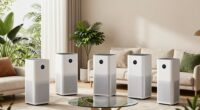
Choosing the right home automation hub can significantly simplify managing your smart devices, offering centralized control, automation, and compatibility. The Hubitat Elevation C-8 Pro stands out for its robust local control, making it ideal for privacy-conscious users. The Aeotec Smart Home Hub excels with broad protocol support, perfect for multi-brand setups, while the Home Assistant Green offers advanced automation for tech enthusiasts. The main challenge lies in balancing compatibility, ease of use, and price. Continue reading for a detailed comparison that guides you to the best fit for your smart home needs.
Complete the kit




Get the latest gadgets delivered free with Prime
- Fast, free delivery on millions of items
- Prime Video, Amazon Music and more included
- Member-only deals all year
Key Takeaways
- Local control capabilities vary, with Hubitat leading for privacy and reliability.
- Protocol support, such as Zigbee, Z-Wave, and Matter, determines device compatibility and future-proofing.
- Price ranges widely, but investing in versatile hubs pays off if you have diverse device ecosystems.
- Ease of setup and user interface are crucial for beginners, while advanced users prioritize automation flexibility.
- Premium options often include additional features like IR blasters or built-in Chimes, adding convenience.
| SONOFF Zigbee Bridge Pro Hub, ZigBee 3.0 Smart Gateway, APP Control & Multi-Device Management |  | Best for Large-Scale Zigbee Networks | Supports sub-devices: up to 128 | Connectivity: Wi-Fi & Zigbee | Power: 5 volts | VIEW ON AMAZON | See Our Full Breakdown |
| Hubitat Elevation C-8 Pro Smart Home Hub, Local Control and Automations |  | Best for Advanced Customization and Privacy | Processor: 2.0 GHz | RAM: 2 GB | Connectivity: Wi-Fi, Ethernet | VIEW ON AMAZON | See Our Full Breakdown |
| SwitchBot Hub 3 (3rd Gen) Smart Home Hub with 2.4″ IPS Screen & Knob Control |  | Best for Infrared Appliance Control and Real-Time Data | Display: 2.4-inch IPS screen | Connectivity: WiFi (2.4GHz), Bluetooth, Matter | Compatibility: Infrared appliances, SwitchBot devices, Matter | VIEW ON AMAZON | See Our Full Breakdown |
| Aeotec Smart Home Hub – Works as a SmartThings Hub with Z-Wave, Zigbee, Matter Gateway, Compatible with Alexa and Google Assistant |  | Best for Broad Protocol Compatibility and SmartThings Ecosystem | Weight: 1.1 pounds | Connectivity Technology: Ethernet, Wi-Fi, Z-Wave, ZigBee, Matter | Control Method: App, Voice | VIEW ON AMAZON | See Our Full Breakdown |
| Aqara Smart Hub M100 for Home Automation, Matter Controller, Wi-Fi |  | Best for Ecosystem Flexibility and Local Automation | Compatibility: Aqara Zigbee, Thread, Matter | Device Support: Up to 20 Zigbee and 20 Thread devices | Connectivity: Wi-Fi 6 (2.4GHz), USB-A port | VIEW ON AMAZON | See Our Full Breakdown |
| Lutron Caseta Smart Hub Compatible with Alexa, Apple, Google Home & More |  | Best Overall Home Automation Hub | Compatibility: Alexa, Apple HomeKit, Google Assistant, Ring, Serena shades, Sonos | Device Capacity: 75 devices | Connectivity: Wi-Fi, Clear Connect Technology | VIEW ON AMAZON | See Our Full Breakdown |
| Aqara Smart Home Hub M3 with Matter Support, IR Blaster, and Multi-Protocol Compatibility |  | Best for Protocol Flexibility and Privacy | Protocols Supported: Zigbee, Thread, Matter | Device Capacity: 127 Zigbee, 127 Thread | Connectivity: Wi-Fi (2.4/5 GHz), PoE, USB-C | VIEW ON AMAZON | See Our Full Breakdown |
| Aeotec Smart Home Hub2 – V4, SmartThings Hub, Zigbee, Matter Gateway, Compatible with Alexa, Google Assistant, WiFi |  | Best for Ecosystem Integration and Reliability | Supports: Matter, Zigbee | Connectivity: Wi-Fi, Ethernet | Compatibility: Amazon Alexa, Google Assistant, SmartThings | VIEW ON AMAZON | See Our Full Breakdown |
| Home Assistant Green | Smart Home Hub with Advanced Automation |  | Best for Tech-Savvy Custom Automation | RAM: 4 GB | Storage Capacity: 32 GB | Connectivity Technology: Ethernet, USB | VIEW ON AMAZON | See Our Full Breakdown |
| Philips Hue Bridge Pro Smart Lighting Hub, 1-Pack |  | Best for Extensive Lighting Control | Processor: Quad-core Cortex-A35 CPU at 1.7 GHz | Memory: 4 GB DDR4 SDRAM | Supports Lights: 150+ | VIEW ON AMAZON | See Our Full Breakdown |
| Aqara Smart Hub M200, Matter Controller with Zigbee, Wi-Fi, IR, PoE |  | Best Overall for Versatile Protocol Support and Local Automations | Protocols Supported: Zigbee, Thread, Matter | Device Capacity: 40 Zigbee, 40 Thread | Connectivity: Wi-Fi 2.4/5 GHz, PoE, USB-C | VIEW ON AMAZON | See Our Full Breakdown |
| Tapo Smart Hub with Built-in Chime, H100, 2.4GHz Wi-Fi Required | 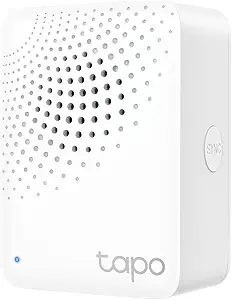 | Best for Large-Scale Tapo Ecosystem and Basic Automation | Connectivity: 2.4 GHz Wi-Fi | Maximum Devices: 64 | Alarm Volume: 90 dB | VIEW ON AMAZON | See Our Full Breakdown |
| home automation hub | Connectivity | Compatibility |
|---|---|---|
| SONOFF Zigbee Bridge Pro Hub | Wi-Fi & Zigbee | — |
| Hubitat Elevation C-8 Pro Smar | Wi-Fi, Ethernet | Alexa, Google Home, Apple HomeKit, Ring |
| SwitchBot Hub 3 | WiFi (2.4GHz), Bluetooth, Matter | Infrared appliances, SwitchBot devices, Matter |
| Aeotec Smart Home Hub | — | — |
| Aqara Smart Hub M100 for Home | Wi-Fi 6 (2.4GHz), USB-A port | Aqara Zigbee, Thread, Matter |
| Lutron Caseta Smart Hub Compat | Wi-Fi, Clear Connect Technology | Alexa, Apple HomeKit, Google Assistant, Ring, Serena shades, Sonos |
| Aqara Smart Home Hub M3 with M | Wi-Fi (2.4/5 GHz), PoE, USB-C | — |
| Aeotec Smart Home Hub2 | Wi-Fi, Ethernet | Amazon Alexa, Google Assistant, SmartThings |
| Home Assistant Green | Smart H | — | — |
| Philips Hue Bridge Pro Smart L | Zigbee, Matter, Wi-Fi | — |
| Aqara Smart Hub M200 | Wi-Fi 2.4/5 GHz, PoE, USB-C | — |
| Tapo Smart Hub with Built-in C | 2.4 GHz Wi-Fi | Android 5.0+ or iOS 10.0+ |
More Details on Our Top Picks
SONOFF Zigbee Bridge Pro Hub, ZigBee 3.0 Smart Gateway, APP Control & Multi-Device Management
This hub excels in supporting up to 128 Zigbee devices, making it ideal for users with extensive smart home setups. Compared to the Hubitat Elevation C-8 Pro, which offers broader protocol support and local processing, the SONOFF is more limited in protocol variety but shines in managing large Zigbee networks cost-effectively. Its dual Wi-Fi and Zigbee support facilitates seamless integration, yet it lacks a built-in battery backup and has a modest customer rating, which might concern those prioritizing reliability. This pick makes the most sense for those primarily expanding a Zigbee ecosystem without complex automation needs.
Pros:- Supports a large number of Zigbee devices (up to 128)
- Enables local scene and security mode control
- Dual-protocol support for Wi-Fi and Zigbee
Cons:- No built-in battery backup for power outages
Best for: Homeowners who want to scale a large Zigbee device network on a budget and prefer local control.
Not ideal for: Users seeking multi-protocol support beyond Zigbee or advanced automation features, as it is limited primarily to Zigbee and Wi-Fi.
- Supports sub-devices:up to 128
- Connectivity:Wi-Fi & Zigbee
- Power:5 volts
- Weight:1.2 ounces
- Dimensions:2.44 x 0.79 x 2.44 inches
- Warranty:1 year
Our verdict“Best suited for users needing extensive Zigbee device management without complex automation requirements.”
Hubitat Elevation C-8 Pro Smart Home Hub, Local Control and Automations
This hub stands out for processing automations locally, ensuring fast responses and enhanced privacy, especially when compared to the AEotec Smart Home Hub, which emphasizes broad protocol support but relies more on cloud processing. Its support for multiple protocols including Z-Wave, Zigbee, and Matter makes it highly versatile for complex setups, yet its setup can be daunting for non-technical users. This device is perfect for those comfortable with technical configuration who want robust local automation and extensive protocol support.
Pros:- Processes automations locally for fast response and privacy
- Supports multiple protocols including Z-Wave, Zigbee, and Matter
- Continuous free updates and extensive device support
Cons:- Setup and configuration may require technical knowledge
- Some advanced features need careful review of documentation
Best for: Tech-savvy homeowners seeking highly customizable automation with local processing and multi-protocol compatibility.
Not ideal for: Beginners or users who prefer plug-and-play solutions without significant configuration effort.
- Processor:2.0 GHz
- RAM:2 GB
- Connectivity:Wi-Fi, Ethernet
- Protocols:Z-Wave 800 Series, Zigbee 3.0, Matter, Bluetooth
- External Antennas:Yes
- Compatibility:Alexa, Google Home, Apple HomeKit, Ring
Our verdict“Ideal for experienced users who want flexible, privacy-focused automation across multiple protocols.”
SwitchBot Hub 3 (3rd Gen) Smart Home Hub with 2.4″ IPS Screen & Knob Control
This hub combines infrared device control with a vivid IPS screen, making it a compelling choice for those who want immediate visual feedback and easy manual control, unlike the Aeotec Smart Home Hub, which focuses more on protocol versatility. Its support for over 100,000 infrared appliances and Matter devices broadens compatibility, but it’s limited to infrared and doesn’t support RF devices like ceiling fans. The physical controls and real-time home data display make it user-friendly, though setup can be complex for non-technical users and requires a 2.4GHz Wi-Fi network.
Pros:- Supports extensive infrared appliances and Matter devices
- Vivid 2.4-inch IPS screen displays real-time data
- Physical controls and scene buttons enhance ease of use
Cons:- Limited to infrared devices; no RF support
- Setup may be complex for non-technical users
Best for: Homeowners wanting to control infrared appliances and enjoy visual home data at a glance.
Not ideal for: Those with RF devices like ceiling fans or seeking broad protocol automation beyond infrared and Matter.
- Display:2.4-inch IPS screen
- Connectivity:WiFi (2.4GHz), Bluetooth, Matter
- Compatibility:Infrared appliances, SwitchBot devices, Matter
- Sensors:Temperature, humidity, weather, CO₂
Our verdict“Best suited for users focused on infrared device control with a visually informative interface.”
Aeotec Smart Home Hub – Works as a SmartThings Hub with Z-Wave, Zigbee, Matter Gateway, Compatible with Alexa and Google Assistant
This hub provides extensive protocol support, including Z-Wave, Zigbee, and Matter, making it a flexible choice especially when compared to the SONOFF Zigbee Bridge Pro, which focuses primarily on Zigbee. Its integration with the SmartThings ecosystem and compatibility with Alexa and Google Assistant simplifies voice control, but it’s mostly oriented toward North American markets and may require a compatible device ecosystem for full functionality. Its setup is straightforward for those familiar with SmartThings but less so for complete beginners.
Pros:- Supports multiple protocols including Z-Wave, Zigbee, and Matter
- Easy setup via Wi-Fi or Ethernet with app control
- Automations run locally for faster response times
Cons:- Designed primarily for North American markets
- Requires a compatible ecosystem for full use
Best for: Smart home enthusiasts who want a versatile, ecosystem-integrated hub supporting multiple protocols.
Not ideal for: Regional users outside North America or those with limited experience with SmartThings setup.
- Weight:1.1 pounds
- Connectivity Technology:Ethernet, Wi-Fi, Z-Wave, ZigBee, Matter
- Control Method:App, Voice
- Controller Type:SmartThings Hub
- Frequency:908.42 MHz
- Compatible Devices:Lighting, comfort, energy, Matter, Z-Wave, Zigbee devices
Our verdict“Best for users wanting broad protocol support within the SmartThings ecosystem and seamless voice control.”
Aqara Smart Hub M100 for Home Automation, Matter Controller, Wi-Fi
The Aqara M100 excels in supporting multiple protocols, including Zigbee, Thread, and Wi-Fi 6, making it a versatile hub for Aqara and Matter-compatible devices. Compared to the SwitchBot Hub 3, which is more infrared-focused, the M100 offers broader ecosystem compatibility and local automation, though it limits device support mostly to Aqara’s lineup. Its flexible placement options and support for major smart home ecosystems make it a strong choice for those seeking reliable, multi-protocol integration, but it requires a 5V power adapter not included and may need internet access for some automations.
Pros:- Supports Zigbee, Thread, and Wi-Fi 6 for versatile connectivity
- Enables local automation for reliability
- Flexible placement with adjustable shaft and universal power options
Cons:- Power adapter not included
- Limited to Aqara Zigbee devices and some Matter devices
Best for: Homeowners invested in Aqara or Matter ecosystems who want reliable local automation and flexible device integration.
Not ideal for: Users wanting to control third-party Zigbee devices outside the Aqara/Matter ecosystem or those who prefer RF device control.
- Compatibility:Aqara Zigbee, Thread, Matter
- Device Support:Up to 20 Zigbee and 20 Thread devices
- Connectivity:Wi-Fi 6 (2.4GHz), USB-A port
- Power:5V⎓0.5A (adapter not included)
- Range:Adjustable shaft within 210 degrees
- Security:WPA3
Our verdict“Ideal for Aqara ecosystem users seeking multi-protocol support with dependable local automation.”
Lutron Caseta Smart Hub Compatible with Alexa, Apple, Google Home & More
The Lutron Caseta Smart Hub stands out for its versatility across multiple voice platforms like Alexa, Apple HomeKit, and Google Assistant, making it an excellent choice for those seeking a unified control system. Compared with the Aqara M3, it offers a more polished user experience but is limited to Lutron’s device ecosystem, which can mean additional purchases for switches and dimmers. Its plug-and-play design simplifies installation, allowing homeowners to quickly set up extensive lighting and shade automation—up to 75 devices—without complex wiring. However, it requires separate purchases for compatible dimmers and switches, and its compatibility is confined to Lutron devices, which may limit customization for some users. This pick makes the most sense for households that prioritize broad platform support and straightforward setup, but those wanting deep customization or Z-Wave integration should consider other options.
Pros:- Supports multiple voice platforms for versatile control
- Simple plug-and-play setup for quick installation
- Manages up to 75 devices for comprehensive automation
- Supports remote access and scheduling
Cons:- Requires separate purchase of compatible switches and dimmers
- Limited to Lutron device ecosystem, reducing customization options
- Some advanced features may need additional accessories
Best for: Homeowners who want a reliable, easy-to-install hub supporting multiple voice assistants and extensive device control within the Lutron ecosystem
Not ideal for: Users seeking Z-Wave device support or a more expandable ecosystem beyond Lutron’s product lineup
- Compatibility:Alexa, Apple HomeKit, Google Assistant, Ring, Serena shades, Sonos
- Device Capacity:75 devices
- Connectivity:Wi-Fi, Clear Connect Technology
- Includes:1 Smart Hub
- Setup:Plug into outlet, connect to Wi-Fi, download app
- Control:Mobile app, voice commands, Apple Watch
Our verdict“Best suited for users seeking a straightforward, reliable hub with broad voice platform support and extensive device capacity within the Lutron ecosystem.”
Aqara Smart Home Hub M3 with Matter Support, IR Blaster, and Multi-Protocol Compatibility
The Aqara M3 excels for users who prioritize protocol versatility, supporting Zigbee, Thread, and Matter, unlike the Home Assistant Green which leans heavily on local processing but offers fewer supported protocols. Its inclusion of a 360° IR blaster adds unique control over air conditioning units, making it a solid choice for integrated climate management. The M3’s wired options—Wi-Fi, PoE, and USB-C—offer flexible placement and reliable connectivity, especially valuable in complex smart home setups. Privacy-conscious users will appreciate its encrypted local storage, providing a layer of security absent in cloud-dependent hubs. The main tradeoff is that it requires third-party Thread devices for full Thread network benefits, and PoE setup involves additional equipment, which could be a barrier. Overall, this hub is ideal for users seeking protocol diversity and privacy in a scalable, local-control-focused system.
Pros:- Supports Zigbee, Thread, and Matter for broad device compatibility
- Local automation enhances privacy and reliability
- Includes a smart IR blaster for climate control
- Flexible placement with wired and wireless options
Cons:- Requires third-party Thread devices for full network functionality
- PoE setup needs additional equipment like a switch or injector
- Some cloud features depend on internet connectivity
Best for: Tech-savvy homeowners who want multi-protocol support, local automation, and privacy focus, especially those integrating Zigbee, Thread, and IR devices
Not ideal for: Beginners or users primarily relying on cloud-based automation who prefer plug-and-play simplicity
- Protocols Supported:Zigbee, Thread, Matter
- Device Capacity:127 Zigbee, 127 Thread
- Connectivity:Wi-Fi (2.4/5 GHz), PoE, USB-C
- Storage:8GB encrypted local storage
- IR Blaster:360° with feedback and learning
- Power:PoE, USB-C (adapter not included)
Our verdict“Ideal for users who need protocol flexibility, local control, and enhanced privacy in their smart home system.”
Aeotec Smart Home Hub2 – V4, SmartThings Hub, Zigbee, Matter Gateway, Compatible with Alexa, Google Assistant, WiFi
The Aeotec Smart Home Hub2 V4 offers excellent integration for users invested in the SmartThings ecosystem, supporting Zigbee and Matter with local processing for added reliability during internet outages. Compared to the Home Assistant Green, it leans more on cloud-based integrations but provides seamless compatibility with major voice platforms. Its Wi-Fi and Ethernet support make setup straightforward, and local automations ensure your smart home continues functioning even if the internet drops. However, it does not support Z-Wave, which might be a dealbreaker for those with Z-Wave devices, limiting its ecosystem reach compared to hubs like the Home Assistant Green. This hub is best for users already aligned with SmartThings or those seeking a simple, reliable, ecosystem-specific device without the complexity of open-source systems.
Pros:- Supports Zigbee and Matter for broad device compatibility
- Local processing ensures automations run during internet outages
- Easy setup through Wi-Fi or Ethernet
- Compatible with Alexa and Google Assistant
Cons:- Lacks Z-Wave support for Z-Wave device integration
- Limited to specific ecosystems, less flexible for advanced customizations
- Cloud dependence for some features
Best for: SmartThings users or homeowners seeking a reliable Zigbee/Matter hub that prioritizes ecosystem stability and local automations
Not ideal for: Users with Z-Wave devices or those wanting a more open, customizable platform like Home Assistant
- Supports:Matter, Zigbee
- Connectivity:Wi-Fi, Ethernet
- Compatibility:Amazon Alexa, Google Assistant, SmartThings
- Z-Wave Support:No
- Local Automations:Yes
Our verdict“Best suited for users committed to the SmartThings ecosystem who want reliable local automation with broad Zigbee and Matter support.”
Home Assistant Green | Smart Home Hub with Advanced Automation
The Home Assistant Green is tailored for users who want deep customization and advanced automation capabilities, unlike plug-and-play hubs like the Lutron Caseta. Its fanless, compact design hides a powerful quad-core processor, 32GB storage, and 4GB RAM, enabling sophisticated local control over Z-Wave, Zigbee, and Thread USB devices. This makes it ideal for enthusiasts comfortable with configuring open-source software and creating complex automations. However, its limited scope—focused solely on automation rather than general smart home functions—may disappoint those seeking a broader, all-in-one hub. Setup is straightforward for those familiar with Home Assistant, but lacking included accessories or expansion options beyond USB ports could be a constraint. This hub suits users demanding a customizable, privacy-focused automation system without needing a full smart home control center.
Pros:- Pre-installed with Home Assistant OS for quick setup
- Supports Z-Wave, Zigbee, and Thread USB devices
- Fanless, energy-efficient, and compact design
- Local data storage enhances privacy
Cons:- Limited to automation functions—no general device control features
- Requires some technical knowledge for setup and customization
- No included accessories or expansion beyond USB ports
Best for: DIY enthusiasts and advanced users seeking a customizable, local-control automation hub with support for multiple protocols
Not ideal for: Casual users or those wanting a turn-key smart home hub with broad device control beyond automation
- RAM:4 GB
- Storage Capacity:32 GB
- Connectivity Technology:Ethernet, USB
- Operating System:Home Assistant OS
- Wireless Compatibility:Bluetooth
- Item Dimensions:4.41″L x 4.41″W x 1.26″H
Our verdict“Perfect for tech-savvy users wanting a highly customizable, privacy-focused automation hub with extensive protocol support.”
Philips Hue Bridge Pro Smart Lighting Hub, 1-Pack
The Philips Hue Bridge Pro is designed for serious smart lighting enthusiasts, supporting over 150 lights and 50 accessories, making it ideal for large, complex lighting setups. Its quad-core CPU ensures fast response times and smooth automation, surpassing the capabilities of basic Hue bridges. Its security features, including Zigbee Trust Center, add peace of mind for those concerned about data privacy. While setup can be a bit intimidating for newcomers, experienced users will appreciate the ability to create up to 500 scenes and automations with Hue’s app ecosystem. The primary tradeoff involves the need for compatible Hue devices to fully leverage features like motion sensing, which could increase overall costs. This hub is perfect for those building a sophisticated lighting system requiring high capacity and reliability.
Pros:- Supports over 150 lights and 50 accessories for large setups
- Fast processing with quad-core CPU ensures quick response
- Enhanced security features protect user data
- Supports extensive automation and scene creation
Cons:- Requires compatible Hue devices for full features like motion sensing
- Setup may be complex for new users
- Higher price compared to basic Hue bridges
Best for: Homeowners with large, multi-room lighting setups and a desire for extensive automation and security features
Not ideal for: Beginners or users with modest lighting needs who find the price point and complexity unnecessary
- Processor:Quad-core Cortex-A35 CPU at 1.7 GHz
- Memory:4 GB DDR4 SDRAM
- Supports Lights:150+
- Supports Accessories:50+
- Scenes Storage:Up to 500
- Connectivity:Zigbee, Matter, Wi-Fi
Our verdict“Ideal for serious smart lighting users seeking a high-capacity, fast, and secure hub for large-scale lighting control.”
Aqara Smart Hub M200, Matter Controller with Zigbee, Wi-Fi, IR, PoE
The Aqara Smart Hub M200 stands out for its support of Zigbee, Thread, and Matter protocols, making it highly adaptable for diverse smart home setups. Compared to the Hubitat Elevation C-8 Pro, which emphasizes local control but supports fewer protocols, the M200 offers broader compatibility, especially with Matter, ensuring future-proofing. Its wired options, including PoE, provide reliable power and connectivity, which is a plus over Wi-Fi-only hubs. However, the IR blaster’s limited functionality to a single AC device means it’s less suitable for comprehensive remote control. Additionally, the absence of a power adapter may require extra purchase, adding to setup complexity. This pick is ideal for users seeking a flexible, multi-protocol hub that prioritizes local automations and seamless ecosystem integration.Pros:- Supports Zigbee, Thread, and Matter for broad device compatibility
- Flexible connectivity options including Wi-Fi, PoE, and USB-C
- Enables local automations for fast, reliable performance
- Built-in IR blaster for remote control capabilities
Cons:- IR functionality may be limited to a single AC device, restricting remote control options
- Power adapter not included, requiring an extra purchase
- Some features depend on cloud support and third-party app compatibility
Best for: Tech-savvy homeowners wanting a versatile, future-ready hub supporting multiple protocols and local automations.
Not ideal for: Casual users or those seeking a simple, plug-and-play solution with minimal setup, due to the need for additional accessories and some technical nuances.
- Protocols Supported:Zigbee, Thread, Matter
- Device Capacity:40 Zigbee, 40 Thread
- Connectivity:Wi-Fi 2.4/5 GHz, PoE, USB-C
- IR Blaster:360° feedback and learning
- Power:PoE, USB-C (adapter not included)
- Automation:Local and cloud automations
Our verdict“This hub suits advanced users who want a highly adaptable, multi-protocol device with strong local automation features.”
Tapo Smart Hub with Built-in Chime, H100, 2.4GHz Wi-Fi Required
The Tapo H100 Smart Hub offers a straightforward solution for managing up to 64 Tapo devices on a 2.4 GHz network, making it suitable for larger homes with multiple sensors and switches. Unlike the Aqara M200, which supports multiple protocols, this hub is restricted to Tapo’s ecosystem, limiting flexibility but simplifying setup. Its long-range Wi-Fi connection ensures stable communication across bigger spaces, although it requires a dedicated 2.4 GHz network—an important consideration for users with a busy Wi-Fi environment. The integrated alarm and doorbell extend automation beyond device control, but the hub isn’t compatible with 5 GHz networks or non-Tapo devices, which might frustrate those with mixed ecosystems. This model makes sense for Tapo users seeking simple, large-scale home automation with security features.Pros:- Supports up to 64 devices for comprehensive control
- Long-range, stable 2.4 GHz Wi-Fi connectivity
- Combines hub, alarm, and doorbell functions in one device
- Extends battery life of connected sensors and switches
Cons:- Requires 2.4 GHz Wi-Fi network, incompatible with 5 GHz bands
- Limited to Tapo ecosystem devices, restricting cross-brand compatibility
- Cannot directly connect to Tapo smart plugs or lighting outside the hub
Best for: Homeowners invested in the Tapo ecosystem needing a reliable, multi-function hub for extensive device management and security automation.
Not ideal for: Users with a mixed or more complex smart home setup that includes non-Tapo devices or 5 GHz Wi-Fi, due to compatibility limitations.
- Connectivity:2.4 GHz Wi-Fi
- Maximum Devices:64
- Alarm Volume:90 dB
- Compatibility:Android 5.0+ or iOS 10.0+
- Includes:Smart Hub with Chime, Quick Start Guide
- Additional Features:Alarm, Doorbell, Sensor extension
Our verdict“This hub is best suited for Tapo users seeking a scalable, security-focused automation solution for larger homes.”
How We Picked
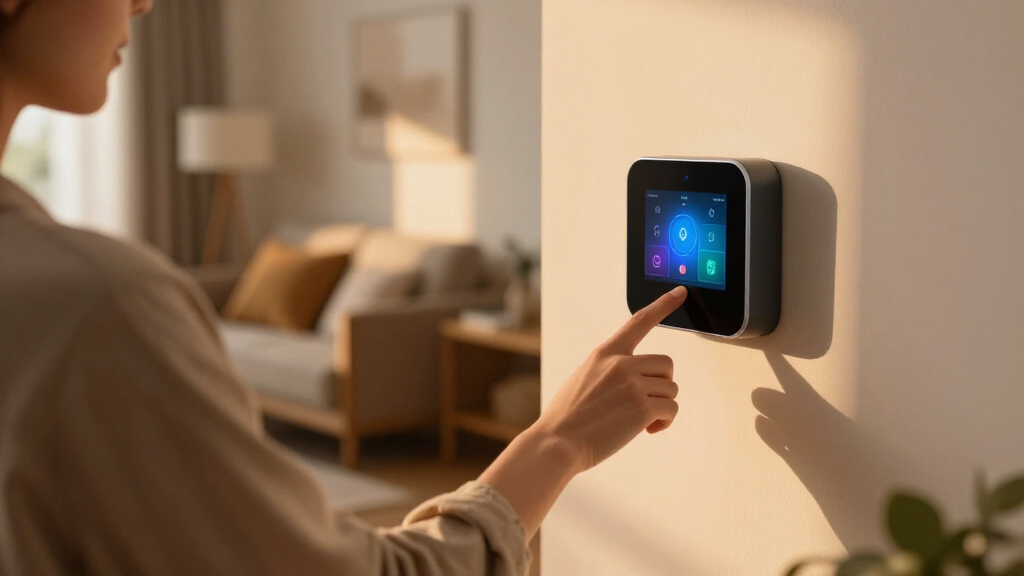
Our evaluation focused on compatibility with popular smart home devices, ease of setup, reliability, and automation capabilities. We prioritized products that support multiple protocols like Zigbee, Z-Wave, and Matter, ensuring future device compatibility. Build quality, user interface, and community support also influenced our rankings. Price was a factor, but we emphasized value for the features offered. This approach ensures the selected hubs meet the needs of both casual users and automation enthusiasts.| home automation hub | Compatibility |
|---|---|
| SONOFF Zigbee Bridge Pro Hub | — |
| Hubitat Elevation C-8 Pro Smar | Alexa, Google Home, Apple HomeKit, Ring |
| SwitchBot Hub 3 | Infrared appliances, SwitchBot devices, Matter |
| Aeotec Smart Home Hub | — |
| Aqara Smart Hub M100 for Home | Aqara Zigbee, Thread, Matter |
| Lutron Caseta Smart Hub Compat | Alexa, Apple HomeKit, Google Assistant, Ring, Serena shades, Sonos |
| Aqara Smart Home Hub M3 with M | — |
| Aeotec Smart Home Hub2 | Amazon Alexa, Google Assistant, SmartThings |
| Home Assistant Green | Smart H | — |
| Philips Hue Bridge Pro Smart L | — |
| Aqara Smart Hub M200 | — |
| Tapo Smart Hub with Built-in C | Android 5.0+ or iOS 10.0+ |
Factors to Consider When Choosing Home Automation Hub
Selecting the right home automation hub involves understanding your device ecosystem, automation needs, and budget. A well-chosen hub should seamlessly integrate your existing devices, support future upgrades, and offer reliable performance. Considering these factors will help you avoid common pitfalls like compatibility issues or overly complex setups. Here are key aspects to keep in mind:Compatibility with Devices and Protocols
Ensure the hub supports the protocols your devices use, such as Zigbee, Z-Wave, or Matter. A hub with broader protocol support can connect more devices, reducing the need for multiple controllers. Some hubs excel at integrating specific ecosystems, like Apple HomeKit or Google Assistant, so match the hub to your preferred smart home platform for smoother operation.
Ease of Use and Setup
Look for hubs with straightforward setup processes and intuitive interfaces. Beginners should prioritize user-friendly apps and clear instructions, while experienced users might appreciate advanced automation features and custom scripting. Remember, a complicated setup can discourage ongoing use or lead to misconfigurations.
Automation Capabilities and Customization
Assess whether the hub provides flexible automation options, such as scene creation, scheduling, and conditional triggers. Advanced users should seek hubs that support custom scripts or integrations with platforms like Home Assistant or open-source solutions. Simpler hubs might focus on basic device grouping and scene control, suitable for straightforward setups.
Build Quality and Reliability
Reliable operation depends on a sturdy build and stable software. Local control is a plus, as it reduces latency and dependency on cloud services. Consider reviews regarding firmware updates and community support, which influence long-term stability and security.
Price and Future-Proofing
While budget hubs can handle basic needs, investing in a versatile, feature-rich hub often pays off by supporting more devices and protocols. Premium hubs with features like IR blasters or built-in Chimes add convenience but come at a higher cost. Balance your current needs with potential future expansion to get the best value.
Frequently Asked Questions
Can I use multiple hubs in my smart home setup?
Yes, deploying multiple hubs can sometimes improve coverage and performance, especially in large homes or complex setups. However, managing multiple hubs can introduce complexity, so it’s often better to choose a single, highly versatile hub that supports all your devices. Some hubs also integrate with other controllers to expand functionality without needing separate units.
How important is protocol support for my smart devices?
Protocol support is critical because it determines whether your devices can connect directly to the hub. A hub supporting Zigbee, Z-Wave, and Matter ensures broad compatibility, reducing the chance of needing additional bridges or controllers. It also helps future-proof your setup as new devices and standards emerge.
Should I prioritize local control over cloud-based hubs?
Local control offers faster response times and increased privacy, making it a preferred choice for many users. Cloud-based hubs depend on internet connectivity and may expose your data to external servers. For critical automation or privacy concerns, hubs with local processing capabilities are generally more reliable and secure.
Is it worth paying extra for premium automation features?
Premium features like IR blasters, built-in chimes, or advanced scripting can significantly enhance convenience and customization. If you have a complex setup or want more control over automation routines, investing in a premium hub can be justified. For basic needs, however, a mid-range hub may provide sufficient functionality at a lower cost.
How future-proof are current home automation hubs?
Many modern hubs support emerging standards like Matter, which aims to unify device communication. Choosing a hub with multi-protocol support and ongoing firmware updates increases longevity. However, staying informed about compatibility and protocol trends is essential to ensure your setup remains functional over time.
Conclusion
For most users seeking a reliable, versatile home automation hub, the Hubitat Elevation C-8 Pro offers excellent local control and broad device support, making it ideal for privacy-conscious and tech-savvy households. Those with diverse device ecosystems or seeking compatibility with many protocols might prefer the Aeotec Smart Home Hub. For beginners or those prioritizing simple setup and user-friendly interfaces, the SwitchBot Hub 3 provides straightforward operation at an accessible price point. Finally, if automation sophistication and future-proofing are your goals, the Home Assistant Green stands out as a premium choice for advanced users. Your ideal pick depends on your current ecosystem, automation ambitions, and budget.
Halloween Picks

Vexalify 11-Inch Halloween Pumpkin Fog Machine with 12-Color Lights

Pumpkin Halloween Fog Machine with 12-Color LED Lights, Bluetooth Speaker, and Remote

12-Foot Inflatable Pumpkin Halloween Archway with LED Lights
As an affiliate, we earn on qualifying purchases.