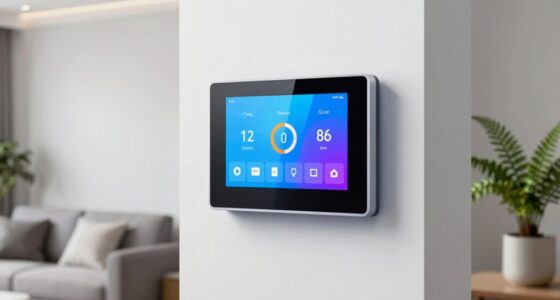
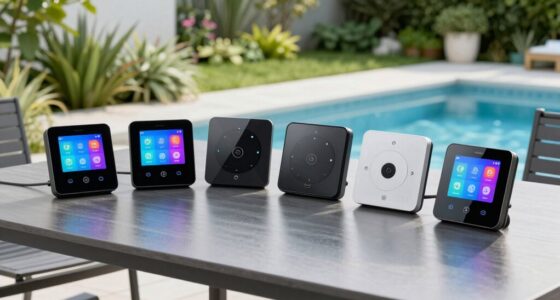
For most apartment residents, a doorbell camera is the most direct way to see who is outside; I’d put the Arlo Video Doorbell 2K first for its detailed video and wired-or-wireless flexibility. The Ring Battery Doorbell 2K is a strong alternative for buyers who prioritize a wide view and zoom, while the BOIFUN 2K Video Doorbell suits those seeking a no-subscription setup. The main tradeoffs are whether your lease permits door hardware changes, how much hallway the camera can capture, and whether you want a doorbell alone or a broader alarm system. Some options use indoor or window-facing cameras, which can avoid exterior mounting but may not show visitors as clearly. Read on for how the ten options differ and which setup fits your apartment.
Complete the kit



Key Takeaways
- Doorbell cameras lead this roundup for direct entry coverage: Arlo, Ring, Orbitell, and BOIFUN are designed to show visitors at the door, while indoor and window cameras depend on placement and sightlines.
- Arlo’s two listings are the same doorbell in different bundles: the camera-only version keeps the setup lean, and the version with Chime adds an indoor alert option.
- Ring and Arlo emphasize different kinds of coverage: Ring highlights a wide-angle view and zoom, while Arlo pairs 2K video with wired-or-wireless installation flexibility.
- Subscription and connectivity details can shape long-term fit: BOIFUN advertises no subscription requirement, Orbitell specifies 2.4GHz Wi-Fi, and cellular-capable alarm kits may offer a backup path beyond Wi-Fi.
- Multi-piece alarm kits add entry monitoring, not just video: the 13-piece and 22-piece systems bundle door or window sensors, so they suit buyers who want broader apartment alerts rather than a single-camera solution.




More Details on Our Top Picks
INFIYA 2.4/5GHz WiFi No-Drill Window Cameras for Home Security, 2K 3MP 2-Pack
For renters who can’t mount a camera outside their door, this two-camera set offers a way to monitor an apartment entry through a suitable window. Its magnetic mounts avoid drilling, while the 105-degree view and 3 MP resolution can capture a broad area near the glass. Compared with the Arlo Video Doorbell 2K (2nd Gen), the INFIYA cameras are less purpose-built for doorbell use: they lack the Arlo’s stated 180-degree view and two-way audio, but offer two camera positions and both local and optional cloud storage. The main limitation is placement. Continuous Type-C power means a nearby outlet and cable are needed, and glass reflections or a dark exterior can affect the view. I’d choose this for window-based coverage, not as a direct substitute for a doorbell camera.
Pros:- Two cameras allow coverage from separate window positions.
- Magnetic mounting avoids drilling into rental walls or frames.
- 3 MP resolution and a 105-degree view provide detail across a broad scene.
- TF-card storage up to 128 GB is available alongside optional cloud storage.
Cons:- Requires continuous power through a Type-C cable; there is no built-in battery.
- Window reflections and the stated limitation in pitch-black environments can reduce useful footage.
- An inclined mount for improved camera angles is sold separately.
Best for: Renters seeking a no-drill way to monitor an apartment entrance or hallway through a window, with two camera viewpoints and local storage.
Not ideal for: Buyers who need a standalone doorbell, two-way visitor conversations, battery operation, or dependable footage through glass in pitch-black conditions.
Our verdict“Choose the INFIYA pair if you need flexible, no-drill window coverage near an apartment door and can provide constant power.”
Indoor Home Security Camera with Motion Sensor and Remote Alarm System
This kit prioritizes warning over doorstep video: it combines an indoor camera with a motion sensor, a door/window alarm, remote controls, and a reported 110 dB alarm. For an apartment door, that makes sense when you want to know about entry and have an audible deterrent inside, rather than rely on a camera alone. Compared with the Arlo Video Doorbell 2K (2nd Gen) + Chime, it adds separate alarm components but does not provide the Arlo’s stated 2K doorbell view, weather resistance, or outdoor visitor-facing design. The tradeoff is setup and network fit: it needs 2.4 GHz Wi-Fi, the SD card is not included, and app features may require configuration. I’d favor it over a video-first option when indoor alerts matter most; skip it if your priority is seeing and speaking to someone at the threshold.
Pros:- Combines a camera with motion and door/window alarm components.
- Remote controls and app access support arming or disarming away from home.
- The listed 110 dB alarm provides an audible alert inside the apartment.
- Two-way audio supports communication through the indoor camera.
Cons:- Requires 2.4 GHz Wi-Fi and does not support 5 GHz networks.
- SD card storage is not included, so local recording needs a separate card.
- App setup and configuration may take more effort than a standalone doorbell camera.
Best for: Apartment residents who want an indoor camera paired with entry sensors, remote arming, and a loud alarm to alert them to a door or window opening.
Not ideal for: Buyers who need a weather-resistant camera mounted at the door, clear package monitoring, or compatibility with a 5 GHz-only Wi-Fi network.
Our verdict“Pick this kit if your apartment-door plan centers on indoor sensors and an audible alarm rather than outdoor visitor footage.”
Home Security System with Camera, WiFi + GSM Home Alarm Kit with Phone App Alert, Door/Window Sensors, Remote Control (13 Pieces)
The standout here is the mix of entry sensors and Wi-Fi/GSM connectivity, which makes this 13-piece kit more of an apartment alarm system than a single-camera door solution. Its camera records at 1080p, while the panel, sensors, RFID cards, remotes, and siren add ways to detect and respond to a door opening. Compared with the Indoor Home Security Camera with Motion Sensor and Remote Alarm System, this kit lists GSM as well as Wi-Fi and adds Alexa and Google Assistant compatibility; the simpler system instead specifies a 110 dB alarm and two-way audio. The 120 dB siren is a strong audible-alert feature, but a louder alarm does not replace a clear view of a visitor. 2.4 GHz Wi-Fi limits compatibility, and setup may involve pairing and configuring several parts. Choose it for layered entry alerts, not a simple doorbell experience.
Pros:- Thirteen-piece kit combines a camera, control panel, sensors, RFID cards, remotes, and siren.
- Wi-Fi and GSM connectivity offer more than a Wi-Fi-only alarm setup.
- A listed 120 dB siren can provide a prominent audible alert.
- Alexa and Google Assistant compatibility adds voice-control options.
Cons:- Camera resolution is 1080p rather than the 2K listed for the Arlo doorbells.
- Requires 2.4 GHz Wi-Fi, which excludes networks limited to 5 GHz.
- Pairing and configuring multiple components may be more involved than installing a standalone doorbell.
Best for: Apartment residents who want a multi-part entry alarm with a camera, door/window sensors, remote controls, and listed Wi-Fi plus GSM connectivity.
Not ideal for: Buyers seeking a simple, visitor-facing doorbell camera, a wide-angle 2K view, or an uncomplicated setup with minimal sensors.
Our verdict“Choose this 13-piece kit if you want layered door and window alerts with GSM support, and accept more setup than a single-camera system.”
Arlo Video Doorbell 2K (2nd Gen) Wireless or Wired – 1 Camera
For a camera aimed directly at an apartment entrance, this Arlo is the most door-focused option in the batch. Its 2K video and 180-degree field of view are suited to showing both visitors and packages in one frame, while two-way audio lets you respond without opening the door. Compared with the INFIYA 2-Pack, it is a dedicated video doorbell rather than a pair of window-mounted cameras; compared with the Arlo Video Doorbell 2K (2nd Gen) + Chime, this listing does not include a chime. Its rechargeable battery or wired trickle-charge options give renters some installation flexibility, and IP65 weather resistance suits exterior placement. The tradeoff is that advanced detection and extended video history require a paid subscription, while busy entryways can mean more battery recharging. I’d choose it for direct visitor coverage, not for a broad multi-room alarm system.
Pros:- 2K resolution and a 180-degree field of view suit monitoring visitors and packages.
- Rechargeable battery or wired trickle-charge power offers installation flexibility.
- IP65 weather resistance supports placement outdoors at an apartment entrance.
- Two-way audio and a built-in siren allow direct response to activity.
Cons:- A paid subscription is required for full smart detection features and extended video history.
- Frequent activity may increase how often the battery needs recharging.
- This one-camera listing does not include the chime supplied with the Arlo + Chime option.
Best for: Apartment residents who want a weather-resistant, 2K doorbell camera with a wide view, two-way audio, and a choice of battery or wired power.
Not ideal for: Buyers who need an included indoor chime, extensive local storage, or advanced detection and video history without a subscription.
Our verdict“Choose this Arlo if your priority is a wide-view, weather-resistant doorbell camera and you are comfortable with subscription limits.”
Arlo Video Doorbell 2K (2nd Gen) Wireless or Wired – 1 Camera + Chime
The included chime gives this Arlo bundle a practical advantage for apartments, where a phone alert alone can be easy to miss indoors. It otherwise shares the key door-view strengths of the standalone Arlo Video Doorbell 2K (2nd Gen): 2K video, a 180-degree field of view, two-way audio, and battery or wired power. Compared with that camera-only listing, this version adds a chime, but it does not change the core subscription tradeoff: advanced detection and extended cloud history depend on a paid plan after the included trial. Its people, vehicle, package, and animal detection can help sort alerts, though buyers should check whether those features meet their needs before relying on them without a subscription. IP65 weather resistance supports exterior use, but a busy doorway can still mean more battery charging. I’d pick this bundle over the standalone Arlo when an audible indoor alert matters.
Pros:- Included chime adds an indoor alert alongside smartphone notifications.
- 2K resolution and a 180-degree field of view cover a broad entrance scene.
- Battery or wired trickle-charge power supports different installation situations.
- Two-way audio, night vision, and IP65 weather resistance suit doorstep monitoring.
Cons:- A paid subscription is required for advanced features and extended video history.
- Frequent activity may require more frequent battery recharging.
- The single-camera bundle offers less whole-apartment coverage than a multi-sensor alarm kit.
Best for: Apartment residents who want a 2K doorbell camera plus an included chime so visitors can be heard without relying only on phone notifications.
Not ideal for: Buyers who want advanced detection and long-term video history without a subscription, or who need a multi-camera alarm kit rather than one doorbell.
Our verdict“Choose the Arlo + Chime bundle if you want wide-view doorstep video and an audible indoor alert in one package.”
Orbitell 1080p Wireless Wi-Fi Video Doorbell Camera with Two-Way Audio, Night Vision, Cloud Storage, Smart AI Motion Detection, Support 2.4GHz Wi-Fi only
The Orbitell suits renters who want a straightforward doorbell camera with 1080p video, two-way audio, and night vision rather than a multi-camera setup. Its AI motion detection can help cut down alerts from routine activity, while AES-128 encrypted cloud storage keeps clips off a removable card. Compared with the BOIFUN Video Doorbell Camera, Orbitell offers encrypted cloud storage instead of the BOIFUN’s subscription-free microSD option; that makes Orbitell simpler for buyers who prefer cloud clips but less appealing to anyone avoiding ongoing service requirements. The IP65 weather resistance is useful for an exposed apartment entrance, though building rules may restrict mounting devices in shared hallways. Its main connectivity limit is clear: it supports 2.4GHz Wi-Fi only, so it will not suit a network configured exclusively for 5GHz.
Pros:- 1080p video, night vision, and two-way audio cover basic day-and-night doorstep checks.
- AI-powered motion detection is designed to reduce alerts from irrelevant movement.
- AES-128 encrypted cloud storage avoids the need to supply a microSD card.
- IP65 weather resistance suits outdoor placement where building rules allow it.
Cons:- 2.4GHz-only Wi-Fi excludes networks that use 5GHz exclusively.
- Cloud storage may be a poor fit for buyers who want local recording or to avoid service dependencies.
- A doorbell camera may not be permitted in shared apartment corridors.
Best for: Apartment renters with a compatible 2.4GHz network who want encrypted cloud clips and basic two-way doorstep communication.
Not ideal for: Renters whose building prohibits door-mounted cameras, buyers with only 5GHz Wi-Fi, or anyone who wants local recording without relying on cloud storage.
- Resolution:1080p
- Connectivity:Wi-Fi, 2.4GHz only
- Audio:Two-way
- Night vision:Yes
- Storage:Cloud, AES-128 encrypted
- Weather resistance:IP65
- Dimensions:1.77 x 1.34 x 5.4 inches
Our verdict“Choose Orbitell for basic, cloud-based door monitoring if your apartment allows a mounted camera and your Wi-Fi supports 2.4GHz.”
Ring Battery Doorbell 2K (Newest Model) with Wide-Angle Video, 6x Zoom, Two-Way Talk, and Built-In Battery
For an apartment entrance where identifying a visitor matters more than keeping the setup minimal, the Ring Battery Doorbell 2K pairs 2K video with a 140° by 140° field of view and up to 6x zoom. That combination gives more room to see people approaching and more detail when checking a captured view than the 1080p Orbitell. Its built-in rechargeable battery and included mounting hardware make installation less dependent on existing doorbell wiring, a useful advantage for renters who have permission to mount a device. The tradeoff is its service and network footprint: cloud storage and AI features require a Ring Protect subscription, and the device is listed for 2.4GHz Wi-Fi. The BOIFUN is a better match for buyers who prioritize local recording without a subscription, while Ring is the stronger fit for those who value zoom and Alexa compatibility.
Pros:- 2K video and up to 6x zoom provide more detail for checking people at the door.
- 140° horizontal and vertical field of view covers a broad approach area.
- Rechargeable built-in battery supports installation without existing doorbell wiring.
- Two-way talk and Alexa compatibility support remote visitor communication.
Cons:- Ring Protect subscription is required for cloud storage and AI features.
- Wi-Fi specification lists 2.4GHz, with no 5GHz support listed.
- The product specifies an internet speed of at least 10 Mbps for optimal performance.
Best for: Renters permitted to mount a doorbell who want a wide view, zoom for checking visitors, and Alexa-compatible operation.
Not ideal for: Buyers seeking subscription-free cloud and AI features, people with only 5GHz Wi-Fi, or residents unable to mount a device on the shared entrance.
- Video resolution:Retinal 2K
- Field of view:140° horizontal, 140° vertical
- Zoom:Up to 6x enhanced zoom
- Audio:Two-way talk
- Battery:Built-in lithium-ion
- Connectivity:Wi-Fi 4, 2.4GHz
- Dimensions:2.11 x 5.78 x 1.41 inches
- Operating conditions:-4°F to 120°F (-20°C to 48.5°C)
Our verdict“Pick the Ring when zoomable 2K doorstep footage and Alexa support matter more than subscription-free recording.”
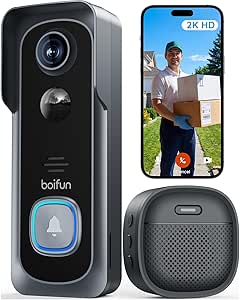
BOIFUN Video Doorbell Camera Wireless – 2K HD, No Subscription Required
The BOIFUN stands out for apartment residents who want 2K doorbell footage without a required subscription. Its microSD support lets buyers keep recordings locally, unlike the cloud-focused Orbitell, though the card must be purchased separately and the capacity tops out at 128GB. A 166° field of view can cover more of the doorstep than the Ring Battery Doorbell 2K’s listed 140° horizontal view, but Ring offers higher-detail zoom for examining a particular visitor. BOIFUN also includes human detection, infrared night vision rated up to 10 meters, and two-way audio, balancing useful entry monitoring with local storage. Its 2.4GHz-only Wi-Fi is a notable limitation in apartments where network access is restricted or only 5GHz is available. Battery life is stated as up to 60 days under laboratory conditions, so actual recharge intervals may vary with use.
Pros:- Essential features do not require a subscription.
- 166° field of view captures a broad area around the doorway.
- Local microSD recording supports cards up to 128GB.
- Human detection, infrared night vision, and two-way audio support everyday doorstep monitoring.
Cons:- MicroSD card is not included.
- 2.4GHz-only Wi-Fi is incompatible with 5GHz-only networks.
- The up-to-60-day battery figure is based on laboratory conditions and may not reflect frequent activity.
Best for: Budget-conscious renters who can install a microSD card and want subscription-free local recording with a broad view of the entrance.
Not ideal for: Residents with only 5GHz Wi-Fi, buyers who do not want to manage a memory card, or anyone needing zoom to inspect faces closely.
- Resolution:2K HD
- Field of view:166°
- Aperture:f/2.5
- Wi-Fi:2.4GHz only
- Night vision:Infrared, up to 10 meters
- Battery life:Up to 60 days under laboratory conditions
- Storage:MicroSD cards up to 128GB
- App:BoifunCam
Our verdict“Choose BOIFUN if local, subscription-free recording and a wide view matter more than zoom or dual-band Wi-Fi.”
VIMTAG 2.5K Indoor/Outdoor Security Cameras (2 Pack)
VIMTAG is the most flexible pick here for renters who need to watch both an entry area and another space, such as a living room or interior hallway. The two-camera pack gives more placement options than any single doorbell in this group, while dual-band 2.4/5GHz Wi-Fi can suit apartments where a doorbell limited to 2.4GHz, such as Orbitell or BOIFUN, will not connect. Its 2.5K video, color night vision, motion detection, two-way audio, and siren add useful monitoring tools. These are cameras rather than a dedicated doorbell, however, so they do not provide the same doorbell-button interaction as Ring. They also need a 5V power supply, and the 33-foot night-vision range may limit placement in a long corridor. Cloud storage requires a subscription; local recording needs a separate microSD card.
Pros:- Two cameras can cover the entry and a separate room or approach.
- 2.5K video and full-color night vision provide detailed monitoring in low light.
- Dual-band 2.4/5GHz Wi-Fi offers more network flexibility than the 2.4GHz-only doorbells.
- Motion detection, two-way audio, and siren alerts add response options.
Cons:- These are cameras, not a dedicated video doorbell with a visitor button.
- Cloud storage requires a subscription, while microSD cards are sold separately.
- The 33-foot night-vision range may be limiting in long or poorly lit shared corridors.
Best for: Apartment residents allowed to place cameras who want two powered views, dual-band Wi-Fi, and coverage beyond the front door.
Not ideal for: Renters who need a doorbell button, cannot place or power cameras, or want cloud recording without a subscription.
- Number of cameras:2
- Video resolution:2.5K
- Connectivity:Dual-band Wi-Fi, 2.4GHz and 5GHz
- Night vision range:33 feet
- Water resistance:IP66
- Storage:Cloud subscription or microSD card sold separately
- Power:5 volts, 5 watts
- Mounting options:Wall, ceiling, tabletop, or freestanding
Our verdict“Choose VIMTAG for two powered camera views and dual-band Wi-Fi, but skip it if you need a conventional doorbell interaction.”
Wireless Home Security System with 22 Pieces, 2K HD Camera, WiFi & 4G, App Control, No Monthly Fees, Alexa Compatible, for Apartment
This kit takes a broader approach than a doorbell camera: its 22 pieces combine a 2K camera with multiple sensors and an emergency SOS device, making it a better fit for renters who want alerts about doors or windows as well as camera footage. The listed 120 dB audible alert adds a local warning that the Ring Battery Doorbell 2K and BOIFUN doorbell do not provide as part of their stated features. It also advertises operation without monthly fees, though cellular alerts require a 4G SIM card and a microSD card is sold separately. The camera connection is 2.4GHz Wi-Fi only, so it does not solve a 5GHz-only network problem. Compared with the two-camera VIMTAG set, this kit prioritizes sensors and alarm response over multiple high-resolution camera views; check building rules before using a loud alarm in shared housing.
Pros:- 22-piece kit combines a camera with multiple sensors and an emergency SOS device.
- 2K camera supports app-based remote monitoring.
- Advertised operation has no monthly fees.
- A 120 dB audible alert can provide an immediate local warning.
Cons:- Cellular alerts require a separate 4G SIM card.
- MicroSD card is sold separately.
- Wi-Fi is limited to 2.4GHz, and a loud alarm may not suit apartment living.
Best for: Apartment households seeking door and window sensors, app alerts, an SOS device, and a camera in one kit.
Not ideal for: Renters who only want a simple video doorbell, have a 5GHz-only network, or cannot use a loud alarm or install multiple sensors.
- Unit count:22 pieces
- Video resolution:2K
- Connectivity:Wireless; 2.4GHz Wi-Fi and 4G alerts
- App:Smart Life App
- Alert type:Motion
- Maximum range:1000 feet
- Audible alert:120 dB
- Power source:Battery powered
Our verdict“Choose this kit if sensors and alarm response matter as much as camera footage, rather than buying it solely for doorbell monitoring.”
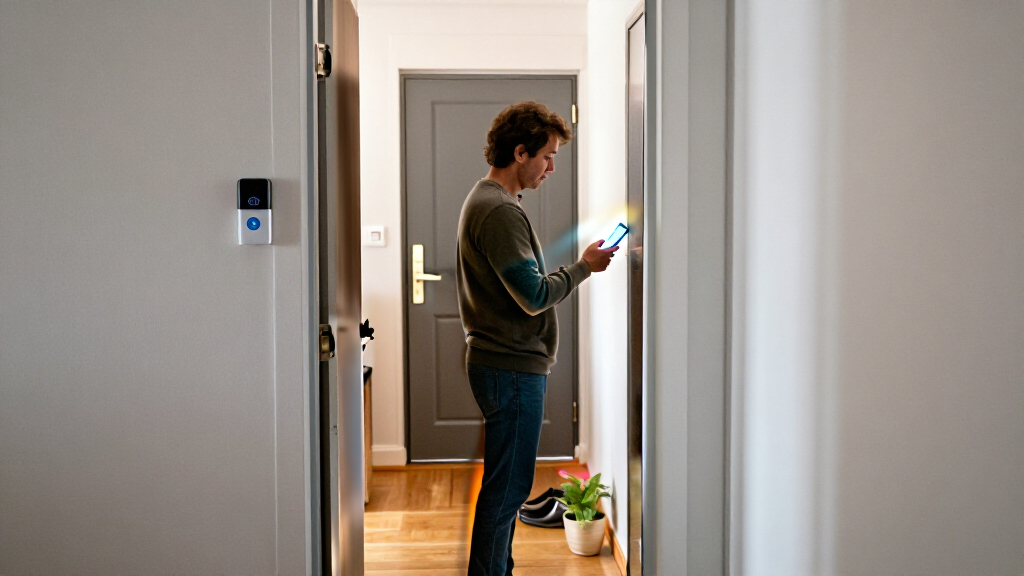
How We Picked
I ranked these options around the job most apartment buyers need done: seeing and responding to activity at the entry without creating installation or privacy problems. I weighed door-level video coverage, mounting flexibility, alert and two-way communication features, connectivity requirements, and whether the listing describes local, cloud, or subscription-dependent use. I also considered whether each product is a focused camera or part of a larger system, since extra sensors can improve coverage but add setup and management.
The order favors products with a clear role at an apartment door and useful flexibility for different leases and layouts. The Arlo doorbell leads as a balanced dedicated entry camera; Ring follows for buyers who value its wide view and zoom. BOIFUN stands out for subscription-conscious buyers, while Orbitell is a simpler Wi-Fi doorbell option. Indoor, window, and multi-piece alarm systems rank lower for direct door viewing, but can be better matches when exterior mounting is restricted or broader sensor coverage matters more than a doorbell view.
Factors to Consider When Choosing Home Security Camera Systems For Apartment Doors
Choosing a camera for an apartment door is less about collecting the most features and more about matching the device to your building rules, hallway layout, and alert habits. I’d settle those constraints before comparing resolution or accessory bundles.
Check Lease Rules and Building Policies Before Mounting
A camera that suits your doorway can still be a poor fit if it requires drilling, replaces a shared doorbell, or records areas your building restricts. Check your lease and ask management about adhesive mounts, door-frame attachments, and devices facing shared corridors. A no-drill option may reduce installation friction, but it does not automatically make recording a shared space acceptable. Also check whether the door opens close to the camera; a protruding mount can be knocked or obstructed. If mounting outside is not allowed, a window-facing or indoor camera can be a fallback, though glass reflections and limited angles may reduce useful footage. Choose the placement and field of view around your own threshold, not the largest possible view of the hallway.
Match the Camera View to Your Doorway Geometry
Doorbell cameras and indoor cameras solve different viewing problems. A doorbell camera is positioned to capture a visitor approaching the entrance, while a camera set behind a window may see through glass but can struggle with reflections, glare, or night vision. Before buying, measure the distance from the door to the opposite wall and check whether a peephole, frame, or neighboring doorway blocks the likely camera angle. Wide coverage can reveal more of a landing, but it may capture more shared space than you intend. Zoom can help inspect details in a broad frame, yet digital enlargement cannot restore detail that was never captured clearly. When possible, prioritize a clean view of the door and person over a sweeping view of the corridor.
Plan for Wi-Fi Strength, Power, and Outages
Apartment Wi-Fi can be weakest near the entrance, especially when the router sits in a back room or behind dense walls. Confirm the camera’s supported band before ordering; a 2.4GHz-only model may work with many routers but will not connect to a network configured only for another band. Battery-powered doorbells avoid wiring, but they still need charging and can be affected by how often motion triggers recording. Wired power reduces charging chores, though access to suitable wiring is not guaranteed in a rental. If losing internet would leave a gap in alerts, look at whether the system offers cellular communication or another local alarm path. Treat backup connectivity as a separate capability from video recording: one does not automatically guarantee the other.
Compare Recording and Subscription Terms, Not Just Live View
A live camera feed and a saved event clip are different things. Check how each model stores recordings, how long clips remain available, and whether playback or alert features depend on a paid plan. A product described as requiring no subscription may reduce ongoing dependence on a service, but read the storage details to learn where recordings go and how they are accessed. Cloud storage can make clips available away from home, while local storage may suit people who prefer fewer service dependencies. Think through what you would need after an incident: a real-time notification, a clip from earlier that day, or a longer archive. Make that choice before treating a headline storage claim as a complete answer.
Choose Between a Door Camera and a Full Alarm Kit
A doorbell camera is usually the simpler choice when your main question is who is at the entrance. A kit with door and window sensors covers more openings and can alert you when a sensor is triggered, but it brings additional setup, batteries, and notifications to manage. In a small apartment, a large sensor bundle may leave pieces unused; in a ground-floor unit with several accessible windows, the extra coverage may matter more. Check whether camera alerts and sensor alerts appear in the same app and whether the system can still signal an event when the internet is unavailable. Avoid paying attention to the piece count alone: the useful measure is how many vulnerable entry points you can actually cover.
Set Privacy and Alert Boundaries Before Daily Use
Apartment cameras can record neighbors, delivery workers, or visitors to nearby units, so a narrower view often makes for a better setup. Use activity zones or sensitivity controls where available, and aim the lens so it captures your threshold rather than a neighboring door. Think about who can access the account, whether shared household members need separate access, and how quickly alerts should reach them. Too many motion notifications can lead people to mute alerts, which defeats the purpose of monitoring. Before relying on a camera while away, test its notifications and viewing angle at different times of day. A quiet, well-aimed system is often more useful than one that sends frequent irrelevant alerts.
Frequently Asked Questions
Can I install a video doorbell in a rented apartment without drilling?
Sometimes, but the answer depends on your lease, building rules, and the doorbell’s mounting method. Adhesive or door-frame mounts can avoid holes, yet they may not be allowed on shared doors or in corridors. Ask management before attaching equipment and check that a mount will not obstruct the door or interfere with a fire-safety feature. If exterior mounting is not permitted, an indoor or window-facing camera may be an alternative, with reduced angle and possible glass glare. Keep the original hardware and document any approved changes so the setup can be removed cleanly when you move.
Will an apartment door camera record the hallway when I’m away from home?
Many cameras can send motion alerts and save event footage while you are away, but this depends on power, Wi-Fi, app settings, and the recording plan or storage method. Confirm whether remote playback is included and whether saved clips remain available long enough for you to retrieve them. Test the camera from a mobile connection rather than assuming the live view works only because it loads on home Wi-Fi. Building rules and local privacy requirements may limit how much of a shared hallway you should record. Aim the camera to capture your doorway and use activity zones where supported.
Should I choose a doorbell camera or a multi-sensor alarm kit for my apartment?
Choose a doorbell camera if your main need is to identify visitors and see activity at the entrance. A multi-sensor kit makes more sense when you also want alerts for windows or other doors, especially if those are accessible from outside. The larger system usually means more pieces to install, maintain, and manage in the app. In a compact unit with one main entry, several sensors may add clutter without much extra coverage. Map the openings you want monitored before choosing a kit, rather than letting the number of included parts decide for you.
Can a camera work if my apartment Wi-Fi drops or my router is far from the door?
A weak signal can delay alerts, interrupt live viewing, or prevent cloud clips from uploading, so check reception at the planned mounting spot before settling on a model. A 2.4GHz-compatible camera may connect more easily through walls than some higher-frequency setups, but it still needs a usable signal. Some alarm systems list cellular connectivity, which may provide a separate route for alerts; check whether that applies to the alarm, the camera, or both. Battery power does not solve a network problem. If the signal is poor, consider router placement or a compatible network extender before relying on the camera for important notifications.
Do I need a subscription to save and review apartment camera footage?
Not always, but the answer varies by model and by the storage features you need. Some listings advertise no subscription requirement, while other products may tie cloud recording or extended clip history to a service plan. Read the storage details for event recording, remote playback, retention time, and any local-storage limits. A camera that offers live viewing without a plan may still provide less useful history than you expect. Decide how long you need footage kept and whether you want recordings stored locally or through a cloud service before choosing.
Conclusion
For a dedicated apartment-door camera with flexible installation, I’d choose the Arlo Video Doorbell 2K as the best overall pick; select the camera-only listing for a lean setup or the Chime bundle if an indoor alert is useful. The BOIFUN 2K Video Doorbell is my best value-style choice for buyers who want a no-subscription option, while the Ring Battery Doorbell 2K is the premium-leaning pick for shoppers who prioritize a wide view and zoom. Beginners who want a straightforward door-focused device can start with the Orbitell, provided their network supports 2.4GHz Wi-Fi. For renters who cannot mount a doorbell, consider the INFIYA window cameras; for broader entry monitoring, look at the 13-piece or 22-piece alarm kits. Choose the setup that fits your building rules and actual coverage needs, not simply the one with the most hardware.