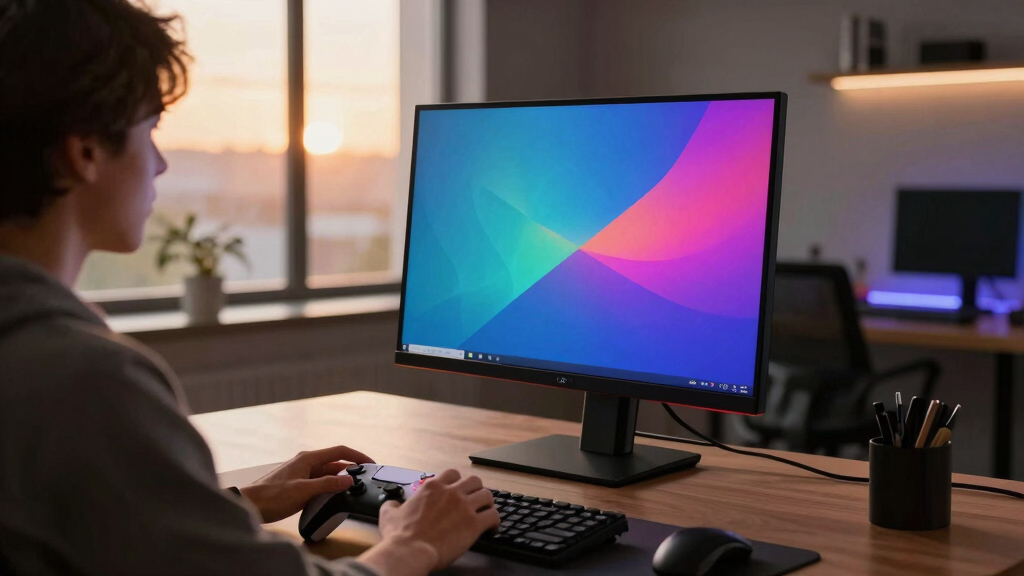
The ASUS ROG PG27UCDM is my best overall pick for its 27-inch 4K QD-OLED panel and 240Hz refresh rate, while the LG 32GX870A-B stands out for its dual-mode flexibility and the MSI MAG 321UPX for a large 32-inch QD-OLED screen. This roundup compares 14 models, including several strong options that are not true 4K: the Samsung Odyssey OLED G5 is QHD, so it should not be treated as a 4K alternative. Buyers are balancing pixel density, screen size, refresh rate, connectivity, and the cost of OLED-specific care. A 27-inch display suits tighter desks and sharper-looking text, while 32-inch models offer a larger view of games and can ask more of your graphics card. Continue reading for the full breakdown and a guide to choosing the right 4K OLED monitor for your setup.

Get the latest gadgets delivered free with Prime
- Fast, free delivery on millions of items
- Prime Video, Amazon Music and more included
- Member-only deals all year
Complete the kit



Key Takeaways
- Most of the strongest matches pair 4K with 240Hz. ASUS, MSI, INNOCN, and several LG options offer that combination, but driving demanding games at those settings takes a powerful PC or console with appropriate video output.
- Screen size is a real choice, not just a preference. The 27-inch ASUS and INNOCN models fit smaller desks and keep pixels dense; the 32-inch models provide more screen area but need more viewing distance.
- Dual-mode models suit changing game genres. The LG 32GX870A-B and LG 32GX850A-B can shift priorities between resolution and refresh rate, making them more versatile than a fixed-mode screen.
- Not every monitor in the list is 4K. The Samsung Odyssey OLED G5 (G50SF) is QHD, so buyers who require 3840 × 2160 should skip it; the Odyssey OLED G7 (G73SH) is the Samsung 4K choice here.
- Connections and panel features separate close contenders. USB-C power delivery, DisplayPort 2.1, curved screens, glossy finishes, and QD-OLED versus OLED can matter more to a specific setup than a small refresh-rate difference.
| ASUS ROG PG27UCDM 27-Inch 4K 240Hz OLED Gaming Monitor |  | Best Overall 27-Inch Pick | Display size: 26.5 inches | Resolution: 3840 x 2160 (4K UHD) | Panel technology: QD-OLED | VIEW ON AMAZON | See Our Full Breakdown |
| MSI MAG 321UPX QD-OLED 32-Inch 4K UHD Gaming Monitor with 240Hz, HDR400, and USB-C |  | Best for Large-Screen 240Hz Gaming | Display size: 32 inches | Resolution: 3840 x 2160 (4K UHD) | Panel technology: QD-OLED | VIEW ON AMAZON | See Our Full Breakdown |
| MSI MAG 272UP QD-OLED X24 27-Inch 4K UHD Gaming Monitor |  | Best Compact 4K QD-OLED with USB-C | Display size: 26.5 inches | Resolution: 3840 x 2160 (4K UHD) | Panel technology: Quantum Dot OLED | VIEW ON AMAZON | See Our Full Breakdown |
| Samsung 27-inch Odyssey OLED G5 (G50SF) Series QHD Gaming Monitor |  | Best OLED Alternative for QHD Gaming | Screen size: 27 inches | Resolution: QHD (2560 x 1440) | Panel technology: QD-OLED | VIEW ON AMAZON | See Our Full Breakdown |
| Samsung 32-inch Odyssey OLED G7 (G73SH) Series Gaming Monitor |  | Best for Flexible Refresh-Rate Modes | Display size: 32 inches | Resolution: 3840 x 2160 (4K UHD) | Display technology: OLED | VIEW ON AMAZON | See Our Full Breakdown |
| ASUS ROG XG32UCWG 32-Inch 4K 165Hz Glossy OLED G-SYNC Gaming Monitor |  | Best for Players Who Switch Between 4K and High-Refresh Competitive Gaming | Display size: 32 inches | Resolution: 3840 x 2160 (4K UHD) | Refresh modes: 4K at 165Hz; FHD at 330Hz | VIEW ON AMAZON | See Our Full Breakdown |
| LG 32GX870A-B 32-inch UltraGear 4K UHD OLED Gaming Monitor |  | Best for Extreme Dual-Mode Refresh Rates | Display size: 32 inches | Resolution: 3840 x 2160 (4K UHD) | Refresh modes: 4K at 240Hz; FHD at 480Hz | VIEW ON AMAZON | See Our Full Breakdown |
| INNOCN 27-inch OLED 4K 240Hz Monitor |  | Best Compact 4K OLED Pick | Display size: 27 inches | Resolution: 3840 x 2160 (4K UHD) | Refresh rate: 240Hz | VIEW ON AMAZON | See Our Full Breakdown |
| MSI MPG 321URX QD-OLED 32-Inch 4K UHD Gaming Monitor |  | Best for Wide-Gamut 4K OLED Gaming | Display size: 32 inches | Resolution: 3840 x 2160 (4K UHD) | Panel technology: QD-OLED | VIEW ON AMAZON | See Our Full Breakdown |
| Acer Predator X32 31.5-inch Curved 4K UHD QD-OLED Gaming Monitor |  | Best Curved 4K OLED Pick | Display size: 31.5 inches | Resolution: 3840 x 2160 (4K UHD) | Curvature: 1700R | VIEW ON AMAZON | See Our Full Breakdown |
| LG 32GX850A-B 32″ UltraGear 4K UHD OLED Gaming Monitor with Dual-Mode 165Hz/330Hz, G-SYNC, FreeSync Premium Pro |  | Best for Flexible Refresh-Rate Play | Display size: 32 inches | Resolution: 3840 x 2160 (4K UHD) | Panel: OLED | VIEW ON AMAZON | See Our Full Breakdown |
| ASUS ROG XG32UCWMG 32-Inch 4K 240Hz OLED Gaming Monitor |  | Best for High-Refresh 4K Gaming | Display size: 32 inches | Resolution: 3840 x 2160 (4K) | Panel: TrueBlack Glossy OLED | VIEW ON AMAZON | See Our Full Breakdown |
| MSI MAG 321CUP QD-OLED 32-Inch 4K UHD Gaming Monitor |  | Best Curved 32-Inch Pick | Display size: 32 inches | Resolution: 3840 x 2160 (4K UHD) | Panel technology: Quantum Dot OLED | VIEW ON AMAZON | See Our Full Breakdown |
| ASUS ROG XG27UCDMG 27-Inch 4K 240Hz QD-OLED Gaming Monitor |  | Best Compact 4K OLED | Display size: 26.5 inches | Resolution: 3840 x 2160 (4K UHD) | Panel technology: QD-OLED | VIEW ON AMAZON | See Our Full Breakdown |
| 4k oled gaming monitor | Resolution | Response time | Display size | Refresh rate |
|---|---|---|---|---|
| ASUS ROG PG27UCDM 27-Inch 4K 2 | 3840 x 2160 (4K UHD) | 0.03ms | 26.5 inches | 240Hz |
| MSI MAG 321UPX QD-OLED 32-Inch | 3840 x 2160 (4K UHD) | 0.03ms | 32 inches | 240Hz |
| MSI MAG 272UP QD-OLED X24 27-I | 3840 x 2160 (4K UHD) | 0.03ms | 26.5 inches | 240Hz |
| Samsung 27-inch Odyssey OLED G | QHD (2560 x 1440) | 0.03ms (GTG) | — | 180Hz |
| Samsung 32-inch Odyssey OLED G | 3840 x 2160 (4K UHD) | 0.03ms | 32 inches | 165Hz at 4K; 330Hz at Full HD in dual mode |
| ASUS ROG XG32UCWG 32-Inch 4K 1 | 3840 x 2160 (4K UHD) | 0.03ms | 32 inches | — |
| LG 32GX870A-B 32-inch UltraGea | 3840 x 2160 (4K UHD) | 0.03ms | 32 inches | — |
| INNOCN 27-inch OLED 4K 240Hz M | 3840 x 2160 (4K UHD) | 0.03ms | 27 inches | 240Hz |
| MSI MPG 321URX QD-OLED 32-Inch | 3840 x 2160 (4K UHD) | 0.03ms | 32 inches | 240Hz |
| Acer Predator X32 31.5-inch Cu | 3840 x 2160 (4K UHD) | 0.03ms GTG | 31.5 inches | 240Hz |
| LG 32GX850A-B 32" UltraGear 4K | 3840 x 2160 (4K UHD) | 0.03ms (GtG) | 32 inches | 165Hz at 4K; 330Hz in Full HD mode |
| ASUS ROG XG32UCWMG 32-Inch 4K | 3840 x 2160 (4K) | 0.03ms | 32 inches | 240Hz at 4K; 480Hz in Full HD mode |
| MSI MAG 321CUP QD-OLED 32-Inch | 3840 x 2160 (4K UHD) | 0.03ms (GtG) | 32 inches | 165Hz |
| ASUS ROG XG27UCDMG 27-Inch 4K | 3840 x 2160 (4K UHD) | 0.03ms | 26.5 inches | 240Hz |
More Details on Our Top Picks
ASUS ROG PG27UCDM 27-Inch 4K 240Hz OLED Gaming Monitor
The ASUS ROG PG27UCDM pairs 4K detail with a 240Hz QD-OLED panel and a 0.03ms response time, making it a strong fit for players who want sharp image quality without giving up speed. Its 26.5-inch display keeps pixels dense and takes up less space than 32-inch options such as the MSI MAG 321UPX. ASUS also lists burn-in protection and flicker reduction, useful safeguards for a display that may show static game interfaces or desktop elements. Broad connectivity, including DisplayPort 2.1a in the supplied product details, adds flexibility for current and future setups. The tradeoff is that this compact-screen, high-spec combination may be more than casual players need, and OLED still calls for sensible care around persistent static content.
Pros:- 4K resolution and 240Hz refresh rate in a 26.5-inch display
- 0.03ms response time and QD-OLED contrast
- Burn-in protection and flicker-reduction features
- Broad connectivity, including DisplayPort 2.1a in the supplied description
Cons:- A 27-inch-class screen offers less viewing area than the MSI MAG 321UPX
- OLED requires care with persistent static interface elements
- The high-end feature set may be unnecessary for casual gaming
Best for: PC gamers who want a compact 4K screen with a 240Hz refresh rate and high pixel density.
Not ideal for: Players who prioritize a larger 32-inch image area or mainly play games that cannot take advantage of high refresh rates.
- Display size:26.5 inches
- Resolution:3840 x 2160 (4K UHD)
- Panel technology:QD-OLED
- Refresh rate:240Hz
- Response time:0.03ms
- Contrast ratio:1,500,000:1
- Viewing angle:178 degrees
- Mounting:VESA compatible
Our verdict“Choose the PG27UCDM if you want a compact 4K OLED that combines 240Hz gaming with a robust set of listed protections and connections.”
MSI MAG 321UPX QD-OLED 32-Inch 4K UHD Gaming Monitor with 240Hz, HDR400, and USB-C
The MSI MAG 321UPX is the large-screen alternative to compact 27-inch models such as the ASUS ROG PG27UCDM: its 32-inch QD-OLED panel gives games more room to fill your view while retaining 4K resolution and 240Hz refresh. The listed 0.03ms response time suits fast play, and HDR True Black 400 support is intended to preserve OLED’s strong contrast in compatible content. USB-C joins HDMI and DisplayPort, while the adjustable stand helps with positioning. This is a better match for a deep desk and immersive single-player games than for someone who wants the highest pixel density in a smaller footprint. The provided details do not specify built-in speakers, and the full benefit of HDMI 2.1 features depends on compatible hardware.
Pros:- 32-inch QD-OLED screen with 4K resolution and 240Hz refresh
- 0.03ms listed response time
- USB-C alongside HDMI and DisplayPort
- Adjustable stand and HDR True Black 400 support
Cons:- Requires more desk space than the 27-inch ASUS ROG PG27UCDM
- Full HDMI 2.1 feature support depends on connected hardware
- Built-in speaker information is not specified in the supplied data
Best for: PC and console players with room for a 32-inch display who want 4K detail, 240Hz motion, and USB-C connectivity.
Not ideal for: Desk-limited buyers or players who prefer a smaller, denser-looking 27-inch image.
- Display size:32 inches
- Resolution:3840 x 2160 (4K UHD)
- Panel technology:QD-OLED
- Refresh rate:240Hz
- Response time:0.03ms
- HDR:HDR True Black 400
- Connectivity:HDMI, DisplayPort, USB Type-C
- Warranty:3 years
Our verdict“Pick the MAG 321UPX if a spacious 32-inch 4K OLED matters more to you than a compact setup.”
MSI MAG 272UP QD-OLED X24 27-Inch 4K UHD Gaming Monitor
The MSI MAG 272UP QD-OLED X24 targets gamers who want the crisp, compact format of a 27-inch-class 4K screen, plus a 240Hz refresh rate and USB-C with 15W power delivery. Like the larger MSI MAG 321UPX, it uses QD-OLED and lists a 0.03ms response time; the difference is a smaller display and a USB-C connection specified at modest charging power. DisplayHDR True Black 400 support and 98% DCI-P3 coverage suit vivid games and media, while the 100 x 100 mm VESA mount gives owners another way to reclaim desk space. The supplied weight and dimensions suggest checking desk or arm capacity before mounting. It is not the pick for buyers who want a larger screen or more USB-C charging capacity.
Pros:- 26.5-inch-class 4K QD-OLED screen with 240Hz refresh
- 0.03ms listed response time
- USB-C provides 15W power delivery
- DisplayHDR True Black 400 and 98% DCI-P3 coverage
Cons:- 15W USB-C power delivery is limited for charging larger devices
- Smaller display area than the MSI MAG 321UPX
- Supplied weight may require care when choosing a monitor arm
Best for: Competitive PC gamers and compact-desk owners seeking 4K, 240Hz, QD-OLED, and a USB-C connection for light device charging.
Not ideal for: Buyers who want a 32-inch viewing area or need USB-C to provide substantial laptop charging.
- Display size:26.5 inches
- Resolution:3840 x 2160 (4K UHD)
- Panel technology:Quantum Dot OLED
- Refresh rate:240Hz
- Response time:0.03ms
- Color gamut:98% DCI-P3
- USB-C power delivery:15W
- VESA mount:100 x 100 mm
Our verdict“Choose the MAG 272UP X24 for compact 4K 240Hz gaming with USB-C, but not if you need a large screen or laptop-class charging.”
Samsung 27-inch Odyssey OLED G5 (G50SF) Series QHD Gaming Monitor
The Samsung Odyssey OLED G5 G50SF is the outlier in this 4K-focused selection: its 27-inch QD-OLED panel is QHD, not 4K, and its refresh rate is 180Hz rather than the 240Hz offered by the ASUS ROG PG27UCDM. That makes it a relevant alternative for buyers who value OLED contrast, a fast 0.03ms response time, and adaptive sync more than 4K resolution. G-Sync and FreeSync support can help smooth variable frame rates, while the listed Glare Free technology may help in brighter rooms. HDR10 and Pantone validation add useful image credentials, but they do not change the central compromise: this model does not meet a strict 4K monitor brief. I would rank it as a QHD fallback, not a direct 4K substitute.
Pros:- QD-OLED panel with a listed 0.03ms response time
- 180Hz refresh rate for smooth gaming
- G-Sync and AMD FreeSync support
- Glare Free technology and OLED Safeguard are listed features
Cons:- QHD resolution does not satisfy a strict 4K requirement
- 180Hz refresh is below the 240Hz options from ASUS and MSI here
- OLED remains susceptible to burn-in despite listed safeguards
Best for: Gamers who specifically want a 27-inch QD-OLED with adaptive sync and are willing to choose QHD over 4K.
Not ideal for: Buyers who require native 4K resolution or want a 240Hz refresh rate from this roundup.
- Screen size:27 inches
- Resolution:QHD (2560 x 1440)
- Panel technology:QD-OLED
- Refresh rate:180Hz
- Response time:0.03ms (GTG)
- HDR:HDR10
- Sync support:G-Sync and AMD FreeSync
- Additional features:Glare Free technology, OLED Safeguard, Auto Source Switch+
Our verdict“Consider the Odyssey OLED G5 only if QHD is acceptable and you prefer its OLED and adaptive-sync features over native 4K.”
Samsung 32-inch Odyssey OLED G7 (G73SH) Series Gaming Monitor
The Samsung Odyssey OLED G7 G73SH trades the 240Hz ceiling of the MSI MAG 321UPX for a different kind of flexibility: its listed dual mode pairs 4K at 165Hz with Full HD at 330Hz. That gives players a choice between detailed visuals for immersive games and a faster mode for titles where motion speed takes priority. The 32-inch OLED panel, 0.03ms response time, and DisplayHDR True Black 400 support round out a gaming-focused package, while height, tilt, swivel, and pivot adjustments make it easier to adapt the screen to a desk. Its glossy surface may be less suitable for rooms with strong reflections, and the 165Hz 4K mode trails the 240Hz 4K choices elsewhere in this roundup.
Pros:- 32-inch 4K OLED panel with a listed 165Hz refresh rate
- Dual mode offers Full HD at 330Hz
- 0.03ms listed response time and DisplayHDR True Black 400
- Stand adjusts for height, tilt, swivel, and pivot
Cons:- 4K refresh rate is lower than the 240Hz MSI MAG 321UPX
- Glossy screen can reflect bright room lighting
- OLED care is needed around persistent static content
Best for: Players who want a 32-inch 4K OLED for varied genres and value switching to a high-refresh Full HD mode.
Not ideal for: Gamers who want 240Hz at 4K or need a screen that is less reflective in a bright room.
- Display size:32 inches
- Resolution:3840 x 2160 (4K UHD)
- Display technology:OLED
- Refresh rate:165Hz at 4K; 330Hz at Full HD in dual mode
- Response time:0.03ms
- HDR:VESA DisplayHDR True Black 400, HDR10+
- Adjustments:Height, tilt, swivel, pivot
- Warranty:3 years
Our verdict“Choose the Odyssey OLED G7 if its 4K-to-Full-HD dual mode suits your mix of games better than a fixed 240Hz 4K screen.”
ASUS ROG XG32UCWG 32-Inch 4K 165Hz Glossy OLED G-SYNC Gaming Monitor
The ROG XG32UCWG is the pick for players who want one screen to serve two very different gaming styles: its 4K at 165Hz mode favors detailed single-player games, while switching to FHD at 330Hz prioritizes speed in competitive titles. That flexibility sets it apart from the MSI MPG 321URX, which reaches 240Hz at 4K but does not list a comparable dual-mode option. The glossy TrueBlack OLED panel is suited to buyers who value rich contrast and vivid color, while OLED Care Pro and its proximity sensor add burn-in management features. The tradeoff is that the fast 330Hz mode gives up 4K detail, and the supplied specs list DisplayHDR 400 rather than a brighter HDR tier. Its 32-inch footprint also calls for a roomy desk.
Pros:- Dual mode pairs 4K at 165Hz with FHD at 330Hz.
- Glossy TrueBlack OLED panel delivers deep blacks and vivid color.
- OLED Care Pro includes a proximity sensor for burn-in management.
- USB-C, HDMI 2.1, and DisplayPort 1.4 DSC support varied setups.
Cons:- The 330Hz mode runs at FHD rather than 4K.
- DisplayHDR 400 may not satisfy buyers seeking more impactful HDR highlights.
- Its 32-inch size needs substantial desk space.
Best for: PC gamers who alternate between visually demanding 4K games and competitive titles where very high refresh rates matter.
Not ideal for: Buyers who want the highest listed 4K refresh rate, a compact display, or strong HDR brightness in a bright room.
- Display size:32 inches
- Resolution:3840 x 2160 (4K UHD)
- Refresh modes:4K at 165Hz; FHD at 330Hz
- Response time:0.03ms
- Panel:TrueBlack Glossy WOLED
- HDR:DisplayHDR 400
- Color gamut:90% DCI-P3
- Connectivity:DisplayPort 1.4 DSC, HDMI 2.1, USB-C with 15W power delivery
Our verdict“Choose the XG32UCWG if you want a 32-inch OLED that can trade 4K detail for 330Hz play when a game calls for it.”
LG 32GX870A-B 32-inch UltraGear 4K UHD OLED Gaming Monitor
When a 4K OLED needs to double as a competition-focused display, the LG 32GX870A-B offers an unusually high-speed alternative: 4K at 240Hz or FHD at 480Hz. That 4K ceiling is higher than the ASUS ROG XG32UCWG’s 165Hz, while its 480Hz mode is aimed at players willing to lower resolution for exceptionally fast play. The 32-inch OLED panel, 0.03ms response time, and support for both G-SYNC and FreeSync Premium Pro suit fast, high-contrast games. LG also includes an adjustable stand and built-in speakers, which the supplied ASUS details do not specify. The compromise is familiar: 480Hz requires FHD, and this large screen may feel oversized to gamers who prefer a compact setup. Its 2-year limited warranty is also shorter than the ASUS model’s stated 3-year coverage.
Pros:- Dual mode reaches 4K at 240Hz and FHD at 480Hz.
- Supports NVIDIA G-SYNC and AMD FreeSync Premium Pro.
- Height, tilt, swivel, and pivot adjustments help tailor the setup.
- Built-in speakers reduce the need for separate basic audio.
Cons:- The 480Hz mode drops resolution to FHD.
- A 32-inch display can be too large for smaller desks.
- The listed 2-year limited warranty is shorter than the ASUS XG32UCWG’s 3-year warranty.
Best for: Competitive PC gamers who want a high-refresh 4K OLED for regular play and a 480Hz FHD mode for supported esports titles.
Not ideal for: Buyers who need a compact monitor, prefer a single high-resolution mode, or prioritize a longer stated warranty.
- Display size:32 inches
- Resolution:3840 x 2160 (4K UHD)
- Refresh modes:4K at 240Hz; FHD at 480Hz
- Response time:0.03ms
- HDR:VESA DisplayHDR True Black 400
- Brightness:275 nits typical; 1300 nits peak
- Connectivity:USB Type-C, DisplayPort 2.1
- Warranty:2-year limited
Our verdict“Pick the LG if you want the lineup’s most aggressive dual-mode combination of 4K 240Hz and FHD 480Hz.”
INNOCN 27-inch OLED 4K 240Hz Monitor
The INNOCN 27-inch OLED suits gamers who want 4K sharpness and a 240Hz refresh rate without giving as much desk space to a 32-inch screen. Its 0.03ms response time, G-SYNC compatibility, and VRR support target smooth play, while the 99% DCI-P3 gamut gives games a broad color range. Compared with the larger MSI MPG 321URX, the INNOCN is the more space-conscious choice, though the provided MSI specs do not state its brightness. Here, the listed 250-nit brightness is a clear limitation for sunlit rooms or players who want especially forceful HDR highlights. Its connectivity is generous for a compact gaming display, and the adjustable stand helps with positioning, but the specialized gaming feature set may be more than a general office user needs.
Pros:- Compact 27-inch size pairs 4K resolution with a 240Hz refresh rate.
- 0.03ms response time and G-SYNC compatibility support responsive play.
- 99% DCI-P3 color gamut and 1,500,000:1 contrast ratio.
- Height, tilt, and swivel adjustments plus VESA mounting.
Cons:- Listed brightness of 250 cd/m² may be limiting in bright rooms.
- The 27-inch screen offers less viewing area than the 32-inch options.
- Its gaming-focused feature set may be unnecessary for buyers seeking a general-purpose monitor.
Best for: Gamers with a smaller desk who want a compact 27-inch 4K OLED with a 240Hz refresh rate and variable refresh support.
Not ideal for: Players with bright rooms who need higher stated brightness, or buyers who want a larger screen for immersive viewing.
- Display size:27 inches
- Resolution:3840 x 2160 (4K UHD)
- Refresh rate:240Hz
- Response time:0.03ms
- Color gamut:99% DCI-P3
- Brightness:250 cd/m²
- Connectivity:2 x HDMI, 2 x DisplayPort, 4 USB ports, 3.5mm audio jack
- Stand adjustments:Height, tilt, and swivel
Our verdict“Choose the INNOCN if desk space matters more to you than the larger screen area offered by 32-inch alternatives.”
MSI MPG 321URX QD-OLED 32-Inch 4K UHD Gaming Monitor
The MSI MPG 321URX is a straightforward fit for players who want a 32-inch 4K OLED with a fast 240Hz refresh rate and a wide 99% DCI-P3 gamut. Its 0.03ms response time is aimed at crisp motion, while QD-OLED technology and VESA DisplayHDR True Black 400 support high-contrast, colorful game scenes. Unlike the ASUS ROG XG32UCWG, MSI’s listed modes do not include a lower-resolution high-refresh option; the appeal here is a consistent 4K presentation rather than switching modes for extreme frame rates. USB-C, HDMI, and DisplayPort cover common PC and console connections. The listed 250-nit brightness may be a constraint in bright rooms, and the supplied information gives no specific contrast-ratio figure or detailed USB-C power-delivery rating, making it harder to judge those aspects against models with fuller specs.
Pros:- 4K resolution and 240Hz refresh rate suit high-end PC gaming.
- QD-OLED panel with 99% DCI-P3 color gamut.
- 0.03ms response time supports fast motion.
- USB-C, HDMI, and DisplayPort provide flexible connectivity.
Cons:- Listed brightness of 250 nits may be limiting in bright environments.
- No dual-mode refresh option is listed, unlike the ASUS ROG XG32UCWG.
- Supplied specifications do not provide a numeric contrast ratio or USB-C power-delivery rating.
Best for: Gamers who want a 32-inch 4K QD-OLED at 240Hz with broad color coverage and common USB-C, HDMI, and DisplayPort connections.
Not ideal for: Buyers who need a dual-mode high-refresh option, stronger stated brightness, or detailed specifications for USB-C power delivery.
- Display size:32 inches
- Resolution:3840 x 2160 (4K UHD)
- Panel technology:QD-OLED
- Refresh rate:240Hz
- Response time:0.03ms
- Color gamut:99% DCI-P3
- Brightness:250 nits
- Connectivity:HDMI, USB Type-C, DisplayPort
Our verdict“Choose the MSI MPG 321URX if you want a 32-inch 4K QD-OLED focused on 240Hz play and wide-gamut color rather than dual-mode switching.”
Acer Predator X32 31.5-inch Curved 4K UHD QD-OLED Gaming Monitor
The Acer Predator X32 is the distinctive choice here for gamers who specifically want a curved 4K OLED: its 1700R screen wraps the 31.5-inch image slightly toward the viewer while retaining a 240Hz refresh rate and 0.03ms response time. That gives it a different feel from the flat MSI MPG 321URX, which is also a 32-inch-class 4K OLED with 240Hz. Acer’s listed 1000-nit brightness and 99% DCI-P3 gamut are compelling on paper, and USB-C with 65W power delivery can charge compatible laptops. The curve is a matter of fit rather than an automatic upgrade: buyers who prefer flat panels or need precise straight-line work may favor the MSI. The large footprint and potential OLED image retention also call for a considered desk setup and varied content habits.
Pros:- 1700R curve gives the 31.5-inch screen a more wrapped viewing shape.
- 4K resolution, 240Hz refresh rate, and 0.03ms response time.
- 99% DCI-P3 color gamut and VESA DisplayHDR True Black 400.
- USB-C offers 65W power delivery for compatible devices.
Cons:- The curved panel will not suit buyers who prefer a flat screen.
- Its large footprint may not fit smaller desks.
- As with other OLED options, prolonged static imagery can raise image-retention concerns.
Best for: Gamers who prefer a curved 31.5-inch display and want 4K at 240Hz alongside USB-C laptop charging.
Not ideal for: Buyers who prefer a flat screen, have limited desk space, or use a monitor mainly for work where straight lines matter.
- Display size:31.5 inches
- Resolution:3840 x 2160 (4K UHD)
- Curvature:1700R
- Refresh rate:240Hz
- Response time:0.03ms GTG
- Color gamut:99% DCI-P3
- HDR:VESA DisplayHDR True Black 400
- Connectivity:2 x HDMI 2.1, 2 x DisplayPort, USB-C with 65W power delivery, 2 x USB 3.0
Our verdict“Pick the Predator X32 if a curved screen and 65W USB-C charging matter more to you than the flat-panel design of the MSI MPG 321URX.”
LG 32GX850A-B 32″ UltraGear 4K UHD OLED Gaming Monitor with Dual-Mode 165Hz/330Hz, G-SYNC, FreeSync Premium Pro
The LG 32GX850A-B is a strong fit for players who want 4K detail for visually rich games but also value a faster mode for competitive play. Its 165Hz at 4K is a substantial step up from the MSI MAG 321CUP’s 165Hz ceiling only in flexibility, not peak 4K refresh; the LG’s 330Hz mode switches to Full HD, trading sharpness for speed. That makes the mode useful for esports, while the 32-inch OLED panel and 0.03ms response time suit immersive single-player gaming. G-SYNC and FreeSync Premium Pro support a broad range of graphics cards. The tradeoffs are a glossy, reflection-prone surface and modest listed brightness. Buyers also need a capable PC to make high refresh rates worthwhile.
Pros:- 4K OLED contrast and 98.5% DCI-P3 color coverage
- 330Hz Full HD mode gives competitive games a higher-refresh option
- 0.03ms response time and G-SYNC/FreeSync Premium Pro support
- Stand adjusts for height, tilt, swivel, and pivot
Cons:- The 330Hz mode drops resolution to Full HD
- Glossy finish can reflect room lighting
- Listed 275-nit brightness may be limiting in bright spaces
Best for: PC gamers who alternate between detailed 4K games and fast competitive titles, and want an adjustable 32-inch screen.
Not ideal for: Players in bright rooms who need a matte screen, or buyers who want the highest refresh rate while keeping 4K resolution.
- Display size:32 inches
- Resolution:3840 x 2160 (4K UHD)
- Panel:OLED
- Refresh rate:165Hz at 4K; 330Hz in Full HD mode
- Response time:0.03ms (GtG)
- HDR:VESA DisplayHDR True Black 400
- Color gamut:98.5% DCI-P3
- Adaptive sync:NVIDIA G-SYNC and AMD FreeSync Premium Pro
- Stand adjustments:Tilt, height, swivel, and pivot
Our verdict“Choose the LG if you want a 32-inch 4K OLED for story-driven games and a separate high-refresh Full HD mode for esports.”
ASUS ROG XG32UCWMG 32-Inch 4K 240Hz OLED Gaming Monitor
For buyers who want fast play without dropping out of 4K, the ASUS ROG XG32UCWMG offers 240Hz at 4K, a higher native-resolution refresh rate than the LG 32GX850A-B’s 165Hz. Its alternate 480Hz Full HD mode targets competitive games where motion speed matters more than fine detail. The glossy TrueBlack OLED panel, 10-bit color, and 99% DCI-P3 coverage also make it a versatile choice for games and color-rich creative work. OLED Care Pro and a proximity sensor address panel-care routines, while the three-year warranty adds a concrete reassurance. The compact stand saves desk space, but its limited adjustability is less accommodating than the LG’s. USB-C provides 15W power delivery, useful for light device charging but not a replacement for a laptop charger.
Pros:- 240Hz refresh rate at 4K, with a 480Hz Full HD mode
- 10-bit color and 99% DCI-P3 coverage
- OLED Care Pro and Neo Proximity Sensor support panel-care routines
- Three-year warranty and HDMI 2.1 connectivity
Cons:- Stand adjustability is limited compared with the LG 32GX850A-B
- Glossy panel can show reflections
- USB-C power delivery is limited to 15W
Best for: Competitive PC gamers who want a 32-inch 4K OLED running at 240Hz and also play titles suited to a high-refresh Full HD mode.
Not ideal for: Buyers who need a highly adjustable stand, a matte screen for a bright room, or substantial USB-C laptop charging.
- Display size:32 inches
- Resolution:3840 x 2160 (4K)
- Panel:TrueBlack Glossy OLED
- Refresh rate:240Hz at 4K; 480Hz in Full HD mode
- Response time:0.03ms
- Color:10-bit; 99% DCI-P3
- HDR:VESA DisplayHDR 400
- USB-C:15W Power Delivery
- Warranty:3 years
Our verdict“Pick the ASUS if 240Hz at full 4K matters more than extensive stand adjustments or stronger USB-C charging.”
MSI MAG 321CUP QD-OLED 32-Inch 4K UHD Gaming Monitor
The MSI MAG 321CUP QD-OLED gives buyers a curved 32-inch screen with 4K resolution and the saturated color associated with Quantum Dot OLED. Its 165Hz refresh rate and 0.03ms response time make it a capable gaming display, though it lacks the faster 240Hz 4K mode offered by the ASUS ROG XG32UCWMG. That difference matters most to competitive players with powerful PCs; for cinematic games, the MSI’s curve and deep OLED contrast favor an enveloping view instead. HDMI 2.1, DisplayPort 1.4a, a USB-C port with 15W power delivery, and a USB hub provide flexible connections. The listed brightness figure is unusually high for this spec set, so it should not be treated as directly comparable without clarification. OLED care and room lighting remain practical concerns.
Pros:- Curved 32-inch 4K QD-OLED panel with deep contrast
- 165Hz refresh rate and 0.03ms response time
- HDMI 2.1, DisplayPort 1.4a, USB-C, and a USB hub
- Stand supports tilt, height, and swivel adjustments
Cons:- 165Hz is below the ASUS ROG XG32UCWMG’s 240Hz at 4K
- Curved screen may not suit buyers who prefer flat panels
- OLED panel care is needed to reduce burn-in risk
Best for: Players who prefer a curved 32-inch screen for immersive 4K gaming and want HDMI 2.1 plus USB-C connectivity.
Not ideal for: Esports-focused buyers seeking 240Hz or higher at 4K, or anyone who prefers a flat display.
- Display size:32 inches
- Resolution:3840 x 2160 (4K UHD)
- Panel technology:Quantum Dot OLED
- Screen shape:Curved
- Refresh rate:165Hz
- Response time:0.03ms (GtG)
- Color gamut:98% DCI-P3
- Connectivity:HDMI 2.1, DisplayPort 1.4a, USB-C with 15W power delivery, USB hub
- Stand adjustments:Tilt, height, and swivel
Our verdict“Choose the MSI if you want a curved 32-inch QD-OLED for immersive gaming and do not need a 240Hz 4K refresh rate.”
ASUS ROG XG27UCDMG 27-Inch 4K 240Hz QD-OLED Gaming Monitor
The ASUS ROG XG27UCDMG brings 4K OLED sharpness and a 240Hz refresh rate to a smaller footprint than the 32-inch monitors in this group. Its 26.5-inch QD-OLED panel, 0.03ms response time, and 99% DCI-P3 gamut suit players who want crisp detail and fast motion without giving up desk space. Compared with the 32-inch ASUS ROG XG32UCWMG, this model is easier to fit on a compact desk, but it does not offer that model’s 480Hz Full HD mode. The listed port selection includes two HDMI and two USB 3.0 ports, though its connectivity details are less extensive than the MSI MAG 321CUP’s USB-C and hub combination. Burn-in prevention and flicker-reduction features support everyday use, but OLED care still matters.
Pros:- Compact 26.5-inch 4K QD-OLED format
- 240Hz refresh rate and 0.03ms response time
- 99% DCI-P3 color coverage and DisplayHDR 400 True Black
- Burn-in prevention and flicker-reduction features
Cons:- Smaller viewing area than the 32-inch ASUS ROG XG32UCWMG
- No listed dual-mode 480Hz Full HD option
- Connectivity details are less extensive than the MSI MAG 321CUP’s
Best for: PC gamers with limited desk space who want a high-refresh 4K QD-OLED and prioritize pixel density over a larger screen.
Not ideal for: Buyers who want a 32-inch immersive display, a dual-mode 480Hz option, or clearly specified USB-C connectivity.
- Display size:26.5 inches
- Resolution:3840 x 2160 (4K UHD)
- Panel technology:QD-OLED
- Refresh rate:240Hz
- Response time:0.03ms
- HDR:DisplayHDR 400 True Black
- Color gamut:99% DCI-P3
- Ports:2 HDMI and 2 USB 3.0
- Weight:16.4 pounds
Our verdict“Choose the XG27UCDMG if desk space is tight but you still want 4K detail, QD-OLED contrast, and 240Hz gaming.”
How We Picked
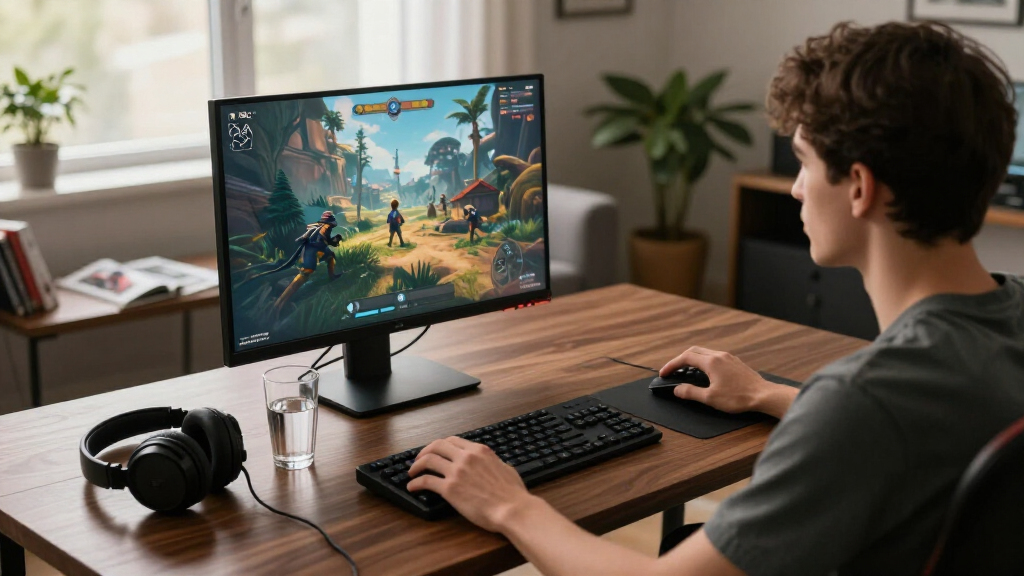
I ranked these monitors by how well each matches the actual 4K OLED gaming brief, then weighed the features that change day-to-day use: refresh rate, screen size, panel type, variable refresh support, HDR format, connectivity, and stand adjustability. A strong pick needs more than a headline speed; it should offer a useful mix for its likely buyer and make its compromises clear. Models with USB-C, newer display connections, or dual modes receive credit when those features solve a practical setup need rather than simply adding spec-sheet appeal.
The order favors balanced options first, then models with more specialized strengths. I treat the ASUS PG27UCDM as the lead all-rounder, while larger 32-inch screens, dual-mode displays, and curved designs rank for buyers who value those traits more than compactness. Because the Samsung Odyssey OLED G5 listed here is QHD rather than 4K, I include it for comparison but rank it below true 4K choices. Product names and supplied specifications guide this comparison; I do not imply hands-on testing or make claims about image quality beyond the listed features.
| 4k oled gaming monitor | Panel technology |
|---|---|
| ASUS ROG PG27UCDM 27-Inch 4K 2 | QD-OLED |
| MSI MAG 321UPX QD-OLED 32-Inch | QD-OLED |
| MSI MAG 272UP QD-OLED X24 27-I | Quantum Dot OLED |
| Samsung 27-inch Odyssey OLED G | QD-OLED |
| Samsung 32-inch Odyssey OLED G | — |
| ASUS ROG XG32UCWG 32-Inch 4K 1 | — |
| LG 32GX870A-B 32-inch UltraGea | — |
| INNOCN 27-inch OLED 4K 240Hz M | — |
| MSI MPG 321URX QD-OLED 32-Inch | QD-OLED |
| Acer Predator X32 31.5-inch Cu | — |
| LG 32GX850A-B 32" UltraGear 4K | — |
| ASUS ROG XG32UCWMG 32-Inch 4K | — |
| MSI MAG 321CUP QD-OLED 32-Inch | Quantum Dot OLED |
| ASUS ROG XG27UCDMG 27-Inch 4K | QD-OLED |
Factors to Consider When Choosing 15 Best 4k Oled Gaming Monitors
Before choosing among these monitors, match the display to your desk, graphics hardware, and the kinds of games you play. The headline resolution and refresh rate are only part of the decision: output compatibility, text use, OLED care, and the monitor’s operating modes can change whether a model is a sensible fit.
Match 4K and Refresh Rate to Your Gaming Hardware
A 4K, 240Hz monitor can display a highly detailed, fast-moving image, but the PC must render each frame quickly enough to make full use of that refresh rate. Competitive games are generally easier to run at very high frame rates than demanding single-player games, so think about your usual titles rather than the monitor’s maximum number alone. Check the graphics card’s available outputs and the monitor’s supported connection standards before buying; cables and ports can limit the modes available. A console player should verify support for the desired 4K refresh rate and variable refresh features on the specific console. If your system cannot approach high frame rates in your main games, a lower-refresh option or a dual-mode model may be a better use of your budget.
Choose Screen Size Around Desk Distance and Everyday Use
A 27-inch 4K screen puts a lot of pixels into a compact area, which can suit a shallow desk or a player who sits close to the display. At 32 inches, games occupy more of your view, but the screen may feel oversized at close range and can call for a deeper desk. Larger screens can also make interface elements easier to see, while small text may need operating-system scaling on either size. Measure the usable desk width and depth, including room for the stand, before choosing by diagonal measurement alone. If the monitor will also serve for work, check how scaling and viewing distance affect your preferred layout.
Treat Dual-Mode Features as a Tradeoff, Not a Free Upgrade
Dual-mode monitors are intended to give players more than one way to balance resolution and speed, which can help when a single display serves both story-driven and competitive games. Read the exact mode descriptions before purchase: a higher refresh mode may use a lower resolution, and the switch may change the image characteristics or available settings. Do not assume that a dual-mode label means every game will run at 4K and the monitor’s highest refresh rate at once. Consider whether you will actually switch modes often or whether one consistent setting would be simpler. If you mainly play one genre, a fixed-mode monitor with the size and connectivity you want may be the more straightforward choice.
Check Ports for the Whole Setup, Not Just the Gaming PC
Make a list of everything that will connect to the monitor: gaming PC, console, work laptop, headset, and any USB accessories. HDMI 2.1, DisplayPort 2.1, and USB-C do not offer interchangeable benefits, and the right port depends on the device and the signal you need. USB-C power delivery can reduce laptop cable clutter, but the listed 15W on the MSI MAG 272UP is limited for charging many laptops. DisplayPort 2.1 on the LG 32GX870A-B may appeal to a compatible PC setup, while other buyers may care more about having enough HDMI inputs. Confirm that the stand, USB hub, and port placement suit your desk before treating a connection feature as a deciding advantage.
Understand OLED Care and Long-Session Habits
OLED panels can show image retention when the same bright interface stays on screen for long periods, so consider how your desktop and game interfaces are used. Use available panel-care features and ordinary habits such as hiding a taskbar, using a screen saver, and letting the monitor run its maintenance cycle when prompted. These steps do not remove every risk, and buyers who leave static work applications open for much of the day may prefer a display type that better matches that routine. Check each model’s warranty terms for the coverage it actually provides rather than assuming all OLED policies are alike. If gaming is the main use and the screen changes often, OLED may be a more natural fit than for a static dashboard setup.
Compare Panel Finish, Curve, and Room Lighting
Glossy screens can preserve a clean-looking image in controlled lighting, but they may reflect windows and lamps more strongly than a matte finish. A curved 32-inch display can make a wide screen feel more enveloping, yet it is less suited to buyers who want a flat panel for shared viewing or precise straight-line work. QD-OLED and other OLED implementations differ in how they handle color and ambient light, so the label alone should not decide the purchase. Think about where the monitor will sit and whether light sources face the screen during play. When possible, compare the exact panel and finish specifications rather than relying on a family name shared across models.
Frequently Asked Questions
Which monitor in this list is actually 4K, and which one is only QHD?
The Samsung Odyssey OLED G5 (G50SF) listed here is QHD, not 4K, so it does not meet a strict 4K requirement. The Samsung Odyssey OLED G7 (G73SH) is the Samsung model in this selection specified as 4K. Check the full model code before ordering because closely named monitor families can include different resolutions. If 3840 × 2160 is a must-have, focus on the products explicitly described as 4K or UHD in this roundup.
Do I need a high-end graphics card to benefit from a 4K 240Hz monitor?
You need a powerful graphics card to render many modern games at 4K and very high frame rates, especially in demanding titles. A 240Hz screen can still be useful if you play lighter or competitive games, or if you value smooth motion even when frame rates vary. Variable refresh support can help the display follow the output of the system, but it does not make the GPU render faster. Check benchmarks for your own games and hardware before paying extra for refresh rate you may rarely reach.
Should I choose a 27-inch or 32-inch 4K OLED monitor?
Choose 27 inches if your desk is small, you sit close, or you want a compact screen with high pixel density. A 32-inch model gives games a larger presentation and may be easier to view from farther back, but it takes up more desk space. Measure your viewing distance and desk depth rather than assuming the larger option is automatically better. If you use the monitor for work, compare how text scaling looks at your preferred distance before deciding.
Is USB-C power delivery enough to replace my laptop charger?
Not always: USB-C power delivery depends on the wattage the monitor provides and the laptop’s charging needs. The MSI MAG 272UP is listed with 15W power delivery, which can support light accessory charging but is unlikely to replace the charger for many laptops. Check the laptop’s required input and the monitor’s full USB-C specifications before planning a one-cable desk. Video support, data transfer, and charging are separate capabilities, so confirm each one for your intended setup.
Is a dual-mode monitor a better buy than a fixed 240Hz model?
A dual-mode screen is a better fit if you expect to switch between detailed single-player games and fast competitive play. It can offer more flexibility than a fixed mode, but the highest refresh setting may not be available at native 4K. Read the resolution and refresh combinations for the exact model, then decide whether you will use both modes often enough to value the added choice. If you mostly play one kind of game, a fixed 4K 240Hz display may be simpler and easier to match to your system.
Conclusion
For most buyers seeking a balanced 4K OLED gaming display, I recommend the ASUS ROG PG27UCDM as the best overall pick: it combines a compact 27-inch format with 4K and 240Hz. For a value-minded buyer who wants a 32-inch QD-OLED, compare the MSI MAG 321UPX with the feature-rich MSI MPG 321URX before choosing; the right value depends on which connections and extras you will use. The LG 32GX870A-B is my best premium choice for players who want dual-mode flexibility and DisplayPort 2.1, while the INNOCN 27-inch 4K 240Hz model is a more approachable compact option for buyers who want the core format without a larger screen. For competitive players who want to shift between play styles, consider the LG dual-mode models; for a curved 32-inch setup, look at the Acer Predator X32 or MSI MAG 321CUP. If strict 4K is your priority, skip the QHD Samsung Odyssey OLED G5 and choose a model explicitly specified as UHD.
Halloween Picks
halloween
As an affiliate, we earn on qualifying purchases.