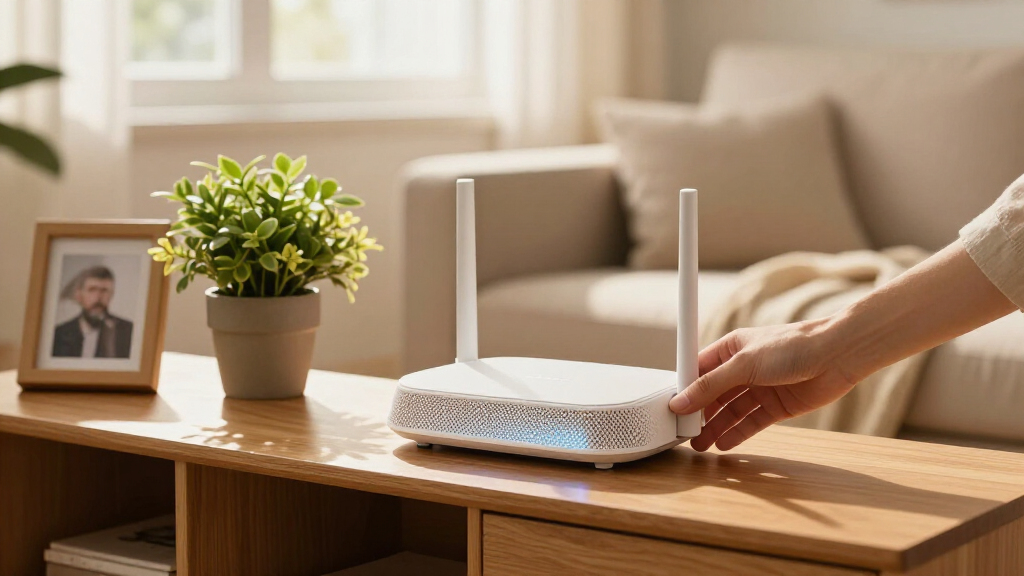

For most connected homes, I’d start with the NETGEAR Nighthawk BE9300, which pairs Wi-Fi 7 with three bands for busy networks and newer devices. The TP-Link Deco X55 is a stronger fit when whole-home mesh coverage matters more than a single router’s peak speeds, while the LNN AX3000 suits buyers who want Wi-Fi 6 without app-based setup. The main tradeoffs are coverage versus speed, newer Wi-Fi support versus device compatibility, and convenient app controls versus simpler local setup. A router can help coordinate connected devices, but smart-home performance also depends on placement, home layout, and whether your devices use Wi-Fi or a separate hub. Read on for how all 15 options compare and which type of home each one suits.

Get the latest gadgets delivered free with Prime
- Fast, free delivery on millions of items
- Prime Video, Amazon Music and more included
- Member-only deals all year
Complete the kit



Key Takeaways
- The BE9300 leads for high-demand Wi-Fi 7 homes because its tri-band design gives compatible devices more room to share network traffic; older smart devices may not benefit from the newest Wi-Fi features.
- The Deco X55 and Deco 7 Pro solve a different problem from standalone routers: their three-unit mesh kits suit homes with dead zones, while a single router is simpler for compact layouts.
- Wi-Fi 6 remains the practical value tier across options such as the Archer AX21, AX10, and Nighthawk R6700AX when most devices do not need Wi-Fi 7.
- The LNN AX3000 stands apart for app-free setup, while many buyers seeking easier remote controls and network management may prefer a router with a companion app.
- More bands and a newer Wi-Fi label do not guarantee better whole-home coverage. Placement, walls, home size, and mesh support can matter more than a single router’s advertised wireless speed.
| TP-Link Archer A54 AC1200 Dual Band WiFi Router |  | Best for Basic Smart Homes | Wi-Fi standard: 802.11a/b/g/n/ac | Speed: AC1200: up to 867 Mbps on 5 GHz and 300 Mbps on 2.4 GHz | Bands: Dual-band: 2.4 GHz and 5 GHz | VIEW LATEST PRICE | See Our Full Breakdown |
| NETGEAR Nighthawk BE9300 Tri-Band WiFi 7 Router |  | Best for a Wi-Fi 7 Smart Home Upgrade | Wi-Fi standard: Wi-Fi 7 | Bands: Tri-band: 2.4 GHz, 5 GHz, and 6 GHz | Maximum speed: Up to 9.3 Gbps | VIEW LATEST PRICE | See Our Full Breakdown |
| LNN AX3000 WiFi 6 Router, No App Required |  | Best for App-Free Setup | Wi-Fi standard: Wi-Fi 6 (802.11ax) | Speed: AX3000: up to 2,402 Mbps on 5 GHz and 574 Mbps on 2.4 GHz | Bands: Dual-band | VIEW LATEST PRICE | See Our Full Breakdown |
| TP-Link Archer AX10 Smart WiFi 6 Dual Band Router |  | Best Value Wi-Fi 6 Router | Wi-Fi standard: Wi-Fi 6 (802.11ax) | Bands: Dual-band | 2.4 GHz speed: Up to 300 Mbps | VIEW LATEST PRICE | See Our Full Breakdown |
| TP-Link Deco 7 Pro Tri-Band Wi-Fi 7 Mesh System, 3-Pack |  | Best for Large Smart Homes | Wi-Fi standard: Wi-Fi 7 | Bands: Tri-band: 6 GHz, 5 GHz, and 2.4 GHz | Maximum advertised speed: Up to 10 Gbps | VIEW LATEST PRICE | See Our Full Breakdown |
| TP-Link Archer BE230 Dual-Band BE3600 Wi-Fi 7 Router |  | Best Compact Wi-Fi 7 Upgrade | Wi-Fi standard: Wi-Fi 7 (802.11be) | Bands: Dual-band: 2.4 GHz and 5 GHz | Maximum speed: 3,600 Mbps total | VIEW LATEST PRICE | See Our Full Breakdown |
| TP-Link Deco X55 AX3000 Wi-Fi 6 Mesh System (3-Pack) |  | Best for Whole-Home Coverage | Wi-Fi standard: Wi-Fi 6 | Wi-Fi class: AX3000 | Pack size: 3 units | VIEW LATEST PRICE | See Our Full Breakdown |
| TP-Link Archer BE600 Tri-Band BE9700 WiFi 7 Router |  | Best Premium Wi-Fi 7 Router | Wi-Fi standard: Wi-Fi 7 (802.11be) | Bands: Tri-band: 2.4 GHz, 5 GHz, and 6 GHz | Maximum total bandwidth: 9.7 Gbps | VIEW LATEST PRICE | See Our Full Breakdown |
| TP-Link Archer BE6500 Dual-Band Wi-Fi 7 Router (Archer BE400) |  | Best for Busy Smart Homes | Model: Archer BE400 | Wi-Fi standard: Wi-Fi 7 (BE6500) | Bands: Dual-band: 2.4 GHz and 5 GHz | VIEW LATEST PRICE | See Our Full Breakdown |
| TP-Link AC1900 Dual-Band Wi-Fi Router (Archer A8) |  | Best for Basic, Budget-Conscious Setups | Model: Archer A8 | Wi-Fi standard: 802.11a/b/g/n/ac (Wi-Fi 5) | Frequency bands: 2.4 GHz and 5 GHz | VIEW LATEST PRICE | See Our Full Breakdown |
| NETGEAR Nighthawk RS90 WiFi 7 Router |  | Best for WiFi 7 on a Busy Home Network | WiFi standard: WiFi 7 | Bands: 2.4 GHz and 5 GHz | Maximum speed: Up to 3.6 Gbps | VIEW LATEST PRICE | See Our Full Breakdown |
| NETGEAR Nighthawk WiFi 6 Router R6700AX |  | Best for Small Homes | WiFi standard: WiFi 6 | Bands: 2.4 GHz and 5 GHz | Maximum speed: Up to 1.8 Gbps | VIEW LATEST PRICE | See Our Full Breakdown |
| TP-Link Archer AXE75 AXE5400 Tri-Band WiFi 6E Router |  | Best for 6 GHz Devices | WiFi standard: WiFi 6E (802.11ax) | Bands: Tri-band: 6 GHz, 5 GHz, and 2.4 GHz | Maximum combined speed: Up to 5,400 Mbps | VIEW LATEST PRICE | See Our Full Breakdown |
| TP-Link AX3000 Dual-Band Wi-Fi 6 Gigabit Router |  | Best Feature-Rich WiFi 6 Value | WiFi standard: WiFi 6 (802.11ax) | Frequency bands: Dual-band: 2.4 GHz and 5 GHz | Maximum wireless speed: Up to 3,000 Mbps combined | VIEW LATEST PRICE | See Our Full Breakdown |
| TP-Link Archer AX21 AX1800 Dual-Band Wi-Fi 6 Router |  | Best for Basic WiFi 6 and VPN | WiFi standard: WiFi 6 (802.11ax) | Bands: Dual-band: 2.4 GHz and 5 GHz | Maximum combined bandwidth: Up to 1.8 Gbps | VIEW LATEST PRICE | See Our Full Breakdown |
| smart home Wi-Fi router | Bands | Wi-Fi standard | Coverage |
|---|---|---|---|
| TP-Link Archer A54 AC1200 Dual | Dual-band: 2.4 GHz and 5 GHz | 802.11a/b/g/n/ac | Up to 1,000 sq. ft. |
| NETGEAR Nighthawk BE9300 Tri-B | Tri-band: 2.4 GHz, 5 GHz, and 6 GHz | Wi-Fi 7 | Up to 2,500 sq. ft. |
| LNN AX3000 WiFi 6 Router | Dual-band | Wi-Fi 6 (802.11ax) | — |
| TP-Link Archer AX10 Smart WiFi | Dual-band | Wi-Fi 6 (802.11ax) | — |
| TP-Link Deco 7 Pro Tri-Band Wi | Tri-band: 6 GHz, 5 GHz, and 2.4 GHz | Wi-Fi 7 | Up to 7,600 sq. ft. |
| TP-Link Archer BE230 Dual-Band | Dual-band: 2.4 GHz and 5 GHz | Wi-Fi 7 (802.11be) | Up to 2,000 sq. ft. |
| TP-Link Deco X55 AX3000 Wi-Fi | — | Wi-Fi 6 | Up to 6,500 sq. ft. |
| TP-Link Archer BE600 Tri-Band | Tri-band: 2.4 GHz, 5 GHz, and 6 GHz | Wi-Fi 7 (802.11be) | Up to 2,600 sq. ft. |
| TP-Link Archer BE6500 Dual-Ban | Dual-band: 2.4 GHz and 5 GHz | Wi-Fi 7 (BE6500) | Up to 2,400 sq. ft. |
| TP-Link AC1900 Dual-Band Wi-Fi | — | 802.11a/b/g/n/ac (Wi-Fi 5) | Up to 1,200 sq. ft. |
| NETGEAR Nighthawk RS90 WiFi 7 | 2.4 GHz and 5 GHz | — | Up to 2,000 sq. ft. |
| NETGEAR Nighthawk WiFi 6 Route | 2.4 GHz and 5 GHz | — | Up to 1,500 sq. ft. |
| TP-Link Archer AXE75 AXE5400 T | Tri-band: 6 GHz, 5 GHz, and 2.4 GHz | — | — |
| TP-Link AX3000 Dual-Band Wi-Fi | — | — | — |
| TP-Link Archer AX21 AX1800 Dua | Dual-band: 2.4 GHz and 5 GHz | — | — |
More Details on Our Top Picks
TP-Link Archer A54 AC1200 Dual Band WiFi Router
The Archer A54 suits a smaller smart home where connected lights, plugs, and a few everyday devices matter more than high throughput. Its four external antennas and EasyMesh compatibility offer a way to extend coverage, while WPA3 and the Tether app keep setup and basic network management accessible. Compared with the Wi-Fi 6 TP-Link Archer AX10, though, this AC1200 model has less capacity for busy households and newer devices. Its stated coverage is up to 1,000 sq. ft., so walls or a spread-out floor plan may call for an additional mesh unit. It is a straightforward fit for modest needs, but buyers planning to connect many cameras, speakers, and streaming devices should choose a newer, faster option.
Pros:- WPA3 security support
- Tether app for setup and network management
- EasyMesh compatibility for expanding coverage
- Router and access point operating modes
Cons:- AC1200 dual-band performance is a step behind Wi-Fi 6 options such as the Archer AX10
- Coverage is stated at up to 1,000 sq. ft. and can be reduced by walls and obstacles
- Requires a separate modem for most internet service providers
Best for: Apartment dwellers or small households connecting a modest number of smart devices and seeking app-based setup.
Not ideal for: Large homes or households with many simultaneous streams and smart devices that need newer Wi-Fi performance.
- Wi-Fi standard:802.11a/b/g/n/ac
- Speed:AC1200: up to 867 Mbps on 5 GHz and 300 Mbps on 2.4 GHz
- Bands:Dual-band: 2.4 GHz and 5 GHz
- Coverage:Up to 1,000 sq. ft.
- Antennas:4 fixed external antennas
- Security:WPA, WPA2, and WPA3
- Ports:5
- Modes and management:Router and access point modes; TP-Link Tether app
Our verdict“Choose the Archer A54 for a compact, uncomplicated smart home; pick the Archer AX10 if you expect more connected devices or heavier traffic.”
NETGEAR Nighthawk BE9300 Tri-Band WiFi 7 Router
For a home adding newer phones, laptops, and smart devices over time, the Nighthawk BE9300 brings Wi-Fi 7 tri-band connectivity and a dedicated 6 GHz band. That extra band can help compatible devices find room for high-bandwidth traffic, while the 2.5 Gig Ethernet ports make this more ready for multi-gig wired gear than the dual-band Archer AX10. NETGEAR lists support for up to 100 devices and coverage up to 2,500 sq. ft.; those figures are useful planning guides, not guarantees through walls and floors. This is a standalone router, so an existing modem or gateway is needed. Built-in security features and automatic firmware updates help with upkeep, though Armor moves to a subscription after its trial period.
Pros:- Wi-Fi 7 across three bands, including 6 GHz
- One 2.5 Gig WAN and two 2.5 Gig LAN ports
- Listed capacity of up to 100 devices
- Built-in security features and automatic firmware updates
Cons:- Requires an existing modem or gateway
- NETGEAR Armor requires a subscription after the 30-day trial
- Walls, floors, and interference can limit the stated coverage
Best for: Households with Wi-Fi 7 devices, multi-gig internet or wired equipment, and a growing collection of smart home gear.
Not ideal for: Shoppers with a small, mostly older-device network who do not need 6 GHz or multi-gig ports.
- Wi-Fi standard:Wi-Fi 7
- Bands:Tri-band: 2.4 GHz, 5 GHz, and 6 GHz
- Maximum speed:Up to 9.3 Gbps
- Coverage:Up to 2,500 sq. ft.
- Device capacity:Up to 100 devices
- Processor:Quad-core 2.0 GHz
- Ethernet:One 2.5 Gig WAN; two 2.5 Gig LAN and two 1 Gig LAN ports
- Other connections:USB 3.0
Our verdict“Pick the BE9300 for a standalone router that can serve newer Wi-Fi 7 devices and multi-gig connections, while the Archer AX10 is a simpler fit for a Wi-Fi 6 home.”
LNN AX3000 WiFi 6 Router, No App Required
The LNN AX3000 is a Wi-Fi 6 choice for buyers who prefer configuring a router in a browser instead of installing another phone app. Its five antennas with Beamforming, plus OFDMA and MU-MIMO, are aimed at keeping multiple devices connected more smoothly than the older Archer A54. Parental controls, guest networking, QoS, and WPA3 give it useful tools for a household with kids or visitors. Setup takes place through a browser at the listed address, so buyers should be comfortable using a web interface. It also supports EasyMesh, but building out mesh coverage requires at least two units. The product data lists 20+ devices and gigabit wired ports, but does not mention a USB port or a coverage area.
Pros:- Browser-based setup with no app required
- Wi-Fi 6 features include OFDMA and MU-MIMO
- WPA3, parental controls, guest network, and QoS
- EasyMesh support for expansion with additional units
Cons:- Mesh coverage requires at least two units
- No USB port is listed in the product data
- Coverage depends on walls and home layout, with no stated area figure
Best for: People who want Wi-Fi 6 features and household network controls without managing the router through a dedicated app.
Not ideal for: Buyers who want a well-documented coverage footprint, USB connectivity, or mesh expansion without purchasing another unit.
- Wi-Fi standard:Wi-Fi 6 (802.11ax)
- Speed:AX3000: up to 2,402 Mbps on 5 GHz and 574 Mbps on 2.4 GHz
- Bands:Dual-band
- Antennas:5 external antennas with Beamforming
- Ports:1 Gigabit WAN and 3 Gigabit LAN
- Security and controls:WPA3, parental controls, guest network, and QoS
- Device capacity:20+ devices
- Setup and mesh:Browser-based setup; EasyMesh support
Our verdict“Choose the LNN AX3000 if app-free management and built-in family controls matter more than a clearly specified coverage area.”
TP-Link Archer AX10 Smart WiFi 6 Dual Band Router
The Archer AX10 makes a practical step up from the Archer A54 for a connected home that needs Wi-Fi 6 without moving to a premium tri-band router. OFDMA and MU-MIMO help the router handle multiple devices sharing the network, while Beamforming aims signals toward connected equipment. That can suit a home with smart speakers, plugs, and cameras alongside phones and computers. Its four gigabit LAN ports also give hubs or desktop equipment a wired option. The tradeoff is dual-band Wi-Fi: unlike the Nighthawk BE9300, it has no 6 GHz band or Wi-Fi 7 support. OneMesh can extend coverage with compatible extenders, but those are separate purchases. A modem is also required for most providers.
Pros:- Wi-Fi 6 with OFDMA and MU-MIMO for multiple-device traffic
- Beamforming supports more directed wireless coverage
- Four Gigabit LAN ports for wired devices
- Backward compatible with earlier Wi-Fi standards
Cons:- Requires a separate modem for most internet providers
- OneMesh expansion requires additional compatible extenders
- Dual-band Wi-Fi lacks the 6 GHz option available on the Nighthawk BE9300
Best for: Households moving from an older router to Wi-Fi 6, with several smart devices and some wired equipment.
Not ideal for: Buyers seeking Wi-Fi 7, a 6 GHz band, or broad mesh coverage included in the box.
- Wi-Fi standard:Wi-Fi 6 (802.11ax)
- Bands:Dual-band
- 2.4 GHz speed:Up to 300 Mbps
- 5 GHz speed:Up to 1,201 Mbps
- LAN ports:4 Gigabit
- Processor:Dual-core 900 MHz
- Wireless technologies:OFDMA, MU-MIMO, 1024-QAM, and Beamforming
- Mesh and modem:OneMesh compatible; modem required for most ISPs
Our verdict“The Archer AX10 is a sensible Wi-Fi 6 upgrade for a device-rich home that does not need the Nighthawk BE9300’s Wi-Fi 7 and 6 GHz capabilities.”
TP-Link Deco 7 Pro Tri-Band Wi-Fi 7 Mesh System, 3-Pack
For a large home where one router may leave smart locks, cameras, and sensors struggling at the edges, the Deco 7 Pro’s three-unit mesh system is its main advantage. Its stated coverage reaches up to 7,600 sq. ft. and it supports over 200 devices, giving it a much larger planned footprint than the standalone Nighthawk BE9300. Wi-Fi 7 tri-band operation adds 6 GHz, and the 10G and 2.5G WAN/LAN ports offer room for fast wired connections. HomeShield, VPN client and server support, and app management add network tools. This scale comes with tradeoffs: a separate modem is needed, performance still depends on the home layout, and simultaneous wired and wireless backhaul requires at least two Deco units.
Pros:- Three-unit mesh system with stated coverage up to 7,600 sq. ft.
- Wi-Fi 7 tri-band connectivity, including 6 GHz
- Listed support for over 200 devices
- 10G and 2.5G WAN/LAN ports, plus USB 3.0
Cons:- Requires a separate modem
- Actual wireless coverage varies with walls, obstacles, and other conditions
- Simultaneous wired and wireless backhaul requires at least two Deco units
Best for: Owners of large, multi-room homes with many connected devices who want mesh coverage and multi-gig wired connections.
Not ideal for: Small homes or buyers who want a single router, do not need extensive coverage, or prefer browser-based management over an app.
- Wi-Fi standard:Wi-Fi 7
- Bands:Tri-band: 6 GHz, 5 GHz, and 2.4 GHz
- Maximum advertised speed:Up to 10 Gbps
- Band speeds:Up to 5,188 Mbps (6 GHz), 4,324 Mbps (5 GHz), and 574 Mbps (2.4 GHz)
- Coverage:Up to 7,600 sq. ft.
- Device capacity:Over 200 devices
- Ports:Four 2.5G WAN/LAN, one 10G WAN/LAN, and USB 3.0
- Package and management:3-pack; Deco app; HomeShield and VPN client/server support
Our verdict“Choose the Deco 7 Pro when broad mesh coverage for a large, device-heavy home matters more than the simpler setup of a standalone router such as the Nighthawk BE9300.”
TP-Link Archer BE230 Dual-Band BE3600 Wi-Fi 7 Router
The Archer BE230 brings Wi-Fi 7 features and multi-gig wired ports to a straightforward dual-band setup. Multi-Link Operation and 4K-QAM can help compatible devices make better use of available wireless capacity, while coverage is rated for up to 2,000 square feet and 60 devices. Compared with the Archer BE400, it has a smaller stated coverage area and device limit, making it a better fit for a more modest home than a busier one.
Its two 2.5 Gbps ports give wired equipment room to exceed ordinary gigabit connections. The tradeoff is the missing 6 GHz band, which the tri-band Archer BE600 adds for compatible devices and heavier network use. I’d pick the BE230 for a focused Wi-Fi 7 upgrade; buyers seeking every Wi-Fi 7 band or broad mesh coverage should look elsewhere. A separate modem is required.
Pros:- Wi-Fi 7 features include Multi-Link Operation and 4K-QAM
- Two 2.5 Gbps ports support multi-gig wired connections
- Rated to cover up to 2,000 square feet and 60 devices
- EasyMesh support allows compatible coverage expansion
Cons:- No 6 GHz band
- Requires a separate modem
- Actual wireless performance depends on distance, obstacles, and client devices
Best for: Households upgrading to Wi-Fi 7 that want multi-gig wired ports and coverage for a moderate-sized home
Not ideal for: Buyers with 6 GHz-capable devices who want a tri-band Wi-Fi 7 router, or households needing mesh coverage across a large home
- Wi-Fi standard:Wi-Fi 7 (802.11be)
- Bands:Dual-band: 2.4 GHz and 5 GHz
- Maximum speed:3,600 Mbps total
- Processor:2.0 GHz quad-core
- Ports:1× 2.5 Gbps WAN/LAN, 1× 2.5 Gbps LAN, 3× 1 Gbps LAN
- Coverage:Up to 2,000 sq. ft.
- Device capacity:Up to 60 devices
- Mesh support:TP-Link EasyMesh
Our verdict“Choose the BE230 for a moderate-sized home that wants Wi-Fi 7 and multi-gig ports without stepping up to a tri-band router.”
TP-Link Deco X55 AX3000 Wi-Fi 6 Mesh System (3-Pack)
Three mesh units and a 6,500-square-foot coverage rating make the Deco X55 the lineup’s practical choice for spreading Wi-Fi across a large home. Rather than relying on one router’s reach, the system places multiple access points around the house; wired backhaul can connect them by Ethernet where that is available. Each unit also has three Gigabit Ethernet ports for nearby wired devices.
The X55 is a Wi-Fi 6 system, so it gives up the newer Wi-Fi 7 capabilities found in the Archer BE230 and Archer BE600. Its strength is distributed coverage, not the highest wireless speeds or a dedicated 6 GHz band. The Deco app and support for up to 150 devices suit households with many connected gadgets, though some HomeShield features may require a paid service. A modem is generally needed for internet service.
Pros:- Three units are rated to cover up to 6,500 square feet
- Supports up to 150 connected devices
- Wired backhaul can link units over Ethernet
- Each unit has three Gigabit Ethernet ports
Cons:- Uses Wi-Fi 6 rather than Wi-Fi 7
- Some HomeShield features may require a paid service
- A modem is required for most internet service providers
Best for: Families in large or multi-story homes who need several access points and have many connected devices
Not ideal for: Wi-Fi 7 adopters or buyers seeking a single high-speed router with multi-gig ports
- Wi-Fi standard:Wi-Fi 6
- Wi-Fi class:AX3000
- Pack size:3 units
- Wireless speeds:Up to 2,402 Mbps on 5 GHz and 574 Mbps on 2.4 GHz
- Coverage:Up to 6,500 sq. ft.
- Maximum connected devices:Up to 150
- Ethernet ports:3 Gigabit Ethernet ports per unit
- Wired backhaul:Supported
Our verdict“Pick the Deco X55 when broad, multi-unit coverage matters more than Wi-Fi 7 speeds or a single router’s multi-gig ports.”
TP-Link Archer BE600 Tri-Band BE9700 WiFi 7 Router
Tri-band Wi-Fi 7, including 6 GHz, gives the Archer BE600 the broadest wireless toolkit among these single-router picks. Its listed 9.7 Gbps total bandwidth and 10 Gbps WAN/LAN port suit fast internet plans and wired equipment that can use multi-gig speeds. Coverage is rated up to 2,600 square feet for as many as 120 devices, exceeding the Archer BE230 on both measures.
The extra band and ports make this the more capable choice for a connected household with compatible Wi-Fi 7 clients, but those features bring little benefit to basic devices that cannot use 6 GHz. Unlike the Deco X55, it is a single router rather than a three-unit mesh system, so it may not suit a sprawling or unusually obstructed home. I’d choose it when high-capacity Wi-Fi and multi-gig wired connections matter more than simplicity.
Pros:- Tri-band Wi-Fi 7 includes a 6 GHz band
- 10 Gbps WAN/LAN port plus multiple 2.5 Gbps ports
- Rated for up to 2,600 square feet and 120 devices
- Includes USB 3.0, HomeShield, WPA3, and voice assistant compatibility
Cons:- Compatible Wi-Fi 7 clients are needed to benefit from its full 6 GHz capability
- A high-capacity feature set may be unnecessary for basic home networks
- A single router may not provide mesh-like reach across a very large home
Best for: Households with Wi-Fi 7 devices, multi-gig internet, and several wired devices that need fast connections
Not ideal for: Buyers with mostly older devices, basic internet needs, or a large home that needs multiple mesh access points
- Wi-Fi standard:Wi-Fi 7 (802.11be)
- Bands:Tri-band: 2.4 GHz, 5 GHz, and 6 GHz
- Maximum total bandwidth:9.7 Gbps
- Streams:7-stream
- Coverage:Up to 2,600 sq. ft.
- Maximum devices:Up to 120
- Ports:1× 10 Gbps WAN/LAN, 1× 2.5 Gbps WAN/LAN, 3× 2.5 Gbps LAN, 1× USB 3.0
- Security:HomeShield, SPI Firewall, WPA3
Our verdict“Choose the BE600 if your devices and internet plan can make use of tri-band Wi-Fi 7 and multi-gig connectivity.”
TP-Link Archer BE6500 Dual-Band Wi-Fi 7 Router (Archer BE400)
The Archer BE400 pairs Wi-Fi 7 with room for up to 90 devices and coverage rated to 2,400 square feet, giving it more headroom than the BE230 for a busy home. Its six antennas, Multi-Link Operation, and 4K-QAM support are intended to keep compatible devices connected efficiently, while two 2.5 Gbps ports provide useful options for wired equipment. HomeShield, VPN client and server support, and EasyMesh add controls beyond basic connectivity.
The tradeoff is its dual-band design: unlike the Archer BE600, it has no 6 GHz band, and its listed total bandwidth is lower. That makes the BE400 a sensible middle ground for households with many smart devices but no strong need for tri-band Wi-Fi 7. It is also not compatible with TP-Link Deco mesh systems, so buyers planning to extend an existing Deco setup should choose a different route.
Pros:- Wi-Fi 7 features include Multi-Link Operation and 4K-QAM
- Rated for up to 90 devices and 2,400 square feet
- Two 2.5 Gbps ports support multi-gig wired connections
- Includes HomeShield, VPN client and server support, and EasyMesh
Cons:- Dual-band design lacks 6 GHz
- Not compatible with TP-Link Deco mesh systems
- Wi-Fi 7 features require compatible client devices to make full use of them
Best for: Smart-home households with many connected devices that want Wi-Fi 7, VPN options, and EasyMesh compatibility
Not ideal for: Owners of TP-Link Deco systems or buyers who specifically need a 6 GHz band
- Model:Archer BE400
- Wi-Fi standard:Wi-Fi 7 (BE6500)
- Bands:Dual-band: 2.4 GHz and 5 GHz
- Maximum total bandwidth:6,500 Mbps
- Streams:6
- Coverage:Up to 2,400 sq. ft.
- Maximum connected devices:Up to 90
- Ports:1× 2.5 Gbps WAN/LAN, 1× 2.5 Gbps LAN, 3× 1 Gbps LAN
- Mesh compatibility:TP-Link EasyMesh; not compatible with Deco mesh
Our verdict“The BE400 suits a device-heavy home that wants Wi-Fi 7 and useful network controls without moving to a 6 GHz tri-band router.”
TP-Link AC1900 Dual-Band Wi-Fi Router (Archer A8)
The Archer A8 is the straightforward pick for a smaller home with everyday Wi-Fi needs such as browsing, streaming, and connecting a handful of smart devices. Its Wi-Fi 5 standard and coverage rating of up to 1,200 square feet place it below the Wi-Fi 6 Deco X55 and the Wi-Fi 7 Archer models for newer features and capacity. Four Gigabit LAN ports give desktops, TVs, or consoles wired connections without needing a separate switch.
Beamforming, MU-MIMO, parental controls, and OneMesh compatibility offer practical basics, but this router has no USB port or VPN support. Compared with the Archer BE230, it also lacks Wi-Fi 7 and multi-gig ports, so it is a poor match for buyers building around fast newer devices. A separate modem is required. I’d choose it for a simple network where dependable wired ports matter more than the latest wireless standard.
Pros:- Four Gigabit LAN ports for wired devices
- Beamforming and MU-MIMO support
- OneMesh compatibility allows use with supported extenders
- Includes parental controls, QoS, and access point mode
Cons:- Uses Wi-Fi 5 rather than Wi-Fi 6 or Wi-Fi 7
- No USB port or VPN support
- Coverage is rated for up to 1,200 square feet
Best for: Individuals or small households with a modest number of devices and several Ethernet-connected TVs, PCs, or consoles
Not ideal for: Smart-home households with many devices, buyers wanting Wi-Fi 6 or Wi-Fi 7, or anyone needing VPN support
- Model:Archer A8
- Wi-Fi standard:802.11a/b/g/n/ac (Wi-Fi 5)
- Frequency bands:2.4 GHz and 5 GHz
- Maximum wireless speed:Up to 600 Mbps on 2.4 GHz and 1,300 Mbps on 5 GHz
- Coverage:Up to 1,200 sq. ft.
- Ports:4 Gigabit LAN ports and 1 Gigabit WAN port
- Mesh compatibility:TP-Link OneMesh
- USB and VPN:No USB port; VPN not supported
- Modem requirement:Separate modem required
Our verdict“Choose the Archer A8 for a smaller, basic home network where Gigabit Ethernet ports matter more than newer Wi-Fi features.”
NETGEAR Nighthawk RS90 WiFi 7 Router
The Nighthawk RS90 brings WiFi 7 to a home with many connected devices, with claimed support for up to 50 and coverage up to 2,000 square feet. Its 2.5 Gig WAN port gives a faster internet plan room to outpace the gigabit WAN on the Nighthawk R6700AX, while four gigabit LAN ports keep wired gear in the mix. The dual-band design is simpler than the tri-band TP-Link Archer AXE75, which adds a 6 GHz band for compatible devices; the RS90’s appeal is a newer WiFi generation without that extra band. App-based management and automatic firmware updates suit buyers who want routine upkeep handled. It still needs a separate modem or gateway, and Armor protection requires a subscription after its 30-day trial. Actual coverage can also shrink with walls and interference.
Pros:- WiFi 7 support with claimed speeds up to 3.6 Gbps
- Coverage claim of up to 2,000 sq. ft. and support for up to 50 devices
- 2.5 Gig WAN port plus four 1 Gig Ethernet LAN ports
- App-based management and automatic firmware updates
Cons:- Requires an existing modem or gateway
- NETGEAR Armor requires a subscription after the 30-day trial
- Walls, floors, and interference can reduce its stated coverage
Best for: Households with many connected devices, a compatible modem, and an internet plan that can benefit from a 2.5 Gig WAN port
Not ideal for: Buyers seeking a built-in modem, tri-band 6 GHz access, or security features without an ongoing subscription
- WiFi standard:WiFi 7
- Bands:2.4 GHz and 5 GHz
- Maximum speed:Up to 3.6 Gbps
- Coverage:Up to 2,000 sq. ft.
- Supported devices:Up to 50
- WAN port:1 × 2.5 Gig Ethernet
- LAN ports:4 × 1 Gig Ethernet
- Security:Advanced Router Protection and automatic firmware updates; Armor includes a 30-day trial, then requires a subscription
Our verdict“Choose the RS90 for a crowded home that wants WiFi 7 and a faster-than-gigabit WAN connection, provided you already have a modem and accept the security subscription terms.”
NETGEAR Nighthawk WiFi 6 Router R6700AX
For an apartment or compact home, the Nighthawk R6700AX offers a straightforward WiFi 6 setup with coverage stated up to 1,500 square feet and support for up to 20 connected devices. Four gigabit LAN ports make it practical for a desktop, console, or other wired equipment, while WPA3 and automatic firmware updates provide useful baseline security features. Compared with the faster WiFi 7 Nighthawk RS90, this model has a lower stated speed ceiling and a gigabit WAN port, so it fits more modest connections better. The tradeoff is sensible for buyers who do not need the RS90’s device capacity or 2.5 Gig WAN. Its coverage claim may fall short in larger or multi-story homes, and the modem is not included. Armor protection also requires a subscription after its 30-day trial.
Pros:- WiFi 6 with speeds stated up to 1.8 Gbps
- Four gigabit LAN ports for wired devices
- WPA3 encryption and automatic firmware updates
- App-based setup and network management
Cons:- Coverage may not reach larger or multi-story homes reliably
- Requires an existing modem or gateway
- NETGEAR Armor requires a subscription after its 30-day trial
Best for: Apartment dwellers and small-house residents with up to 20 devices who want wired ports and WPA3
Not ideal for: Owners of large or multi-story homes, or households seeking WiFi 7 and a 2.5 Gig WAN port
- WiFi standard:WiFi 6
- Bands:2.4 GHz and 5 GHz
- Maximum speed:Up to 1.8 Gbps
- Coverage:Up to 1,500 sq. ft.
- Supported devices:Up to 20
- WAN port:1 × 1 Gigabit Ethernet
- LAN ports:4 × 1 Gigabit Ethernet
- Security:WPA3 encryption and automatic firmware updates
Our verdict“Pick the R6700AX for a small home that needs practical WiFi 6 and wired connections without the capacity focus of the Nighthawk RS90.”
TP-Link Archer AXE75 AXE5400 Tri-Band WiFi 6E Router
The Archer AXE75 is the specialist choice for households with WiFi 6E devices that can use its dedicated 6 GHz band. That extra band can give compatible gear another path for busy streaming, gaming, and video calls, while its tri-band design separates it from the dual-band TP-Link AX3000. The stated 5,400 Mbps combined speed spans all three bands; it is not a single-device speed promise. EasyMesh compatibility also offers a route to expand coverage, and VPN server and client support adds flexibility for buyers who manage their own network setup. The tradeoff is that older devices cannot use 6 GHz, so the advantage depends on the household’s device mix. A modem is required for most providers, and the advanced HomeShield features are limited to a free basic tier.
Pros:- Tri-band WiFi 6E includes a dedicated 6 GHz band
- EasyMesh compatibility supports later network expansion
- VPN server and client modes are supported
- OFDMA helps manage simultaneous device traffic
Cons:- Most internet providers require a separate modem
- Only WiFi 6E-compatible devices can use the 6 GHz band
- Advanced HomeShield security features are limited to the free basic tier
Best for: Households with WiFi 6E phones, laptops, or other compatible devices that want a dedicated 6 GHz band and VPN options
Not ideal for: Buyers with mostly older WiFi devices who want mesh coverage included or advanced security without feature limits
- WiFi standard:WiFi 6E (802.11ax)
- Bands:Tri-band: 6 GHz, 5 GHz, and 2.4 GHz
- Maximum combined speed:Up to 5,400 Mbps
- 6 GHz and 5 GHz speed:Up to 2,402 Mbps on each band
- 2.4 GHz speed:Up to 574 Mbps
- Processor and memory:1.0 GHz dual-core CPU; 512 MB memory
- VPN support:VPN server and client: OpenVPN, PPTP, and L2TP
- Mesh and security:TP-Link EasyMesh compatibility; TP-Link HomeShield
Our verdict“Choose the AXE75 when 6 GHz support and VPN flexibility matter more than the simpler dual-band setup of the TP-Link AX3000.”
TP-Link AX3000 Dual-Band Wi-Fi 6 Gigabit Router
The TP-Link AX3000 packs useful network controls into a dual-band WiFi 6 router: OFDMA, QoS, guest mode, parental controls, and VPN server and client support. Four external antennas and Beamforming are intended to help direct coverage toward connected devices, while Alexa compatibility adds a voice-control option. Compared with the Archer AXE75, it gives up the 6 GHz band and tri-band flexibility, but that makes the AX3000 a more direct fit for homes whose devices mainly use 2.4 or 5 GHz. Its stated combined speed is up to 3,000 Mbps across the bands, not a guarantee for one device. Most providers require a separate modem, and some HomeShield features need premium service, so buyers should check which controls are included in the basic offering.
Pros:- WiFi 6 with OFDMA for handling multiple connected devices
- Four external antennas and Beamforming support coverage
- VPN server and client support
- Includes QoS, guest mode, parental controls, and Alexa compatibility
Cons:- A modem is required for most internet providers
- Some HomeShield features require premium service
- Lacks the dedicated 6 GHz band found on the TP-Link Archer AXE75
Best for: WiFi 6 households that want VPN, guest network, and parental control options in a dual-band router
Not ideal for: Homes with WiFi 6E devices seeking 6 GHz access, or buyers who need an all-in-one modem-router
- WiFi standard:WiFi 6 (802.11ax)
- Frequency bands:Dual-band: 2.4 GHz and 5 GHz
- Maximum wireless speed:Up to 3,000 Mbps combined
- 5 GHz speed:Up to 2,402 Mbps
- 2.4 GHz speed:Up to 574 Mbps
- Antennas:4 high-gain external antennas
- Network features:OFDMA, Beamforming, QoS, guest mode, and parental controls
- VPN and smart home:VPN server and client; Alexa compatibility
Our verdict“Choose the AX3000 for a feature-rich dual-band WiFi 6 network if you do not need the AXE75’s 6 GHz band.”
TP-Link Archer AX21 AX1800 Dual-Band Wi-Fi 6 Router
The Archer AX21 covers the basics for a household moving to WiFi 6: dual-band connectivity, OFDMA for simultaneous device communication, and four antennas with Beamforming to help direct signal toward devices. Its OpenVPN and PPTP server support is a useful distinction from a basic router, particularly for buyers who want remote access options without choosing the tri-band Archer AXE75. That comparison also shows the AX21’s limits: it has no 6 GHz band, and its stated combined bandwidth is 1.8 Gbps. The TP-Link AX3000 offers more headline bandwidth and a longer list of built-in network controls, so it may suit busier households better. The AX21 still requires a separate modem, and performance depends on distance, obstacles, and local wireless conditions.
Pros:- WiFi 6 with up to 1.8 Gbps combined bandwidth
- OFDMA supports communication with multiple devices simultaneously
- Four high-gain antennas and Beamforming help direct coverage
- Supports OpenVPN and PPTP VPN servers
Cons:- Requires a separate modem
- Does not support the 6 GHz band
- Performance varies with distance, obstacles, and other conditions
Best for: Budget-conscious households seeking basic WiFi 6, several connected devices, and VPN server support
Not ideal for: Homes with WiFi 6E devices, high-capacity internet plans, or a need for an included modem
- WiFi standard:WiFi 6 (802.11ax)
- Bands:Dual-band: 2.4 GHz and 5 GHz
- Maximum combined bandwidth:Up to 1.8 Gbps
- 5 GHz bandwidth:Up to 1,200 Mbps
- 2.4 GHz bandwidth:Up to 574 Mbps
- Antennas:4 high-gain antennas
- Wireless features:OFDMA and Beamforming
- VPN and modem:OpenVPN and PPTP VPN servers; separate modem required
Our verdict“Pick the Archer AX21 for a basic WiFi 6 network with VPN server support, while busier homes may benefit from the AX3000’s broader feature set.”
How We Picked
I compared these routers by the factors that shape a connected home: Wi-Fi generation, band configuration, mesh potential, setup and management approach, and fit for different home sizes and device mixes. I gave weight to practical distinctions, such as whether a product is a standalone router or a multi-unit mesh system, and whether its features are likely to help a home with older smart devices as well as newer phones and computers. I also considered how much setup flexibility each option offers, including the LNN AX3000’s no-app approach.
The order favors options with a clear advantage for common smart-home needs, while accounting for cost-conscious upgrades and simpler setups. The BE9300 ranks first for buyers seeking a capable Wi-Fi 7 centerpiece; the Deco X55 ranks highly for homes where coverage is the bigger obstacle. Newer Wi-Fi 7 models are not automatically the right choice: Wi-Fi 6 routers can be a better match for existing devices, and mesh kits can beat a faster single router when the signal must reach across multiple rooms or floors.
Factors to Consider When Choosing Smart Home Wi-Fi Routers
I’d choose a router by starting with the shape of the home and the devices already connected, then deciding how much new technology is worth paying for. These factors help avoid a common mismatch: buying a fast router when the real problem is coverage, or paying for a newer standard that few devices can use.
Start With Dead Zones and Home Layout
Map the rooms where smart devices lose connection before comparing speed claims. Thick walls, multiple floors, and distant corners can weaken a single router’s signal even when its advertised capacity looks generous. A mesh system can spread access points through the home, which may help more than replacing one standalone router with a faster model. Mesh nodes need sensible placement too: putting one in a dead zone can leave it with a weak link back to the main unit. If your home is compact and open, a standalone router may be easier to place and manage. Think about where the router can sit in daily life, since a central, unobstructed location often helps coverage.
Match Wi-Fi Generation to Your Actual Devices
Wi-Fi 7 is most useful when you have compatible phones, computers, or other high-throughput devices and expect to keep them for several years. Many smart plugs, bulbs, cameras, and appliances use older Wi-Fi capabilities, so a newer router may not make those devices faster. Wi-Fi 6 can be a sensible middle ground for a mixed home that needs current capacity without prioritizing the newest standard. Check the Wi-Fi requirements for devices that are hard to reconnect, especially older products with setup processes tied to a 2.4 GHz network. A mixed-generation network is normal; the router needs to support your device mix rather than make every device use the newest feature. Upgrade for a real compatibility, capacity, or coverage need instead of the generation label alone.
Think About Bands and Busy Household Traffic
More bands can give a router additional ways to handle traffic, but their value depends on what your household connects. A tri-band model may suit a home with several demanding users, newer devices, and competing video calls or streams. A dual-band router can be enough when most smart devices send small amounts of data and high-throughput activity is limited. Some smart-home devices depend on 2.4 GHz Wi-Fi, so the presence of faster bands does not remove the need to check compatibility. Consider when congestion happens: simultaneous streaming and work calls create different demands from a collection of low-traffic sensors. Don’t choose by combining advertised band speeds; focus on whether the router can serve your real mix of devices and activity.
Decide How You Want to Set Up and Manage the Network
Router apps can simplify installation, device management, and remote checks, which may suit someone who wants a guided setup. They can also add an account or app dependency that some households would rather avoid. A no-app model is appealing if you prefer a more direct setup, though you should check how it handles updates and ongoing administration. Consider who will manage the network after installation, not just who can get it online on day one. Features such as device lists and guest access can make a connected home easier to maintain when visitors or new devices arrive. Before buying, confirm which controls are included and whether any features depend on a separate service or account.
Check Wired Connections and Your Internet Plan
Smart-home discussions often focus on wireless speed, but wired ports can matter for a hub, desktop, network storage, or a TV near the router. Count the devices you expect to connect by cable and check the router’s port capabilities against your internet service. A router cannot deliver internet speeds beyond the plan or the modem connection feeding it. If local file transfers or wired backhaul for mesh are important, verify that the model supports the connections you need rather than assuming every router does. For homes with a separate smart-home hub, an Ethernet port near its intended location can simplify placement. Buy enough wired capacity for the gear you own, with room for planned additions.
Plan for Updates, Security, and the Next Upgrade
A router is a long-lived part of a connected home, so check the manufacturer’s update and support information before deciding. Security updates help address newly discovered issues, while a simple update process makes it more likely the network stays current. Also consider whether the router’s management approach lets you see connected devices and change access when a gadget is replaced or passed on. A Wi-Fi 7 model may give newer devices room to grow, but it cannot make older smart-home hardware support newer standards. For some homes, keeping the router and adding mesh coverage later is a more useful upgrade path than replacing everything at once. Match the purchase to the network change you expect to make, not only to the devices you have today.
Frequently Asked Questions
Should I choose a mesh system or a single router for a smart home?
I’d choose mesh when the home has persistent dead zones, several floors, or rooms too far from one router to stay connected. A single router is often simpler for an apartment or compact home with a central placement option. Mesh can improve reach, but it adds nodes that need space and a reliable connection to one another. If only one room has trouble, try a better router location before assuming a multi-unit kit is necessary. The Deco X55 in this roundup is a mesh option, while the BE9300 and most other picks are standalone routers.
Will a Wi-Fi 7 router make my existing smart devices faster?
Usually, a smart device can only use the Wi-Fi features it was built to support. Many connected bulbs, plugs, and appliances use older Wi-Fi capabilities and send modest amounts of data, so they may work much the same after a router upgrade. A Wi-Fi 7 router can still serve newer compatible phones and computers, and may offer more capacity for a busy household. Check whether the devices causing problems are actually limited by Wi-Fi before replacing the router. If coverage or setup is the issue, a mesh system or a simpler management approach may matter more.
Do smart-home devices need a separate 2.4 GHz network?
Some smart-home devices only connect to 2.4 GHz Wi-Fi, so compatibility with that band matters even when the router also supports faster bands. A separate network name is not always required; router behavior and the device’s setup process determine whether setup is straightforward. If pairing fails, check the device instructions and the router’s band settings before assuming the product is defective. Older devices may be sensitive to certain security or network configurations as well. Choosing a router with clear management controls can make troubleshooting less frustrating.
Is it worth upgrading from Wi-Fi 6 to Wi-Fi 7 now?
I’d upgrade when you have compatible devices, congestion that your current router cannot handle, or a planned network refresh that makes the added capability useful. If your smart devices are stable and your internet use feels responsive, Wi-Fi 6 may still suit the household. A newer standard does not repair poor placement or remove walls between the router and devices. The BE9300, BE600, and other Wi-Fi 7 choices here fit buyers prioritizing newer client support, while Wi-Fi 6 picks can make more sense for established device mixes. Compare your likely device upgrades over the next few years with the practical benefit today.
What should I check before replacing a router supplied by my internet provider?
First check whether the provider’s equipment is also a modem, since a standalone router may not replace that function. Confirm that your service allows a customer-owned router and find out whether you need specific settings or credentials to connect it. If the provider device also handles phone service or other network features, those may affect what can be removed. Consider whether the existing unit is the source of the problem: weak coverage may call for better placement or mesh, while an old router could warrant replacement. Keep the current setup details available until the new router is working across the rooms and smart devices you depend on.
Conclusion
For the best overall balance of newer Wi-Fi capability and room for busy traffic, I’d choose the NETGEAR Nighthawk BE9300. For best value in a home that needs Wi-Fi 6, I’d look at the TP-Link Archer AX21 or compare it with the AX10 and R6700AX based on the features you need. Beginners who want app-free setup should consider the LNN AX3000; buyers who prefer guided app management should check the setup and control options on other models. For a premium Wi-Fi 7 upgrade, the TP-Link Archer BE600 offers a tri-band alternative, while the Deco 7 Pro is the mesh choice for larger homes needing broader coverage. Choose the Deco X55 when coverage is the main issue, and favor a simpler dual-band Wi-Fi 6 router when your connected devices are stable and do not need Wi-Fi 7.
Halloween Picks
halloween
As an affiliate, we earn on qualifying purchases.